


IT Infra Management: Building a Reliable Foundation for Your Business
IT Infrastructure Management: Building a Reliable Foundation for Your Business
IT infrastructure management is the process of overseeing the technology systems an organization depends on every day. It includes managing hardware, software, networks, cloud services, data centers, and the security measures that protect them. When these components work together effectively, employees can do their jobs, customers can access services, and the business can adapt to change.
What Does IT Infrastructure Management Include?
An organization’s infrastructure may include both on-premises systems and cloud-based services. Managing it involves keeping each part reliable, secure, and aligned with business needs. Common responsibilities include:
- Hardware management: Maintaining servers, computers, storage devices, and network equipment.
- Network management: Monitoring connectivity, performance, capacity, and availability.
- Software and systems management: Installing updates, maintaining operating systems, and managing business applications.
- Cloud management: Coordinating cloud resources, access, costs, and configurations.
- Security management: Applying safeguards such as access controls, patching, monitoring, and data protection.
- Backup and recovery: Protecting important information and preparing to restore systems after an outage or incident.
- Documentation and asset management: Tracking technology assets, configurations, warranties, and support requirements.
Why IT Infrastructure Management Matters
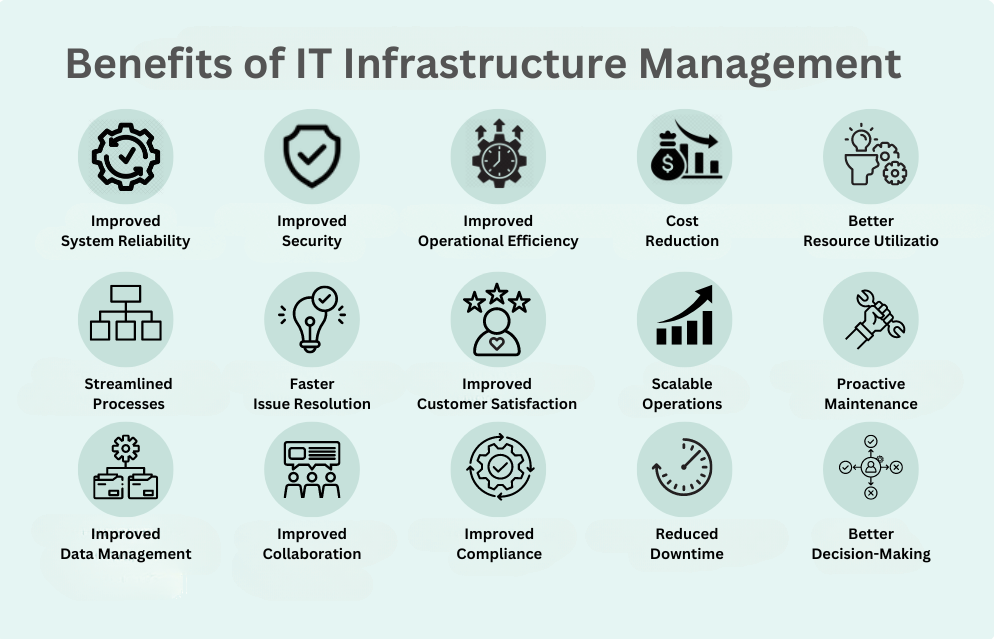
Technology problems can interrupt work, affect customer service, and expose an organization to security risks. Proactive infrastructure management helps reduce these disruptions by identifying issues before they become major incidents.
It also gives organizations a clearer picture of how their technology is being used. With accurate monitoring and documentation, teams can plan upgrades, control costs, improve performance, and make better decisions about future investments.
Core Practices for Effective Management
Monitor Systems Continuously
Monitoring tools can track availability, performance, storage, network traffic, and other indicators. Alerts help IT teams investigate unusual activity and address developing problems sooner. Monitoring works best when alerts are relevant, clearly assigned, and connected to a response process.
Keep Systems Updated
Operating systems, applications, and network devices need regular maintenance. A consistent patching process helps address known vulnerabilities and compatibility issues. Updates should be tested and scheduled appropriately, especially for systems that support critical business operations.
Plan for Backups and Recovery
Backups are useful only if they can be restored. Organizations should define what data and services need protection, how frequently backups should run, and how quickly systems must be restored. Regular recovery tests help confirm that plans work in practice.
Manage Access Carefully
Employees and service providers should have access only to the systems and information required for their roles. Reviewing permissions, removing access when it is no longer needed, and using multifactor authentication can reduce the risk of unauthorized activity.
Document the Environment
Clear documentation helps teams understand how systems are configured, how they depend on one another, and who is responsible for supporting them. It is especially valuable during troubleshooting, staff transitions, audits, and recovery efforts.
On-Premises, Cloud, and Hybrid Environments
Some organizations manage infrastructure in their own facilities, while others rely primarily on cloud providers. Many use a hybrid approach that combines on-premises equipment with cloud services. Each model has different requirements for security, cost management, availability, and support.
Cloud services can make it easier to scale resources, but they still require active oversight. Teams need to manage configurations, permissions, usage, and spending. In a hybrid environment, they also need to account for connections and dependencies between cloud and local systems.
Common Challenges
IT infrastructure can become difficult to manage when systems are added without a clear plan. Older equipment, incomplete documentation, inconsistent security practices, and limited visibility can make routine support more complicated. Rapid growth can create further pressure as infrastructure needs expand faster than budgets or staffing.
Addressing these challenges starts with understanding the current environment. An inventory of systems, applications, vendors, and dependencies can reveal gaps and help teams prioritize improvements based on business impact.
Measuring Success
Useful measures depend on an organization’s goals, but common indicators include system availability, incident response time, recurring outage frequency, backup recovery results, patching progress, and infrastructure spending. These measurements can help teams identify trends and explain the value of maintenance and modernization efforts.
Conclusion
IT infrastructure management is more than keeping equipment running. It is an ongoing effort to make technology dependable, secure, and ready to support the organization’s goals. Through consistent monitoring, maintenance, documentation, access controls, and recovery planning, businesses can reduce avoidable disruptions and build a stronger foundation for growth.
5 Essential Tips for Effective IT Infrastructure Management
- Document systems, dependencies, and owners.
- Automate routine updates and backups.
- Monitor performance and alerts continuously.
- Apply security patches promptly.
- Test disaster recovery plans regularly.
Document systems, dependencies, and owners.
Documenting systems, their dependencies, and their owners gives your team a clear picture of how the IT environment works and who is responsible for each part. Record key details such as configurations, integrations, support contacts, and connections between services. This information speeds up troubleshooting, helps teams assess the impact of changes, and makes onboarding and recovery easier. Keep documentation current by reviewing it whenever systems or responsibilities change.
Automate routine updates and backups.
Automating routine updates and backups helps keep IT systems secure and data protected without relying on manual reminders. Set updates to run during planned maintenance windows, and configure backups to follow a consistent schedule based on how often data changes and how quickly it would need to be restored. Monitor job results and test restoring files regularly to catch failures early and make sure your recovery plan works when it matters.
Monitor performance and alerts continuously.
Monitor IT infrastructure performance and alerts continuously to spot problems before they disrupt work. Track key indicators such as system availability, network latency, storage capacity, and resource usage, and configure alerts to flag unusual changes or emerging risks. Review alerts promptly, prioritize them by business impact, and fine-tune thresholds to reduce false alarms. A consistent monitoring process helps teams respond faster, maintain reliable services, and make informed decisions about capacity and maintenance.
Apply security patches promptly.
Apply security patches promptly to reduce the risk of attackers exploiting known vulnerabilities in your systems. Establish a process to monitor vendor updates, prioritize critical fixes, and test and deploy patches as quickly as practical. For essential or high-risk systems, plan maintenance windows and verify that updates install successfully. Regular patching helps protect your infrastructure, data, and business operations.
Test disaster recovery plans regularly.
Test disaster recovery plans regularly to make sure your organization can restore critical systems and data when an outage, cyberattack, or other emergency occurs. Practice realistic recovery scenarios, verify that backups work, and confirm that team members understand their roles. Record any gaps you discover, update the plan, and test again so recovery procedures stay reliable as your IT environment changes.