
cfchris.com

Loading

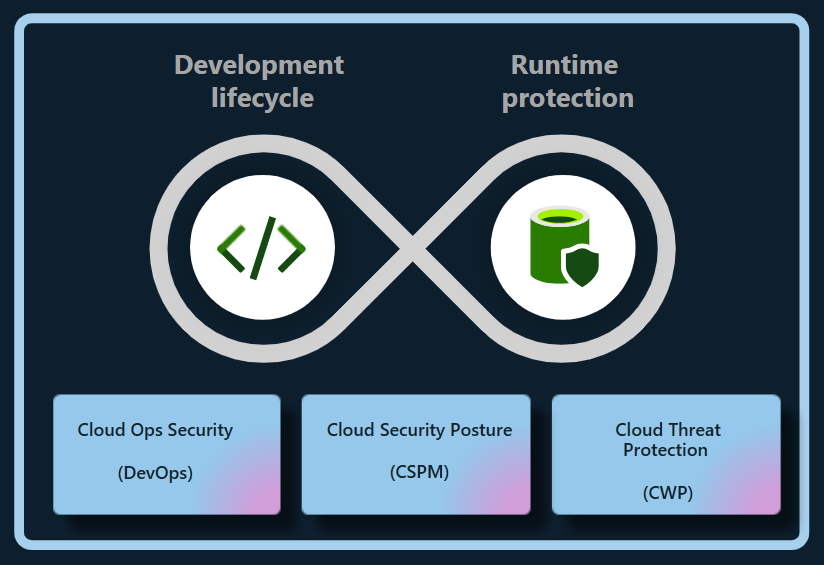
microsoft cloud security

Microsoft Cloud Security: Essential Strategies for Protecting Your Data and Workloads

Microsoft Cloud Security: A Practical Guide

Microsoft cloud services—including Azure, Microsoft 365, and services built on the Microsoft cloud—offer organizations flexible ways to run applications, collaborate, and manage data. Protecting those environments takes more than turning on a security feature. It requires clear ownership, strong identity controls, thoughtful configuration, and ongoing monitoring.

Understand the Shared Responsibility Model

Cloud security is a shared responsibility between Microsoft and its customers. Microsoft secures the underlying cloud infrastructure, while customers remain responsible for areas such as user accounts, access permissions, data, and many service configurations. The exact division of responsibility depends on the service being used. For example, a managed software service generally requires less infrastructure management by the customer than a virtual machine running in Azure.

Before deploying a workload, identify what Microsoft manages and what your organization must secure. This helps prevent gaps in areas such as patching, backups, access control, and data protection.

Make Identity Your First Line of Defense

Compromised accounts are a common path into cloud environments, so identity protection should be a priority. Microsoft Entra ID provides identity and access management capabilities for Microsoft cloud services and other applications.

  • Require multifactor authentication, especially for administrators and remote access.
  • Use conditional access policies to evaluate factors such as user, device, location, and risk.
  • Apply least privilege: give users and applications only the access they need.
  • Use privileged identity management practices to limit standing administrator access.
  • Review inactive accounts, service principals, and access permissions regularly.

Strong identity controls can reduce the impact of stolen passwords and help limit an attacker’s ability to move through an environment.

Protect Azure Workloads and Configurations

Misconfigured cloud resources can expose systems or data even when the underlying platform is secure. In Azure, organizations should establish secure configuration standards for subscriptions, networks, storage, virtual machines, and databases. Azure Policy can help enforce organizational requirements, while Microsoft Defender for Cloud can provide security recommendations and threat protection capabilities for supported resources.

Important practices include restricting public access where it is not required, using network segmentation, securing administrative connections, encrypting sensitive data, and keeping workloads patched. Backups should be protected from accidental deletion and ransomware, and recovery plans should be tested rather than assumed to work.

Secure Microsoft 365 and Collaboration

Microsoft 365 brings together email, file storage, meetings, and collaboration tools. Security settings should reflect how people actually work while limiting unnecessary exposure. Review sharing defaults in services such as SharePoint and OneDrive, manage external collaboration, and establish retention and access policies appropriate to the organization.

Microsoft Defender for Office 365 can help protect against threats such as phishing and malicious attachments, depending on the plan and configuration. Security awareness training and clear procedures for reporting suspicious messages remain important because technical controls cannot prevent every social-engineering attempt.

Protect and Govern Data

Cloud security also depends on knowing what data an organization stores and who can access it. Microsoft Purview includes data governance, information protection, and compliance capabilities, with features varying by product and license. Organizations can use classification and sensitivity labels to help identify and protect important information, and apply data loss prevention policies to reduce inappropriate sharing.

Start by identifying sensitive data, defining who should be able to access it, and deciding how long it should be retained. Policies should be tested with users and business teams to avoid disrupting legitimate work.

Monitor, Detect, and Respond

Security controls are most effective when organizations can detect suspicious activity and respond quickly. Microsoft Defender products provide security capabilities across various environments, while Microsoft Sentinel is a cloud-based security information and event management (SIEM) and security orchestration, automation, and response (SOAR) platform. The tools an organization needs depend on its environment, risk profile, and licensing.

Establish a process for reviewing alerts, investigating incidents, and escalating serious findings. Keep audit logging enabled where appropriate, define incident-response roles, and practice response scenarios such as account compromise, data exposure, and ransomware. Monitoring without a clear response process can leave important alerts unattended.

Build a Sustainable Security Program

Microsoft cloud security is not a one-time setup. Services change, employees join and leave, and business requirements evolve. A sustainable program includes regular access reviews, configuration assessments, vulnerability management, backup testing, and updates to policies and incident-response plans.

Begin with the basics: secure administrator accounts, enable strong authentication, reduce excessive permissions, protect sensitive data, and establish reliable monitoring. Then use Microsoft’s security guidance and the controls available in your specific services to improve protection over time. Because features and licensing can change, verify current capabilities and requirements in Microsoft’s official documentation before designing or purchasing a solution.


Top 9 Benefits of Microsoft Cloud Security for Your Business

  1. Scales with your business needs
  2. Offers strong identity controls
  3. Supports multifactor authentication
  4. Helps protect data with encryption
  5. Provides built-in threat detection
  6. Integrates with Microsoft 365
  7. Enables centralized security management
  8. Supports compliance and governance
  9. Offers tools for monitoring and response


5 Challenges of Microsoft Cloud Security: Complexity, Costs, and Dependence

  1. Can be complex to configure and manage.
  2. Advanced security features may require costly licenses.
  3. Misconfigurations can expose data and services.
  4. Dependence on Microsoft can limit flexibility.
  5. Requires ongoing expertise and monitoring.

Scales with your business needs

Microsoft cloud security can scale alongside your business, helping you adjust protection as your team, data, and workloads grow or change. You can add security capabilities, expand coverage across cloud services, and adapt access controls and policies as new needs arise—without having to build and maintain all the supporting infrastructure yourself. This flexibility can help keep security aligned with your business while making it easier to manage changing requirements.

Offers strong identity controls

Microsoft cloud security offers strong identity controls that help organizations protect accounts, apps, and data. With tools such as Microsoft Entra ID, teams can require multifactor authentication, apply access policies based on user and device risk, and limit permissions to only what each person needs. These safeguards make it harder for unauthorized users to gain access and help reduce the impact of compromised credentials.

Supports multifactor authentication

Microsoft cloud security supports multifactor authentication (MFA), adding an extra layer of protection beyond a password. Users may be asked to confirm their identity with an authenticator app, a security key, or another approved method. This makes it harder for someone to access an account with a stolen or guessed password and helps organizations better protect email, files, and cloud resources.

Helps protect data with encryption

Microsoft cloud security helps protect data with encryption, making information harder to read if it is accessed without authorization. Encryption can safeguard data while it is stored and while it moves between services or devices. With appropriate configuration and key-management practices, organizations can add an important layer of protection for sensitive information across their cloud environments.

Provides built-in threat detection

Microsoft cloud security includes built-in threat detection capabilities that help identify suspicious activity across supported services, users, devices, and workloads. These tools can analyze signals and surface alerts about potential risks—such as unusual sign-ins or malicious behavior—so security teams can investigate and respond more quickly. When configured to fit an organization’s environment, built-in detection can strengthen visibility without requiring every monitoring capability to be assembled from scratch.

Integrates with Microsoft 365

Microsoft cloud security integrates seamlessly with Microsoft 365, helping organizations protect email, files, meetings, and user accounts within the tools employees already use. This integration can bring security policies, identity controls, and threat protection together across services such as Outlook, Teams, SharePoint, and OneDrive. As a result, administrators can manage access more consistently, respond to potential threats with greater visibility, and help safeguard sensitive information without disrupting everyday collaboration.

Enables centralized security management

Microsoft cloud security enables centralized security management by bringing key security settings, policies, alerts, and monitoring tools together across cloud services. This gives IT and security teams a clearer view of their environment and helps them apply consistent protections, manage access, and respond to potential threats more efficiently. Centralized oversight can also make it easier to identify gaps and coordinate security practices across users, devices, and workloads.

Supports compliance and governance

Microsoft cloud security supports compliance and governance by providing tools to help organizations protect sensitive information, manage access, apply data-retention policies, and monitor activity. Services such as Microsoft Purview can help classify and govern data, while built-in security and compliance features can support an organization’s efforts to meet applicable regulatory and internal requirements. The right controls depend on the Microsoft services in use, the organization’s configuration, and its specific compliance obligations.

Offers tools for monitoring and response

Microsoft cloud security offers tools that help organizations monitor activity, detect potential threats, and respond to incidents. Services such as Microsoft Defender and Microsoft Sentinel can bring security signals together, surface suspicious behavior, and support investigation and response workflows. With appropriate configuration and ongoing oversight, these tools can help teams identify problems sooner and coordinate a more effective response.

Can be complex to configure and manage.

One drawback of Microsoft cloud security is that it can be complex to configure and manage. Services such as Azure, Microsoft 365, and Microsoft Entra ID offer many security settings, policies, and tools, and the right setup depends on an organization’s needs and licensing. Misconfigured controls or unclear responsibilities can leave gaps in protection, so teams may need specialized expertise, ongoing training, and regular reviews to manage the environment effectively.

Advanced security features may require costly licenses.

Advanced security features in Microsoft cloud services can come at a significant additional cost. Capabilities such as enhanced threat detection, identity protection, compliance tools, and advanced data protection may require higher-tier subscriptions or separate licenses. For organizations with tight budgets, these costs can make it difficult to deploy the full set of recommended safeguards, so it’s important to compare licensing options and prioritize features based on risk and business needs.

Misconfigurations can expose data and services.

One potential drawback of Microsoft cloud security is that misconfigurations can expose sensitive data and services to unauthorized access. A storage account with overly permissive access, an exposed network endpoint, or an incorrectly assigned user role can create security gaps—even when the underlying Microsoft platform is operating securely. Preventing these issues requires careful setup, regular configuration reviews, and ongoing monitoring.

Dependence on Microsoft can limit flexibility.

Relying heavily on Microsoft’s cloud security tools can limit an organization’s flexibility. Teams may find it difficult or costly to switch providers, integrate competing products, or adapt workflows built around Microsoft-specific services. This dependence can also make it harder to respond to changing business needs or negotiate terms, so organizations should consider portability and interoperability when designing their cloud security strategy.

Requires ongoing expertise and monitoring.

Microsoft cloud security requires ongoing expertise and monitoring to remain effective. Services, threats, and security settings change over time, so organizations need knowledgeable staff to review configurations, manage access, investigate alerts, and respond to incidents. Without consistent oversight, misconfigurations or suspicious activity may go unnoticed, leaving sensitive data and systems at risk.
Network Security Best Practices: Essential Steps to Protect Your Network

Network Security Best Practices

A secure network helps protect sensitive information, keep systems available, and reduce the risk of costly disruptions. Whether you manage a home network, a small business, or a large organization, network security works best as an ongoing process—not a one-time setup. The practices below can help you strengthen your defenses and respond more effectively to threats.

Keep Systems and Network Devices Updated

Install security updates for operating systems, applications, routers, firewalls, and other network equipment as soon as practical. Updates often fix vulnerabilities that attackers could otherwise exploit. Replace devices that no longer receive security support, and remove software or services that are no longer needed.

Where possible, enable automatic updates for routine security fixes. For business environments, test important updates before broad deployment and maintain a schedule for reviewing devices that may have been missed.

Use Strong Authentication

Change default usernames and passwords on routers, access points, and other equipment. Use long, unique passwords for every account, ideally stored in a reputable password manager. Avoid shared accounts when individual accounts are available, since personal accounts make it easier to track activity and revoke access when someone leaves.

Enable multifactor authentication (MFA) for administrative accounts, remote access, cloud services, and other important systems. MFA adds another verification step, making a stolen password less useful to an attacker.

Limit Access and Apply Least Privilege

Give users and devices only the access they need to do their work. Separate everyday user accounts from administrator accounts, and use elevated privileges only when necessary. Review permissions regularly, especially after job changes or departures.

Disable unused accounts, open ports, network services, and remote-access tools. Restrict administrative interfaces so they are reachable only from approved devices or trusted network locations.

Segment the Network

Network segmentation divides a network into smaller sections, limiting how far an intruder can move if one device or account is compromised. For example, organizations can separate employee computers, servers, guest Wi-Fi, and internet-connected devices such as cameras or printers.

Use firewall rules to control which sections can communicate and allow only the connections required for normal operations. Review these rules periodically to remove outdated or overly broad access.

Secure Wi-Fi and Remote Connections

Protect wireless networks with current encryption and a strong, unique passphrase. Change the access point’s default administrator credentials, keep its firmware updated, and use a separate guest network for visitors and personal devices. Avoid exposing the network’s administrative interface to the public internet.

For remote work, require secure connections through an approved VPN or other protected access method. Combine remote access with MFA, limit who can use it, and monitor for unusual sign-in activity. Do not rely on a VPN alone; remote devices should also be updated and protected.

Deploy Firewalls and Endpoint Protection

Firewalls help control traffic entering and leaving a network. Configure them to deny unnecessary connections by default, then allow only the traffic required for business or personal use. Check firewall logs and rules for unexpected changes or suspicious activity.

Install reputable endpoint protection on computers and servers, and keep it enabled and updated. Endpoint tools can help detect malicious files, suspicious behavior, and other threats that network controls may not catch.

Protect Data and Backups

Encrypt sensitive data when it is stored and when it travels across networks. Use secure protocols and avoid sending confidential information over untrusted connections without appropriate protection.

Maintain regular backups of important data and systems. Keep at least one backup isolated from the main network so malware or an intruder cannot easily alter or delete every copy. Test restores periodically; a backup is useful only if it can be recovered.

Monitor Activity and Prepare to Respond

Collect and review logs from firewalls, servers, endpoints, and important applications. Alerts can help identify unusual login attempts, unexpected data transfers, or changes to critical settings. Make sure logs are protected from unauthorized changes and retained long enough to support investigations.

Create an incident response plan that explains who to contact, how to isolate affected systems, how to preserve evidence, and how to restore operations. Practice the plan so that people know what to do under pressure.

Train Users and Review Security Regularly

People play an important role in network security. Teach users how to recognize phishing attempts, report suspicious messages, handle sensitive information, and use approved tools. Make reporting easy and respond constructively so potential problems are raised quickly.

Regularly review network diagrams, device inventories, access permissions, firewall rules, and security policies. Periodic vulnerability assessments can help identify weaknesses before they are exploited. Address findings according to their risk and verify that fixes have worked.

Make Security an Ongoing Practice

No single tool can protect every network from every threat. Strong security comes from combining updated systems, careful access controls, segmentation, monitoring, backups, and informed users. Start with the measures that address your most important risks, document your decisions, and revisit them as your network and needs change.


7 Essential Tips for Strengthening Your Network Security

  1. Use strong, unique passwords and enable multifactor authentication.
  2. Keep routers, firewalls, and devices updated.
  3. Use WPA3 or WPA2 encryption for Wi-Fi.
  4. Change default administrator usernames and passwords.
  5. Segment guest and smart-home devices from sensitive systems.
  6. Disable unused ports, services, and remote access.
  7. Monitor network logs and investigate unusual activity.

Use strong, unique passwords and enable multifactor authentication.

Use strong, unique passwords for every network account, especially administrator and remote-access accounts. Long passphrases are easier to remember and harder to guess, while a password manager can help you store them securely without reusing them. Enable multifactor authentication (MFA) wherever possible to add another layer of protection, so a stolen password alone is less likely to grant access.

Keep routers, firewalls, and devices updated.

Keep routers, firewalls, computers, and other connected devices updated with the latest security patches and firmware. Updates often fix vulnerabilities that attackers could exploit, so install them promptly and enable automatic updates when available. Replace devices that no longer receive security support, and remove outdated software or services you no longer use.

Use WPA3 or WPA2 encryption for Wi-Fi.

Use WPA3 encryption to protect your Wi-Fi network whenever your router and devices support it. If WPA3 isn’t available, choose WPA2-AES rather than outdated options such as WEP or WPA. Set a strong, unique Wi-Fi password, change the router’s default administrator credentials, and keep its firmware up to date to help prevent unauthorized access.

Change default administrator usernames and passwords.

Change the default administrator username and password on every router, access point, and network device you manage. Default credentials are often publicly documented, so attackers may try them to gain control of a device and alter its settings, intercept traffic, or access connected systems. Choose a unique, strong password for each device, change the administrator username if the device allows it, and store the credentials securely in a password manager.

Segment guest and smart-home devices from sensitive systems.

Place guest devices and smart-home equipment—such as TVs, cameras, and speakers—on a separate Wi-Fi network from computers, phones, and other systems that contain sensitive information. These devices may have weaker security or receive fewer updates, so separating them helps limit access if one is compromised. Use your router’s guest-network or network-segmentation feature, and allow only the connections each device needs.

Disable unused ports, services, and remote access.

Disable unused network ports, services, and remote-access tools to reduce the number of ways an attacker could reach your systems. Turn off features you don’t need, close unnecessary firewall ports, and limit administrative access to trusted devices or locations. Review these settings regularly, since old services and access rules can remain enabled long after they’re needed.

Monitor network logs and investigate unusual activity.

Monitor network logs regularly to spot unusual activity, such as repeated failed sign-in attempts, unexpected connections, or large transfers of data. Set alerts for suspicious patterns and investigate them promptly to determine whether they’re harmless or signs of a security issue. Keeping logs protected and retaining them long enough can also help identify what happened and support a faster response.

cyber security management services

Cyber Security Management Services: Protecting Your Business from Digital Threats

Cybersecurity Management Services: Protecting Your Business in a Changing Threat Landscape

Cybersecurity is an ongoing business responsibility, not a one-time technology project. New threats, changing systems, and evolving work practices can create risks for organizations of every size. Cybersecurity management services help businesses assess those risks, strengthen their defenses, and respond effectively when security issues arise.

What Are Cybersecurity Management Services?

Cybersecurity management services provide ongoing support for the people, processes, and technologies used to protect an organization’s systems and information. Depending on a business’s needs, services may include security assessments, monitoring, policy development, employee training, incident response planning, and help with regulatory requirements.

Some organizations manage cybersecurity internally, while others work with an outside provider for specialized expertise or day-to-day support. A provider may work alongside an internal IT team or take responsibility for selected security functions.

Common Cybersecurity Management Services

Security Risk Assessments

A risk assessment identifies potential weaknesses in systems, accounts, applications, and business processes. It can help an organization understand which risks are most important and decide where to focus its security investments.

Security Monitoring and Threat Detection

Monitoring tools can help identify unusual activity, suspicious logins, malware, and other potential threats. When alerts are reviewed and handled promptly, businesses may be better positioned to investigate problems before they cause wider disruption.

Vulnerability and Patch Management

Software vulnerabilities can leave systems exposed if they are not addressed. Vulnerability management involves identifying known weaknesses, prioritizing them by risk, and coordinating updates or other safeguards.

Identity and Access Management

Managing who can access business systems is a core part of cybersecurity. Services may include multifactor authentication, access reviews, stronger account controls, and processes for promptly changing or removing access when someone changes roles or leaves the organization.

Employee Security Awareness

Employees can help protect an organization when they know how to recognize phishing attempts, handle sensitive information, and report suspicious activity. Training can reinforce practical security habits and make reporting concerns easier.

Incident Response Planning

Even well-prepared organizations can experience security incidents. An incident response plan outlines who should take action, how systems and information will be protected, and how the organization will communicate and recover. Planning ahead can reduce confusion during a high-pressure situation.

Backup and Recovery Planning

Reliable backups can help a business restore important data after an outage, accidental deletion, hardware failure, or ransomware incident. A recovery plan should identify what needs to be restored first and include regular tests to check that backups can be used.

Why Ongoing Cybersecurity Management Matters

Security needs change as organizations adopt new applications, hire employees, work with vendors, or move data to cloud services. Ongoing management can help businesses keep track of these changes and maintain appropriate protections over time.

  • Reduce avoidable risk: Regular reviews can reveal weaknesses before they become larger problems.
  • Improve response readiness: Clear plans and responsibilities help teams act more effectively during an incident.
  • Support business continuity: Security and recovery planning can help limit interruptions to essential operations.
  • Make security more consistent: Documented procedures help employees and teams follow the same expectations.
  • Use expertise effectively: Outside specialists can provide skills or coverage that may be difficult to maintain in-house.

Choosing a Cybersecurity Management Provider

Cybersecurity services should fit an organization’s systems, operations, and risk profile. Before selecting a provider, consider the following:

  • Which services are included, and which require additional fees?
  • How are alerts reviewed, prioritized, and escalated?
  • Who will be responsible for responding to an incident?
  • How will the provider coordinate with internal IT staff and leadership?
  • How are access to business systems and sensitive information controlled?
  • What reports, recommendations, or service reviews will be provided?
  • Can the provider support the organization’s legal, contractual, and regulatory obligations?

It is also helpful to ask how a provider will learn about the business, document its environment, and measure progress. A useful relationship should include clear communication and practical recommendations—not just software or alerts.

Build a Security Program That Can Adapt

Effective cybersecurity management is a continuing process. It starts with understanding the organization’s most important systems and risks, then combines suitable safeguards with monitoring, training, and response planning. Regular reviews help ensure those measures remain relevant as the business changes.

Cybersecurity management services can give organizations the structure and support to take a more proactive approach. With clear priorities and consistent oversight, businesses can better protect their information, support daily operations, and prepare for security challenges.


Top FAQs About Cybersecurity Management Services: Costs, Careers, and Key Players

  1. What are the top 3 cybersecurity companies?
  2. What is the average cost of cyber security services?
  3. Can I make $200,000 a year in cyber security?
  4. What are cyber security managed services?
  5. What is cybersecurity service management?
  6. What are the examples of managed security services?
  7. What is the role of cyber security management?
  8. How much do cybersecurity services cost?

What are the top 3 cybersecurity companies?

There isn’t a universally agreed-upon top three, since the best cybersecurity company depends on an organization’s size, needs, and budget. CrowdStrike, Palo Alto Networks, and Microsoft are widely recognized for their cybersecurity products and services, including threat detection, network security, and cloud protection. For managed cybersecurity services, compare providers based on their expertise, monitoring and response capabilities, industry experience, and fit with your existing systems.

What is the average cost of cyber security services?

There’s no single average cost for cybersecurity services because pricing depends on your organization’s size, risk level, systems, and the type of support needed. Small businesses may pay a few hundred to several thousand dollars per month for ongoing managed security, while assessments, compliance projects, and incident response are often priced separately. The best way to estimate your cost is to identify your priorities and request a detailed quote that explains what’s included, how support is provided, and whether there are additional fees.

Can I make $200,000 a year in cyber security?

Yes, earning $200,000 a year in cybersecurity is possible, especially in senior or specialized roles such as security architect, director of information security, or security consultant. Reaching that level often requires substantial experience, in-demand technical or leadership skills, and working in a higher-paying market; compensation may also include bonuses or stock rather than base salary alone. Pay varies widely by location, employer, and role, so $200,000 is achievable for some professionals but is not a typical starting salary or a guaranteed outcome.

What are cyber security managed services?

Cybersecurity managed services are ongoing security solutions provided by an outside specialist to help protect an organization’s systems, data, and users. Depending on the provider and service plan, they may include security monitoring, threat detection, vulnerability and patch management, access controls, employee training, and incident response support. These services can supplement an in-house IT team or provide security expertise a business does not have internally.

What is cybersecurity service management?

Cybersecurity service management is the process of planning, coordinating, and overseeing the security services an organization uses to protect its systems, data, and users. It may include managing security monitoring, access controls, vulnerability updates, incident response, employee training, and reporting. The goal is to make these services work together, align them with business needs, and continually adapt them as threats and technology change.

What are the examples of managed security services?

Examples of managed security services include 24/7 security monitoring and threat detection, managed firewalls, endpoint protection, vulnerability scanning and patch management, email security, identity and access management, security awareness training, data backup and recovery, and incident response support. A provider may deliver these services individually or combine them into a broader program tailored to an organization’s systems, risks, and needs.

What is the role of cyber security management?

Cybersecurity management helps an organization protect its systems, networks, and sensitive information by coordinating security policies, tools, and practices. It includes identifying and reducing risks, managing access, monitoring for suspicious activity, preparing for and responding to incidents, and helping employees follow safe security practices. By regularly reviewing and improving these measures, cybersecurity management supports business continuity and helps the organization adapt to changing threats.

How much do cybersecurity services cost?

The cost of cybersecurity services depends on your organization’s size, risk level, systems, and the type of support you need. A one-time security assessment typically costs less than ongoing services such as 24/7 monitoring, vulnerability management, incident response, or compliance support. Pricing may be based on a monthly subscription, the number of users or devices, or a custom scope of work. Requesting a detailed quote can help you compare what’s included and choose services that fit your budget and security priorities.