


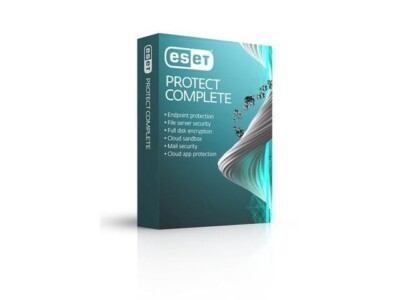
ESET Cyber Security: A Guide to Protecting Your Devices and Data
ESET Cybersecurity: Protection for Home and Business
Cybersecurity threats can affect anyone who uses a computer, phone, or online service. Malware, phishing, ransomware, and stolen passwords can put personal information and business operations at risk. ESET is a cybersecurity company known for its antivirus and endpoint protection products, which are designed to help detect and block a range of digital threats.
What Is ESET?
ESET is a global cybersecurity company headquartered in Slovakia. Its products serve both individual users and organizations, with tools for protecting computers, mobile devices, networks, and other systems. ESET is particularly well known for its NOD32 antivirus technology and also offers broader security products for home and business use.
How ESET Security Works
Security software typically combines several methods to identify suspicious activity. ESET products may use techniques such as threat signatures, behavioral analysis, and cloud-based reputation services. These approaches can help identify known malware as well as suspicious files or activity that may not match a previously recorded threat.
Depending on the product and subscription, protection may include features such as:
- Antivirus and anti-malware protection: Scans files and activity to help detect malicious software.
- Web and phishing protection: Helps identify dangerous websites and fraudulent links.
- Ransomware defenses: Helps detect or prevent activity associated with attempts to encrypt files.
- Firewall and network tools: May help monitor network connections and block suspicious traffic.
- Device and privacy features: Some plans include tools for securing online transactions, managing passwords, or locating a lost device.
Available features differ among ESET products, operating systems, and subscription plans. Review the product details before purchasing to confirm that the functions you need are included.
ESET for Home Users
For individuals and families, ESET offers security software intended to protect everyday devices from common online threats. A security suite can be useful for people who want antivirus protection alongside additional tools for browsing, network security, or privacy.
Before choosing a plan, consider how many devices need protection, which operating systems they use, and whether you need features beyond malware detection. Also check whether the product includes automatic renewal, how billing works, and what support options are available.
ESET for Businesses
Organizations often need more than individual antivirus software. Business security products may include centralized administration, endpoint monitoring, and tools for managing protection across multiple devices. These capabilities can help IT teams apply consistent security policies and investigate alerts.
The right setup depends on an organization’s size, infrastructure, regulatory obligations, and risk profile. ESET can be one part of a broader security strategy that also includes backups, access controls, employee training, and an incident response plan.
Benefits and Considerations
ESET’s range of products gives home users and businesses options for protecting different types of devices. Its established antivirus technology and layered detection approach may be appealing to people looking for a dedicated security provider.
No security product can prevent every attack. Software may miss new or highly targeted threats, and some features require configuration or user attention. Performance, compatibility, and available tools can also vary by device and plan. Independent testing, product documentation, and a trial period—when available—can help you decide whether a product fits your needs.
How to Get the Most from ESET
- Keep ESET and your operating system updated.
- Enable automatic updates and scheduled scans where appropriate.
- Use strong, unique passwords and multifactor authentication.
- Back up important files regularly and test that you can restore them.
- Be cautious with unexpected attachments, links, and requests for payment or login details.
- Review security alerts and follow the recommended steps rather than dismissing them automatically.
Final Thoughts
ESET provides cybersecurity products for both personal and business use, with protection options that can include antivirus, web security, and device-management features. The best choice depends on the devices you use and the level of protection you need. Used alongside regular updates, secure passwords, backups, and careful online habits, security software can play an important role in reducing cyber risk.
8 Key Benefits of ESET Cyber Security
- Real-time threat detection
- Protection against malware
- Phishing and web safeguards
- Options for home and business
- Tools for multiple devices
- Centralized business management
- Regular security updates
- Easy-to-use security features
7 Potential Drawbacks of ESET Cyber Security
- Some plans may be costly.
- Features vary by plan and device.
- Scans can use system resources.
- Occasional false positives may occur.
- Business tools may take time to configure.
- Automatic renewals can surprise users.
- No security suite blocks every threat.
Real-time threat detection
ESET’s real-time threat detection monitors files, downloads, websites, and system activity as you use your device. By checking for suspicious behavior and known threats in the moment, it can help block malware before it causes damage or puts your information at risk. This ongoing protection is especially useful when browsing the web, opening attachments, or installing new software.
Protection against malware
ESET helps protect your devices against malware, including viruses, spyware, ransomware, and other harmful software. Its security tools scan files and monitor activity to detect and block threats, helping safeguard your personal information and keep your devices running smoothly. Regular updates help ESET respond to emerging threats, while safe browsing habits and routine backups provide additional layers of protection.
Phishing and web safeguards
ESET’s phishing and web safeguards help protect you while browsing by checking websites and links for signs of scams or other online threats. These features can warn you before you enter personal information on a suspicious page or download potentially harmful content, adding an extra layer of protection against attempts to steal passwords, financial details, and other sensitive data.
Options for home and business
ESET offers cybersecurity options for both home users and businesses, making it easier to choose protection suited to different needs. Individuals and families can select plans to help secure personal devices, while organizations can explore business-focused tools for managing protection across multiple endpoints. Since features and availability vary by product and plan, it’s worth reviewing the details to find the right fit.
Tools for multiple devices
ESET offers security options for multiple devices, making it easier to protect computers, phones, and tablets under one plan, depending on the product and subscription. This can be convenient for households or small businesses that use a mix of devices, helping keep protection and security management more consistent without needing separate solutions for each one.
Centralized business management
ESET’s centralized business management tools make it easier for IT teams to oversee security across multiple devices from one console. Administrators can monitor protection status, manage policies, review alerts, and respond to potential issues without configuring each endpoint individually. This unified view can simplify routine security tasks, support more consistent settings across the organization, and help teams use their time more efficiently.
Regular security updates
Regular security updates are an important advantage of ESET cybersecurity products. Updates help keep protection current by adding new threat information, improving detection, and addressing security issues as they emerge. With automatic updates enabled, users can reduce the chance of relying on outdated defenses and spend less time managing updates manually.
Easy-to-use security features
ESET makes cybersecurity easier to manage with straightforward features and a clear interface. Users can check their protection status, run scans, and adjust key settings without needing advanced technical knowledge. This ease of use helps individuals and businesses stay on top of routine security tasks while keeping essential protections close at hand.
Some plans may be costly.
Some ESET plans may be costly, especially if you need to protect several devices or want access to premium features. Before subscribing, compare the available plans, check renewal pricing, and consider whether the included tools match your needs. This can help you avoid paying for features you may not use.
Features vary by plan and device.
One drawback of ESET cybersecurity is that its features can vary depending on the plan you choose and the device you use. A tool included in one subscription may not be available in another, and some features may work only on certain operating systems. Before purchasing, check the plan details and device compatibility to make sure the protection you need is included.
Scans can use system resources.
ESET scans can use noticeable system resources, especially during a full scan or when checking large files and folders. On older or less powerful devices, this may temporarily slow down startup, browsing, or other tasks. Scheduling scans for times when the computer is not in use and adjusting scan settings, when available, can help reduce the impact.
Occasional false positives may occur.
Like other cybersecurity programs, ESET may occasionally flag a legitimate file or application as a potential threat. These false positives can interrupt normal work or prevent a program from running until the item is reviewed. If you believe a file was flagged incorrectly, verify that it comes from a trusted source and follow ESET’s guidance before restoring or excluding it from scans.
Business tools may take time to configure.
ESET’s business security tools can take time to configure, especially in organizations managing many devices, users, or security policies. IT teams may need to learn the management console, adjust settings, and test deployments to ensure protection works as intended without disrupting daily operations. Businesses with limited IT resources may want to plan for setup time or seek help from a qualified administrator.
Automatic renewals can surprise users.
One potential downside of ESET cybersecurity is that automatic renewals can catch users by surprise. If a subscription renews automatically, the charge may appear before the user expects it, especially if they have forgotten the renewal date or didn’t notice the billing terms. Checking the subscription settings and renewal reminders can help avoid unexpected charges.
No security suite blocks every threat.
No security suite, including ESET, can block every cyber threat. New malware, sophisticated phishing attempts, and targeted attacks may evade detection, especially if users click suspicious links or run outdated software. ESET can help reduce risk, but it works best as part of a broader security routine that includes regular updates, strong unique passwords, multifactor authentication, safe browsing habits, and reliable backups.