


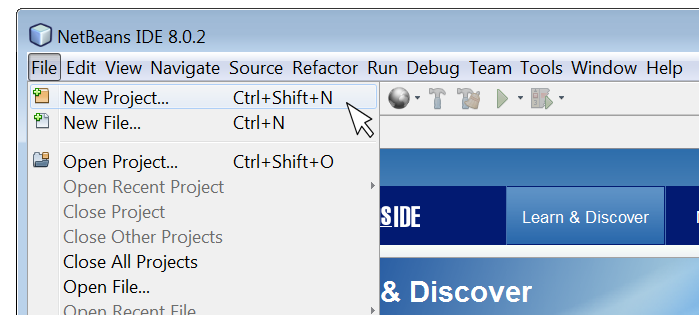
Mastering Java Development with NetBeans IDE
Exploring NetBeans for Java Development
NetBeans is a powerful integrated development environment (IDE) that is widely used by Java developers around the world. It provides a comprehensive set of tools and features to streamline the development process and enhance productivity.
Key Features of NetBeans for Java Development:
- Code Editor: NetBeans offers a sophisticated code editor with features like syntax highlighting, code completion, and refactoring tools to help developers write clean and efficient code.
- Project Management: The IDE allows developers to manage their projects effectively, organize files, and navigate through code seamlessly.
- Debugging Tools: NetBeans comes with robust debugging tools that enable developers to troubleshoot and fix issues in their Java applications quickly.
- Version Control Integration: Developers can easily integrate version control systems like Git into NetBeans to manage code changes efficiently.
- User-Friendly Interface: The intuitive interface of NetBeans makes it easy for both beginners and experienced developers to work comfortably within the IDE.
- Support for Plugins: NetBeans supports a wide range of plugins that extend its functionality and cater to specific development needs.
The Benefits of Using NetBeans for Java Development:
Developers choose NetBeans for Java development due to its numerous benefits, including:
- Productivity Boost: With its efficient tools and features, NetBeans helps developers write code faster and with fewer errors.
- Cross-Platform Support: NetBeans is compatible with multiple operating systems, allowing developers to work on different platforms seamlessly.
- Community Support: The vibrant community around NetBeans provides resources, tutorials, and forums for developers to seek help and share knowledge.
- Ease of Integration: NetBeans integrates well with other technologies and frameworks commonly used in Java development projects.
- Ongoing Development: The continuous updates and enhancements made to NetBeans ensure that developers have access to the latest tools and features in the IDE.
In conclusion, NetBeans is a versatile IDE that offers a rich set of features tailored for Java development. Whether you are a beginner learning Java programming or an experienced developer working on complex projects, NetBeans can be your go-to tool for efficient coding and project management.
Maximize Your Java Coding Efficiency: 9 Essential Tips for Using NetBeans
- Use keyboard shortcuts to speed up coding tasks.
- Take advantage of code templates to write code more efficiently.
- Utilize the debugger for identifying and fixing errors in your code.
- Customize the NetBeans IDE layout to suit your preferences and workflow.
- Install useful plugins to enhance functionality and productivity.
- Familiarize yourself with version control features for better project management.
- Explore the profiler tool for optimizing performance of your Java applications.
- Make use of integrated Maven support for managing project dependencies effectively.
- Stay updated with the latest NetBeans releases and updates for new features and improvements.
Use keyboard shortcuts to speed up coding tasks.
By utilizing keyboard shortcuts in NetBeans Java, developers can significantly enhance their coding efficiency. These shortcuts allow for quick navigation, selection, and execution of various commands without the need to rely on the mouse or navigate through menus. By memorizing and incorporating these keyboard shortcuts into their workflow, developers can streamline coding tasks, boost productivity, and focus more on writing high-quality code rather than getting bogged down by manual actions.
Take advantage of code templates to write code more efficiently.
By utilizing code templates in NetBeans for Java development, developers can significantly enhance their coding efficiency. These pre-defined snippets of code allow for quick insertion of commonly used structures, reducing the time and effort required to write repetitive code segments. By leveraging code templates effectively, developers can streamline their workflow, maintain consistency in coding practices, and focus more on the logic and functionality of their Java applications.
Utilize the debugger for identifying and fixing errors in your code.
Utilizing the debugger in NetBeans for Java development is a valuable tip for identifying and fixing errors in your code efficiently. By setting breakpoints, inspecting variables, and stepping through code execution, developers can pinpoint the root cause of issues and debug their applications effectively. The debugger tool in NetBeans provides real-time insights into the behavior of the code, helping developers troubleshoot complex problems and ensure the reliability and stability of their Java applications.
Customize the NetBeans IDE layout to suit your preferences and workflow.
Customizing the layout of the NetBeans IDE allows you to tailor the workspace to align with your specific preferences and workflow. By rearranging panels, adjusting toolbars, and organizing windows according to your needs, you can create a more efficient and personalized development environment. This flexibility not only enhances your productivity but also ensures that you have easy access to the tools and features that are most important to you during Java programming tasks.
Install useful plugins to enhance functionality and productivity.
To enhance functionality and productivity while using NetBeans for Java development, it is highly recommended to install useful plugins. These plugins can extend the capabilities of the IDE, providing additional tools and features that cater to specific development needs. By incorporating relevant plugins into NetBeans, developers can streamline their workflow, improve code quality, and boost overall efficiency in their Java projects. Investing time in selecting and integrating the right plugins can significantly enhance the development experience within NetBeans, ultimately leading to more effective and successful coding endeavors.
Familiarize yourself with version control features for better project management.
Familiarizing yourself with the version control features in NetBeans for Java development is essential for enhancing project management efficiency. By utilizing version control tools like Git within NetBeans, developers can easily track changes, collaborate with team members, and revert to previous versions when needed. This practice not only ensures better organization of code but also promotes seamless collaboration and helps maintain a structured development workflow. Mastering version control features in NetBeans can significantly improve project management processes and contribute to the overall success of Java development projects.
Explore the profiler tool for optimizing performance of your Java applications.
By utilizing the profiler tool in NetBeans for Java development, developers can delve into the performance metrics of their applications to identify bottlenecks and optimize code efficiency. This powerful feature allows users to analyze resource usage, memory allocation, and execution times, enabling them to fine-tune their Java applications for optimal performance. By exploring the profiler tool within NetBeans, developers can enhance the overall speed and responsiveness of their Java applications, ensuring a seamless user experience.
Make use of integrated Maven support for managing project dependencies effectively.
By utilizing the integrated Maven support in NetBeans for managing project dependencies, developers can streamline the process of handling external libraries and dependencies within their Java projects. Maven simplifies the management of project builds, dependencies, and configurations, making it easier to maintain a structured and organized development environment. Leveraging this feature in NetBeans enhances efficiency and allows developers to focus more on coding and less on managing dependencies manually.
Stay updated with the latest NetBeans releases and updates for new features and improvements.
Staying updated with the latest NetBeans releases and updates is crucial for Java developers to leverage new features and improvements. By keeping abreast of the latest developments in the IDE, developers can enhance their productivity, streamline their workflow, and take advantage of any enhancements that can make their coding experience more efficient and effective. Regularly updating NetBeans ensures that developers have access to the most up-to-date tools and capabilities, helping them stay competitive in the ever-evolving world of Java development.