cfchris.com

Loading

java source code

Java Source Code: A Beginner’s Guide to Writing and Running Programs

Understanding Java Source Code

Java source code is the human-readable text developers write to create Java applications. It contains instructions, data definitions, and logic that describe how a program should work. Before a Java program can run, its source code is typically compiled into bytecode, which runs on the Java Virtual Machine (JVM).

What Is a Java Source File?

Java source files usually have the .java extension. A source file can contain classes, interfaces, methods, variables, and comments. For example, a simple program might look like this:

public class HelloWorld {

public static void main(String[] args) {

System.out.println("Hello, world!");

}

}

In this example, HelloWorld is a class. The main method is the program’s entry point, and System.out.println displays a line of text.

From Source Code to a Running Program

Java uses a two-stage process to turn source code into a running application:

  1. Compilation: The Java compiler, javac, checks the source code and converts it into bytecode. The result is commonly saved in a .class file.
  2. Execution: The JVM runs the bytecode. Because JVMs are available for many operating systems, the same compiled program can often run on different platforms.

A typical command-line workflow is:

javac HelloWorld.java

java HelloWorld

The first command compiles the source file. The second starts the program.

Key Parts of Java Source Code

  • Classes and interfaces: These define the structure and behavior of a Java program.
  • Methods: Methods contain instructions that perform tasks.
  • Variables: Variables store values, such as numbers, text, or object references.
  • Packages and imports: Packages organize related code, while import statements make other classes available.
  • Comments: Comments explain code to readers and are ignored by the compiler.

Java is case-sensitive, so total and Total are different names. In conventional Java projects, class names use PascalCase, while method and variable names usually use camelCase.

Why Source Code Matters

Readable source code is easier to maintain, test, and improve. Clear names, consistent formatting, and focused methods help developers understand how a program works. Comments are useful when they explain intent or important decisions, but well-written code should also communicate its purpose through its structure and naming.

Java source code is also the foundation for collaboration. Teams use version control systems to track changes, review updates, and coordinate work. Automated tests and build tools can help verify that changes behave as expected.

Getting Started

To begin writing Java source code, install a Java Development Kit (JDK), choose a text editor or integrated development environment, and create a file with a .java extension. Start with a small program, compile it, and run it. As you learn, explore variables, conditionals, loops, methods, classes, and exception handling.

Learning to read and write Java source code takes practice. By building small projects and reviewing clear examples, beginners can develop a solid understanding of how Java programs are structured and how they run.


Understanding Java Source Code: Common Questions Answered

  1. Is Java source code human-readable?
  2. Is Java a source code?
  3. Is Java outdated in 2026?
  4. Is Java built on C or C++?
  5. What is the source code of Java?

Is Java source code human-readable?

Yes, Java source code is human-readable: it uses familiar words, symbols, and a structured syntax that developers can write and understand. For example, a Java statement such as System.out.println("Hello, world!"); clearly indicates that text will be displayed. Although some programs can become complex, clear naming, formatting, and comments make Java source code easier to read and maintain.

Is Java a source code?

No. Java is a programming language, not source code itself. Source code is the human-readable set of instructions a programmer writes using Java, usually saved in files with the .java extension. A Java compiler then converts that source code into bytecode that can run on the Java Virtual Machine (JVM).

Is Java outdated in 2026?

No, Java is not outdated in 2026. It remains widely used for enterprise software, backend services, Android development, and large-scale systems, with ongoing updates to the language and its ecosystem. While newer languages may suit some projects better, Java continues to be a practical choice when long-term support, mature tools, performance, and a large developer community matter.

Is Java built on C or C++?

Java is not built on C or C++, though its syntax was influenced by both languages, especially C and C++. Java was designed as a separate programming language, with features such as automatic memory management and a bytecode-based runtime. Its compiler and runtime have been implemented in different languages over time, so Java itself is not simply a version of C or C++.

What is the source code of Java?

Java source code is the human-readable set of instructions written by developers to create Java programs, typically saved in files with the .java extension. A Java compiler translates this code into bytecode, which the Java Virtual Machine (JVM) executes. If you mean the source code used to build the Java platform itself, much of it is available in the OpenJDK project.
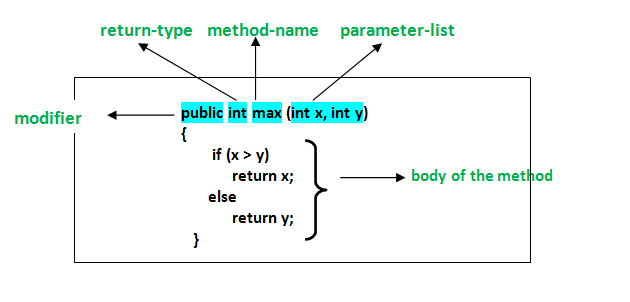
java course for beginners

Java Course for Beginners: Learn the Fundamentals and Build Your First Programs

Java Course for Beginners: A Practical Guide to Getting Started

Java is a popular programming language used to build everything from business applications and web services to Android apps and large-scale software systems. Its clear structure, broad ecosystem, and strong community make it a useful language for people learning to code. A well-designed Java course for beginners can help you move from basic concepts to building programs of your own.

Why Learn Java?

Java is designed to run on many types of computers. Java programs are typically compiled into bytecode, which runs on the Java Virtual Machine (JVM). This approach helps the same program work across different operating systems, provided a compatible JVM is available.

Java is also widely used in professional software development. Learning it can introduce you to essential programming ideas—including variables, loops, methods, and object-oriented programming—that apply to many other languages as well.

What a Beginner Java Course Should Cover

You do not need previous programming experience to begin. A good introductory course explains each idea step by step and gives you opportunities to practice it. Look for a course that includes these core topics:

  • Setting up your tools: Install a Java Development Kit (JDK) and choose a code editor or integrated development environment (IDE).
  • Your first program: Learn how to write, compile, and run a simple Java application.
  • Variables and data types: Store information using types such as int, double, boolean, and String.
  • Operators and expressions: Perform calculations and compare values.
  • Conditionals: Use if, else, and switch statements to make decisions.
  • Loops: Repeat tasks with for and while loops.
  • Methods: Organize code into reusable blocks.
  • Arrays and collections: Work with groups of values.
  • Object-oriented programming: Create classes and objects, and learn about fields, constructors, and methods.
  • Debugging and errors: Read compiler messages, find mistakes, and improve your code.

How to Choose the Right Course

Beginner courses come in many formats, including online lessons, classroom instruction, books, and self-paced tutorials. The best choice depends on how you like to learn and how much time you can set aside. Before enrolling, check that the course:

  • Clearly identifies itself as suitable for beginners.
  • Uses current Java tools and explains how to install them.
  • Includes coding exercises, not just videos or lectures.
  • Builds concepts gradually and explains unfamiliar terms.
  • Offers small projects that let you apply what you have learned.

A course does not have to teach every Java feature at once. A strong foundation in the basics is more valuable than rushing through advanced topics before you are ready.

Practice with Small Projects

Writing code regularly is one of the best ways to make progress. After learning the fundamentals, try projects that are simple enough to finish but flexible enough to expand. For example, you could create:

  • A temperature or unit converter
  • A basic calculator
  • A number-guessing game
  • A to-do list for the command line
  • A program that tracks books, movies, or personal expenses

Start with a basic version, then add features as your skills improve. A number-guessing game, for instance, can begin with a random number and a loop. Later, you can add input validation, a limited number of guesses, and a way to play again.

Tips for Learning Java Successfully

Set a manageable learning schedule. Short, frequent practice sessions often work better than trying to learn everything in one sitting. Type out examples yourself, change them, and observe what happens. When you encounter an error, read the message carefully and test one possible fix at a time.

It is also normal to revisit concepts. Object-oriented programming and other topics may take time to feel comfortable. Keep your early programs, review them later, and notice how your understanding has grown.

What Comes After the Basics?

Once you can write small programs and understand how classes and objects work, you can explore topics such as exception handling, file input and output, generics, testing, and common data structures. Your next steps can depend on your goals. For example, you might study web development, Android development, or backend application development.

Start Building with Java

A Java course for beginners can give you a clear path into programming, but progress comes from applying what you learn. Choose a course with hands-on exercises, practice consistently, and build small projects along the way. With patience and regular effort, you can develop the skills to create useful Java applications and continue learning more advanced programming concepts.


Top FAQs About Starting a Java Course for Beginners

  1. Which is the best Java course for beginners?
  2. How can I learn Java as a beginner?
  3. Is 1 month enough to learn Java?
  4. How do I start studying Java?

Which is the best Java course for beginners?

The best Java course for beginners is one that assumes no prior programming experience, teaches concepts step by step, and gives you plenty of hands-on practice. Look for lessons covering Java basics, problem-solving, and object-oriented programming, along with exercises and small projects that help you apply what you learn. The right choice also depends on your learning style, schedule, and budget, so preview a lesson or two before committing.

How can I learn Java as a beginner?

Beginners can learn Java by starting with the basics: installing the JDK and a code editor, then practicing variables, data types, conditionals, loops, methods, and classes. Follow a structured beginner course with hands-on exercises, and write code regularly rather than only watching lessons. Small projects—such as a calculator or number-guessing game—help reinforce new concepts. When errors come up, read the messages carefully and use them as clues; steady practice is more effective than trying to learn everything at once.

Is 1 month enough to learn Java?

One month is enough to learn Java’s fundamentals if you study consistently and practice regularly, but it’s usually not enough to master the language or become job-ready. In that time, you can learn basic syntax, variables, conditionals, loops, methods, and introductory object-oriented programming, then apply them in small projects. Your progress will depend on your prior experience and the time you can dedicate each day. Continue practicing after the first month to strengthen your skills and explore more advanced topics.

How do I start studying Java?

To start studying Java, install the latest Java Development Kit (JDK) and choose a beginner-friendly editor or IDE, such as IntelliJ IDEA or Visual Studio Code. Then follow a structured introductory course that covers basic syntax, variables, conditionals, loops, methods, and classes. Write and run small programs as you learn—such as a calculator or number-guessing game—and practice regularly. When you encounter errors, read the messages carefully and use them to understand how your code works.

for java

A Beginner’s Guide to Programming for Java Apps

Getting Started with Java Programming

Java is a popular, general-purpose programming language used to build everything from web applications and business software to Android apps and large-scale systems. Its combination of readability, portability, and extensive tooling makes it a strong choice for both new programmers and experienced developers.

What Is Java?

Java is a class-based, object-oriented language. Developers write Java source code, which is compiled into bytecode. The Java Virtual Machine (JVM) runs that bytecode on compatible devices and operating systems. This approach helps Java programs run across different platforms without requiring a separate version of the source code for each one.

Why Learn Java?

  • Portability: Java applications can run on many platforms with a compatible JVM.
  • Versatility: Java is used in web services, enterprise applications, desktop software, and other fields.
  • Strong ecosystem: A wide range of libraries, frameworks, development tools, and learning resources is available.
  • Useful fundamentals: Learning Java introduces concepts such as classes, objects, types, and exception handling that apply to many programming languages.
  • Ongoing use: Organizations continue to use Java for applications that need to be maintained and expanded over time.

Your First Java Program

A simple Java program can display a message in the console:

public class Main {

public static void main(String[] args) {

System.out.println("Hello, Java!");

}

}

The main method is the entry point for this program. The System.out.println statement prints a line of text. Java’s syntax may look formal at first, but its structure encourages code that is organized and explicit.

Core Concepts to Explore

As you learn Java, start with variables and data types, conditional statements, loops, and methods. Then move on to object-oriented programming, including classes, objects, inheritance, and interfaces. Exceptions and collections are also important topics for writing practical programs.

Small projects are a useful way to practice. Try building a calculator, a to-do list, or a program that reads and summarizes information. Working through real examples helps connect language features to the problems they solve.

Tools for Java Development

To begin, install a Java Development Kit (JDK), which includes tools for compiling and running Java programs. You can write code in a basic text editor, but an integrated development environment (IDE) can make development easier with features such as code completion, debugging, and project management.

Keep Building Your Skills

Java is a substantial language, so there is no need to learn everything at once. Focus on the fundamentals, write code regularly, and read errors carefully when something does not work. With steady practice, you can use Java to create reliable applications and build a solid foundation for further software development.


8 Essential Tips for Writing Clean and Effective Java Code

  1. Use meaningful names for classes, methods, and variables.
  2. Keep methods small and focused on one task.
  3. Prefer interfaces when designing flexible APIs.
  4. Use try-with-resources to close files and streams.
  5. Handle exceptions specifically instead of catching everything.
  6. Use `equals()` to compare objects, not `==`.
  7. Choose collections based on how they’ll be used.
  8. Write unit tests for important behavior.

Use meaningful names for classes, methods, and variables.

Use meaningful names for Java classes, methods, and variables to make your code easier to understand and maintain. Choose names that clearly describe what each element represents or does, such as CustomerAccount, calculateTotal(), or orderCount. Clear, consistent naming helps you and other developers follow the logic, spot mistakes, and update the code with confidence.

Keep methods small and focused on one task.

Keep Java methods small and focused on one task. A method that does one thing is easier to understand, test, debug, and reuse. If a method starts handling several responsibilities—such as validating input, updating data, and formatting output—consider splitting those steps into separate methods with clear names. This keeps your code organized and makes future changes less likely to cause unexpected problems.

Prefer interfaces when designing flexible APIs.

When designing a flexible Java API, prefer accepting or returning interfaces rather than specific implementation classes. For example, use `List` instead of `ArrayList` when a method only needs list behavior. This keeps the API focused on what callers can do, lets implementations change without affecting users, and makes it easier to substitute alternatives such as `LinkedList` or custom implementations. Use a concrete class only when its specific behavior is essential.

Use try-with-resources to close files and streams.

Use Java’s try-with-resources statement to manage files and streams safely. It automatically closes any resource that implements `AutoCloseable` when the statement finishes, even if an exception occurs, helping prevent resource leaks and keeping your code concise. Declare resources in the parentheses after `try`, such as a `BufferedReader` or `InputStream`, and handle any exceptions that may be thrown while using them.

Handle exceptions specifically instead of catching everything.

In Java, handle exceptions as specifically as possible instead of catching every error with a broad catch (Exception e) block. Catching the expected exception types lets you respond appropriately—for example, by retrying a failed operation or showing a helpful message—while allowing unexpected problems to surface during testing and debugging. Avoid swallowing exceptions silently; log or otherwise handle them meaningfully so issues are easier to diagnose.

Use `equals()` to compare objects, not `==`.

When comparing Java objects, use `equals()` to check whether they have the same value, rather than `==`, which checks whether two references point to the exact same object. For example, two separate `String` objects can contain the same text but still evaluate as different with `==`. Calling `equals()` makes the comparison based on content, as long as the object’s class implements the method appropriately.

Choose collections based on how they’ll be used.

Choose Java collections based on how your data will be used. Use a List when order matters or you need to access items by index, a Set when you want to prevent duplicates, and a Map when you need to look up values by key. Also consider whether you need fast lookups, predictable iteration order, or thread safety, since different implementations—such as ArrayList, HashSet, and HashMap—make different tradeoffs. Matching the collection to the task can make your code clearer and more efficient.

Write unit tests for important behavior.

Write unit tests for the most important behavior in your Java applications. Tests help verify that methods produce the expected results, catch regressions when code changes, and make it easier to refactor with confidence. Focus first on core logic and edge cases, such as empty inputs, invalid values, or boundary conditions. Frameworks like JUnit make it straightforward to organize and run tests as part of your development workflow.

netbeans java

Mastering Java Development with NetBeans IDE

Exploring NetBeans for Java Development

Exploring NetBeans for Java Development

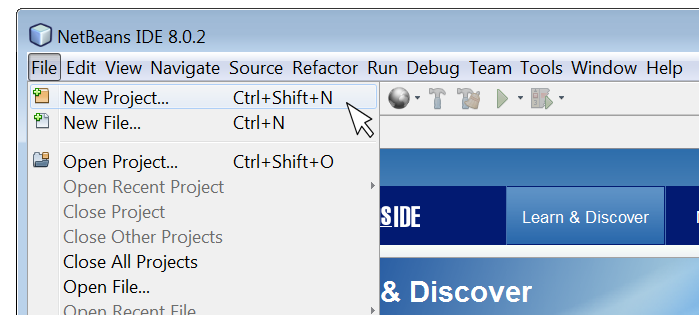
NetBeans is a powerful integrated development environment (IDE) that is widely used by Java developers around the world. It provides a comprehensive set of tools and features to streamline the development process and enhance productivity.

Key Features of NetBeans for Java Development:

  • Code Editor: NetBeans offers a sophisticated code editor with features like syntax highlighting, code completion, and refactoring tools to help developers write clean and efficient code.
  • Project Management: The IDE allows developers to manage their projects effectively, organize files, and navigate through code seamlessly.
  • Debugging Tools: NetBeans comes with robust debugging tools that enable developers to troubleshoot and fix issues in their Java applications quickly.
  • Version Control Integration: Developers can easily integrate version control systems like Git into NetBeans to manage code changes efficiently.
  • User-Friendly Interface: The intuitive interface of NetBeans makes it easy for both beginners and experienced developers to work comfortably within the IDE.
  • Support for Plugins: NetBeans supports a wide range of plugins that extend its functionality and cater to specific development needs.

The Benefits of Using NetBeans for Java Development:

Developers choose NetBeans for Java development due to its numerous benefits, including:

  • Productivity Boost: With its efficient tools and features, NetBeans helps developers write code faster and with fewer errors.
  • Cross-Platform Support: NetBeans is compatible with multiple operating systems, allowing developers to work on different platforms seamlessly.
  • Community Support: The vibrant community around NetBeans provides resources, tutorials, and forums for developers to seek help and share knowledge.
  • Ease of Integration: NetBeans integrates well with other technologies and frameworks commonly used in Java development projects.
  • Ongoing Development: The continuous updates and enhancements made to NetBeans ensure that developers have access to the latest tools and features in the IDE.

In conclusion, NetBeans is a versatile IDE that offers a rich set of features tailored for Java development. Whether you are a beginner learning Java programming or an experienced developer working on complex projects, NetBeans can be your go-to tool for efficient coding and project management.


Maximize Your Java Coding Efficiency: 9 Essential Tips for Using NetBeans

  1. Use keyboard shortcuts to speed up coding tasks.
  2. Take advantage of code templates to write code more efficiently.
  3. Utilize the debugger for identifying and fixing errors in your code.
  4. Customize the NetBeans IDE layout to suit your preferences and workflow.
  5. Install useful plugins to enhance functionality and productivity.
  6. Familiarize yourself with version control features for better project management.
  7. Explore the profiler tool for optimizing performance of your Java applications.
  8. Make use of integrated Maven support for managing project dependencies effectively.
  9. Stay updated with the latest NetBeans releases and updates for new features and improvements.

Use keyboard shortcuts to speed up coding tasks.

By utilizing keyboard shortcuts in NetBeans Java, developers can significantly enhance their coding efficiency. These shortcuts allow for quick navigation, selection, and execution of various commands without the need to rely on the mouse or navigate through menus. By memorizing and incorporating these keyboard shortcuts into their workflow, developers can streamline coding tasks, boost productivity, and focus more on writing high-quality code rather than getting bogged down by manual actions.

Take advantage of code templates to write code more efficiently.

By utilizing code templates in NetBeans for Java development, developers can significantly enhance their coding efficiency. These pre-defined snippets of code allow for quick insertion of commonly used structures, reducing the time and effort required to write repetitive code segments. By leveraging code templates effectively, developers can streamline their workflow, maintain consistency in coding practices, and focus more on the logic and functionality of their Java applications.

Utilize the debugger for identifying and fixing errors in your code.

Utilizing the debugger in NetBeans for Java development is a valuable tip for identifying and fixing errors in your code efficiently. By setting breakpoints, inspecting variables, and stepping through code execution, developers can pinpoint the root cause of issues and debug their applications effectively. The debugger tool in NetBeans provides real-time insights into the behavior of the code, helping developers troubleshoot complex problems and ensure the reliability and stability of their Java applications.

Customize the NetBeans IDE layout to suit your preferences and workflow.

Customizing the layout of the NetBeans IDE allows you to tailor the workspace to align with your specific preferences and workflow. By rearranging panels, adjusting toolbars, and organizing windows according to your needs, you can create a more efficient and personalized development environment. This flexibility not only enhances your productivity but also ensures that you have easy access to the tools and features that are most important to you during Java programming tasks.

Install useful plugins to enhance functionality and productivity.

To enhance functionality and productivity while using NetBeans for Java development, it is highly recommended to install useful plugins. These plugins can extend the capabilities of the IDE, providing additional tools and features that cater to specific development needs. By incorporating relevant plugins into NetBeans, developers can streamline their workflow, improve code quality, and boost overall efficiency in their Java projects. Investing time in selecting and integrating the right plugins can significantly enhance the development experience within NetBeans, ultimately leading to more effective and successful coding endeavors.

Familiarize yourself with version control features for better project management.

Familiarizing yourself with the version control features in NetBeans for Java development is essential for enhancing project management efficiency. By utilizing version control tools like Git within NetBeans, developers can easily track changes, collaborate with team members, and revert to previous versions when needed. This practice not only ensures better organization of code but also promotes seamless collaboration and helps maintain a structured development workflow. Mastering version control features in NetBeans can significantly improve project management processes and contribute to the overall success of Java development projects.

Explore the profiler tool for optimizing performance of your Java applications.

By utilizing the profiler tool in NetBeans for Java development, developers can delve into the performance metrics of their applications to identify bottlenecks and optimize code efficiency. This powerful feature allows users to analyze resource usage, memory allocation, and execution times, enabling them to fine-tune their Java applications for optimal performance. By exploring the profiler tool within NetBeans, developers can enhance the overall speed and responsiveness of their Java applications, ensuring a seamless user experience.

Make use of integrated Maven support for managing project dependencies effectively.

By utilizing the integrated Maven support in NetBeans for managing project dependencies, developers can streamline the process of handling external libraries and dependencies within their Java projects. Maven simplifies the management of project builds, dependencies, and configurations, making it easier to maintain a structured and organized development environment. Leveraging this feature in NetBeans enhances efficiency and allows developers to focus more on coding and less on managing dependencies manually.

Stay updated with the latest NetBeans releases and updates for new features and improvements.

Staying updated with the latest NetBeans releases and updates is crucial for Java developers to leverage new features and improvements. By keeping abreast of the latest developments in the IDE, developers can enhance their productivity, streamline their workflow, and take advantage of any enhancements that can make their coding experience more efficient and effective. Regularly updating NetBeans ensures that developers have access to the most up-to-date tools and capabilities, helping them stay competitive in the ever-evolving world of Java development.

java programming for beginners

Java Programming for Beginners: A Step-by-Step Guide to Learning Java

Java Programming for Beginners

Java Programming for Beginners

If you are new to programming and looking to learn a versatile language that is widely used in the industry, Java is an excellent choice. Java is known for its simplicity, readability, and platform independence, making it a popular language for beginners.

Why Learn Java?

Java is a great language to start with because of its:

  • Simplicity: Java syntax is easy to understand and learn.
  • Readability: Java code is clean and organized, making it easier to maintain and debug.
  • Platform Independence: Java programs can run on any device that has a Java Virtual Machine (JVM).
  • Versatility: Java is used in various applications, from web development to mobile apps.

Getting Started with Java

To start programming in Java, you will need to:

  1. Install JDK: Download and install the Java Development Kit (JDK) from the official Oracle website.
  2. Select an IDE: Choose an Integrated Development Environment (IDE) like Eclipse or IntelliJ IDEA for writing and running your Java code.
  3. Learn the Basics: Begin with basic concepts such as variables, data types, loops, and conditional statements.
  4. Practice Coding: The best way to learn programming is by practicing. Start with simple programs and gradually move on to more complex projects.

Resources for Learning Java

There are numerous resources available online to help you learn Java, including:

Coding in Java: A Rewarding Journey

Learning Java programming can be a rewarding journey that opens up a world of opportunities in software development. Whether you are interested in building web applications, mobile apps, or enterprise software, mastering Java can pave the way for a successful career in programming.


7 Essential Tips for Beginners to Master Java Programming

  1. Start with the basics
  2. Practice coding regularly to improve your skills and understanding of Java.
  3. Utilize online resources such as tutorials, forums, and documentation for guidance.
  4. Understand object-oriented programming concepts like classes and objects.
  5. Debug your code regularly to identify and fix errors early on.
  6. Collaborate with other Java programmers to learn from their experiences and get feedback on your code.
  7. Stay patient and persistent – mastering Java programming takes time and practice.

Start with the basics

Starting with the basics is a crucial tip for beginners diving into Java programming. By building a strong foundation in fundamental concepts like variables, data types, loops, and conditional statements, newcomers can grasp the core principles of the language and gradually progress to more advanced topics. Mastering these basics not only enhances understanding but also lays the groundwork for tackling complex programming challenges with confidence and ease.

Practice coding regularly to improve your skills and understanding of Java.

To enhance your skills and deepen your understanding of Java programming, it is crucial to practice coding regularly. By consistently working on coding exercises and projects, you not only reinforce your knowledge of Java syntax and concepts but also develop problem-solving skills essential for becoming a proficient programmer. Through consistent practice, you will gain confidence in writing code, identify areas for improvement, and gradually master the art of Java programming.

Utilize online resources such as tutorials, forums, and documentation for guidance.

Beginners in Java programming can greatly benefit from utilizing online resources such as tutorials, forums, and documentation for guidance. These resources provide valuable insights, tips, and solutions to common programming challenges. Tutorials offer step-by-step instructions on various Java concepts, while forums allow beginners to ask questions and interact with a community of experienced developers. Additionally, documentation serves as a comprehensive reference guide for understanding Java libraries and functions. By leveraging these online resources, beginners can enhance their learning experience and progress more effectively in their Java programming journey.

Understand object-oriented programming concepts like classes and objects.

To excel in Java programming as a beginner, it is crucial to grasp fundamental object-oriented programming concepts such as classes and objects. Classes serve as blueprints for creating objects, which are instances of these classes. Understanding how classes define the structure and behavior of objects is essential for building robust and scalable Java applications. By mastering these concepts, beginners can lay a solid foundation for writing efficient and well-organized code in Java.

Debug your code regularly to identify and fix errors early on.

Regularly debugging your code is a crucial tip for beginners in Java programming. By actively identifying and fixing errors early on in the development process, you can ensure that your code is clean, efficient, and free of bugs. Debugging not only helps you understand how your program works but also improves your problem-solving skills and overall coding proficiency. Embracing this practice will ultimately lead to smoother development experiences and more robust Java applications.

Collaborate with other Java programmers to learn from their experiences and get feedback on your code.

Collaborating with other Java programmers is a valuable tip for beginners looking to enhance their programming skills. By engaging with a community of Java enthusiasts, you can learn from their experiences, gain insights into best practices, and receive constructive feedback on your code. This collaborative approach not only fosters a supportive learning environment but also exposes you to diverse perspectives and innovative solutions that can help you grow as a Java programmer.

Stay patient and persistent – mastering Java programming takes time and practice.

Staying patient and persistent is crucial when embarking on the journey of learning Java programming as a beginner. Mastering Java requires dedication, practice, and a willingness to learn from mistakes. It’s important to understand that progress may be gradual, but with consistent effort and perseverance, you can build a solid foundation in Java programming that will serve you well in your coding endeavors. Remember, Rome wasn’t built in a day, and the same goes for mastering the intricacies of Java programming.

learn java

Master Java Programming: Learn Java Like a Pro

Learn Java: A Comprehensive Guide

Learn Java: A Comprehensive Guide

Java is a versatile and widely-used programming language that powers countless applications, from mobile apps to enterprise software. Whether you are a beginner or an experienced developer looking to expand your skills, learning Java can open up a world of opportunities for you.

Why Learn Java?

Java is known for its platform independence, meaning that once you write a Java program, it can run on any device that has a Java Virtual Machine (JVM). This makes Java a popular choice for developing cross-platform applications.

In addition, Java’s robust libraries and frameworks make it easier to build complex applications efficiently. Its strong community support and vast resources also make learning Java more accessible and enjoyable.

Getting Started with Java

If you are new to programming, don’t worry! Java’s syntax is relatively easy to learn compared to other languages. You can start by installing the Java Development Kit (JDK) on your computer and using an Integrated Development Environment (IDE) like Eclipse or IntelliJ IDEA to write and run your code.

Begin with the basics, such as variables, data types, loops, and conditional statements. As you progress, dive into object-oriented programming concepts like classes, objects, inheritance, and polymorphism.

Advanced Topics in Java

Once you have a solid understanding of the fundamentals, you can explore more advanced topics in Java like multithreading, exception handling, database connectivity using JDBC, GUI programming with Swing or JavaFX, and web development with frameworks like Spring or Hibernate.

Practice Makes Perfect

To truly master Java programming, practice is key. Challenge yourself with coding exercises on platforms like LeetCode or HackerRank. Build small projects to apply what you have learned and gain hands-on experience working with real-world problems.

Conclusion

Learning Java can be a rewarding journey that opens up endless possibilities in the world of software development. Whether you aspire to be a mobile app developer, web developer, or software engineer, mastering Java will equip you with the skills needed to succeed in today’s tech-driven world.


Top 8 FAQs About Learning Java: A Guide for Beginners

  1. What is Java and why should I learn it?
  2. Is Java difficult to learn for beginners?
  3. What are the basic concepts I need to understand in Java?
  4. How can I start learning Java programming?
  5. Are there any recommended resources or tutorials for learning Java?
  6. What are the key features of Java that make it a popular programming language?
  7. Can I become a successful programmer by learning Java?
  8. What career opportunities are available for those who know Java?

What is Java and why should I learn it?

Java is a versatile and powerful programming language that is widely used in various domains, from mobile app development to enterprise software solutions. Learning Java is beneficial for several reasons. Firstly, Java’s platform independence allows programs to run on any device with a Java Virtual Machine (JVM), making it ideal for cross-platform development. Additionally, Java’s extensive libraries and frameworks simplify the process of building complex applications. Its strong community support and vast resources also make it an accessible language for beginners and experienced developers alike. Overall, mastering Java opens up a world of opportunities in the tech industry and equips you with valuable skills that are in high demand.

Is Java difficult to learn for beginners?

For beginners, learning Java may seem challenging at first due to its syntax and object-oriented programming concepts. However, with dedication and practice, Java can become more manageable to grasp. Many resources, tutorials, and online courses are available to help beginners understand Java effectively. Breaking down the learning process into smaller steps and focusing on practical applications can make learning Java less intimidating for newcomers. Ultimately, while Java may present some initial hurdles, the rewards of mastering this versatile language are well worth the effort for aspiring programmers.

What are the basic concepts I need to understand in Java?

To effectively learn Java, it is essential to grasp the basic concepts that form the foundation of the language. Understanding fundamental concepts such as variables, data types, control structures (like loops and conditional statements), methods, classes, and objects is crucial. Object-oriented programming principles like inheritance, encapsulation, polymorphism, and abstraction are also key components to comprehend. By mastering these core concepts, learners can build a strong understanding of Java programming and pave the way for more advanced topics in software development.

How can I start learning Java programming?

To start learning Java programming, it is recommended to begin by installing the Java Development Kit (JDK) on your computer and selecting an Integrated Development Environment (IDE) such as Eclipse or IntelliJ IDEA. Familiarize yourself with basic concepts like variables, data types, loops, and conditional statements. Utilize online resources, tutorials, and practice exercises to reinforce your understanding. As you progress, delve into object-oriented programming principles and gradually explore more advanced topics in Java to enhance your skills and knowledge. Remember that consistent practice and hands-on experience are key to mastering Java programming effectively.

When it comes to learning Java, one of the most frequently asked questions is about recommended resources or tutorials. There are numerous high-quality resources available for beginners and experienced developers alike. Online platforms like Codecademy, Udemy, and Coursera offer comprehensive Java courses with interactive lessons and hands-on projects. Additionally, websites like Oracle’s Java Tutorials, Baeldung, and Java Code Geeks provide in-depth articles, tutorials, and code examples to help learners enhance their Java skills. Books such as “Head First Java” by Kathy Sierra and Bert Bates or “Effective Java” by Joshua Bloch are also highly recommended for those looking to deepen their understanding of the language. With a wealth of resources at your disposal, embarking on your journey to learn Java has never been more accessible and rewarding.

Java’s popularity as a programming language can be attributed to its key features that set it apart from others. One of the main reasons for Java’s widespread adoption is its platform independence, allowing developers to write code once and run it on any device with a Java Virtual Machine (JVM). Additionally, Java’s robust standard library and extensive ecosystem of frameworks simplify the development process, making it easier to build complex applications efficiently. Its strong emphasis on security, scalability, and performance further solidify Java’s position as a top choice for a wide range of applications across different industries.

Can I become a successful programmer by learning Java?

Many aspiring programmers wonder if learning Java can lead them to success in the field. The answer is a resounding yes. Java is a powerful and versatile programming language widely used in various domains, making it a valuable skill to possess. By mastering Java, you not only gain proficiency in a popular language but also develop problem-solving abilities and a strong foundation in object-oriented programming. With dedication, practice, and continuous learning, becoming a successful programmer through Java is not only achievable but also opens up numerous opportunities in the ever-evolving tech industry.

What career opportunities are available for those who know Java?

Java is a highly sought-after programming language in the tech industry, offering a wide range of career opportunities for those who master it. Professionals proficient in Java can explore roles such as Java developer, software engineer, web developer, mobile app developer, system architect, and more. With Java’s versatility and widespread use in various domains like finance, healthcare, e-commerce, and gaming, individuals skilled in Java have the advantage of pursuing diverse career paths and securing rewarding positions in the ever-evolving field of technology.

java jdk download

Streamline Your Development Process with Java JDK Download

Article: Java JDK Download

The Importance of Java JDK Download

Java Development Kit (JDK) is a crucial tool for Java developers as it provides the necessary components to develop, compile, and run Java applications. Whether you are a beginner or an experienced developer, having the JDK installed on your system is essential for Java programming.

Downloading the Java JDK

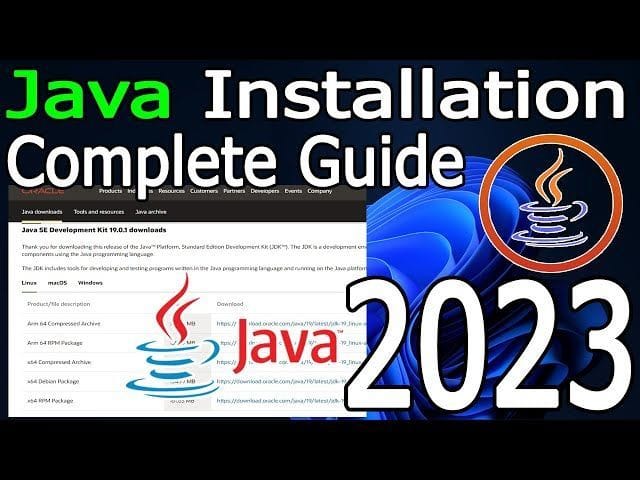
To download the latest version of Java JDK, visit the official Oracle website or use a trusted source like OpenJDK. Make sure to select the appropriate version based on your operating system (Windows, macOS, Linux) and architecture (32-bit or 64-bit).

Installation Process

Once you have downloaded the JDK installer, follow the installation instructions provided by Oracle or OpenJDK. The installation process typically involves setting up environment variables and configuring your IDE (Integrated Development Environment) to recognize the JDK.

Benefits of Using Java JDK

  • Development Tools: JDK includes tools like javac (Java Compiler), java (Java Runtime Environment), and javadoc (Java Documentation Generator) that are essential for Java development.
  • Compatibility: By using the official Java JDK, you ensure compatibility with various Java libraries, frameworks, and tools.
  • Security Updates: Oracle regularly releases security updates and patches for the JDK to protect against vulnerabilities and ensure a secure development environment.
  • Performance Optimization: The JDK is optimized for performance, providing efficient execution of Java code and improved runtime performance.

In Conclusion

Downloading and installing the Java Development Kit is a fundamental step for anyone looking to develop Java applications. By having access to the tools and libraries provided by the JDK, developers can create robust and efficient software solutions that leverage the power of Java programming language.


8 Essential Tips for Downloading and Installing Java JDK Safely and Effectively

  1. Ensure you download the JDK from the official Oracle website to avoid potential security risks.
  2. Check your system requirements before downloading to ensure compatibility with your operating system.
  3. Select the appropriate JDK version based on your project requirements and Java development needs.
  4. Consider downloading the JDK bundled with an Integrated Development Environment (IDE) for a more streamlined development experience.
  5. Verify the integrity of the downloaded JDK file by comparing its checksum with the one provided on the official website.
  6. Follow installation instructions carefully to ensure a successful setup of the JDK on your system.
  7. Keep track of JDK updates and consider setting up automatic updates to stay current with security patches and new features.
  8. Explore additional resources such as tutorials and documentation to maximize your usage of the Java Development Kit.

Ensure you download the JDK from the official Oracle website to avoid potential security risks.

When downloading the Java JDK, it is crucial to ensure that you obtain it from the official Oracle website to mitigate potential security risks. By obtaining the JDK from a trusted and verified source like Oracle, you can be confident that you are getting a genuine and secure version of the software. This precaution helps safeguard your system against any malicious threats or vulnerabilities that may be present in unauthorized or counterfeit versions of the JDK. Prioritizing security when downloading software is essential for maintaining a safe and reliable development environment.

Check your system requirements before downloading to ensure compatibility with your operating system.

Before downloading the Java JDK, it is essential to check your system requirements to ensure compatibility with your operating system. By verifying that your system meets the necessary specifications, you can avoid installation issues and ensure a smooth setup process. Taking this precautionary step will help you download the correct version of the JDK that is compatible with your operating system, enabling you to start developing Java applications without any compatibility-related obstacles.

Select the appropriate JDK version based on your project requirements and Java development needs.

When downloading the Java JDK, it is crucial to select the appropriate version that aligns with your project requirements and Java development needs. Choosing the right JDK version ensures compatibility with your development environment and allows you to leverage the features and enhancements that best suit your programming goals. Whether you are working on a specific project or exploring new Java functionalities, selecting the right JDK version sets the foundation for successful and efficient Java development practices.

Consider downloading the JDK bundled with an Integrated Development Environment (IDE) for a more streamlined development experience.

When downloading the Java Development Kit (JDK), it is advisable to consider opting for a version bundled with an Integrated Development Environment (IDE) for a more streamlined development experience. By choosing a JDK package that includes an IDE, developers can benefit from having all the necessary tools in one integrated platform, facilitating coding, debugging, and testing processes within a cohesive environment. This approach can enhance productivity and efficiency in Java application development by providing a seamless workflow for software creation and deployment.

Verify the integrity of the downloaded JDK file by comparing its checksum with the one provided on the official website.

It is highly recommended to verify the integrity of the downloaded Java JDK file by comparing its checksum with the one provided on the official website. This additional step ensures that the file has not been tampered with or corrupted during the download process. By confirming the checksum, you can have peace of mind knowing that you have obtained a genuine and secure copy of the JDK, reducing the risk of potential issues during installation and development.

Follow installation instructions carefully to ensure a successful setup of the JDK on your system.

It is crucial to follow the installation instructions carefully when downloading the Java JDK to guarantee a successful setup on your system. By adhering to the provided guidelines, you can avoid potential errors and ensure that the JDK is properly configured for your development environment. Paying attention to each step of the installation process will help you leverage the full capabilities of the JDK and streamline your Java development workflow effectively.

Keep track of JDK updates and consider setting up automatic updates to stay current with security patches and new features.

It is crucial to stay informed about Java JDK updates to ensure your development environment remains secure and up-to-date. Consider enabling automatic updates for the JDK to receive timely security patches and access new features as they become available. By actively managing JDK updates, you can enhance the performance, stability, and security of your Java applications while staying aligned with the latest advancements in the Java ecosystem.

Explore additional resources such as tutorials and documentation to maximize your usage of the Java Development Kit.

To maximize your usage of the Java Development Kit, it is highly recommended to explore additional resources such as tutorials and documentation. By delving into these supplementary materials, developers can gain a deeper understanding of the JDK’s features and functionalities, enabling them to harness its full potential in their Java development projects. Tutorials can provide practical guidance on using specific tools within the JDK, while documentation offers comprehensive insights into various aspects of Java programming. Embracing these resources not only enhances proficiency but also empowers developers to create more robust and efficient Java applications.

best app development software

Discover the Top Picks: Best App Development Software for Creating Stellar Applications

Best App Development Software

The Best App Development Software for Creating Innovative Applications

App development software plays a crucial role in bringing creative ideas to life and reaching a wide audience through mobile applications. With the increasing demand for mobile apps across various industries, it’s essential to choose the right tools to streamline the development process and deliver exceptional user experiences.

Android Studio

Android Studio is the official integrated development environment (IDE) for Android app development. It offers a comprehensive set of tools for designing, coding, and testing Android apps. With features like code templates, virtual device emulation, and real-time profilers, Android Studio simplifies the development of high-quality Android applications.

Xcode

Xcode is the IDE for building apps on Apple platforms, including iOS, macOS, watchOS, and tvOS. It provides a user-friendly interface and powerful tools like Interface Builder for designing interfaces visually and Instruments for performance analysis. Xcode also supports Swift programming language, making it a preferred choice for iOS app developers.

Visual Studio

Visual Studio is a popular IDE developed by Microsoft that supports app development for Windows, Android, iOS, and web platforms. It offers a rich set of features such as code editing, debugging, and collaboration tools. Visual Studio’s extensibility allows developers to customize their workflow with plugins and extensions.

Flutter

Flutter is Google’s open-source UI toolkit for building natively compiled applications for mobile, web, and desktop from a single codebase. With Flutter’s hot reload feature, developers can quickly see changes in real-time without restarting the app. Flutter’s expressive UI components enable developers to create visually appealing interfaces across different platforms.

React Native

React Native is a JavaScript framework for building cross-platform mobile applications using React.js library. By sharing code between iOS and Android platforms, React Native accelerates the app development process while maintaining native performance and user experience standards. Its modular architecture allows developers to reuse components efficiently.

In conclusion, choosing the right app development software is essential for creating innovative and successful applications that meet users’ expectations. Whether you’re developing apps for Android or iOS platforms or targeting multiple platforms simultaneously, these top app development tools provide the necessary features and capabilities to bring your ideas to life effectively.


Top FAQs About Choosing the Best App Development Software

  1. What is the best app development software for Android?
  2. Which app development software is recommended for iOS?
  3. What are the key features to look for in app development software?
  4. Is there app development software that supports cross-platform development?
  5. How can I choose the right app development software for my project?
  6. Are there any free or open-source options available for app development software?

What is the best app development software for Android?

When it comes to developing apps for Android, one of the most highly recommended software is Android Studio. As the official integrated development environment (IDE) for Android app development, Android Studio offers a comprehensive suite of tools tailored specifically for creating high-quality Android applications. With features like code templates, virtual device emulation, and real-time profilers, Android Studio simplifies the development process and helps developers design and test their apps efficiently. Its robust set of features and seamless integration with the Android platform make it a top choice for building innovative and user-friendly apps for the vast Android user base.

When it comes to app development software for iOS, Xcode is highly recommended as the preferred choice. Xcode is the official integrated development environment (IDE) for building apps on Apple platforms, offering a comprehensive set of tools and features tailored specifically for iOS app development. With its user-friendly interface, powerful tools like Interface Builder, and support for the Swift programming language, Xcode enables developers to create high-quality iOS applications efficiently and effectively. Its seamless integration with Apple’s ecosystem and robust debugging capabilities make it a top choice for developers looking to build innovative and successful apps for iOS devices.

What are the key features to look for in app development software?

When considering the best app development software, it’s important to look for key features that can streamline the development process and enhance the quality of the final product. Some essential features to consider include an intuitive user interface for easy navigation, robust debugging tools for identifying and fixing errors efficiently, support for multiple platforms to reach a broader audience, integration with third-party APIs for added functionality, real-time collaboration tools for team projects, and regular updates and support from the software provider to stay current with industry trends and technologies. By prioritizing these key features, developers can choose app development software that meets their specific needs and enables them to create innovative and successful applications.

Is there app development software that supports cross-platform development?

Many app development software options support cross-platform development, allowing developers to create applications that can run on multiple operating systems and devices with a single codebase. Tools like Flutter, React Native, Xamarin, and PhoneGap enable developers to streamline the app development process by writing code once and deploying it across various platforms such as iOS, Android, and web. These cross-platform development solutions offer cost-effective and efficient ways to reach a broader audience while maintaining consistent user experiences across different devices.

How can I choose the right app development software for my project?

When selecting the right app development software for your project, it is essential to consider several factors to ensure a successful outcome. Firstly, assess the specific requirements of your project, such as target platforms (iOS, Android, web), desired features, and expected user experience. Evaluate the scalability and flexibility of the software to accommodate future updates and enhancements. Consider the learning curve and support resources available for the chosen software to streamline the development process. Additionally, look for tools that offer robust testing capabilities to ensure the quality and performance of your app. By carefully weighing these considerations and aligning them with your project goals, you can choose app development software that best suits your needs and maximizes your chances of creating a successful application.

Are there any free or open-source options available for app development software?

When it comes to app development software, there are several free and open-source options available that cater to developers looking for cost-effective solutions. Platforms like Android Studio, Visual Studio Code, and Flutter provide robust tools and features without requiring a hefty investment. Open-source frameworks like React Native and Apache Cordova offer flexibility and customization options for building cross-platform applications. These free or open-source options empower developers to create high-quality apps while minimizing expenses, making them popular choices in the app development community.

software for developers

Essential Software Tools for Developers: Streamline Your Workflow Today

Software for Developers

The Essential Software Every Developer Needs

As a developer, having the right tools can make a significant difference in your productivity and efficiency. Whether you are a beginner or an experienced coder, investing in the right software can streamline your workflow and help you create better applications. Here are some essential software that every developer should consider:

Integrated Development Environment (IDE)

An IDE is a must-have tool for developers as it provides a comprehensive environment for writing, testing, and debugging code. Popular IDEs like Visual Studio Code, IntelliJ IDEA, and Eclipse offer features such as syntax highlighting, code completion, and version control integration.

Version Control System

Version control systems like Git are essential for managing code changes and collaborating with other developers. Git allows you to track changes, revert to previous versions, and work on different branches simultaneously.

Code Editor

A reliable code editor is crucial for writing clean and efficient code. Editors like Sublime Text, Atom, and Notepad++ provide customizable interfaces, support for multiple programming languages, and plugins for extending functionality.

Virtualization Software

Virtualization software such as VirtualBox or VMware allows developers to create virtual environments for testing applications on different operating systems without affecting their main system.

Database Management Tools

Developers often work with databases to store and retrieve data. Tools like MySQL Workbench, pgAdmin, or MongoDB Compass provide graphical interfaces for managing databases efficiently.

Collaboration Tools

Collaboration tools like Slack, Microsoft Teams, or Jira facilitate communication and project management among team members. These tools help developers stay organized and coordinate tasks effectively.

Conclusion

Having the right software is essential for developers to enhance their coding experience and deliver high-quality applications. By investing in these essential tools, developers can optimize their workflow, collaborate effectively with others, and stay ahead in the rapidly evolving tech industry.


Top FAQs on Developer Software: IDEs, Version Control, Collaboration Tools, and More

  1. What is the best Integrated Development Environment (IDE) for developers?
  2. How can I effectively use version control systems like Git?
  3. Which code editor offers the most features and customization options?
  4. What are the benefits of using virtualization software in development?
  5. How can database management tools improve my efficiency as a developer?
  6. Which collaboration tools are recommended for team-based development projects?
  7. Are there any free or open-source software options available for developers?
  8. What are some best practices for optimizing workflow with developer software?

What is the best Integrated Development Environment (IDE) for developers?

When it comes to choosing the best Integrated Development Environment (IDE) for developers, the answer can vary depending on individual preferences and specific project requirements. Popular IDEs like Visual Studio Code, IntelliJ IDEA, and Eclipse are often recommended for their robust features, extensive plugin support, and user-friendly interfaces. Developers may prioritize factors such as language support, debugging capabilities, version control integration, and community support when selecting an IDE that best suits their needs. Ultimately, the best IDE for developers is one that enhances productivity, streamlines the coding process, and aligns with their coding style and workflow.

How can I effectively use version control systems like Git?

To effectively use version control systems like Git, developers should start by understanding the basic concepts of Git, such as repositories, branches, commits, and merges. It is essential to familiarize oneself with common Git commands for tasks like cloning a repository, staging changes, committing code, and pushing changes to a remote repository. Additionally, utilizing features like branching and merging can help manage code changes efficiently and collaborate with team members seamlessly. Regularly updating the local repository with changes from the remote repository and resolving conflicts promptly are also key practices for effective Git usage. Lastly, leveraging Git tools and platforms like GitHub or Bitbucket can enhance collaboration and streamline the development process further.

Which code editor offers the most features and customization options?

When it comes to code editors with extensive features and customization options, Visual Studio Code often stands out as a popular choice among developers. Visual Studio Code offers a wide range of functionalities, including syntax highlighting for various languages, integrated terminal, Git integration, debugging support, and a vast library of extensions that allow users to tailor the editor to their specific needs. Its user-friendly interface, robust performance, and active community support make it a top contender for developers seeking a highly customizable coding environment.

What are the benefits of using virtualization software in development?

Using virtualization software in development offers various benefits to developers. One key advantage is the ability to create isolated virtual environments, allowing developers to test applications on different operating systems without affecting their main system. This helps in ensuring compatibility and stability across various platforms. Additionally, virtualization software enables developers to replicate complex network configurations and simulate real-world scenarios for testing purposes. By utilizing virtual environments, developers can streamline their development process, improve efficiency, and minimize potential risks associated with software development.

How can database management tools improve my efficiency as a developer?

Database management tools play a crucial role in enhancing the efficiency of developers by providing user-friendly interfaces for managing databases effectively. These tools offer features such as visual query builders, schema design tools, and data visualization capabilities, allowing developers to streamline database-related tasks. By using database management tools, developers can easily create, modify, and optimize database structures, execute queries efficiently, and troubleshoot performance issues quickly. Additionally, these tools enable collaboration among team members by facilitating the sharing of database schemas and data models. Overall, integrating database management tools into the development workflow can significantly improve productivity and accuracy in handling data-related tasks for developers.

When it comes to team-based development projects, choosing the right collaboration tools is crucial for seamless communication and efficient project management. Some recommended collaboration tools for developers include Slack, Microsoft Teams, and Jira. These platforms offer features such as real-time messaging, file sharing, task assignment, and integration with other development tools. By utilizing these tools, teams can enhance their collaboration, streamline workflows, and ensure that everyone stays on the same page throughout the project lifecycle.

Are there any free or open-source software options available for developers?

Many developers often wonder if there are free or open-source software options available to support their coding needs. The good news is that there is a wide range of free and open-source software tools tailored for developers. From popular Integrated Development Environments (IDEs) like Visual Studio Code and Eclipse to version control systems like Git and code editors such as Sublime Text and Atom, developers have access to high-quality tools without the need for a hefty investment. These free and open-source options not only help developers save costs but also foster collaboration and innovation within the developer community.

What are some best practices for optimizing workflow with developer software?

Optimizing workflow with developer software involves implementing best practices to enhance productivity and efficiency. One key practice is to customize your Integrated Development Environment (IDE) settings to suit your coding style and preferences, enabling faster code writing and debugging. Utilizing version control systems effectively, such as committing changes frequently and creating meaningful commit messages, ensures seamless collaboration and easy tracking of code modifications. Additionally, organizing project files into logical structures, utilizing keyboard shortcuts for common tasks, and regularly updating software tools contribute to a streamlined workflow for developers. By adhering to these best practices and continuously seeking ways to improve processes, developers can optimize their workflow and deliver high-quality solutions effectively.

best android development software

The Best Android Development Software: Tools for Building Exceptional Mobile Apps

Best Android Development Software

The Best Android Development Software for Building Mobile Apps

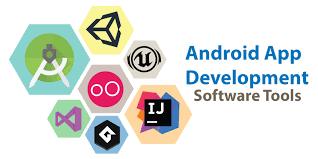
Android development software plays a crucial role in creating innovative and user-friendly mobile applications for the vast Android user base. Whether you are a beginner or an experienced developer, choosing the right tools can significantly impact your app development process. Here are some of the best Android development software options available:

Android Studio

Android Studio is the official integrated development environment (IDE) for Android app development, provided by Google. It offers a comprehensive set of tools for designing, building, and testing Android apps. With features like code editing, debugging, and performance profiling, Android Studio is a favorite among developers.

IntelliJ IDEA

IntelliJ IDEA is a powerful IDE that supports Android app development through plugins like Android Development Tools (ADT). It provides advanced coding assistance and productivity tools to streamline the development process. Developers appreciate its intelligent code completion and refactoring capabilities.

Xamarin

Xamarin is a popular cross-platform development tool that allows developers to build native Android apps using C#. It provides a single codebase for multiple platforms, enabling faster app development and easier maintenance. Xamarin’s integration with Visual Studio makes it a preferred choice for many developers.

React Native

React Native is an open-source framework developed by Facebook for building native mobile apps using JavaScript and React. It enables developers to create high-performance apps with a rich user interface. React Native’s hot reloading feature allows real-time updates during the development process.

Flutter

Flutter is Google’s UI toolkit for building natively compiled applications across mobile, web, and desktop from a single codebase. With Flutter’s expressive and flexible design system, developers can create visually stunning apps that run smoothly on various devices. Its hot reload feature enhances productivity during app development.

Choosing the right Android development software depends on your project requirements, programming skills, and personal preferences. Each tool offers unique features and benefits that cater to different developer needs.

Whether you opt for the official Android Studio or explore cross-platform solutions like Xamarin or React Native, investing in quality development software is essential for creating successful Android applications that engage users and deliver exceptional experiences.


Top FAQs About Choosing the Best Android Development Software

  1. What is the best Android development software for beginners?
  2. Which Android development software offers the most advanced features for experienced developers?
  3. Is there a cross-platform development tool recommended for building Android apps?
  4. What are the key factors to consider when choosing Android development software?
  5. How does pricing vary among different Android development software options?
  6. Are there any community-supported or open-source Android development tools available?

What is the best Android development software for beginners?

When it comes to beginners in Android app development, a popular choice for the best Android development software is Android Studio. As the official integrated development environment (IDE) for Android app creation by Google, Android Studio offers a user-friendly interface and a wide range of tools tailored to support newcomers in the field. Its intuitive design, comprehensive documentation, and vast community support make it an ideal starting point for beginners looking to dive into Android app development. With features like code templates, visual layout editor, and instant run functionality, Android Studio simplifies the learning curve and enables beginners to create their first mobile applications with ease.

Which Android development software offers the most advanced features for experienced developers?

For experienced developers seeking advanced features in Android development software, Android Studio stands out as the top choice. As the official integrated development environment (IDE) for Android app development by Google, Android Studio provides a comprehensive set of tools and functionalities that cater to the needs of seasoned developers. With advanced features such as code editing, debugging, performance profiling, and seamless integration with other Google services, Android Studio offers a robust platform for experienced developers to create sophisticated and high-performance Android applications efficiently.

When it comes to building Android apps efficiently across multiple platforms, one of the highly recommended cross-platform development tools is Xamarin. Xamarin allows developers to create native Android apps using C# and a single codebase, which can significantly reduce development time and effort. Its seamless integration with Visual Studio and robust features make it a popular choice for those looking to streamline their app development process while maintaining high-quality performance and user experience on Android devices.

What are the key factors to consider when choosing Android development software?

When selecting Android development software, several key factors should be considered to ensure a smooth and efficient app development process. Firstly, compatibility with your project requirements is crucial. Evaluate whether the software supports the features and functionalities you need for your app. Secondly, consider the learning curve and ease of use of the tool, especially if you are a beginner developer. A user-friendly interface and comprehensive documentation can significantly impact your productivity. Additionally, look into the community support and updates provided by the software developer to stay current with industry trends and best practices. Lastly, consider factors such as cost, scalability, performance optimization tools, and integration capabilities when making your decision on the best Android development software for your project.

How does pricing vary among different Android development software options?

The pricing of Android development software varies significantly among different options available in the market. Some tools, like Android Studio and IntelliJ IDEA, are free to use as they are provided by Google and JetBrains, respectively. On the other hand, platforms like Xamarin and Flutter may offer free versions with limited features but require a paid subscription for full functionality or enterprise-level support. The cost structure can also depend on factors such as licensing models, additional plugins or integrations, and support services offered by the software providers. Developers should carefully evaluate their budget, project requirements, and long-term goals to choose an Android development software that aligns with their needs while considering the associated pricing implications.

Are there any community-supported or open-source Android development tools available?

When it comes to Android development tools, there are several community-supported and open-source options available for developers. These tools not only provide cost-effective solutions but also foster collaboration and innovation within the developer community. Platforms like Apache Cordova, PhoneGap, and React Native offer open-source frameworks that empower developers to create cross-platform mobile applications efficiently. Additionally, tools like Android Asset Studio and Genymotion provide valuable resources for app design and testing, supported by active user communities that contribute to their continuous improvement. Embracing community-supported and open-source Android development tools can enhance creativity, flexibility, and accessibility in the app development process.