
cfchris.com

Loading

develop ios apps on windows

Exploring Ways to Develop iOS Apps on Windows: Overcoming Limitations and Embracing Solutions

Develop iOS Apps on Windows

Developing iOS Apps on Windows: Is It Possible?

Developing iOS apps traditionally requires a Mac computer due to Apple’s Xcode development environment being exclusive to macOS. However, if you are a Windows user and want to venture into iOS app development, there are alternative methods available that can help you achieve your goal.

Options for Developing iOS Apps on Windows

Here are some ways you can develop iOS apps on a Windows machine:

  1. Using Virtual Machines: One popular approach is to set up a virtual machine running macOS on your Windows PC using software like VMware or VirtualBox. This allows you to install Xcode and develop iOS apps as if you were using a Mac.
  2. Remote Mac Build Server: Another option is to use a remote Mac build server. You can rent a cloud-based Mac server or use services like MacStadium to remotely access a macOS environment for building and testing your iOS apps.
  3. Cross-Platform Development Tools: Consider using cross-platform development tools like Xamarin or Flutter that allow you to write code once and deploy it on multiple platforms, including iOS. These tools provide an alternative for Windows users looking to create iOS apps without needing a Mac.

Challenges of Developing iOS Apps on Windows

While these methods offer solutions for developing iOS apps on Windows, there are some challenges to consider:

  • Limited Features: Some features of Xcode may not work seamlessly in virtualized environments or remote servers, potentially impacting the development process.
  • Performance Issues: Running macOS on a virtual machine may lead to performance issues, especially when dealing with resource-intensive tasks like app testing and debugging.
  • Compatibility Concerns: Ensuring compatibility with the latest versions of Xcode and Apple’s development frameworks can be challenging when working outside of the official macOS environment.

In Conclusion

While developing iOS apps on Windows presents challenges, it is possible with the right tools and approaches. Whether through virtual machines, remote servers, or cross-platform development tools, Windows users can explore the world of iOS app development and bring their ideas to life.

If you are considering developing iOS apps on Windows, be prepared for some limitations but also embrace the opportunities that arise from finding creative solutions in the ever-evolving landscape of mobile app development.


Developing iOS Apps on Windows: Answers to Common Questions

  1. Can I develop an iOS app without a Mac?
  2. What does the $99 Apple developer get you?
  3. Is it possible to run iOS apps on PC?
  4. Can Windows run programs made for iOS?

Can I develop an iOS app without a Mac?

Developing an iOS app without a Mac is a common query among aspiring app developers who use Windows. While Apple’s Xcode development environment is primarily designed for macOS, there are alternative methods available that allow Windows users to create iOS apps. Options such as using virtual machines to run macOS, leveraging remote Mac build servers, or utilizing cross-platform development tools like Xamarin or Flutter can provide viable solutions for developing iOS apps without direct access to a Mac computer. While there may be challenges and limitations involved in this process, it is indeed possible to embark on iOS app development on Windows with the right tools and strategies in place.

What does the $99 Apple developer get you?

For those wondering about the benefits of the $99 Apple developer fee, it grants access to the Apple Developer Program, which provides a range of resources and tools essential for iOS app development. This includes access to beta software, app distribution on the App Store, testing on real devices, analytics tools, and technical support from Apple’s experts. Additionally, being an Apple developer allows you to create and distribute apps across various Apple platforms, unlocking opportunities to reach a wide audience of users worldwide.

Is it possible to run iOS apps on PC?

Running iOS apps on a PC is a common query among users interested in app development or seeking to access iOS-exclusive applications on their Windows computers. While iOS apps are designed to run on Apple devices like iPhones and iPads, it is not straightforward to directly run them on a PC due to the differences in operating systems and hardware. However, users can explore alternative methods such as using emulators or virtual machines that simulate an iOS environment on a PC. These solutions can provide a way to test and experience iOS apps on a Windows platform, although they may come with limitations and performance considerations.

Can Windows run programs made for iOS?

Windows cannot directly run programs made for iOS due to the differences in operating systems and architecture. iOS apps are specifically designed to run on Apple’s mobile devices, such as iPhones and iPads, which use a different platform than Windows-based PCs. While there are ways to develop iOS apps on Windows using alternative methods like virtual machines or cross-platform development tools, running native iOS apps on a Windows system is not supported without additional emulation or compatibility layers. It’s important to understand the limitations and challenges involved in attempting to run iOS programs on a Windows environment.
google cloud services

Unlocking the Power of Google Cloud Services: A Comprehensive Guide

Google Cloud Services

Exploring Google Cloud Services: A Comprehensive Overview

In today’s digital age, cloud computing has become an essential component for businesses and individuals alike. Among the leading providers of cloud services, Google Cloud stands out with its robust, reliable, and innovative offerings. This article delves into the various services provided by Google Cloud and how they can benefit your organization.

What is Google Cloud?

Google Cloud is a suite of cloud computing services offered by Google. It provides a range of solutions including computing power, storage options, machine learning capabilities, and data analytics tools. These services are designed to help businesses scale efficiently while maintaining security and performance.

Key Services Offered by Google Cloud

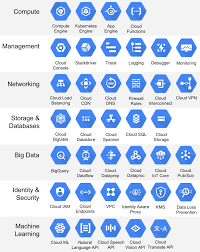
Compute Engine

The Compute Engine is Google’s Infrastructure-as-a-Service (IaaS) offering. It allows users to run virtual machines on Google’s infrastructure. With customizable VM configurations and support for various operating systems, Compute Engine enables businesses to deploy scalable applications with ease.

App Engine

The App Engine is a Platform-as-a-Service (PaaS) that lets developers build and deploy applications without worrying about the underlying infrastructure. It supports multiple programming languages such as Java, Python, PHP, and Go. The App Engine automatically handles scaling based on traffic demands.

Kubernetes Engine

Kubernetes Engine provides managed Kubernetes clusters for deploying containerized applications. Leveraging Kubernetes’ powerful orchestration capabilities, this service simplifies the management of complex containerized environments while ensuring high availability and scalability.

Storage Solutions

Google Cloud offers a variety of storage solutions tailored to different needs:

  • Cloud Storage: Object storage service for storing unstructured data like images and videos.
  • Persistent Disk: Durable block storage for virtual machines.
  • Filestore: Managed file storage service for applications requiring a file system interface.
  • Cloud SQL: Fully-managed relational database service supporting MySQL, PostgreSQL, and SQL Server.
  • Bigtable: NoSQL database service designed for large analytical workloads.

Big Data & Analytics

The platform excels in big data processing and analytics through services like BigQuery – a fully-managed data warehouse enabling super-fast SQL queries using the processing power of Google’s infrastructure. Additionally, Dataflow provides stream and batch processing capabilities while Dataproc offers managed Spark and Hadoop clusters.

Machine Learning & AI

Pioneering in artificial intelligence (AI), Google Cloud offers several machine learning tools such as TensorFlow Enterprise for building custom models or AutoML for those who prefer pre-trained models that can be further customized with minimal coding knowledge.

The Benefits of Using Google Cloud Services

  • Simplicity: Easy-to-use interfaces combined with extensive documentation make it accessible even to those new to cloud computing.
  • Sustainability: Google’s commitment to sustainability ensures their data centers run on renewable energy sources whenever possible.
  • Sustainability: Sustainability: Sustainability: Sustainability: Sustainability: Sustainability: Sustainability: Sustainability: Sustainability: Sustainability: Sustainability:Simplicity:Simplicity:Simplicity:Simplicity:Simplicity:Simplicity:Simplicity:Simplicity:Simplicity:
      Sustainability Sustainability Sustainability Sustainability Sustainability Sustainability Simplicity Simplicity Simplicity Simplicity Simplicity Simplicity Simplicity Simplicity Simplicity

      li

      Strong Security Measures:

      i

      Built-in security features provide robust protection against threats.

      i

      li

      li

      Global Network:

      i

      Benefit from low latency access through one of the largest networks globally.

      i

      li

      li

      Scalability:

      i

      Easily scale resources up or down based on demand without disrupting operations.

      i

      li

      ul

      h2

      Conclusion

      h2

      p

      Whether you’re looking to host websites store large datasets analyze information in real-time or develop cutting-edge AI models Google Clouds comprehensive suite has something offer every business its unparalleled combination performance reliability innovation makes ideal choice organizations seeking leverage power technology drive growth success future looks bright those who choose harness potential vast array services available platform why wait start exploring today see difference yourself

      p

      body html


      Top 5 Advantages of Using Google Cloud Services

      1. Scalability
      2. Security
      3. Global Network
      4. Simplicity
      5. Innovation


      7 Drawbacks of Google Cloud Services for Businesses

      1. Steep learning curve for beginners unfamiliar with cloud computing
      2. Potential for unexpected cost overruns if usage is not carefully monitored
      3. Limited availability of customer support compared to other cloud service providers
      4. Data privacy concerns due to Google’s data collection practices for advertising purposes
      5. Integration challenges with certain third-party applications and services
      6. Geographical restrictions on data storage locations may impact compliance requirements
      7. Dependency on internet connectivity for accessing and managing cloud resources

      Scalability

      One of the key advantages of Google Cloud services is its scalability feature, allowing users to effortlessly adjust resources based on demand without causing disruptions to ongoing operations. This flexibility enables businesses to efficiently manage their infrastructure, ensuring optimal performance during peak times while also saving costs during periods of lower activity. With the ability to scale up or down seamlessly, organizations can adapt to changing needs swiftly and effectively, enhancing overall operational efficiency and agility.

      Security

      Google Cloud services offer a significant advantage in terms of security, as they come equipped with built-in security features that provide robust protection against various threats. By integrating advanced security measures directly into their infrastructure, Google ensures that sensitive data and applications hosted on their platform are safeguarded from potential cyber threats, enhancing overall data protection and instilling confidence in users regarding the safety of their digital assets.

      Global Network

      One of the significant advantages of Google Cloud Services is its Global Network, which allows users to benefit from low latency access through one of the largest networks worldwide. This expansive network infrastructure ensures that data and applications can be accessed quickly and efficiently from various locations around the globe, providing users with a seamless and responsive experience. By leveraging this vast network, businesses can enhance their performance, scalability, and reach while maintaining high levels of reliability and connectivity.

      Simplicity

      Google Cloud Services stand out for their simplicity, offering easy-to-use interfaces and comprehensive documentation that make the platform accessible even to beginners. With user-friendly tools and resources readily available, individuals and businesses can quickly navigate the services, set up their infrastructure, and leverage the power of cloud computing without facing steep learning curves. This emphasis on simplicity not only enhances user experience but also encourages more users to explore and utilize Google Cloud’s capabilities effectively.

      Innovation

      Google Cloud Services offer a significant advantage in terms of innovation, providing access to cutting-edge technologies and tools for AI, machine learning, and big data analytics. By leveraging these advanced capabilities, businesses can stay ahead of the curve and drive impactful insights from their data. The robust suite of services empowers organizations to unlock new opportunities, make informed decisions, and enhance operational efficiency through the application of state-of-the-art solutions in artificial intelligence and analytics.

      Steep learning curve for beginners unfamiliar with cloud computing

      One significant drawback of Google Cloud services is the steep learning curve it presents for beginners who are unfamiliar with cloud computing. Navigating the complexities of setting up and managing cloud resources on the platform can be challenging for those without prior experience. This hurdle may require additional time and effort to overcome, potentially slowing down the onboarding process and hindering the adoption of Google Cloud services for novice users.

      Potential for unexpected cost overruns if usage is not carefully monitored

      One significant drawback of using Google Cloud services is the potential for unexpected cost overruns if usage is not carefully monitored. Due to the pay-as-you-go pricing model, where customers are charged based on their actual usage of resources, it can be challenging to predict and control costs effectively. Without proper monitoring and management of resources, organizations may find themselves facing higher-than-anticipated bills, especially if there are spikes in usage or inefficient resource allocation. It is crucial for users to implement cost-monitoring strategies and utilize tools provided by Google Cloud to track and optimize their usage to avoid budgetary surprises.

      Limited availability of customer support compared to other cloud service providers

      One notable drawback of Google Cloud services is the limited availability of customer support when compared to other cloud service providers. Users may find it challenging to receive immediate assistance or personalized guidance, especially during critical situations or complex technical issues. This limitation in customer support responsiveness can potentially lead to delays in problem resolution and hinder the overall user experience for businesses relying on Google Cloud for their operations.

      Data privacy concerns due to Google’s data collection practices for advertising purposes

      One significant con of using Google Cloud services is the potential data privacy concerns stemming from Google’s extensive data collection practices for advertising purposes. As a company deeply involved in online advertising, Google gathers vast amounts of user data to create targeted ads. This raises apprehensions about the security and privacy of sensitive information stored on Google Cloud servers. Organizations may hesitate to migrate their data to Google Cloud due to fears of unauthorized access or misuse of their confidential data for advertising purposes, highlighting the importance of robust data protection measures and transparency in handling user information.

      Integration challenges with certain third-party applications and services

      One significant drawback of Google Cloud services is the integration challenges that may arise when trying to connect with specific third-party applications and services. While Google Cloud offers a wide range of tools and solutions, compatibility issues can occur when attempting to integrate with external platforms that have different architectures or protocols. This can lead to delays in implementation, increased complexity in managing workflows, and potential limitations in leveraging the full capabilities of both Google Cloud and the third-party services. Organizations considering Google Cloud must carefully assess their existing ecosystem and ensure seamless integration with essential external tools before committing to the platform.

      Geographical restrictions on data storage locations may impact compliance requirements

      One significant drawback of Google Cloud services is the geographical restrictions imposed on data storage locations, which can pose challenges for businesses with strict compliance requirements. Due to data sovereignty laws and regulations, organizations may face limitations on where their data can be stored, potentially leading to conflicts with specific compliance mandates. This constraint could hinder companies operating in regions with stringent data residency rules from fully utilizing Google Cloud services, as they may need to ensure that their data is stored in approved locations to comply with local regulations.

      Dependency on internet connectivity for accessing and managing cloud resources

      One significant drawback of Google Cloud services is the reliance on internet connectivity for accessing and managing cloud resources. This dependency poses a challenge, especially in situations where stable internet access is not guaranteed. Users may face disruptions in accessing critical data or applications if there are network issues or outages, impacting productivity and potentially causing downtime. Additionally, concerns about data security and privacy may arise when relying on an internet connection to handle sensitive information stored in the cloud. Organizations need to consider these limitations and have contingency plans in place to mitigate the risks associated with this con of Google Cloud services.