cfchris.com

Loading

ibm software engineer

Exploring the Role of an IBM Software Engineer in Cutting-Edge Technology Projects

IBM Software Engineer

The Role of an IBM Software Engineer

IBM, a global technology company, offers exciting opportunities for software engineers to work on cutting-edge projects that drive innovation and impact millions of users worldwide.

Responsibilities of an IBM Software Engineer

As an IBM software engineer, you will be responsible for designing, developing, and testing software solutions that meet the needs of clients and contribute to IBM’s reputation as a leader in the tech industry. Your day-to-day tasks may include:

  • Collaborating with cross-functional teams to define project requirements
  • Writing clean, efficient code using programming languages such as Java, Python, or C++
  • Testing and debugging software applications to ensure they meet quality standards
  • Implementing new features and enhancements based on user feedback
  • Staying up-to-date with emerging technologies and best practices in software development

Skills Required

To excel as an IBM software engineer, you should possess a combination of technical skills, problem-solving abilities, and teamwork. Some key skills required for this role include:

  • Proficiency in programming languages and development tools
  • Strong analytical skills to troubleshoot complex issues
  • Excellent communication skills for effective collaboration with team members and clients
  • Adaptability to work in a fast-paced environment with evolving project requirements
  • A passion for learning and continuous improvement in software engineering practices

Career Growth at IBM

IBM values career development and provides opportunities for software engineers to enhance their skills through training programs, mentorship, and exposure to diverse projects. With a strong emphasis on innovation and creativity, IBM fosters a culture where employees can thrive and make meaningful contributions to the tech industry.

In Conclusion

Becoming an IBM software engineer opens doors to a dynamic career path filled with challenges and rewards. If you are passionate about technology and eager to make a difference through your work, consider exploring the opportunities available at IBM as a software engineer.


Top 9 Benefits of Being an IBM Software Engineer

  1. Opportunity to work on cutting-edge projects
  2. Access to advanced technology and tools
  3. Collaborative work environment with talented professionals
  4. Career development and growth opportunities
  5. Global reach and impact through IBM’s diverse client base
  6. Competitive salary and benefits package
  7. Prestigious reputation of working for a leading tech company
  8. Training programs to enhance technical skills and knowledge
  9. Innovation-driven culture that encourages creativity


7 Challenges Faced by IBM Software Engineers

  1. High pressure to meet project deadlines
  2. Limited work-life balance during peak periods
  3. Complex organizational structure can slow decision-making
  4. Limited opportunities for remote work
  5. Possibility of frequent travel for client engagements
  6. Competitive environment may lead to long working hours
  7. Technical challenges can be demanding and require continuous learning

Opportunity to work on cutting-edge projects

Working as an IBM software engineer provides the unique opportunity to engage with cutting-edge projects that are at the forefront of technological innovation. IBM is renowned for its commitment to pushing the boundaries of what’s possible, which means engineers often find themselves working on pioneering technologies such as artificial intelligence, quantum computing, and cloud solutions. This exposure not only enhances technical skills but also allows engineers to contribute to projects that have a significant impact on industries and society at large. Being part of such transformative work is both professionally rewarding and intellectually stimulating, offering engineers a chance to leave their mark on the future of technology.

Access to advanced technology and tools

IBM software engineers benefit from access to advanced technology and tools that empower them to create innovative solutions and stay at the forefront of the tech industry. With cutting-edge resources at their fingertips, such as state-of-the-art development platforms and specialized software, IBM engineers can tackle complex challenges with efficiency and precision. This access not only enhances their technical skills but also enables them to explore new possibilities, experiment with emerging technologies, and push the boundaries of what is achievable in software development.

Collaborative work environment with talented professionals

IBM software engineers benefit from a collaborative work environment that brings together talented professionals from diverse backgrounds. This setting fosters creativity, innovation, and knowledge sharing, allowing team members to leverage each other’s expertise to tackle complex challenges and deliver high-quality solutions. By working alongside skilled colleagues, IBM software engineers have the opportunity to learn from one another, grow professionally, and collectively achieve success in driving technological advancements within the company.

Career development and growth opportunities

IBM offers its software engineers exceptional career development and growth opportunities. With a strong emphasis on continuous learning and skill enhancement, IBM provides various training programs, mentorship opportunities, and exposure to diverse projects. This enables software engineers to expand their expertise, explore new technologies, and advance their careers within the company. The supportive environment at IBM encourages professional growth, allowing software engineers to thrive and reach their full potential in the ever-evolving tech industry.

Global reach and impact through IBM’s diverse client base

IBM software engineers enjoy a unique advantage of global reach and impact due to IBM’s diverse client base. By working on projects that cater to clients from various industries and regions around the world, IBM software engineers have the opportunity to make a significant difference on a global scale. This exposure not only broadens their technical expertise but also allows them to understand diverse business needs and cultural nuances, ultimately contributing to their professional growth and making their work at IBM both challenging and rewarding.

Competitive salary and benefits package

IBM offers its software engineers a competitive salary and benefits package that reflects the company’s commitment to attracting and retaining top talent in the tech industry. In addition to a competitive base salary, IBM provides comprehensive benefits such as healthcare coverage, retirement plans, paid time off, and professional development opportunities. This robust compensation package not only rewards employees for their hard work and dedication but also ensures their overall well-being and satisfaction within the organization.

Prestigious reputation of working for a leading tech company

Working as an IBM software engineer offers the prestigious advantage of being associated with a renowned tech company at the forefront of innovation. IBM’s legacy as a global leader in technology not only enhances one’s professional credibility but also provides opportunities to collaborate on groundbreaking projects and contribute to cutting-edge solutions that shape the future of the industry. Being part of such a prestigious organization opens doors to a network of industry experts, resources, and experiences that can propel one’s career to new heights.

Training programs to enhance technical skills and knowledge

IBM offers valuable training programs to empower its software engineers with the latest technical skills and knowledge. These programs are designed to enhance the expertise of engineers, keeping them abreast of emerging technologies and industry trends. By investing in continuous learning and development, IBM ensures that its software engineers are equipped to tackle complex challenges and deliver innovative solutions that drive the company’s success in the fast-paced tech landscape.

Innovation-driven culture that encourages creativity

IBM fosters an innovation-driven culture that actively encourages creativity among its software engineers. By promoting a mindset of exploration and experimentation, IBM empowers its employees to think outside the box, propose novel solutions, and push the boundaries of technology. This approach not only fuels continuous innovation within the company but also inspires software engineers to unleash their full creative potential, leading to groundbreaking advancements in the tech industry.

High pressure to meet project deadlines

One significant challenge faced by IBM software engineers is the high pressure to meet project deadlines. The fast-paced nature of the tech industry and the demand for timely delivery of software solutions can create a stressful work environment for engineers. Meeting strict project timelines often requires long hours, intense focus, and effective time management skills. The pressure to deliver on time can impact work-life balance and lead to burnout if not managed effectively. Despite the challenges, IBM software engineers learn to thrive under pressure, honing their problem-solving abilities and resilience in the face of tight deadlines.

Limited work-life balance during peak periods

During peak periods, IBM software engineers may experience a con of limited work-life balance. The demanding nature of projects and deadlines can lead to long hours and intense workloads, potentially impacting personal time and well-being. Balancing professional commitments with personal life during these busy periods can be challenging, requiring effective time management and prioritization to maintain a healthy work-life harmony. IBM may need to address this issue by implementing strategies to support employees in managing their workload more effectively and promoting a sustainable work environment for its software engineers.

Complex organizational structure can slow decision-making

The complex organizational structure at IBM can sometimes hinder the efficiency of decision-making processes for software engineers. With multiple layers of management and intricate communication channels, important decisions may take longer to be made, leading to potential delays in project timelines. Software engineers may find it challenging to navigate through the hierarchy to get approvals or feedback, which can impact their ability to respond quickly to changing requirements or address critical issues in a timely manner. Streamlining communication and decision-making processes within the organization could help mitigate this con and improve overall productivity for IBM software engineers.

Limited opportunities for remote work

One notable drawback for IBM software engineers is the limited opportunities for remote work. Due to the nature of some projects requiring close collaboration and on-site presence, remote work options may be restricted. This limitation can impact work-life balance and flexibility for individuals who prefer or require remote work arrangements. It may also hinder access to a broader talent pool and limit the ability to accommodate diverse working preferences among employees.

Possibility of frequent travel for client engagements

One potential downside of being an IBM software engineer is the possibility of frequent travel for client engagements. While travel can provide valuable opportunities to work closely with clients and gain firsthand insights into their needs, it may also lead to challenges such as time away from home, long hours on the road or in transit, and disruptions to work-life balance. Constantly being on the move can be physically and mentally demanding, requiring adaptability and resilience to navigate different locations and time zones while maintaining productivity and focus on project deliverables.

Competitive environment may lead to long working hours

In the realm of IBM software engineering, one notable drawback is the fiercely competitive environment that can often result in prolonged working hours. The pressure to meet project deadlines and surpass performance expectations may lead software engineers to dedicate extensive time and effort to their tasks, potentially sacrificing work-life balance. The demanding nature of the industry can create a culture where long working hours become the norm, impacting the well-being and overall satisfaction of individuals in this role. It is crucial for both employees and employers to prioritize sustainable work practices to mitigate the negative effects of extended work hours on productivity and mental health.

Technical challenges can be demanding and require continuous learning

One notable challenge faced by IBM software engineers is the demanding nature of technical tasks, which often require a high level of expertise and continuous learning. Keeping up with evolving technologies and industry trends can be a significant challenge, as software engineers must constantly adapt to new tools and methodologies to meet project requirements. This ongoing learning process can be time-consuming and mentally taxing, but it is essential for maintaining proficiency and delivering innovative solutions in a rapidly changing tech landscape.

Exploring the Evolution of Mobile App Development Software: Innovations and Trends

Article: Mobile App Development Software

The Evolution of Mobile App Development Software

In today’s digital age, mobile applications have become an integral part of our daily lives. From social networking to e-commerce, mobile apps cater to a wide range of needs and interests. Behind the scenes of these innovative apps lies a crucial component: mobile app development software.

Mobile app development software enables developers to create, test, and deploy mobile applications across various platforms such as iOS and Android. Over the years, this software has evolved significantly to meet the growing demands of the industry.

Key Features of Modern Mobile App Development Software:

  • Cross-Platform Development: Many modern tools support cross-platform development, allowing developers to write code once and deploy it on multiple platforms.
  • User Interface Design: Intuitive interfaces and drag-and-drop features make it easier for developers to design visually appealing apps.
  • Integration Capabilities: Seamless integration with third-party services and APIs streamlines the development process.
  • Real-Time Testing: Built-in testing tools enable developers to test their apps in real-time on different devices and screen sizes.
  • Analytics and Monitoring: Tools that provide insights into user behavior and app performance help developers optimize their apps for better user engagement.

The Future of Mobile App Development Software:

As technology continues to advance, we can expect mobile app development software to become even more sophisticated. Artificial intelligence, machine learning, and automation are likely to play a significant role in streamlining the app development process.

In conclusion, mobile app development software has revolutionized the way we interact with technology. It empowers developers to bring their ideas to life and create impactful applications that enhance our digital experiences. With continuous innovation in this field, the future looks bright for mobile app development software.


Top 9 FAQs About Mobile App Development Software: Features, Types, and Trends

  1. What is mobile app development software?
  2. What are the key features of mobile app development software?
  3. How does mobile app development software help developers?
  4. What are the different types of mobile app development software available?
  5. Is mobile app development software easy to use for beginners?
  6. Can mobile app development software support cross-platform development?
  7. Are there free options for mobile app development software?
  8. How important is user interface design in mobile app development software?
  9. What trends are shaping the future of mobile app development software?

What is mobile app development software?

Mobile app development software refers to a set of tools, frameworks, and platforms that enable developers to create mobile applications for various operating systems such as iOS and Android. This software provides developers with the necessary resources to design, build, test, and deploy mobile apps efficiently. By utilizing mobile app development software, developers can streamline the development process, optimize app performance, and ensure compatibility across different devices. In essence, mobile app development software serves as a comprehensive solution that empowers developers to bring their app ideas to life and deliver engaging experiences to users on smartphones and tablets.

What are the key features of mobile app development software?

When it comes to mobile app development software, understanding its key features is essential for developers looking to create successful applications. Some of the key features include cross-platform development capabilities, user-friendly interface design tools, seamless integration with third-party services, real-time testing functionalities for various devices, and analytics tools for monitoring user behavior and app performance. These features not only streamline the development process but also contribute to creating high-quality mobile applications that meet user expectations and drive engagement.

How does mobile app development software help developers?

Mobile app development software plays a crucial role in assisting developers throughout the app creation process. It provides a comprehensive set of tools and features that streamline development tasks, such as coding, testing, and deployment. By offering intuitive user interfaces, cross-platform capabilities, real-time testing environments, and integration with third-party services, mobile app development software significantly simplifies the complex process of building mobile applications. Additionally, these tools often include analytics and monitoring features that help developers track user behavior and optimize app performance. Overall, mobile app development software empowers developers to bring their ideas to life efficiently and create high-quality applications that meet the demands of today’s digital landscape.

What are the different types of mobile app development software available?

When it comes to mobile app development software, there are various types available to cater to the diverse needs of developers. Some popular categories include integrated development environments (IDEs) like Android Studio and Xcode, which provide comprehensive tools for building native apps. Cross-platform development tools such as React Native and Xamarin allow developers to write code once and deploy it across multiple platforms. Low-code/no-code platforms like Appgyver and OutSystems enable rapid app development with minimal coding knowledge. Additionally, cloud-based app development platforms such as AWS Amplify and Firebase offer scalable infrastructure and services for building robust mobile applications. Each type of mobile app development software has its unique features and advantages, empowering developers to choose the best tool for their specific project requirements.

Is mobile app development software easy to use for beginners?

When it comes to the question of whether mobile app development software is easy to use for beginners, the answer largely depends on the specific tools and platforms being utilized. While some mobile app development software offers user-friendly interfaces and intuitive features that cater to beginners, others may have a steeper learning curve. However, with the abundance of resources such as tutorials, online courses, and community support available today, beginners can gradually familiarize themselves with mobile app development software and gain the necessary skills to create their own applications. Patience, dedication, and a willingness to learn are key factors in overcoming any initial challenges that beginners may encounter in their journey towards mastering mobile app development software.

Can mobile app development software support cross-platform development?

Mobile app development software has evolved to support cross-platform development, allowing developers to write code once and deploy it across multiple platforms such as iOS and Android. This feature enables developers to streamline the development process, saving time and effort by eliminating the need to create separate code bases for each platform. With cross-platform development capabilities, developers can reach a wider audience and ensure a consistent user experience across different devices, making it a valuable feature in modern mobile app development software.

Are there free options for mobile app development software?

When it comes to mobile app development software, one frequently asked question is whether there are free options available. The answer is yes, there are free options for mobile app development software that cater to developers looking to create apps without incurring costs. These free tools often provide basic functionalities for designing, testing, and deploying mobile applications. While they may have limitations compared to paid software in terms of features and support, they can still be a great starting point for beginners or those on a tight budget. Developers can explore these free options to gain hands-on experience in app development before considering more advanced or premium solutions.

How important is user interface design in mobile app development software?

User interface design plays a crucial role in mobile app development software as it directly impacts the user experience and overall success of an app. A well-designed user interface not only enhances the visual appeal of the app but also ensures ease of navigation and interaction for users. Intuitive design elements, clear layouts, and seamless user flows contribute to increased user engagement and satisfaction. In today’s competitive app market, where user expectations are high, prioritizing user interface design in mobile app development software is essential for creating apps that stand out and resonate with users.

In the dynamic landscape of mobile app development software, several key trends are shaping the future of this industry. From the rise of low-code and no-code platforms that empower non-technical users to create apps, to the increasing emphasis on security and data privacy in response to growing cyber threats, the evolution of mobile app development software is driven by a combination of technological advancements and user demands. Additionally, the integration of artificial intelligence and machine learning capabilities into development tools is revolutionizing how apps are built and optimized for user engagement. As mobile devices continue to proliferate and user expectations evolve, staying abreast of these trends will be essential for developers looking to create innovative and successful mobile applications.

developers

Empowering Developers: Building the Future of Technology

The World of Developers

The World of Developers

Developers are the architects of the digital world we live in today. They are the creative minds behind the websites we visit, the apps we use, and the software that powers our daily lives. From coding to testing, developers play a crucial role in shaping our technological landscape.

Types of Developers

There are various types of developers, each specializing in different areas:

  • Web Developers: These developers focus on creating websites and web applications using languages like HTML, CSS, and JavaScript.
  • Mobile App Developers: They design and build applications for mobile devices such as smartphones and tablets.
  • Software Engineers: Software engineers develop desktop applications, operating systems, and other software products.
  • Data Scientists: Data scientists analyze and interpret complex data to help businesses make informed decisions.
  • Game Developers: Game developers create interactive games for various platforms, blending art and technology.

The Developer’s Toolkit

To bring their ideas to life, developers rely on a toolkit that includes programming languages, frameworks, libraries, and tools. Some popular languages among developers include:

  • JavaScript
  • Python
  • Java
  • C++
  • Ruby

The Future of Development

The field of development is constantly evolving with new technologies emerging every day. Artificial intelligence, blockchain, augmented reality – these are just a few areas where developers are making significant strides. As technology continues to advance, developers will continue to push boundaries and innovate for a better tomorrow.

In conclusion, developers are at the forefront of innovation in the digital age. Their passion for problem-solving and creativity drives progress in technology and shapes the world we live in today.


7 Essential Tips for Developers: Boost Your Skills and Thrive in the Industry

  1. Stay updated with the latest technologies and trends in the industry.
  2. Practice coding regularly to improve your skills and problem-solving abilities.
  3. Collaborate with other developers to learn from each other and work on projects together.
  4. Document your code to make it easier for yourself and others to understand and maintain in the future.
  5. Test your code thoroughly to catch bugs early on and ensure its functionality.
  6. Seek feedback on your work to identify areas for improvement and grow professionally.
  7. Take breaks when needed to avoid burnout and maintain a healthy work-life balance.

Staying updated with the latest technologies and trends in the industry is essential for developers to remain competitive and relevant in today’s fast-paced digital landscape. By keeping abreast of new tools, languages, and methodologies, developers can enhance their skills, improve their efficiency, and stay ahead of the curve. Continuous learning and adaptation to emerging trends not only broaden their knowledge but also enable them to deliver cutting-edge solutions that meet the evolving needs of clients and users. Embracing lifelong learning ensures that developers remain valuable assets in the ever-changing world of technology.

Practice coding regularly to improve your skills and problem-solving abilities.

To enhance your proficiency and problem-solving capabilities as a developer, it is crucial to engage in regular coding practice. By consistently working on coding challenges and projects, you not only sharpen your technical skills but also cultivate a strategic mindset for tackling complex problems efficiently. Practice not only hones your coding abilities but also fosters creativity and resilience in overcoming obstacles, essential qualities for success in the dynamic field of development.

Collaborate with other developers to learn from each other and work on projects together.

Collaborating with other developers is a valuable tip that can greatly enhance one’s skills and knowledge in the field. By working together on projects and sharing insights, developers have the opportunity to learn from each other, exchange ideas, and tackle challenges collectively. This collaborative approach not only fosters a sense of community within the developer community but also promotes continuous learning and growth, ultimately leading to the development of innovative solutions and stronger professional relationships.

Document your code to make it easier for yourself and others to understand and maintain in the future.

Proper documentation of code is essential for developers to enhance understanding and facilitate future maintenance. By documenting code effectively, developers not only make it easier for themselves to revisit and modify their work but also enable others to grasp the logic and functionality of the codebase. Clear and concise documentation serves as a roadmap that guides developers through the intricacies of the code, ensuring smoother collaboration and efficient troubleshooting. Embracing thorough documentation practices is a valuable habit that contributes to the longevity and sustainability of software projects.

Test your code thoroughly to catch bugs early on and ensure its functionality.

Testing your code thoroughly is a crucial step in the development process for developers. By conducting rigorous testing, developers can identify and rectify bugs early on, preventing them from causing more significant issues down the line. Thorough testing also ensures that the code functions as intended, delivering a high-quality product to users. Emphasizing testing not only enhances the reliability of the software but also saves time and resources by addressing potential issues proactively.

Seek feedback on your work to identify areas for improvement and grow professionally.

Seeking feedback on your work is a crucial step for developers to identify areas for improvement and grow professionally. Constructive feedback from peers, mentors, or clients can provide valuable insights that help developers enhance their skills, refine their techniques, and stay current with industry standards. Embracing feedback with an open mind not only fosters personal growth but also cultivates a culture of continuous learning and improvement within the development community.

Take breaks when needed to avoid burnout and maintain a healthy work-life balance.

It is crucial for developers to prioritize their well-being by taking breaks when necessary to prevent burnout and uphold a healthy work-life balance. Engaging in regular breaks not only rejuvenates the mind and body but also enhances productivity and creativity. By recognizing the importance of self-care and maintaining a balanced lifestyle, developers can sustain their passion for coding and problem-solving while ensuring long-term success in their careers.

open source mobile app development software

Exploring the World of Open Source Mobile App Development Software

Article: Open Source Mobile App Development Software

The Power of Open Source Mobile App Development Software

In the fast-paced world of mobile app development, open source software has emerged as a game-changer. Open source mobile app development software provides developers with the flexibility, freedom, and collaborative opportunities to create innovative and high-quality applications.

Benefits of Open Source Mobile App Development Software

**Cost-Effective:** One of the key advantages of open source mobile app development software is that it is often available for free or at a significantly lower cost compared to proprietary solutions. This cost-effectiveness allows developers to allocate resources more efficiently.

**Customization:** Open source software provides developers with the freedom to customize and tailor the code according to their specific requirements. This level of customization enables developers to create unique and personalized mobile apps that meet the needs of their target audience.

**Community Support:** Open source projects typically have a vibrant community of developers who contribute code, provide support, and collaborate on improving the software. This community support fosters innovation, knowledge sharing, and continuous improvement in mobile app development.

Popular Open Source Mobile App Development Tools

**React Native:** A popular framework for building cross-platform mobile apps using JavaScript and React. React Native allows developers to write code once and deploy it on multiple platforms, saving time and effort.

**Apache Cordova:** An open source platform for building hybrid mobile apps using web technologies like HTML, CSS, and JavaScript. Apache Cordova enables developers to create apps that can run on various devices with a single codebase.

**Flutter:** Google’s open source UI toolkit for building natively compiled applications for mobile, web, and desktop from a single codebase. Flutter offers a rich set of customizable widgets and tools for creating visually appealing mobile apps.

Conclusion

Open source mobile app development software empowers developers to build innovative, cost-effective, and customizable applications with the support of a vibrant community. By leveraging open source tools like React Native, Apache Cordova, or Flutter, developers can streamline their development process and deliver high-quality mobile apps that meet the evolving needs of users in today’s digital landscape.


Top 9 FAQs About Open Source Mobile App Development Software

  1. What is open source mobile app development software?
  2. How does open source mobile app development software differ from proprietary solutions?
  3. What are the benefits of using open source mobile app development software?
  4. Which programming languages are commonly used in open source mobile app development?
  5. What are some popular open source frameworks for building mobile apps?
  6. Is it cost-effective to use open source mobile app development software?
  7. How can developers contribute to and benefit from the open source community in mobile app development?
  8. Are there any security concerns associated with using open source mobile app development software?
  9. What factors should developers consider when choosing an open source tool for mobile app development?

What is open source mobile app development software?

Open source mobile app development software refers to software tools and frameworks that are freely available for developers to use, modify, and distribute for creating mobile applications. Unlike proprietary software, open source solutions provide developers with access to the underlying source code, allowing them to customize and enhance the software according to their specific needs. This collaborative approach fosters innovation, community support, and cost-effective development of mobile apps across different platforms. Open source mobile app development software empowers developers to build high-quality applications while benefiting from the flexibility and freedom that open source technologies offer.

How does open source mobile app development software differ from proprietary solutions?

Open source mobile app development software differs from proprietary solutions in several key ways. Firstly, open source software is typically available for free or at a lower cost compared to proprietary solutions, making it more accessible to developers with limited budgets. Secondly, open source software provides developers with the freedom to customize and modify the code according to their specific needs, whereas proprietary solutions often come with restrictions on code access and modification. Additionally, open source projects benefit from a collaborative community of developers who contribute code, provide support, and drive continuous improvement, fostering innovation and knowledge sharing in the mobile app development industry. In contrast, proprietary solutions are developed and maintained by a single entity, limiting the scope for community collaboration and customization. Ultimately, the choice between open source and proprietary mobile app development software depends on factors such as cost considerations, customization requirements, and the level of community support desired by developers.

What are the benefits of using open source mobile app development software?

Using open source mobile app development software offers a multitude of benefits. Firstly, it is often cost-effective or available for free, allowing developers to allocate resources efficiently. Additionally, the customization capabilities of open source software enable developers to tailor the code to meet specific requirements, resulting in unique and personalized mobile apps. Moreover, the vibrant community support surrounding open source projects fosters innovation, knowledge sharing, and continuous improvement in mobile app development practices.

Which programming languages are commonly used in open source mobile app development?

In open source mobile app development, several programming languages are commonly used to create innovative and feature-rich applications. Some of the popular programming languages include Java, which is widely used for Android app development due to its versatility and performance. Swift and Objective-C are commonly used for iOS app development, offering powerful features and seamless integration with Apple’s ecosystem. JavaScript is another prevalent language often utilized in frameworks like React Native and Apache Cordova for cross-platform app development. Additionally, languages like Kotlin, C#, and Dart are gaining popularity in the open source mobile app development community for their efficiency and modern features. The choice of programming language depends on factors such as platform compatibility, developer expertise, and project requirements.

When it comes to building mobile apps using open source frameworks, developers have a variety of popular options to choose from. Some well-known open source frameworks for mobile app development include React Native, Apache Cordova, and Flutter. React Native allows developers to create cross-platform mobile applications using JavaScript and React, enabling code reusability across different platforms. Apache Cordova is a versatile platform that enables the development of hybrid mobile apps using web technologies like HTML, CSS, and JavaScript. Flutter, developed by Google, is a powerful UI toolkit that facilitates the creation of natively compiled applications for mobile, web, and desktop from a single codebase. These frameworks offer flexibility, customization, and community support for developers looking to build innovative and efficient mobile applications.

Is it cost-effective to use open source mobile app development software?

When considering the cost-effectiveness of using open source mobile app development software, it is important to recognize the significant financial benefits it offers. Open source software is often available for free or at a much lower cost compared to proprietary solutions, allowing developers to save on licensing fees and reduce overall development expenses. Additionally, the ability to customize and tailor the code according to specific project requirements can lead to more efficient development processes and ultimately result in cost savings. Furthermore, the vibrant community support surrounding open source projects provides valuable resources and expertise at no additional cost, making it a highly cost-effective option for mobile app development endeavors.

How can developers contribute to and benefit from the open source community in mobile app development?

Developers can contribute to and benefit from the open source community in mobile app development in various ways. By actively participating in open source projects, developers can contribute code, report bugs, suggest improvements, and collaborate with other developers to enhance the quality and functionality of mobile apps. This collaborative environment not only allows developers to sharpen their skills and gain valuable experience but also provides them with access to a vast pool of resources, knowledge, and support from the community. Additionally, contributing to open source projects can help developers establish their reputation in the industry, expand their professional network, and showcase their expertise to potential employers or clients. Ultimately, by engaging with the open source community, developers can both give back to the community and reap the benefits of collective innovation and growth in mobile app development.

Are there any security concerns associated with using open source mobile app development software?

When it comes to using open source mobile app development software, one frequently asked question revolves around security concerns. While open source software promotes transparency and collaboration, it also raises questions about potential security vulnerabilities. The main concern is the risk of unauthorized access to sensitive data or the introduction of malicious code by third-party contributors. However, many open source projects have robust security measures in place, such as regular code reviews, vulnerability assessments, and timely updates to address any identified issues. By following best practices in secure coding and staying informed about potential threats, developers can mitigate security risks associated with using open source mobile app development software.

What factors should developers consider when choosing an open source tool for mobile app development?

When choosing an open source tool for mobile app development, developers should consider several key factors to ensure the success of their projects. Firstly, compatibility and support for multiple platforms is crucial, as it allows developers to reach a broader audience with their apps. Additionally, the active community around the tool is essential for receiving timely updates, bug fixes, and support. Developers should also evaluate the tool’s scalability, performance, security features, and ease of integration with other technologies to determine its suitability for their specific project requirements. Lastly, considering the licensing terms and potential long-term viability of the open source tool is important to avoid any legal or maintenance issues down the road. By carefully assessing these factors, developers can make informed decisions and choose the right open source tool that aligns with their development goals and objectives.

the xamarin cross platform development software is owned by

Xamarin: The Cross-Platform Development Software Owned by Microsoft

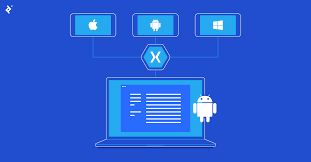
Xamarin, a popular cross-platform development software, is owned by Microsoft. The acquisition of Xamarin by Microsoft in 2016 marked a significant milestone in the world of mobile app development. Xamarin allows developers to create native applications for iOS, Android, and Windows using a single codebase, making it a valuable tool for businesses and individual developers alike.

With Xamarin, developers can leverage their existing C# skills and codebase to build high-performance apps that offer a native user experience on each platform. This not only streamlines the development process but also ensures consistency across different operating systems.

Microsoft’s ownership of Xamarin has further strengthened its integration with Visual Studio, providing developers with a comprehensive suite of tools for building, testing, and deploying cross-platform applications. The collaboration between Microsoft and Xamarin continues to drive innovation in the realm of mobile app development, empowering developers to create cutting-edge solutions for a diverse range of devices.

Overall, Xamarin’s ownership by Microsoft underscores the commitment to empowering developers with powerful tools and resources to succeed in today’s competitive app market.


Frequently Asked Questions About Xamarin Cross-Platform Development and Its Ownership

  1. What is Xamarin cross-platform?
  2. Is Xamarin supported by Microsoft?
  3. Is Xamarin a .NET framework?
  4. Is Xamarin a Microsoft product?
  5. Which companies uses Xamarin?

What is Xamarin cross-platform?

Xamarin cross-platform development refers to the practice of using Xamarin, a software owned by Microsoft, to build mobile applications that can run on multiple operating systems such as iOS, Android, and Windows. By utilizing Xamarin’s technology, developers can write code once in C# and deploy it across different platforms, saving time and effort compared to developing separate native apps for each operating system. Xamarin ensures that the final applications maintain a native look and feel on each platform, providing users with a seamless experience regardless of the device they are using. This approach to cross-platform development streamlines the process for developers and allows them to reach a wider audience with their apps.

Is Xamarin supported by Microsoft?

Yes, Xamarin is supported by Microsoft. Microsoft acquired Xamarin in 2016, integrating it into its suite of development tools and services. This acquisition has strengthened Xamarin’s capabilities and its integration with Microsoft’s ecosystem, particularly Visual Studio. As a result, developers using Xamarin can benefit from the support and resources provided by Microsoft, ensuring that they have access to the latest updates, features, and technical assistance to create high-quality cross-platform applications efficiently.

Is Xamarin a .NET framework?

Xamarin is closely associated with the .NET framework, as it allows developers to use C# and .NET to build cross-platform applications. Xamarin extends the capabilities of the .NET framework by enabling developers to create native mobile apps for iOS, Android, and Windows platforms using a shared codebase. This integration with .NET framework not only simplifies the development process but also ensures that developers can leverage their existing skills and knowledge to create high-quality, performant apps across multiple platforms.

Is Xamarin a Microsoft product?

Yes, Xamarin is indeed a Microsoft product. Microsoft acquired Xamarin in 2016, a move that solidified its position in the cross-platform development space. By bringing Xamarin under its umbrella, Microsoft has been able to enhance its offerings for developers looking to create native applications for multiple platforms using a single codebase. The integration of Xamarin with Microsoft’s existing tools and services has further streamlined the development process and provided developers with a comprehensive solution for building high-quality cross-platform apps.

Which companies uses Xamarin?

Several prominent companies across various industries utilize Xamarin for their cross-platform development needs. Companies such as UPS, Alaska Airlines, and Siemens have leveraged Xamarin to create robust and high-performing mobile applications that cater to their specific business requirements. By adopting Xamarin, these companies benefit from the ability to streamline their development processes, reduce time-to-market, and maintain a consistent user experience across multiple platforms. The versatility and efficiency of Xamarin make it an attractive choice for organizations looking to deliver innovative and seamless mobile solutions to their customers while maximizing development resources.

app development software for pc

Exploring Top App Development Software for PC: Tools to Boost Your Development Process

Article: App Development Software for PC

The Best App Development Software for PC

Developing applications for various platforms has become increasingly popular in today’s digital age. Whether you are a seasoned developer or a beginner looking to create your first app, having the right software tools is essential. When it comes to app development for PC, there are several powerful options available that can streamline the development process and help you bring your ideas to life.

Microsoft Visual Studio

Microsoft Visual Studio is a comprehensive integrated development environment (IDE) that supports multiple programming languages such as C#, C++, and Visual Basic. It offers a wide range of tools and features for building Windows, Android, and iOS applications. With its intuitive interface and robust debugging capabilities, Visual Studio is a top choice for many developers.

JetBrains IntelliJ IDEA

IntelliJ IDEA is a popular Java IDE that provides advanced coding assistance and productivity tools for developing Java applications. It offers support for other languages like Kotlin, Groovy, and Scala as well. IntelliJ IDEA’s smart code completion, refactoring tools, and built-in version control make it an excellent choice for Java developers working on PC.

Xamarin

Xamarin is a cross-platform development tool that allows developers to create native mobile apps using C# and .NET. With Xamarin, you can build apps for Android, iOS, and Windows platforms while sharing code across them. Its integration with Visual Studio makes it easy to develop, test, and deploy mobile applications efficiently.

Adobe Dreamweaver

Dreamweaver is a versatile web development tool that supports HTML, CSS, JavaScript, and other web technologies. While primarily known for web design, Dreamweaver can also be used to develop web-based applications for PCs. Its visual editor and code suggestions make it ideal for front-end developers looking to create interactive user interfaces.

These are just a few examples of the many app development software options available for PC users. Whether you are building desktop applications or mobile apps, choosing the right tools can significantly impact your development workflow and overall success.


Top 9 Benefits of App Development Software for PC: Versatility, Efficiency, and Community Support

  1. 1. Versatile tools for developing applications across multiple platforms.
  2. 2. Robust debugging capabilities to identify and fix errors efficiently.
  3. 3. Integration with version control systems for better code management.
  4. 4. Advanced coding assistance to improve productivity and code quality.
  5. 5. Support for various programming languages, catering to diverse developer needs.
  6. 6. Visual editors that simplify the design and layout of user interfaces.
  7. 7. Cross-platform development options for building apps compatible with different operating systems.
  8. 8. Regular updates and enhancements to stay current with industry trends.
  9. 9. Community support and resources for troubleshooting and knowledge sharing.


Challenges of App Development Software: Navigating Complexity, Resource Demands, and High Costs

  1. Steep Learning Curve
  2. Resource Intensive
  3. Costly Licenses

1. Versatile tools for developing applications across multiple platforms.

App development software for PC offers versatile tools that empower developers to create applications across multiple platforms effortlessly. Whether targeting Windows, Android, iOS, or web-based applications, these tools provide a unified environment where developers can write code once and deploy it across various platforms with ease. This versatility not only saves time and effort but also ensures consistency in the user experience across different devices, making it a valuable asset for developers aiming to reach a broader audience with their applications.

2. Robust debugging capabilities to identify and fix errors efficiently.

Robust debugging capabilities in app development software for PC play a crucial role in identifying and fixing errors efficiently. With advanced debugging tools, developers can quickly pinpoint issues in their code, trace the root cause of bugs, and implement effective solutions. This not only saves time during the development process but also ensures that the final product is stable and free of critical errors. By leveraging robust debugging features, developers can streamline their workflow and deliver high-quality applications that meet user expectations.

3. Integration with version control systems for better code management.

Integration with version control systems is a significant advantage of app development software for PC. By seamlessly connecting with version control systems like Git or SVN, developers can effectively manage and track changes to their codebase. This feature enables team collaboration, ensures code consistency, and simplifies the process of merging code from multiple contributors. With version control integration, developers can easily revert to previous versions, identify bugs more efficiently, and maintain a well-organized and structured development environment.

4. Advanced coding assistance to improve productivity and code quality.

One significant advantage of app development software for PC is its advanced coding assistance, which greatly enhances productivity and code quality. These tools provide developers with intelligent features such as code completion, syntax highlighting, and error checking, helping them write cleaner and more efficient code. By offering suggestions and automated refactoring options, these software solutions enable developers to work faster, reduce errors, and maintain higher standards of code quality throughout the development process.

5. Support for various programming languages, catering to diverse developer needs.

One significant advantage of app development software for PC is its support for various programming languages, catering to diverse developer needs. This feature allows developers to work in their preferred language, whether it’s Java, C#, Python, or others, making the software versatile and accommodating for a wide range of projects. By offering support for multiple programming languages, developers can choose the most suitable language for their specific requirements, enhancing flexibility and enabling them to create innovative and efficient applications tailored to their expertise and preferences.

6. Visual editors that simplify the design and layout of user interfaces.

Visual editors that simplify the design and layout of user interfaces are a significant pro of app development software for PC. These tools provide developers with a user-friendly interface to visually create and customize the look and feel of their applications without needing to write extensive code manually. By offering drag-and-drop functionality, real-time previews, and access to a library of pre-designed elements, visual editors streamline the UI/UX design process and empower developers to efficiently create visually appealing and intuitive user interfaces for their apps.

7. Cross-platform development options for building apps compatible with different operating systems.

Cross-platform development options for building apps on PC offer the significant advantage of creating applications that are compatible with multiple operating systems. This versatility allows developers to write code once and deploy it across various platforms, such as Windows, macOS, and Linux, saving time and resources. By leveraging cross-platform development tools, developers can reach a broader audience with their applications while maintaining consistency in functionality and user experience across different devices and operating systems.

One significant advantage of app development software for PC is the regular updates and enhancements it receives to stay current with industry trends. By consistently updating the software, developers can access new features, improvements, and security patches that align with the latest technological advancements. This ensures that developers have access to cutting-edge tools and capabilities, allowing them to create high-quality applications that meet the evolving needs and expectations of users in today’s fast-paced digital landscape.

9. Community support and resources for troubleshooting and knowledge sharing.

One significant advantage of app development software for PC is the strong community support and abundance of resources available for troubleshooting and knowledge sharing. Developers can benefit from online forums, user communities, tutorials, and documentation provided by the software vendors and fellow developers. This robust support network not only helps in resolving technical issues efficiently but also facilitates continuous learning and collaboration within the app development community. By tapping into these resources, developers can enhance their skills, stay updated on industry trends, and overcome challenges more effectively during the software development process.

Steep Learning Curve

Some app development software for PC can present a significant challenge due to their steep learning curve, which can be particularly daunting for beginners or individuals transitioning from other platforms. Navigating complex tools and understanding intricate features may require extra time and effort to master, potentially slowing down the development process and causing frustration for users who are not yet familiar with the software. However, with dedication and practice, overcoming this obstacle can lead to valuable skills and expertise in app development.

Resource Intensive

Certain app development tools for PC can be resource-intensive, posing a con for developers. These tools may demand substantial system resources, potentially causing slowdowns or performance issues on the PC. When software consumes a large amount of processing power or memory, it can hinder the overall efficiency of the development process and impact the user experience. Developers need to consider the hardware requirements of these tools to ensure smooth operation and optimal performance while creating applications.

Costly Licenses

High-quality app development software for PC can be hindered by the con of costly licenses. Many top-tier development tools require significant financial investment in the form of licenses and subscriptions, which can be prohibitive for individual developers or small businesses operating on a tight budget. The high price tag associated with these licenses may limit access to advanced features and tools, posing a challenge for those looking to create professional-grade applications without breaking the bank.

system development software

Unlocking Efficiency and Innovation with System Development Software

The Importance of System Development Software

The Importance of System Development Software

System development software plays a crucial role in the creation, maintenance, and enhancement of various software systems. It encompasses a range of tools and processes that facilitate the design, implementation, testing, and deployment of software applications.

Key Components of System Development Software

System development software typically includes integrated development environments (IDEs), version control systems, testing frameworks, and deployment tools. These components work together to streamline the software development lifecycle and ensure the delivery of high-quality products.

Benefits of Using System Development Software

By leveraging system development software, organizations can achieve several benefits:

  • Efficiency: System development software automates repetitive tasks and provides developers with tools to increase productivity.
  • Collaboration: Version control systems enable multiple developers to work on the same codebase simultaneously without conflicts.
  • Quality Assurance: Testing frameworks help identify bugs and errors early in the development process, ensuring a more robust final product.
  • Scalability: System development software supports the scalability of software systems by providing tools for modular design and efficient code management.
  • Speed to Market: By streamlining the development process, system development software helps organizations bring new products and features to market faster.

The Future of System Development Software

As technology continues to evolve rapidly, system development software is also advancing to meet the changing needs of developers and organizations. Emerging trends such as low-code platforms, artificial intelligence integration, and cloud-based development environments are shaping the future of system development software.

In conclusion, system development software is a critical enabler for organizations looking to innovate and stay competitive in today’s digital landscape. By investing in the right tools and processes, businesses can accelerate their software development initiatives and deliver value to their customers more effectively.


5 Essential Tips for Effective System Development Software

  1. Plan and document your system requirements thoroughly before starting development.
  2. Use version control to track changes and collaborate with team members effectively.
  3. Follow best practices for coding standards and design patterns to ensure maintainability.
  4. Perform regular testing, including unit tests, integration tests, and user acceptance tests.
  5. Consider scalability and security aspects while designing and developing the system.

Plan and document your system requirements thoroughly before starting development.

It is essential to plan and document your system requirements thoroughly before embarking on the development process. By clearly defining the objectives, functionalities, and constraints of the system upfront, you set a solid foundation for the development team to work from. Comprehensive documentation helps ensure that all stakeholders have a shared understanding of the project scope and expectations, reducing the risk of misunderstandings or misalignment later in the process. This proactive approach not only enhances communication and collaboration but also minimizes rework and delays by providing a roadmap for efficient development efforts.

Use version control to track changes and collaborate with team members effectively.

Using version control is essential in system development software as it allows developers to track changes, manage code revisions, and collaborate seamlessly with team members. By utilizing version control systems such as Git or SVN, developers can maintain a history of modifications made to the codebase, revert to previous versions if needed, and merge changes from multiple contributors without conflicts. This practice not only enhances transparency and accountability within the development process but also ensures that the team can work together efficiently towards achieving project goals.

Follow best practices for coding standards and design patterns to ensure maintainability.

Following best practices for coding standards and design patterns is essential in system development software to ensure maintainability. By adhering to established guidelines and principles, developers can create code that is easier to understand, modify, and debug in the future. Consistent coding standards promote readability and consistency across the codebase, making it more manageable for multiple team members to collaborate effectively. Design patterns provide proven solutions to common software design problems, improving the overall structure and scalability of the system. Ultimately, prioritizing best practices in coding standards and design patterns leads to more maintainable software that can adapt to changing requirements with minimal effort.

Perform regular testing, including unit tests, integration tests, and user acceptance tests.

Performing regular testing, which includes conducting unit tests to validate individual components, integration tests to ensure proper interaction between modules, and user acceptance tests to confirm that the software meets end-user requirements, is essential in system development software. Testing at each stage of the development process helps identify and rectify issues early on, resulting in a more robust and reliable final product. By incorporating a comprehensive testing strategy, developers can enhance the quality of their software, improve user satisfaction, and ultimately contribute to the success of the project.

Consider scalability and security aspects while designing and developing the system.

When designing and developing a system, it is crucial to consider scalability and security aspects. Scalability ensures that the system can handle increased workload or user demands without compromising performance. By planning for scalability from the outset, developers can future-proof the system and avoid costly rework later on. Additionally, prioritizing security during the design phase helps mitigate potential vulnerabilities and protect sensitive data from threats. A proactive approach to addressing scalability and security concerns not only enhances the system’s reliability but also instills trust among users and stakeholders.

devops software development

Unlocking the Power of DevOps in Modern Software Development

The Role of DevOps in Modern Software Development

The Role of DevOps in Modern Software Development

DevOps has emerged as a crucial methodology in the world of software development, bridging the gap between development and operations teams to streamline the delivery of high-quality software products. By integrating key practices and tools, DevOps aims to enhance collaboration, automate processes, and accelerate the pace of development cycles.

Key Principles of DevOps

DevOps is built on several core principles that guide its implementation:

  • Automation: Automating manual tasks to increase efficiency and reduce errors.
  • Collaboration: Fostering a culture of collaboration between development and operations teams for seamless workflow.
  • Continuous Integration/Continuous Deployment (CI/CD): Implementing CI/CD pipelines to automate software delivery processes.
  • Monitoring and Feedback: Utilizing monitoring tools to gather feedback and improve performance continuously.
  • Infrastructure as Code (IaC): Managing infrastructure through code to ensure consistency and scalability.

The Benefits of DevOps

Implementing DevOps practices offers numerous benefits for software development teams:

  • Rapid Delivery: Shortening development cycles and accelerating time-to-market for new features.
  • Improved Quality: Enhancing software quality through automated testing and continuous integration.
  • Innovation: Encouraging innovation by fostering a culture of experimentation and learning.
  • Reliability: Increasing system reliability through automated monitoring and feedback mechanisms.
  • Efficiency: Improving operational efficiency by automating repetitive tasks and workflows.

The Future of DevOps

In an increasingly competitive digital landscape, the adoption of DevOps is becoming essential for organizations looking to stay ahead. As technology evolves, DevOps will continue to play a pivotal role in shaping the future of software development, enabling teams to deliver value faster, more reliably, and with higher quality.


5 Essential DevOps Tips for Streamlining Software Development

  1. Automate repetitive tasks to increase efficiency.
  2. Implement continuous integration and continuous deployment practices for faster delivery of software.
  3. Use version control systems to track changes and collaborate effectively with team members.
  4. Monitor system performance and logs to identify issues early on.
  5. Encourage communication and collaboration between development and operations teams for smoother workflows.

Automate repetitive tasks to increase efficiency.

Automating repetitive tasks is a key principle in DevOps software development that significantly boosts efficiency. By automating routine processes such as testing, deployment, and configuration management, teams can save valuable time and resources, allowing them to focus on more strategic and creative aspects of software development. This not only speeds up the delivery of software but also reduces the likelihood of human errors, leading to higher quality products. Embracing automation in DevOps empowers teams to work smarter, faster, and more effectively towards achieving their development goals.

Implement continuous integration and continuous deployment practices for faster delivery of software.

Implementing continuous integration and continuous deployment practices in DevOps software development is key to achieving faster delivery of software. By automating the process of integrating code changes and deploying them to production environments, teams can streamline their development cycles and ensure that new features and updates are delivered quickly and efficiently. This approach not only accelerates time-to-market but also enhances overall software quality by enabling frequent testing and feedback loops, ultimately leading to more responsive and agile development processes.

Use version control systems to track changes and collaborate effectively with team members.

Utilizing version control systems in DevOps software development is crucial for tracking changes and facilitating seamless collaboration among team members. By implementing a robust version control system, developers can easily manage code changes, track revisions, and revert to previous versions if needed. This practice ensures that all team members are working on the most up-to-date codebase, promotes transparency in the development process, and enables efficient collaboration by providing a centralized platform for sharing and reviewing code modifications. Ultimately, leveraging version control systems enhances productivity, reduces errors, and fosters a cohesive team environment in the DevOps workflow.

Monitor system performance and logs to identify issues early on.

Monitoring system performance and logs is a critical tip in DevOps software development. By regularly tracking key metrics and analyzing log data, teams can proactively identify potential issues before they escalate, allowing for timely intervention and resolution. This proactive approach not only helps maintain system reliability and performance but also contributes to a smoother development process by addressing issues early on, minimizing downtime, and ensuring a seamless user experience.

Encourage communication and collaboration between development and operations teams for smoother workflows.

Encouraging communication and collaboration between development and operations teams is a fundamental tip in DevOps software development. By fostering open dialogue and teamwork between these traditionally siloed departments, organizations can achieve smoother workflows, faster problem resolution, and enhanced overall efficiency. When developers and operations staff work together seamlessly, they can align their goals, share knowledge effectively, and collectively drive the success of software projects from inception to deployment. This collaborative approach not only improves productivity but also promotes a culture of shared responsibility and continuous improvement within the organization.

online android app development

Mastering Online Android App Development: Tools, Tips, and Trends

Online Android App Development

Online Android App Development: A Comprehensive Guide

In today’s digital age, mobile applications have become an essential part of our daily lives. With millions of apps available on the Google Play Store, Android app development has emerged as a lucrative field for developers. This article delves into the world of online Android app development, exploring tools, resources, and best practices to help you create successful apps.

The Rise of Android App Development

Android holds a significant share of the global smartphone market, making it a prime platform for app developers. The open-source nature of the Android operating system allows developers to customize and innovate freely. This flexibility has led to a vibrant ecosystem where creativity thrives.

Getting Started with Online Tools

The advent of online development tools has made it easier than ever to start building Android apps. Here are some popular platforms:

  • Android Studio: The official integrated development environment (IDE) for Android app development. It offers robust features such as code editing, debugging, and performance tooling.
  • Kodular: A web-based platform that allows users to create apps without extensive coding knowledge through a drag-and-drop interface.
  • Appy Pie: An intuitive app builder that enables users to design and build apps quickly using pre-made templates and modules.

Programming Languages for Android Development

The primary programming languages used in Android app development are Java and Kotlin. While Java has been the traditional choice for many years, Kotlin is gaining popularity due to its concise syntax and modern features.

Kotlin vs. Java

  • Kotlin: Known for its simplicity and interoperability with Java, Kotlin reduces boilerplate code and enhances productivity.
  • Java: A mature language with extensive libraries and community support, making it reliable for complex applications.

Best Practices for Developing Successful Apps

To ensure your app stands out in the crowded marketplace, consider these best practices:

  1. User-Centric Design: Focus on creating an intuitive user interface (UI) that enhances user experience (UX).
  2. Performance Optimization: Optimize your app’s performance by minimizing load times and reducing memory usage.
  3. Regular Updates: Keep your app updated with new features and security patches to maintain user engagement.
  4. User Feedback: Incorporate feedback from users to improve your app continuously.

The Future of Online Android App Development

The future looks promising for online Android app development as technology continues to evolve. Emerging trends such as artificial intelligence (AI), augmented reality (AR), and machine learning are opening new avenues for innovation in mobile applications.

The demand for skilled developers will continue to grow as businesses seek to leverage mobile technology to reach their audiences effectively. By staying informed about the latest tools and trends in online Android app development, you can position yourself at the forefront of this dynamic industry.

Conclusion

The world of online Android app development is vast and full of opportunities. Whether you’re a seasoned developer or just starting out, there are numerous resources available to help you succeed. By mastering essential tools like Android Studio or exploring user-friendly platforms like Kodular or Appy Pie, you can bring your creative ideas to life in the form of innovative mobile applications.

Your journey into online Android app development promises not only personal growth but also the potential to make a significant impact on how people interact with technology every day.


6 Essential Tips for Successful Online Android App Development

  1. Understand the Android platform and guidelines for app development.
  2. Use Android Studio as the primary Integrated Development Environment (IDE).
  3. Follow best practices for user interface design to ensure a good user experience.
  4. Optimize your app for performance and battery efficiency.
  5. Test your app thoroughly on different devices and screen sizes.
  6. Stay updated with the latest trends and technologies in Android development.

Understand the Android platform and guidelines for app development.

To succeed in online Android app development, it is crucial to thoroughly understand the Android platform and adhere to its guidelines for app development. By familiarizing yourself with the intricacies of the platform, including its design principles, user interface requirements, and performance considerations, you can ensure that your app meets the standards set by Google. Following these guidelines not only enhances the user experience but also increases the chances of your app being approved and well-received on the Google Play Store.

Use Android Studio as the primary Integrated Development Environment (IDE).

When embarking on online Android app development, it is highly recommended to utilize Android Studio as the primary Integrated Development Environment (IDE). Android Studio, being the official IDE for Android app development, offers a comprehensive suite of tools and features that streamline the development process. From code editing to debugging and performance analysis, Android Studio provides developers with a robust platform to create high-quality apps efficiently. By harnessing the power of Android Studio, developers can leverage its capabilities to build innovative and user-friendly applications for the ever-evolving Android ecosystem.

Follow best practices for user interface design to ensure a good user experience.

Following best practices for user interface design is crucial in online Android app development to guarantee a positive user experience. A well-designed user interface enhances usability, navigation, and overall aesthetics of the app, ultimately leading to higher user satisfaction and engagement. By focusing on intuitive layouts, clear navigation paths, consistent design elements, and responsive interactions, developers can create an app that not only looks visually appealing but also functions seamlessly, making it easier for users to accomplish their tasks efficiently. Prioritizing user interface design best practices is key to creating a successful Android app that resonates with users and keeps them coming back for more.

Optimize your app for performance and battery efficiency.

Optimizing your app for performance and battery efficiency is crucial in ensuring a seamless user experience. By streamlining code, minimizing resource-intensive operations, and implementing efficient algorithms, you can enhance your app’s responsiveness and reduce its impact on device battery life. Prioritizing performance optimization not only improves user satisfaction but also contributes to the longevity of your app’s success in the competitive Android app market.

Test your app thoroughly on different devices and screen sizes.

To ensure the optimal performance and user experience of your Android app, it is crucial to test it thoroughly on a variety of devices and screen sizes. By conducting comprehensive testing across different platforms, you can identify and address any compatibility issues, layout inconsistencies, or functionality errors that may arise. This proactive approach not only helps in delivering a seamless experience to users but also enhances the overall quality and reliability of your app across the diverse landscape of Android devices.

To excel in online Android app development, it is crucial to stay updated with the latest trends and technologies in the field. The Android ecosystem is constantly evolving, with new features, tools, and best practices emerging regularly. By staying informed about the latest advancements, developers can leverage cutting-edge technologies to create innovative and competitive apps. Continuous learning and adaptation to industry trends not only enhance the quality of app development but also ensure relevance in a dynamic and fast-paced market.

linux application development

Exploring the World of Linux Application Development

Linux Application Development

The World of Linux Application Development

Linux, an open-source operating system, has been a favorite among developers for its flexibility, security, and customization options. When it comes to application development on Linux, there are a plethora of tools and resources available to create robust and efficient software solutions.

Benefits of Linux for Application Development

Developers choose Linux for application development due to various reasons:

  • Open-Source Nature: Linux’s open-source nature allows developers to access the source code, modify it, and contribute to the community.
  • Stability and Security: Linux is known for its stability and security features, making it a reliable platform for developing secure applications.
  • Compatibility: Linux supports a wide range of programming languages and frameworks, making it versatile for developers with different preferences.
  • Cost-Effective: As an open-source platform, Linux is cost-effective compared to proprietary operating systems.

Tools for Linux Application Development

Several tools are popular among developers for creating applications on the Linux platform:

  1. GCC (GNU Compiler Collection): A powerful compiler that supports various programming languages like C, C++, and Fortran.
  2. Eclipse: An integrated development environment (IDE) that offers features for code editing, debugging, and version control integration.
  3. Vim: A highly configurable text editor favored by many developers for its efficiency and extensibility.
  4. Docker: A containerization platform that simplifies application deployment by packaging software into containers.

The Future of Linux Application Development

The future of Linux application development looks promising with continuous advancements in technology. With the rise of cloud computing, Internet of Things (IoT), artificial intelligence (AI), and machine learning (ML), developers have ample opportunities to innovate using Linux as their preferred development environment.

In conclusion, Linux provides a robust foundation for creating diverse applications across various industries. Its open nature fosters collaboration and innovation among developers worldwide. Whether you are a seasoned developer or just starting your journey in application development, exploring Linux as your platform can lead to exciting possibilities and rewarding outcomes.


8 Advantages of Linux Application Development: Customization, Stability, and More

  1. Open-source nature allows access to source code for customization.
  2. Stability and security features make Linux a reliable platform.
  3. Wide compatibility with various programming languages and frameworks.
  4. Cost-effective compared to proprietary operating systems.
  5. Vast community support for troubleshooting and collaboration.
  6. Efficient performance even on older hardware configurations.
  7. Extensive library of development tools and software packages.
  8. Seamless integration with cloud computing technologies.


7 Challenges of Linux Application Development: Overcoming Common Hurdles

  1. Limited Support for Commercial Software
  2. Fragmentation Across Different Distributions
  3. Hardware Compatibility Challenges
  4. Steep Learning Curve for Beginners
  5. Less User-Friendly Interface for Non-Tech Users
  6. Potential Dependency Management Issues
  7. Varied Documentation Quality

Open-source nature allows access to source code for customization.

One significant advantage of Linux application development is its open-source nature, which grants developers access to the source code for customization. This transparency enables developers to tailor software solutions to meet specific requirements, enhance functionality, and address unique challenges. By being able to modify and contribute to the source code, developers have the freedom to innovate and create tailored applications that align perfectly with their project goals. The open-source philosophy of Linux fosters collaboration and empowers developers to build efficient, secure, and personalized software solutions that cater to diverse needs in the ever-evolving tech landscape.

Stability and security features make Linux a reliable platform.

The inherent stability and robust security features of Linux make it a highly reliable platform for application development. Developers trust Linux for its ability to provide a secure environment that minimizes vulnerabilities and ensures the integrity of their software solutions. The consistent performance and resilience of Linux contribute to a dependable development environment, allowing developers to focus on creating innovative applications without compromising on stability or security.

Wide compatibility with various programming languages and frameworks.

One significant advantage of Linux application development is its wide compatibility with a diverse range of programming languages and frameworks. Developers have the flexibility to choose from popular languages like C, C++, Python, Java, and more, along with frameworks such as Qt, GTK, and Electron. This broad compatibility enables developers to work with their preferred tools and technologies, making Linux a versatile platform for creating software solutions tailored to specific needs and preferences.

Cost-effective compared to proprietary operating systems.

One significant advantage of Linux application development is its cost-effectiveness compared to proprietary operating systems. Since Linux is an open-source platform, developers can access and utilize it without incurring high licensing fees associated with proprietary operating systems. This cost-saving benefit enables developers to allocate resources more efficiently, invest in enhancing their applications, and reach a broader audience without financial constraints. Ultimately, the affordability of Linux as a development environment contributes to fostering innovation and creativity within the software development community.

Vast community support for troubleshooting and collaboration.

One significant advantage of Linux application development is the vast community support available for troubleshooting and collaboration. The active and diverse community of Linux users and developers worldwide offers a wealth of resources, forums, and online communities where individuals can seek help, share knowledge, and collaborate on projects. This extensive network not only facilitates quick resolution of technical issues but also promotes knowledge sharing and fosters a culture of innovation within the Linux development ecosystem. Developers can benefit greatly from this supportive community environment, making Linux an ideal platform for those looking to engage with like-minded individuals and enhance their skills through collective learning and problem-solving efforts.

Efficient performance even on older hardware configurations.

One significant advantage of Linux application development is its efficient performance, even on older hardware configurations. Linux’s lightweight design and optimized resource utilization allow it to run smoothly on older machines, maximizing their potential and extending their usability. This capability not only benefits users with older hardware but also contributes to reducing electronic waste by giving new life to aging devices. Developers can leverage Linux’s efficiency to create applications that deliver a seamless user experience across a wide range of hardware setups, making it a versatile choice for software development projects aimed at diverse audiences.

Extensive library of development tools and software packages.

One significant advantage of Linux application development is its extensive library of development tools and software packages. Developers have access to a wide range of resources that can streamline the development process, enhance productivity, and facilitate the creation of high-quality applications. Whether it’s compilers, debuggers, libraries, or other essential tools, the vast selection available on Linux ensures that developers can find the right solutions to meet their specific needs and requirements. This rich ecosystem of development tools and software packages contributes to the efficiency and effectiveness of Linux as a preferred platform for application development.

Seamless integration with cloud computing technologies.

Linux application development offers the significant advantage of seamless integration with cloud computing technologies. With Linux as the underlying operating system, developers can easily deploy and manage applications on cloud platforms like AWS, Google Cloud, and Azure. The compatibility of Linux with cloud services enables developers to leverage scalable resources, automate deployment processes, and build resilient applications that can adapt to dynamic cloud environments. This seamless integration empowers developers to take full advantage of the benefits of cloud computing while utilizing the robust capabilities of Linux for efficient and effective application development.

Limited Support for Commercial Software

One significant con of Linux application development is the limited support for commercial software. While Linux offers a vast array of open-source tools and applications, some proprietary software may not have native compatibility with the operating system. This can pose challenges for developers who rely on specific commercial software packages that are not readily available or optimized for Linux. As a result, developers may encounter difficulties in integrating certain third-party applications seamlessly into their Linux-based development environment, potentially impacting productivity and workflow efficiency.

Fragmentation Across Different Distributions

One notable con of Linux application development is the fragmentation that exists across different distributions. With numerous Linux distributions available, each with its own set of libraries, package managers, and system configurations, developers often face challenges in ensuring their applications run smoothly on all platforms. This fragmentation can lead to compatibility issues, requiring extra effort to optimize and test applications for various distributions, ultimately increasing development time and complexity. Developers must carefully consider compatibility factors and implement strategies to address fragmentation when targeting a wide range of Linux distributions for their applications.

Hardware Compatibility Challenges

One significant challenge in Linux application development is the issue of hardware compatibility. Due to the diverse range of hardware components available in the market, ensuring that an application developed on Linux runs smoothly across all devices can be a daunting task. Developers may encounter difficulties in optimizing their software to work seamlessly with various hardware configurations, leading to potential performance issues or functionality limitations. Addressing hardware compatibility challenges requires thorough testing, meticulous debugging, and continuous updates to ensure that the application can effectively interact with different hardware setups while maintaining optimal performance and user experience.

Steep Learning Curve for Beginners

One significant con of Linux application development is the steep learning curve it presents for beginners. Due to its highly customizable nature and command-line interface, newcomers to Linux development may find it challenging to grasp the intricacies of the operating system and the various tools and commands required for software development. The abundance of options and configurations available on Linux can be overwhelming for those unfamiliar with the environment, leading to a longer onboarding process and potentially hindering the initial progress of novice developers.

Less User-Friendly Interface for Non-Tech Users

One notable con of Linux application development is its less user-friendly interface for non-tech users. Unlike some other operating systems that prioritize simplicity and ease of use, Linux can be more challenging for individuals who are not familiar with technical terms and processes. Navigating the system settings, installing software, and troubleshooting issues may require a certain level of technical knowledge, which can be a barrier for those who prefer a more intuitive user experience. This complexity in the user interface aspect of Linux may deter some non-tech users from fully embracing the platform for application development.

Potential Dependency Management Issues

One significant challenge in Linux application development is the potential for dependency management issues. Due to the diverse range of libraries, packages, and versions available in the Linux ecosystem, developers may encounter difficulties in ensuring that all dependencies are correctly installed and compatible with their application. This can lead to compatibility issues, version conflicts, and time-consuming troubleshooting efforts to resolve dependency-related errors. Effective dependency management strategies and tools are essential to mitigate these challenges and streamline the development process on the Linux platform.

Varied Documentation Quality

One notable con of Linux application development is the varied quality of documentation available. While Linux offers a vast array of resources and documentation to support developers, the quality and consistency of these materials can vary widely. This inconsistency in documentation quality can pose a challenge for developers, especially those who rely heavily on clear and comprehensive guides to navigate the intricacies of the Linux environment. Navigating through disparate levels of documentation quality may lead to confusion, inefficiencies, and potential roadblocks in the development process, requiring developers to invest additional time and effort in seeking out reliable information and troubleshooting solutions.