cfchris.com

Loading

target software engineer

Target Software Engineer: Role, Skills, and Career Opportunities

Target Software Engineer: Role, Skills, and Career Path

A software engineer at Target helps build and maintain the technology behind the company’s retail operations. That technology can support online shopping, store systems, supply chains, payments, and internal tools used by team members. The work combines software development with the practical challenge of serving customers and stores at a large scale.

What Does a Target Software Engineer Do?

Day-to-day responsibilities vary by team and level, but may include:

  • Designing, building, testing, and maintaining software applications
  • Developing services and APIs that connect digital products and business systems
  • Improving the performance, reliability, and security of existing systems
  • Collaborating with product managers, designers, data specialists, and other engineers
  • Reviewing code and contributing to technical design decisions
  • Investigating production issues and helping prevent them from recurring
  • Using data and customer feedback to improve digital experiences

Depending on the position, an engineer may focus on front-end development, back-end services, mobile applications, cloud infrastructure, data platforms, or machine learning. Retail technology often involves connecting many systems, so engineers may also work on integration, scalability, and reliability.

Skills That Can Help You Succeed

Specific qualifications differ across job postings, but software engineering roles commonly call for a strong foundation in programming, problem-solving, and software design. Relevant languages and tools depend on the team. Experience with areas such as cloud computing, databases, distributed systems, automated testing, and version control may also be useful.

Technical ability is only part of the role. Engineers benefit from clear communication, sound judgment, curiosity, and the ability to work through ambiguous problems. Because software is built collaboratively, explaining tradeoffs and incorporating feedback are important parts of the job.

How to Prepare for a Target Software Engineer Role

  1. Read the job description carefully. Identify the experience, technologies, and responsibilities listed for that particular opening.
  2. Build a strong technical foundation. Practice programming, data structures, algorithms, debugging, and system design at a level appropriate for the role.
  3. Show how you have applied your skills. Describe projects, internships, or work experience that demonstrate the problems you solved and the results you achieved.
  4. Prepare to discuss collaboration. Have examples of how you worked with others, handled feedback, or responded to a difficult technical challenge.
  5. Connect your experience to customer and business needs. Explain how your engineering decisions improved usability, reliability, efficiency, or another meaningful outcome.

Career Growth

Software engineers can grow by deepening their technical expertise, taking ownership of larger projects, or moving toward roles that involve technical leadership. Depending on a person’s strengths and interests, possible paths may include senior engineering, architecture, engineering management, infrastructure, data engineering, or specialized product development.

Is This Career a Good Fit?

A software engineering career at a major retailer may appeal to people who enjoy solving complex problems and building technology with practical, everyday uses. The work can connect digital products with the systems that help stores and business teams operate. Since responsibilities and expectations vary by position, reviewing current job listings is the best way to understand the qualifications and focus of a specific Target software engineer opportunity.


8 Essential Tips for Landing a Software Engineer Role at Target

  1. Study Target’s products, technology, and customer experience.
  2. Practice coding problems in your strongest language.
  3. Review data structures, algorithms, and complexity analysis.
  4. Prepare examples of teamwork, ownership, and problem-solving.
  5. Explain your technical decisions clearly and concisely.
  6. Review system design basics for the role’s level.
  7. Ask thoughtful questions about the team and its projects.
  8. Tailor your résumé to the job description.

Study Target’s products, technology, and customer experience.

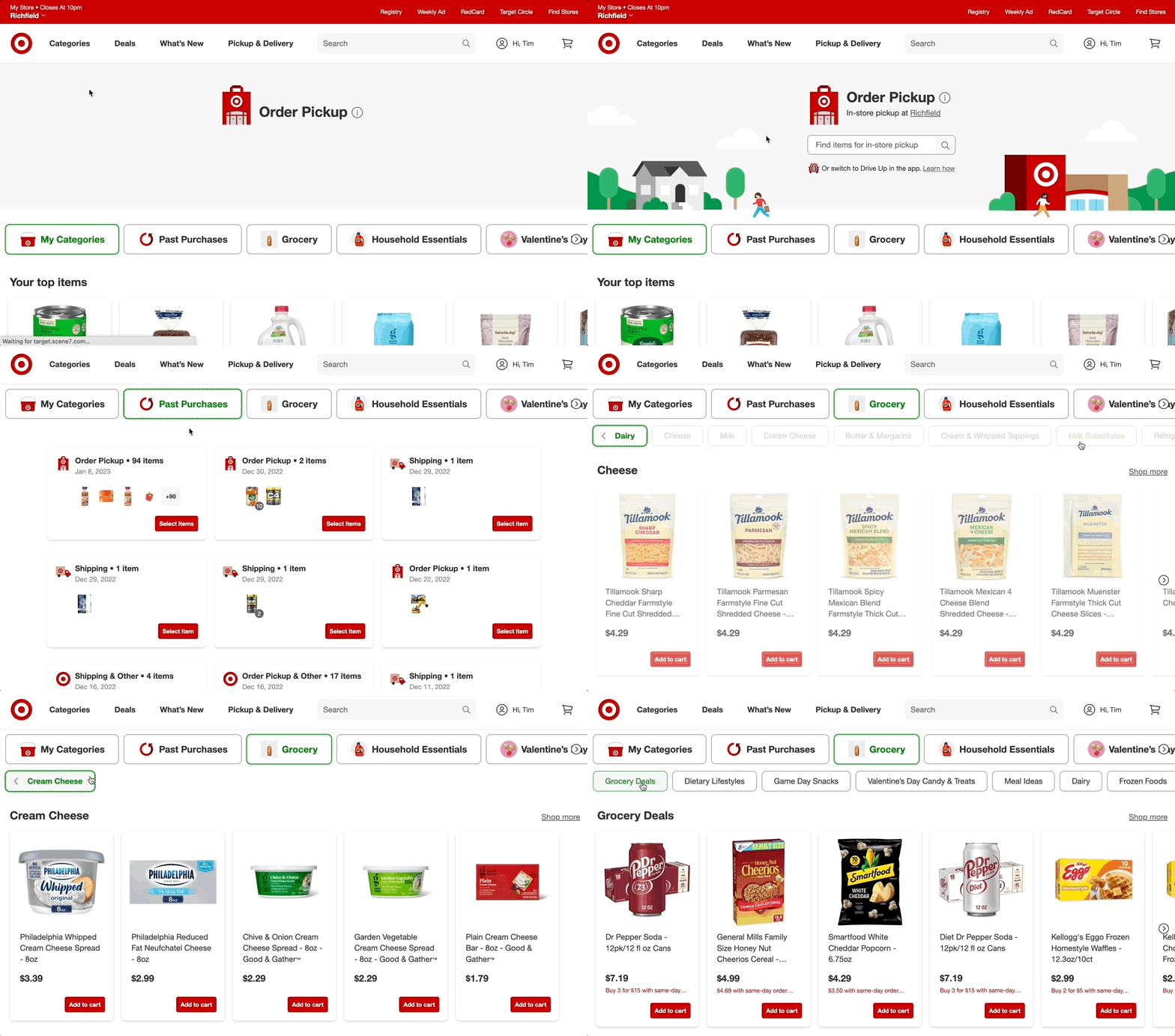
Study Target’s products, technology, and customer experience before applying for a software engineering role. Explore how guests shop online and in stores, and consider how features such as search, checkout, order pickup, and delivery depend on reliable software. This context can help you connect your technical skills to Target’s business and customer needs, ask more informed questions, and explain how your experience could contribute to useful, seamless shopping experiences.

Practice coding problems in your strongest language.

Practice coding problems in your strongest programming language so you can focus on solving the problem rather than struggling with unfamiliar syntax. For a Target software engineer interview, explain your approach clearly, consider edge cases, and write clean, efficient code. Once you feel confident, review the job description and practice in any languages or tools it specifically mentions.

Review data structures, algorithms, and complexity analysis.

Reviewing data structures, algorithms, and complexity analysis can help you prepare for a Target software engineer interview and strengthen your problem-solving skills. Practice choosing the right tools for each problem—such as arrays, hash maps, trees, or graphs—and explain why your approach works. Be ready to discuss time and space complexity, compare alternative solutions, and consider how your code will perform as the amount of data grows.

Prepare examples of teamwork, ownership, and problem-solving.

When preparing for a Target software engineer interview, have specific examples ready that show how you work with others, take ownership, and solve problems. Describe the situation, your role, the actions you took, and the outcome. Strong examples might include collaborating across teams to deliver a feature, following through on a project when challenges came up, or finding the cause of a technical issue and preventing it from happening again. Be clear about your individual contributions while recognizing the people who helped make the work successful.

Explain your technical decisions clearly and concisely.

When interviewing for a software engineering role at Target, explain your technical decisions clearly and concisely. Describe the problem, the options you considered, and why you chose a particular approach, including any tradeoffs that mattered. Focus on the most relevant details, such as performance, reliability, security, or customer impact, and avoid getting lost in unnecessary jargon. A clear explanation helps interviewers understand not only what you built, but how you think and collaborate.

Review system design basics for the role’s level.

Review system design basics at a depth that matches the role’s level. For an entry-level position, focus on core concepts such as APIs, databases, caching, and how different services communicate. For more senior roles, be ready to discuss scalability, reliability, security, tradeoffs, and how to design systems that support high traffic. Practice explaining your decisions clearly, including why you chose a particular approach and how you would handle potential challenges.

Ask thoughtful questions about the team and its projects.

Ask thoughtful questions about the team and its projects to show curiosity and learn what the role is really like. You might ask about the problems the team is working to solve, how engineers collaborate with product and design partners, or how the team measures success. Questions about development practices, current challenges, and opportunities to contribute can also help you understand the work while showing that you’re thinking beyond the interview and picturing how you could make an impact.

Tailor your résumé to the job description.

Tailor your résumé to the specific Target software engineer job description by highlighting the skills, technologies, and experience that best match the role. Use relevant keywords from the posting naturally, and show how your projects or past work made a measurable impact—for example, improving performance, strengthening reliability, or delivering a better customer experience. Keep the information accurate and easy to scan so recruiters can quickly see why your background fits the position.
airbnb software engineer

Airbnb Software Engineer: Role, Skills, and Interview Preparation

What Does an Airbnb Software Engineer Do?

An Airbnb software engineer helps build and maintain the technology behind Airbnb’s travel marketplace. The work can include developing features for guests and hosts, improving search and booking experiences, strengthening platform reliability, and creating tools that support Airbnb’s operations.

The exact responsibilities depend on the team, level, and role. Airbnb’s engineering work spans areas such as web and mobile applications, backend services, data infrastructure, payments, trust and safety, and machine learning.

Common Responsibilities

Software engineers at a company like Airbnb may contribute to the full development lifecycle, from understanding a problem to shipping and supporting a solution. Typical responsibilities can include:

  • Designing, building, testing, and maintaining software
  • Developing reliable services and user-facing features
  • Collaborating with product managers, designers, data scientists, and other engineers
  • Reviewing code and helping maintain engineering standards
  • Investigating bugs and improving performance, scalability, and security
  • Using data and user feedback to evaluate product improvements

For example, an engineer working on search might help guests find relevant stays, while someone on a host-facing team could develop tools that make it easier to manage listings and reservations.

Skills and Experience

Requirements vary by opening, so candidates should review each job description carefully. Many software engineering roles call for a strong foundation in programming, software design, data structures, and algorithms. Depending on the position, employers may also look for experience with distributed systems, mobile development, web technologies, databases, or cloud infrastructure.

Technical skills matter, but so do communication and collaboration. Engineers often work across teams and need to explain tradeoffs, incorporate feedback, and make thoughtful decisions about how a change may affect users and the broader platform.

How to Prepare for an Airbnb Software Engineer Interview

Interview formats can change and may differ by role and seniority. The recruiter or hiring team should provide the most accurate information about a specific process. In general, preparation may include:

  • Reviewing fundamentals: Practice solving coding problems and explaining your approach, including its time and space complexity.
  • Practicing system design: Be ready to discuss how you would design a reliable, scalable service and explain the tradeoffs involved.
  • Preparing project examples: Describe your role, the challenge, the decisions you made, and the outcome. Be clear about what you personally contributed.
  • Thinking about users: Consider how product and engineering choices affect guests, hosts, and other people who use the platform.
  • Preparing questions: Ask about the team’s goals, technical challenges, collaboration practices, and expectations for the role.

Working as a Software Engineer at Airbnb

Airbnb’s products serve people across many markets, so engineering decisions can involve complex technical and real-world considerations. Teams may need to balance usability, reliability, safety, privacy, and the needs of different users. The details of the work and workplace experience depend on the organization, team, location, and position.

Candidates can learn more by reviewing Airbnb’s current careers site, reading individual job descriptions, and asking recruiters about team responsibilities and interview expectations. Because openings and requirements change, current listings are the best source for role-specific information.

Is an Airbnb Software Engineering Role Right for You?

An Airbnb software engineering role may appeal to developers who enjoy solving challenging technical problems and building products used by a broad community. A strong candidate can pair solid engineering fundamentals with curiosity, clear communication, and an ability to collaborate across disciplines.


Top 8 FAQs About Becoming a Software Engineer at Airbnb

  1. How much Airbnb pays software developers?
  2. Is it difficult to get hired at Airbnb?
  3. What engineer makes $500,000 a year?
  4. Is it hard to get a job at Airbnb?
  5. How do I become a software engineer for Airbnb?
  6. Can Airbnb be a full time job?
  7. Can you make $500,000 as a Software Engineer?
  8. How much do software engineers at Airbnb make?

How much Airbnb pays software developers?

Airbnb does not pay software developers one fixed salary: compensation depends on role, level, location, and experience. In the U.S., total compensation may include base salary, an annual bonus, and stock-based compensation, so reported figures can differ significantly from base pay alone. For the most accurate estimate, check the salary range in the specific job posting and confirm the compensation details with Airbnb’s recruiter.

Is it difficult to get hired at Airbnb?

Yes, getting hired as a software engineer at Airbnb can be competitive. The process may assess coding fundamentals, problem-solving, system design, communication, and relevant experience, with expectations varying by role and seniority. Strong preparation helps: review the job description, practice explaining your technical decisions, and be ready to discuss your impact on past projects. Hiring requirements and interview steps can change, so check the current listing and confirm details with the recruiter.

What engineer makes $500,000 a year?

At Airbnb, an annual compensation package of $500,000 or more may be possible for some highly experienced senior, staff, or principal software engineers, particularly when stock and bonuses are included. That figure is not a typical salary or guaranteed pay: compensation varies by level, role, location, performance, and the value of equity over time. For a specific estimate, check current job listings and reliable compensation data, and distinguish base salary from total compensation.

Is it hard to get a job at Airbnb?

Getting a job at Airbnb can be competitive, as roles may attract many qualified candidates and the hiring process can assess technical skills, problem-solving, communication, and relevant experience. The level of difficulty depends on the position, team, location, and your background. Preparing thoroughly—by reviewing the job requirements, practicing role-specific interview questions, and clearly describing your past work—can help you present your strengths.

How do I become a software engineer for Airbnb?

To become a software engineer at Airbnb, build strong programming and computer science fundamentals, then develop practical experience by creating projects, contributing to open-source software, or working in engineering roles. Review Airbnb’s current job postings to find positions that match your skills and experience, and tailor your résumé to highlight relevant accomplishments. Prepare for the interview process by practicing coding, system design (for applicable roles), and clear explanations of your past projects. Requirements and interview steps vary by position, so use the job listing and guidance from the recruiting team as your most reliable sources.

Can Airbnb be a full time job?

Yes, working as a software engineer at Airbnb can be a full-time job. Airbnb hires full-time engineers for a range of teams and specialties, though role availability, location, and employment terms vary. Check Airbnb’s current careers page for open positions and review each listing for details about the role, schedule, and work arrangement.

Can you make $500,000 as a Software Engineer?

Yes, it’s possible for a software engineer to earn $500,000 or more in total annual compensation, but it’s uncommon and typically reflects a senior or staff-level role at a high-paying technology company. Total compensation may include salary, bonuses, and stock, whose value can change over time; it also varies by level, location, experience, and market conditions. At Airbnb, as elsewhere, pay depends on the specific role and offer, so check current job listings and reliable compensation data rather than treating $500,000 as a typical salary.

How much do software engineers at Airbnb make?

Software engineer compensation at Airbnb varies by role, experience level, and work location. Total pay may include base salary, stock-based compensation, and a bonus, so reported figures can differ substantially. For the most accurate estimate, check the salary range in the specific job listing and compare recent compensation reports for the same level and location.

app building software

Mastering the Art of App Building Software: A Guide to Creating Your Own Mobile Apps

The Power of App Building Software

The Power of App Building Software

In today’s digital age, the demand for mobile applications is higher than ever. Businesses, entrepreneurs, and individuals are constantly looking for ways to reach their audience through mobile devices. This is where app building software plays a crucial role.

App building software provides users with the tools and resources needed to create customized mobile applications without the need for extensive coding knowledge. These platforms offer a user-friendly interface that allows individuals to design, develop, and deploy apps quickly and efficiently.

Benefits of Using App Building Software:

  • Cost-Effective: App building software eliminates the need to hire expensive developers, making app development more affordable for businesses of all sizes.
  • Rapid Development: With pre-built templates and drag-and-drop features, users can create apps in a fraction of the time it would take with traditional development methods.
  • No Coding Required: Even individuals with no coding experience can create functional and visually appealing apps using app building software.
  • Customization: Users have the flexibility to customize every aspect of their app, from design elements to functionality, to suit their specific needs.
  • Cross-Platform Compatibility: Many app building platforms support cross-platform development, allowing users to create apps that work seamlessly on both iOS and Android devices.

Whether you’re a small business looking to expand your online presence or an entrepreneur with a groundbreaking app idea, app building software can help you bring your vision to life. By leveraging the power of these tools, you can create innovative mobile applications that engage users and drive business growth.


Top 7 FAQs About Choosing and Using App Building Software

  1. Which software is best for making apps?
  2. How can I create my own app?
  3. Which software is best for app design?
  4. Can I build my own app for free?
  5. How do I build an app?
  6. What is the best program to build an app?
  7. Can you build an app for free?

Which software is best for making apps?

When it comes to choosing the best software for making apps, the answer largely depends on individual needs and preferences. There are various app building platforms available in the market, each offering unique features and capabilities. Some popular options include Appy Pie, BuildFire, Thunkable, and Adobe PhoneGap. It’s essential to consider factors such as ease of use, customization options, pricing, and compatibility with your desired platforms before selecting the software that best suits your app development requirements. Conducting thorough research and possibly trying out demo versions can help you determine which software aligns most closely with your specific app-building goals.

How can I create my own app?

Creating your own app has never been easier with the availability of user-friendly app building software. To create your own app, you can start by choosing a suitable app building platform that aligns with your requirements and skill level. These platforms often provide intuitive interfaces, drag-and-drop functionality, and pre-built templates that simplify the app development process. By following step-by-step guides and tutorials offered by the software, even individuals with no coding experience can design, customize, and deploy their own apps across various platforms. With a clear idea of your app’s purpose and target audience, along with the right app building tools at your disposal, you can bring your app idea to life efficiently and effectively.

Which software is best for app design?

When it comes to app design, choosing the best software depends on your specific needs and skill level. There are several popular tools available for app design, each with its own strengths and features. Some commonly recommended software for app design includes Adobe XD, Sketch, Figma, and InVision Studio. These tools offer intuitive interfaces, robust design capabilities, and collaboration features that cater to both beginners and experienced designers. Ultimately, the best software for app design is the one that aligns with your workflow, project requirements, and personal preferences to help you create visually stunning and user-friendly mobile applications.

Can I build my own app for free?

Many individuals often wonder, “Can I build my own app for free?” The answer is yes, with the availability of various app building software tools that offer free plans or trials. These platforms provide users with the resources to create basic mobile applications without incurring any costs. While free app building software may have limitations in terms of features and customization options compared to paid versions, they still enable individuals to explore app development and bring their ideas to life without a significant financial investment.

How do I build an app?

Building an app can seem like a daunting task, but with the right tools and resources, it can be a straightforward process. One popular approach is to use app building software, which provides a user-friendly platform for creating customized mobile applications without the need for extensive coding knowledge. By following simple steps such as selecting a template, customizing design elements, adding desired features, and testing the app before deployment, individuals can bring their app ideas to life efficiently. With the accessibility and flexibility offered by app building software, anyone can build an app tailored to their specific needs and goals.

What is the best program to build an app?

When it comes to the frequently asked question, “What is the best program to build an app?” the answer can vary depending on individual needs and preferences. There are several popular app building software options available in the market, each offering unique features and capabilities. Some of the top programs for building apps include platforms like Appy Pie, BuildFire, Xamarin, and Adobe PhoneGap. It’s essential to consider factors such as ease of use, customization options, pricing, support for various platforms, and integration capabilities when choosing the best program to build an app that aligns with your specific requirements and goals.

Can you build an app for free?

When it comes to the frequently asked question, “Can you build an app for free?” the answer lies in the availability of various app building software options that offer free plans or trials. While some app building platforms provide basic features for free, users may encounter limitations in terms of functionality, branding, or customization. However, these free options can still be a great starting point for individuals or businesses looking to explore app development without a significant financial investment. It’s important to assess your specific needs and goals to determine whether a free app building solution aligns with your requirements or if investing in a paid plan would better suit your long-term objectives.

Harnessing Python for Android App Development: A Powerful Combination

Python for Android App Development

The Power of Python in Android App Development

Python, known for its simplicity and versatility, has gained popularity among developers for various applications, including Android app development. While Java has traditionally been the primary language for creating Android apps, Python offers a compelling alternative with its ease of use and robust libraries.

Benefits of Using Python for Android App Development

Simplicity: Python’s clean syntax and readability make it an excellent choice for beginners and experienced developers alike. The language allows developers to write code quickly and efficiently, reducing development time.

Large Library Ecosystem: Python boasts a vast collection of libraries and frameworks that simplify complex tasks in app development. Libraries like Kivy and BeeWare provide tools specifically designed for creating cross-platform mobile applications.

Cross-Platform Compatibility: With Python, developers can build apps that run on multiple platforms, including Android, iOS, Windows, and more. This cross-platform capability streamlines the development process and expands the reach of the app to a wider audience.

Popular Python Frameworks for Android Development

Kivy: Kivy is a popular open-source Python framework for developing multitouch applications across various platforms, including Android. It offers support for different input devices and provides a rich set of UI elements for creating engaging user interfaces.

BeeWare: BeeWare is another powerful tool that enables developers to create native mobile apps using Python. With BeeWare’s suite of tools like Toga and Briefcase, developers can build high-performance apps with native look and feel on Android devices.

Conclusion

In conclusion, Python’s flexibility and efficiency make it a valuable tool for Android app development. By leveraging its rich library ecosystem and cross-platform capabilities, developers can create innovative mobile applications that meet the demands of today’s users. Whether you are a seasoned developer or just starting out, exploring Python for Android app development opens up new possibilities in the world of mobile technology.


6 Essential Tips for Developing Android Apps with Python

  1. Use Kivy or BeeWare frameworks for building Python apps on Android.
  2. Optimize your code for mobile devices to ensure good performance.
  3. Utilize tools like Pyjnius to access Java APIs on Android from Python code.
  4. Consider the user experience and design of your app for smaller screens.
  5. Test your app thoroughly on different Android devices to ensure compatibility.
  6. Stay updated with the latest trends and developments in Python for mobile app development.

Use Kivy or BeeWare frameworks for building Python apps on Android.

When delving into Python for Android app development, leveraging frameworks like Kivy or BeeWare can significantly enhance the development process. These frameworks offer robust tools and resources tailored for creating Python-based applications on the Android platform. Kivy provides a versatile environment with multi-touch support and a wide range of UI elements, while BeeWare empowers developers to build native mobile apps with a native look and feel using Python. By utilizing these frameworks, developers can streamline their workflow and deliver high-performance apps that resonate with users on Android devices.

Optimize your code for mobile devices to ensure good performance.

When developing Python applications for Android, it is crucial to optimize your code for mobile devices to guarantee optimal performance. By fine-tuning your code to be efficient and lightweight, you can enhance the responsiveness and usability of your app on Android devices. Implementing best practices such as minimizing resource-intensive operations, reducing memory usage, and optimizing algorithms can significantly improve the overall performance of your Python-based Android app, providing users with a smooth and seamless experience.

Utilize tools like Pyjnius to access Java APIs on Android from Python code.

By utilizing tools like Pyjnius, developers can seamlessly access Java APIs on Android from Python code, enhancing the functionality and capabilities of their Android applications. Pyjnius serves as a bridge between Python and Java, allowing developers to leverage the extensive range of Java libraries and functionalities within their Python-based projects. This integration not only streamlines the development process but also opens up a world of possibilities for creating feature-rich and robust Android applications with ease.

Consider the user experience and design of your app for smaller screens.

When developing Android apps with Python, it is crucial to prioritize the user experience and design, especially for smaller screens. Ensuring that your app is visually appealing, intuitive to navigate, and responsive on devices with limited screen real estate can significantly enhance user satisfaction and engagement. By optimizing the layout, font sizes, and interactive elements for smaller screens, you can create a seamless and enjoyable experience for users accessing your app on various Android devices. Remember, a well-designed app not only looks good but also contributes to its overall usability and success in the competitive mobile app market.

Test your app thoroughly on different Android devices to ensure compatibility.

Testing your app thoroughly on a variety of Android devices is crucial to ensure its compatibility across different screen sizes, resolutions, and hardware configurations. By conducting comprehensive testing, you can identify and address any issues or inconsistencies that may arise on specific devices, ultimately enhancing the user experience and maximizing the reach of your app. Investing time in testing will help you deliver a polished and reliable product that performs seamlessly on a wide range of Android devices.

Staying updated with the latest trends and developments in Python for mobile app development is crucial for ensuring that your Android apps are built using the most efficient and cutting-edge techniques. By keeping abreast of new features, libraries, and best practices in Python, developers can optimize their workflow, enhance app performance, and deliver a seamless user experience. Continuous learning and adaptation to emerging trends in Python not only improve the quality of Android apps but also showcase a developer’s commitment to staying at the forefront of mobile app development.

app development platform

Exploring the Potential of App Development Platforms

The Power of App Development Platforms

The Power of App Development Platforms

In today’s digital age, mobile applications have become an integral part of our daily lives. From social networking to productivity tools, there seems to be an app for everything. But have you ever wondered how these apps are created?

App development platforms play a crucial role in simplifying the process of creating mobile applications. These platforms provide developers with the tools and resources they need to design, develop, and deploy apps efficiently.

Benefits of Using an App Development Platform:

  • Rapid Prototyping: App development platforms often come with pre-built templates and drag-and-drop interfaces, allowing developers to quickly prototype their ideas without starting from scratch.
  • Cross-Platform Compatibility: Many app development platforms support cross-platform development, enabling developers to create apps that work seamlessly on both iOS and Android devices.
  • Streamlined Development Process: By providing integrated development environments (IDEs) and debugging tools, app development platforms streamline the coding and testing process, saving developers time and effort.
  • Access to APIs and Libraries: App development platforms offer access to a wide range of APIs and libraries that developers can leverage to enhance the functionality of their apps without reinventing the wheel.
  • Scalability: As your app grows in popularity and user base, app development platforms offer scalability options that allow you to easily scale your app infrastructure without major disruptions.

Whether you are a seasoned developer or new to app development, utilizing an app development platform can significantly accelerate the creation process and help bring your app ideas to life more efficiently.

With the continuous evolution of technology, app development platforms continue to innovate and adapt to meet the changing needs of developers worldwide. Embrace the power of app development platforms and unlock endless possibilities in creating innovative mobile applications.


Top 9 Frequently Asked Questions About App Development Platforms

  1. How much does it cost to build an app?
  2. What is the best platform for software development?
  3. How much does it cost to build an app platform?
  4. Which software is mostly used in app development?
  5. Which is the best platform for app development?
  6. What is the best platform to build an app?
  7. What is a platform in application development?
  8. What is an app development platform?
  9. Which is the best platform to create an app?

How much does it cost to build an app?

The cost of building an app can vary significantly depending on various factors such as the complexity of the app, features and functionalities required, design intricacy, platform compatibility (iOS, Android, or both), development time, and ongoing maintenance. Custom app development tailored to specific business needs typically incurs higher costs compared to using pre-built templates or DIY app builders. It is advisable for businesses and individuals looking to build an app to consult with experienced app developers or agencies to get accurate cost estimates based on their project requirements and objectives.

What is the best platform for software development?

When it comes to choosing the best platform for software development, there is no one-size-fits-all answer. The ideal platform largely depends on the specific requirements of the project, the expertise of the development team, and the intended target audience. Some popular platforms for software development include Java, Python, C#, and JavaScript, each offering unique strengths and capabilities. It is essential to carefully evaluate factors such as scalability, performance, compatibility, and community support before selecting the most suitable platform for a particular software development endeavor.

How much does it cost to build an app platform?

When considering the cost to build an app platform, it is essential to understand that the expenses can vary significantly based on various factors. The complexity of the platform, features and functionalities required, design complexity, integration with third-party services, and ongoing maintenance all play a role in determining the overall cost. Additionally, hiring developers, designers, and other professionals will contribute to the total expenses. It is advisable to consult with app development experts to get a detailed estimate tailored to your specific project needs and budget constraints.

Which software is mostly used in app development?

In the realm of app development, there are several software tools that are widely used by developers to create mobile applications. Among the most popular software for app development are platforms like Android Studio, Xcode, Visual Studio, and Flutter. These tools offer a range of features and functionalities that cater to different development needs, whether it be for Android or iOS app development, cross-platform compatibility, or specific programming languages. The choice of software often depends on factors such as the target platform, programming language preference, and desired features for the application being developed. Each software tool has its strengths and capabilities that developers leverage to bring their app ideas to fruition effectively.

Which is the best platform for app development?

When it comes to choosing the best platform for app development, the answer largely depends on the specific requirements and goals of the project. There is no one-size-fits-all solution, as different platforms offer unique features and capabilities that cater to varying needs. Factors such as target audience, budget, desired functionalities, scalability, and developer expertise all play a crucial role in determining the most suitable app development platform. It is essential for developers and businesses to carefully evaluate their priorities and conduct thorough research to select the platform that aligns best with their project objectives for optimal results.

What is the best platform to build an app?

When it comes to choosing the best platform to build an app, the answer can vary depending on various factors such as the specific requirements of the app, target audience, budget constraints, and development expertise. Some popular app development platforms include native platforms like iOS (using Swift or Objective-C) and Android (using Java or Kotlin), cross-platform frameworks like React Native or Flutter, and web-based platforms like Progressive Web Apps (PWAs). Ultimately, the best platform for building an app is one that aligns with your project goals, technical capabilities, and long-term vision for the application. Conducting thorough research and consulting with experienced developers can help you make an informed decision that sets your app up for success in the competitive digital landscape.

What is a platform in application development?

In the context of application development, a platform refers to the foundation or framework on which software applications are built, deployed, and run. It serves as an environment that provides developers with the necessary tools, resources, and services to create and manage applications efficiently. A platform typically includes components such as operating systems, programming languages, libraries, APIs, and development tools that streamline the app development process. By leveraging a platform in application development, developers can focus on designing and implementing the core functionalities of their apps without having to worry about the underlying infrastructure complexities.

What is an app development platform?

An app development platform is a comprehensive software solution that provides developers with the tools and resources needed to create mobile applications. It typically includes features such as integrated development environments (IDEs), pre-built templates, debugging tools, and access to APIs and libraries. App development platforms simplify the app creation process by offering a streamlined workflow for designing, developing, and deploying apps across various platforms like iOS and Android. Developers can leverage these platforms to prototype ideas quickly, enhance app functionality with existing resources, and scale their apps as needed. Ultimately, an app development platform serves as a powerful tool for developers to bring their app ideas to life efficiently and effectively.

Which is the best platform to create an app?

When it comes to choosing the best platform to create an app, the answer largely depends on your specific needs and requirements. There is no one-size-fits-all solution, as different app development platforms offer varying features and capabilities. Factors to consider include the type of app you want to build, your target audience, budget constraints, and your team’s expertise. It’s essential to research and evaluate different platforms to determine which one aligns best with your project goals and resources. Ultimately, the best platform for creating an app is the one that suits your unique circumstances and enables you to develop a high-quality, user-friendly application.

app designing software

Mastering the Art of App Designing Software: A Guide to Creating Stunning Mobile Applications

The Power of App Designing Software

The Power of App Designing Software

App designing software has revolutionized the way developers create mobile applications. These powerful tools provide a user-friendly interface and a wide range of features that make the app design process efficient and effective.

Benefits of Using App Designing Software:

  • Drag-and-Drop Functionality: Many app designing software offer drag-and-drop functionality, allowing designers to easily place elements on the screen and arrange them as needed.
  • Pre-built Templates: These tools often come with pre-built templates that designers can use as a starting point for their projects, saving time and effort in the design process.
  • Interactive Prototyping: App designing software allows designers to create interactive prototypes of their apps, enabling them to test functionality and user experience before finalizing the design.
  • Cross-Platform Compatibility: Some app designing software support cross-platform development, allowing designers to create apps that work seamlessly on both iOS and Android devices.
  • Collaboration Features: Many app designing tools offer collaboration features that enable team members to work together on a project in real-time, streamlining the design process.

Popular App Designing Software:

Some popular app designing software in the market include Adobe XD, Sketch, Figma, InVision Studio, and Axure RP. Each tool has its unique features and capabilities that cater to different design requirements.

Conclusion

App designing software has become an indispensable tool for developers looking to create visually appealing and functional mobile applications. By leveraging the power of these tools, designers can bring their ideas to life and deliver exceptional user experiences through their apps.


Understanding App Designing Software: Key Features, Best Options for Beginners, and Cross-Platform Capabilities

  1. What is app designing software and what does it do?
  2. Which app designing software is best for beginners?
  3. How can app designing software help streamline the design process?
  4. Are there any free app designing software available in the market?
  5. Can app designing software be used to create both iOS and Android apps?

What is app designing software and what does it do?

App designing software refers to specialized tools that enable developers and designers to create mobile applications with ease and efficiency. These software applications provide a range of features such as drag-and-drop functionality, pre-built templates, interactive prototyping, and collaboration tools. By using app designing software, users can design the layout, user interface, and user experience of their mobile apps effectively. These tools streamline the app design process, allowing designers to visualize their ideas, test functionality, and create high-quality mobile applications that meet the needs of modern users.

Which app designing software is best for beginners?

When it comes to choosing the best app designing software for beginners, there are several options available that cater to different skill levels and preferences. Some popular choices among beginners include Adobe XD, Sketch, and Figma. These tools offer intuitive interfaces, extensive online resources, and community support, making them ideal for those new to app design. Beginners can explore these software options to find the one that aligns with their learning style and design goals, helping them kickstart their journey into the world of app designing with confidence and ease.

How can app designing software help streamline the design process?

App designing software plays a crucial role in streamlining the design process by offering a range of features that enhance efficiency and productivity. These tools provide designers with intuitive interfaces, drag-and-drop functionality, and pre-built templates that expedite the creation of app layouts and designs. By enabling interactive prototyping, designers can quickly visualize and test different design elements, ensuring a seamless user experience. Additionally, collaboration features in app designing software facilitate real-time teamwork among team members, allowing for swift feedback and iteration. Overall, app designing software simplifies complex design tasks, accelerates development timelines, and ultimately helps create polished mobile applications efficiently.

Are there any free app designing software available in the market?

Yes, there are several free app designing software options available in the market that cater to designers looking to create mobile applications without incurring additional costs. These tools often provide basic design functionalities and templates that can help users get started with their app design projects. Some popular free app designing software includes Figma, Adobe XD Starter Plan, and Sketch (with limitations). While these free versions may have certain restrictions compared to their paid counterparts, they still offer valuable features for designers to explore and create prototypes or simple apps.

Can app designing software be used to create both iOS and Android apps?

App designing software can indeed be used to create both iOS and Android apps. Many app designing tools offer cross-platform compatibility, allowing designers to develop applications that can run seamlessly on both iOS and Android devices. By utilizing these tools, designers can streamline the app development process and ensure consistent design elements across different platforms. This flexibility enables developers to reach a broader audience and deliver a cohesive user experience regardless of the operating system used.

Exploring the World of Java App Development: Building Powerful Applications with Java

The Power of Java App Development

The Power of Java App Development

Java is a versatile and powerful programming language that has been widely used for developing various types of applications, including web, mobile, and enterprise applications. With its platform independence, robustness, and scalability, Java has become a popular choice among developers for building reliable and secure software solutions.

Benefits of Java App Development

Platform Independence: One of the key advantages of Java is its platform independence. Java applications can run on any device or operating system that has a Java Virtual Machine (JVM) installed, making them highly portable.

Robustness: Java’s strong type system and exception handling mechanisms make it a robust programming language that can handle errors effectively, ensuring the stability and reliability of applications.

Scalability: Java’s scalability allows developers to build applications that can easily accommodate growing user bases and increasing workloads without compromising performance.

Use Cases of Java App Development

Java is commonly used in various industries for developing different types of applications:

  • Enterprise Applications: Many large organizations use Java for building enterprise-level software solutions such as customer relationship management (CRM) systems, enterprise resource planning (ERP) software, and more.
  • Web Applications: Java is widely used for creating dynamic and interactive web applications using frameworks like Spring and Hibernate.
  • Mobile Applications: With technologies like Android Studio and Kotlin, developers can build cross-platform mobile apps using Java.
  • Data Processing Applications: Java is also popular for developing data processing applications due to its performance and scalability features.

The Future of Java App Development

As technology continues to evolve, the future of Java app development looks promising. With the introduction of new features in the latest versions of Java, such as modularity with Project Jigsaw and enhanced performance with GraalVM, developers can expect even greater capabilities and efficiencies in building innovative software solutions.


Top 8 FAQs About Java App Development

  1. Can I create an app with Java?
  2. Is Java good for application development?
  3. Is Java good for iOS app development?
  4. Can Java build iOS apps?
  5. Is Java or Python better for app development?
  6. Do people still use Java for Android?
  7. Can I develop an app using Java?
  8. Can I still build Android apps in Java?

Can I create an app with Java?

Yes, you can create a wide range of applications using Java. Java is a versatile programming language that allows developers to build various types of software, including web, mobile, and enterprise applications. With its platform independence and robust features, Java is well-suited for developing reliable and scalable apps. Whether you are looking to create a web application, a mobile app for Android devices, or an enterprise-level software solution, Java provides the tools and capabilities needed to bring your ideas to life.

Is Java good for application development?

Java is widely regarded as an excellent choice for application development due to its numerous advantages. With its platform independence, robustness, and scalability, Java offers developers a versatile and reliable environment for building a wide range of applications. Its platform independence allows Java applications to run on various devices and operating systems with ease. The language’s strong type system and exception handling mechanisms contribute to the robustness of Java applications, ensuring stability and error management. Additionally, Java’s scalability enables developers to create applications that can grow with user demand without sacrificing performance. Overall, Java’s versatility and capabilities make it a strong contender for application development across different industries and use cases.

Is Java good for iOS app development?

Java is not typically used for iOS app development. While Java is a popular programming language for building Android apps, iOS development primarily relies on languages like Swift or Objective-C. Apple’s iOS ecosystem has its own set of development tools and frameworks that are specifically designed for creating applications that run on iOS devices. Therefore, if you are looking to develop apps for the iOS platform, it is recommended to use Swift or Objective-C to leverage the native capabilities and features of iOS devices effectively.

Can Java build iOS apps?

In the realm of Java app development, a common inquiry revolves around the possibility of using Java to build iOS apps. While Java is a versatile and powerful programming language, it is not typically used for directly creating iOS applications. iOS apps are primarily developed using Apple’s official programming language, Swift, or Objective-C. However, developers can explore cross-platform development tools like Xamarin or React Native to write code in Java and deploy it on multiple platforms, including iOS. By leveraging these frameworks, developers can achieve some level of code reusability across different operating systems while still catering to the specific requirements of iOS app development.

Is Java or Python better for app development?

When it comes to app development, the choice between Java and Python often depends on the specific requirements of the project. Java is known for its platform independence, robustness, and scalability, making it a popular choice for building enterprise-level applications and web services. On the other hand, Python is favored for its simplicity, readability, and versatility, particularly in data science, machine learning, and rapid prototyping. Ultimately, the decision between Java and Python for app development should consider factors such as project complexity, performance needs, existing codebase compatibility, and developer expertise in each language. Both Java and Python have their strengths and can be valuable tools depending on the context of the application being developed.

Do people still use Java for Android?

Yes, Java is still widely used for Android app development. Despite the introduction of Kotlin as an official language for Android development by Google, many developers continue to rely on Java due to its familiarity, robustness, and extensive ecosystem of libraries and tools. Java remains a popular choice for building Android apps, especially for developers who have already invested time and effort in mastering the language. Additionally, Java’s platform independence and compatibility with various devices make it a versatile option for creating high-quality mobile applications on the Android platform.

Can I develop an app using Java?

Yes, you can develop an app using Java. Java is a versatile and widely-used programming language that is well-suited for building various types of applications, including web, mobile, and enterprise applications. With its platform independence and robust features, Java provides developers with the tools they need to create reliable and scalable software solutions. Whether you are looking to develop a web application, a mobile app, or an enterprise-level system, Java offers the flexibility and power to bring your ideas to life.

Can I still build Android apps in Java?

Yes, developers can still build Android apps in Java. While Google introduced Kotlin as an official language for Android app development, Java remains a supported and widely used language for creating Android applications. Many developers are already familiar with Java and have existing codebases written in Java, making it a practical choice for building Android apps. Additionally, the Android SDK fully supports Java, allowing developers to leverage its features and libraries to create robust and feature-rich applications for the Android platform.

Exploring the Evolution of Mobile App Development Software: Innovations and Trends

Article: Mobile App Development Software

The Evolution of Mobile App Development Software

In today’s digital age, mobile applications have become an integral part of our daily lives. From social networking to e-commerce, mobile apps cater to a wide range of needs and interests. Behind the scenes of these innovative apps lies a crucial component: mobile app development software.

Mobile app development software enables developers to create, test, and deploy mobile applications across various platforms such as iOS and Android. Over the years, this software has evolved significantly to meet the growing demands of the industry.

Key Features of Modern Mobile App Development Software:

  • Cross-Platform Development: Many modern tools support cross-platform development, allowing developers to write code once and deploy it on multiple platforms.
  • User Interface Design: Intuitive interfaces and drag-and-drop features make it easier for developers to design visually appealing apps.
  • Integration Capabilities: Seamless integration with third-party services and APIs streamlines the development process.
  • Real-Time Testing: Built-in testing tools enable developers to test their apps in real-time on different devices and screen sizes.
  • Analytics and Monitoring: Tools that provide insights into user behavior and app performance help developers optimize their apps for better user engagement.

The Future of Mobile App Development Software:

As technology continues to advance, we can expect mobile app development software to become even more sophisticated. Artificial intelligence, machine learning, and automation are likely to play a significant role in streamlining the app development process.

In conclusion, mobile app development software has revolutionized the way we interact with technology. It empowers developers to bring their ideas to life and create impactful applications that enhance our digital experiences. With continuous innovation in this field, the future looks bright for mobile app development software.


Top 9 FAQs About Mobile App Development Software: Features, Types, and Trends

  1. What is mobile app development software?
  2. What are the key features of mobile app development software?
  3. How does mobile app development software help developers?
  4. What are the different types of mobile app development software available?
  5. Is mobile app development software easy to use for beginners?
  6. Can mobile app development software support cross-platform development?
  7. Are there free options for mobile app development software?
  8. How important is user interface design in mobile app development software?
  9. What trends are shaping the future of mobile app development software?

What is mobile app development software?

Mobile app development software refers to a set of tools, frameworks, and platforms that enable developers to create mobile applications for various operating systems such as iOS and Android. This software provides developers with the necessary resources to design, build, test, and deploy mobile apps efficiently. By utilizing mobile app development software, developers can streamline the development process, optimize app performance, and ensure compatibility across different devices. In essence, mobile app development software serves as a comprehensive solution that empowers developers to bring their app ideas to life and deliver engaging experiences to users on smartphones and tablets.

What are the key features of mobile app development software?

When it comes to mobile app development software, understanding its key features is essential for developers looking to create successful applications. Some of the key features include cross-platform development capabilities, user-friendly interface design tools, seamless integration with third-party services, real-time testing functionalities for various devices, and analytics tools for monitoring user behavior and app performance. These features not only streamline the development process but also contribute to creating high-quality mobile applications that meet user expectations and drive engagement.

How does mobile app development software help developers?

Mobile app development software plays a crucial role in assisting developers throughout the app creation process. It provides a comprehensive set of tools and features that streamline development tasks, such as coding, testing, and deployment. By offering intuitive user interfaces, cross-platform capabilities, real-time testing environments, and integration with third-party services, mobile app development software significantly simplifies the complex process of building mobile applications. Additionally, these tools often include analytics and monitoring features that help developers track user behavior and optimize app performance. Overall, mobile app development software empowers developers to bring their ideas to life efficiently and create high-quality applications that meet the demands of today’s digital landscape.

What are the different types of mobile app development software available?

When it comes to mobile app development software, there are various types available to cater to the diverse needs of developers. Some popular categories include integrated development environments (IDEs) like Android Studio and Xcode, which provide comprehensive tools for building native apps. Cross-platform development tools such as React Native and Xamarin allow developers to write code once and deploy it across multiple platforms. Low-code/no-code platforms like Appgyver and OutSystems enable rapid app development with minimal coding knowledge. Additionally, cloud-based app development platforms such as AWS Amplify and Firebase offer scalable infrastructure and services for building robust mobile applications. Each type of mobile app development software has its unique features and advantages, empowering developers to choose the best tool for their specific project requirements.

Is mobile app development software easy to use for beginners?

When it comes to the question of whether mobile app development software is easy to use for beginners, the answer largely depends on the specific tools and platforms being utilized. While some mobile app development software offers user-friendly interfaces and intuitive features that cater to beginners, others may have a steeper learning curve. However, with the abundance of resources such as tutorials, online courses, and community support available today, beginners can gradually familiarize themselves with mobile app development software and gain the necessary skills to create their own applications. Patience, dedication, and a willingness to learn are key factors in overcoming any initial challenges that beginners may encounter in their journey towards mastering mobile app development software.

Can mobile app development software support cross-platform development?

Mobile app development software has evolved to support cross-platform development, allowing developers to write code once and deploy it across multiple platforms such as iOS and Android. This feature enables developers to streamline the development process, saving time and effort by eliminating the need to create separate code bases for each platform. With cross-platform development capabilities, developers can reach a wider audience and ensure a consistent user experience across different devices, making it a valuable feature in modern mobile app development software.

Are there free options for mobile app development software?

When it comes to mobile app development software, one frequently asked question is whether there are free options available. The answer is yes, there are free options for mobile app development software that cater to developers looking to create apps without incurring costs. These free tools often provide basic functionalities for designing, testing, and deploying mobile applications. While they may have limitations compared to paid software in terms of features and support, they can still be a great starting point for beginners or those on a tight budget. Developers can explore these free options to gain hands-on experience in app development before considering more advanced or premium solutions.

How important is user interface design in mobile app development software?

User interface design plays a crucial role in mobile app development software as it directly impacts the user experience and overall success of an app. A well-designed user interface not only enhances the visual appeal of the app but also ensures ease of navigation and interaction for users. Intuitive design elements, clear layouts, and seamless user flows contribute to increased user engagement and satisfaction. In today’s competitive app market, where user expectations are high, prioritizing user interface design in mobile app development software is essential for creating apps that stand out and resonate with users.

In the dynamic landscape of mobile app development software, several key trends are shaping the future of this industry. From the rise of low-code and no-code platforms that empower non-technical users to create apps, to the increasing emphasis on security and data privacy in response to growing cyber threats, the evolution of mobile app development software is driven by a combination of technological advancements and user demands. Additionally, the integration of artificial intelligence and machine learning capabilities into development tools is revolutionizing how apps are built and optimized for user engagement. As mobile devices continue to proliferate and user expectations evolve, staying abreast of these trends will be essential for developers looking to create innovative and successful mobile applications.

mobile app development platform

Exploring the Latest Innovations in Mobile App Development Platforms

Article: Mobile App Development Platform

The Power of Mobile App Development Platforms

In today’s digital age, mobile applications have become an essential part of our daily lives. From social networking to productivity tools, mobile apps cater to a wide range of needs and interests. However, developing a mobile app from scratch can be a daunting task, requiring expertise in various programming languages and frameworks.

This is where mobile app development platforms come into play. These platforms provide developers with the tools and resources they need to create high-quality mobile applications efficiently. By leveraging pre-built components, templates, and integrated development environments (IDEs), developers can streamline the app development process and focus on creating innovative features and functionalities.

Key Benefits of Using a Mobile App Development Platform:

  • Rapid Prototyping: With drag-and-drop interfaces and ready-made templates, developers can quickly create prototypes and iterate on their app designs.
  • Cross-Platform Compatibility: Many development platforms support cross-platform app development, allowing developers to build apps that run seamlessly on multiple operating systems like iOS and Android.
  • Cost-Effective Solutions: By reducing development time and resources, mobile app development platforms offer cost-effective solutions for businesses looking to launch their apps efficiently.
  • Integration with Third-Party Services: These platforms often provide integrations with popular third-party services like analytics tools, payment gateways, and cloud storage services, simplifying the app development process.
  • Scalability: As businesses grow and evolve, mobile app development platforms offer scalability options to accommodate increasing user demands and feature enhancements.

Popular Mobile App Development Platforms:

Some of the well-known mobile app development platforms in the market include:

  1. Flutter: Google’s UI toolkit for building natively compiled applications for mobile, web, and desktop from a single codebase.
  2. Xamarin: A Microsoft-owned platform for building cross-platform apps using C# programming language.
  3. React Native: A JavaScript framework for building native applications for iOS and Android using React.
  4. Appgyver: A low-code platform that allows rapid prototyping and deployment of mobile applications without extensive coding knowledge.

In conclusion, mobile app development platforms play a crucial role in simplifying the app creation process while offering scalability, cost-effectiveness, and cross-platform compatibility. Whether you are a seasoned developer or new to app development, utilizing these platforms can help you bring your ideas to life in the fast-paced world of mobile technology.


8 Advantages of Using a Mobile App Development Platform for Efficient and Scalable Solutions

  1. Streamlines app development process
  2. Offers pre-built components and templates
  3. Supports rapid prototyping
  4. Enables cross-platform compatibility
  5. Reduces development time and cost
  6. Provides integration with third-party services
  7. Allows for scalability as business grows
  8. Simplifies app deployment and management


6 Drawbacks of Mobile App Development Platforms: Challenges and Limitations

  1. Limited Customization
  2. Learning Curve
  3. Dependency on Platform Updates
  4. Performance Issues
  5. Vendor Lock-In
  6. Lack of Full Control

Streamlines app development process

By streamlining the app development process, mobile app development platforms significantly enhance efficiency and productivity for developers. These platforms offer pre-built components, templates, and integrated tools that simplify coding tasks and accelerate the overall development timeline. By eliminating the need to start from scratch and providing a structured framework for app creation, developers can focus more on implementing innovative features and functionalities, ultimately speeding up the time-to-market for mobile applications.

Offers pre-built components and templates

One significant advantage of mobile app development platforms is their provision of pre-built components and templates. These ready-made resources streamline the app development process by offering developers a foundation to work from, saving time and effort in creating basic functionalities from scratch. By leveraging these pre-built elements, developers can focus more on customizing and enhancing the app’s unique features, ultimately accelerating the overall development timeline and ensuring a more efficient and consistent end product.

Supports rapid prototyping

Supporting rapid prototyping is a key advantage of mobile app development platforms. By offering drag-and-drop interfaces, pre-built templates, and easy-to-use tools, these platforms enable developers to quickly create prototypes of their mobile applications. This capability allows developers to iterate on their app designs efficiently, test different features, and gather valuable feedback early in the development process. Rapid prototyping not only speeds up the app development cycle but also helps ensure that the final product meets user expectations and market demands.

Enables cross-platform compatibility

One significant advantage of using a mobile app development platform is its ability to enable cross-platform compatibility. This feature allows developers to create mobile applications that can run seamlessly on multiple operating systems, such as iOS and Android, without the need to develop separate codebases for each platform. By leveraging cross-platform compatibility, developers can reach a broader audience and ensure a consistent user experience across different devices, ultimately saving time and resources in the app development process.

Reduces development time and cost

By leveraging a mobile app development platform, businesses can significantly reduce both development time and costs associated with creating a mobile application. These platforms offer pre-built components, templates, and integrated tools that streamline the development process, allowing developers to focus on implementing innovative features rather than starting from scratch. This efficiency not only accelerates the time-to-market for the app but also minimizes the resources required, making mobile app development more cost-effective for businesses of all sizes.

Provides integration with third-party services

One significant advantage of mobile app development platforms is their ability to seamlessly integrate with various third-party services. By offering built-in connections to popular tools such as analytics platforms, payment gateways, and cloud storage services, developers can enhance their apps’ functionality without having to build these features from scratch. This integration simplifies the development process, saves time, and allows developers to leverage the capabilities of external services to create robust and feature-rich mobile applications.

Allows for scalability as business grows

Mobile app development platforms offer the significant advantage of scalability, allowing businesses to expand and evolve seamlessly as they grow. By providing the flexibility to accommodate increasing user demands, feature enhancements, and changes in the business landscape, these platforms empower organizations to scale their mobile applications efficiently. This scalability feature ensures that businesses can adapt to evolving market trends and customer needs without facing limitations in app performance or functionality.

Simplifies app deployment and management

Mobile app development platforms offer the significant advantage of simplifying app deployment and management processes. By providing built-in tools for deployment automation and centralized management features, these platforms streamline the process of releasing apps to various app stores and managing updates efficiently. This pro not only saves time and resources for developers but also ensures a smoother and more organized app deployment cycle, ultimately leading to a better user experience for app users.

Limited Customization

Some mobile app development platforms may restrict the level of customization that developers can achieve, leading to limitations in design and functionality. While these platforms offer convenience and efficiency in app development, developers may find themselves constrained by pre-set templates and restricted customization options. This limitation can hinder the ability to create unique and tailored user experiences, potentially impacting the overall quality and innovation of the mobile app. Developers seeking extensive customization may need to consider alternative approaches or platforms that offer more flexibility in design and functionality customization.

Learning Curve

Navigating the learning curve can be a significant challenge when working with mobile app development platforms. Some platforms present a steep learning curve, demanding developers to dedicate time and effort to grasp the intricacies of the platform’s features and tools. This learning curve can potentially slow down the development process, impacting productivity and efficiency as developers strive to become proficient in utilizing the platform effectively.

Dependency on Platform Updates

One significant con of mobile app development platforms is the dependency on platform updates. Developers may encounter challenges when platform updates introduce changes that necessitate modifications to existing apps built on the platform. These updates can lead to compatibility issues, requiring developers to invest time and resources in updating their apps to ensure they remain functional and optimized for the latest version of the platform. This dependency on external updates can disrupt workflow continuity and may result in delays in delivering app enhancements or new features to users.

Performance Issues

When utilizing a mobile app development platform, one notable drawback to consider is the potential for performance issues. In certain scenarios, the use of these platforms may lead to slower app responsiveness or performance issues when compared to apps developed natively. This can be attributed to the additional layers of abstraction and overhead introduced by the platform, which may impact the overall efficiency and speed of the app. Developers should carefully evaluate the trade-offs between convenience and performance when deciding whether to leverage a mobile app development platform for their projects.

Vendor Lock-In

Vendor lock-in is a significant drawback of mobile app development platforms. When developers opt for proprietary platforms, they run the risk of becoming tied to a particular vendor’s ecosystem. This can restrict their flexibility in choosing alternative solutions and may lead to increased long-term costs. The dependency on a single vendor for tools, services, and updates can hinder the ability to adapt to changing technology trends or migrate to different platforms in the future. Developers need to carefully weigh the trade-offs between convenience and the potential downsides of vendor lock-in when selecting a mobile app development platform.

Lack of Full Control

When utilizing a mobile app development platform, developers may encounter the con of lack of full control over every aspect of their app. This limitation can impact the implementation of certain advanced functionalities that require custom coding or intricate configurations. Developers may find themselves restricted by the platform’s predefined features and templates, hindering their ability to tailor the app precisely to their unique requirements. This lack of complete control can be a significant drawback for developers seeking to implement highly specialized or complex functionalities in their mobile applications.

online android app development

Mastering Online Android App Development: Tools, Tips, and Trends

Online Android App Development

Online Android App Development: A Comprehensive Guide

In today’s digital age, mobile applications have become an essential part of our daily lives. With millions of apps available on the Google Play Store, Android app development has emerged as a lucrative field for developers. This article delves into the world of online Android app development, exploring tools, resources, and best practices to help you create successful apps.

The Rise of Android App Development

Android holds a significant share of the global smartphone market, making it a prime platform for app developers. The open-source nature of the Android operating system allows developers to customize and innovate freely. This flexibility has led to a vibrant ecosystem where creativity thrives.

Getting Started with Online Tools

The advent of online development tools has made it easier than ever to start building Android apps. Here are some popular platforms:

  • Android Studio: The official integrated development environment (IDE) for Android app development. It offers robust features such as code editing, debugging, and performance tooling.
  • Kodular: A web-based platform that allows users to create apps without extensive coding knowledge through a drag-and-drop interface.
  • Appy Pie: An intuitive app builder that enables users to design and build apps quickly using pre-made templates and modules.

Programming Languages for Android Development

The primary programming languages used in Android app development are Java and Kotlin. While Java has been the traditional choice for many years, Kotlin is gaining popularity due to its concise syntax and modern features.

Kotlin vs. Java

  • Kotlin: Known for its simplicity and interoperability with Java, Kotlin reduces boilerplate code and enhances productivity.
  • Java: A mature language with extensive libraries and community support, making it reliable for complex applications.

Best Practices for Developing Successful Apps

To ensure your app stands out in the crowded marketplace, consider these best practices:

  1. User-Centric Design: Focus on creating an intuitive user interface (UI) that enhances user experience (UX).
  2. Performance Optimization: Optimize your app’s performance by minimizing load times and reducing memory usage.
  3. Regular Updates: Keep your app updated with new features and security patches to maintain user engagement.
  4. User Feedback: Incorporate feedback from users to improve your app continuously.

The Future of Online Android App Development

The future looks promising for online Android app development as technology continues to evolve. Emerging trends such as artificial intelligence (AI), augmented reality (AR), and machine learning are opening new avenues for innovation in mobile applications.

The demand for skilled developers will continue to grow as businesses seek to leverage mobile technology to reach their audiences effectively. By staying informed about the latest tools and trends in online Android app development, you can position yourself at the forefront of this dynamic industry.

Conclusion

The world of online Android app development is vast and full of opportunities. Whether you’re a seasoned developer or just starting out, there are numerous resources available to help you succeed. By mastering essential tools like Android Studio or exploring user-friendly platforms like Kodular or Appy Pie, you can bring your creative ideas to life in the form of innovative mobile applications.

Your journey into online Android app development promises not only personal growth but also the potential to make a significant impact on how people interact with technology every day.


6 Essential Tips for Successful Online Android App Development

  1. Understand the Android platform and guidelines for app development.
  2. Use Android Studio as the primary Integrated Development Environment (IDE).
  3. Follow best practices for user interface design to ensure a good user experience.
  4. Optimize your app for performance and battery efficiency.
  5. Test your app thoroughly on different devices and screen sizes.
  6. Stay updated with the latest trends and technologies in Android development.

Understand the Android platform and guidelines for app development.

To succeed in online Android app development, it is crucial to thoroughly understand the Android platform and adhere to its guidelines for app development. By familiarizing yourself with the intricacies of the platform, including its design principles, user interface requirements, and performance considerations, you can ensure that your app meets the standards set by Google. Following these guidelines not only enhances the user experience but also increases the chances of your app being approved and well-received on the Google Play Store.

Use Android Studio as the primary Integrated Development Environment (IDE).

When embarking on online Android app development, it is highly recommended to utilize Android Studio as the primary Integrated Development Environment (IDE). Android Studio, being the official IDE for Android app development, offers a comprehensive suite of tools and features that streamline the development process. From code editing to debugging and performance analysis, Android Studio provides developers with a robust platform to create high-quality apps efficiently. By harnessing the power of Android Studio, developers can leverage its capabilities to build innovative and user-friendly applications for the ever-evolving Android ecosystem.

Follow best practices for user interface design to ensure a good user experience.

Following best practices for user interface design is crucial in online Android app development to guarantee a positive user experience. A well-designed user interface enhances usability, navigation, and overall aesthetics of the app, ultimately leading to higher user satisfaction and engagement. By focusing on intuitive layouts, clear navigation paths, consistent design elements, and responsive interactions, developers can create an app that not only looks visually appealing but also functions seamlessly, making it easier for users to accomplish their tasks efficiently. Prioritizing user interface design best practices is key to creating a successful Android app that resonates with users and keeps them coming back for more.

Optimize your app for performance and battery efficiency.

Optimizing your app for performance and battery efficiency is crucial in ensuring a seamless user experience. By streamlining code, minimizing resource-intensive operations, and implementing efficient algorithms, you can enhance your app’s responsiveness and reduce its impact on device battery life. Prioritizing performance optimization not only improves user satisfaction but also contributes to the longevity of your app’s success in the competitive Android app market.

Test your app thoroughly on different devices and screen sizes.

To ensure the optimal performance and user experience of your Android app, it is crucial to test it thoroughly on a variety of devices and screen sizes. By conducting comprehensive testing across different platforms, you can identify and address any compatibility issues, layout inconsistencies, or functionality errors that may arise. This proactive approach not only helps in delivering a seamless experience to users but also enhances the overall quality and reliability of your app across the diverse landscape of Android devices.

To excel in online Android app development, it is crucial to stay updated with the latest trends and technologies in the field. The Android ecosystem is constantly evolving, with new features, tools, and best practices emerging regularly. By staying informed about the latest advancements, developers can leverage cutting-edge technologies to create innovative and competitive apps. Continuous learning and adaptation to industry trends not only enhance the quality of app development but also ensure relevance in a dynamic and fast-paced market.