
cfchris.com

Loading

Archives 2026

nearshore it development

Nearshore IT Development: A Practical Guide for Growing Businesses

Nearshore IT Development: A Practical Guide for Growing Businesses

Building and maintaining software takes the right mix of technical skill, clear communication, and reliable project management. For companies that need to expand their development capacity, nearshore IT development can offer a useful alternative to hiring an entirely local team or working with a faraway provider.

What Is Nearshore IT Development?

Nearshore IT development is a form of outsourcing in which a business works with software developers or technology teams in nearby countries or regions. The teams are located outside the company’s home country but are typically closer in time zone and geography than offshore partners.

For a U.S. company, a nearshore partner might be based in Latin America or another nearby region. The exact location matters less than whether the team can support the company’s technical needs, communication practices, schedule, and security requirements.

How Nearshore Development Works

A nearshore engagement can take several forms. A company might hire a partner to deliver a complete software project, add developers to an existing team, or provide specialized expertise for a defined period. Common areas of work include:

  • Web and mobile application development
  • Cloud migration and infrastructure
  • Quality assurance and software testing
  • Data engineering and analytics
  • Cybersecurity and application maintenance
  • Product design and user experience

The arrangement can be project-based or ongoing. In either case, the company and provider should agree on goals, responsibilities, communication routines, delivery milestones, and how success will be measured.

Potential Benefits of Nearshore IT Development

More Overlapping Work Hours

Nearby time zones can make it easier to schedule meetings, review work, and resolve questions during the same business day. This overlap may be especially valuable for projects that require frequent collaboration or quick feedback.

Access to a Broader Talent Pool

Nearshore partnerships can help companies reach skilled professionals beyond their local hiring market. This can be useful when a business needs a particular technology skill, wants to expand a team quickly, or has difficulty filling specialized roles locally.

Flexible Team Capacity

External development teams can give a company additional capacity without requiring every role to become a permanent internal position. Depending on the provider and agreement, a team can be scaled up or adjusted as project needs change.

More Convenient Collaboration

Geographic proximity may make occasional in-person planning sessions or workshops more practical than with a distant provider. Even when teams work remotely, a closer location can simplify coordination and reduce the strain of large time differences.

Potential Cost Advantages

Nearshore development may cost less than hiring equivalent talent in some local markets, but savings are not guaranteed. Rates, project complexity, management effort, travel, and the cost of rework all affect the total. Comparing providers solely by hourly rate can lead to a misleading picture of value.

Nearshore, Offshore, and Onshore: What’s the Difference?

Onshore development generally means working with a team in the same country. Nearshore development involves a nearby country or region, while offshore development usually refers to a more distant location. These labels describe geography, not quality. A strong partner can be found in any model, and a poor fit can occur in any model as well.

When comparing options, consider more than distance. Evaluate communication, relevant experience, team stability, security practices, contract terms, and the provider’s ability to work with your existing processes.

Challenges to Plan For

Nearshore development still requires thoughtful management. A partner may work in a different legal environment, use different communication norms, or have limited familiarity with a company’s systems. Requirements can also be misunderstood if project goals and decision-making responsibilities are unclear.

To reduce these risks, document expectations early, establish a shared communication plan, and make sure the provider understands how the product will be used. Assign internal owners who can answer questions and make timely decisions. Treat the external team as a working partner rather than a task queue.

How to Choose a Nearshore Development Partner

Define the Work

Before speaking with providers, identify the problem to solve, the skills required, the expected timeline, and any constraints. A clear scope makes it easier to assess proposals and compare potential partners.

Assess Relevant Experience

Look for experience with projects of similar complexity, industry requirements, and technology. Ask how the team handled challenges, testing, deployment, and ongoing support—not just what technologies appear on a résumé.

Meet the People Who Will Do the Work

The sales team may not be the team assigned to your project. Ask to meet the proposed technical leads and developers, understand how responsibilities are divided, and learn how the provider handles staffing changes.

Review Communication and Delivery Practices

Discuss meeting schedules, documentation, project tracking, code reviews, testing, and escalation procedures. Ask how progress and risks will be reported, and make sure the proposed process fits your organization.

Check Security and Ownership Terms

Review how the provider protects data and systems, manages access, and handles incidents. Contracts should clearly address confidentiality, intellectual property, deliverables, data handling, and the process for ending the engagement.

Start with a Well-Defined Engagement

A small initial project or pilot can help both sides test communication, technical fit, and delivery practices. Set clear acceptance criteria and review the results before expanding the relationship.

Making a Nearshore Partnership Successful

Successful nearshore development depends on shared ownership. Keep product decisions close to the people who understand the business, give developers access to the context they need, and provide feedback regularly. Agree on measurable outcomes such as delivery milestones, defect rates, system performance, or user adoption.

It also helps to invest in team relationships. Introductions, clear documentation, inclusive meetings, and respectful communication can make collaboration smoother across organizations and cultures.

Is Nearshore IT Development Right for Your Business?

Nearshore development may be a good fit when your company needs additional technical capacity, values substantial time-zone overlap, and has the management practices needed to work with a distributed team. It may be less suitable when requirements are highly uncertain, internal decision-makers are unavailable, or the work depends on frequent hands-on coordination that has not been planned for.

The best choice comes from matching the engagement model to the work. With clear goals, careful partner selection, and consistent communication, nearshore IT development can help a business extend its capabilities while keeping collaboration practical and focused.


Nearshore IT Development: 7 Frequently Asked Questions

  1. What is the latest technology in software development?
  2. What does nearshore mean in technology?
  3. Can you give me an example of nearshore outsourcing?
  4. What is the difference between nearshore and offshore software development?
  5. What is an example of nearshore?
  6. What is the nearshore software development model?
  7. What is nearshore development?

What is the latest technology in software development?

There is no single “latest” technology in software development, but several major trends are shaping the field, including AI-assisted coding, generative AI integration, cloud-native applications, and platform engineering. Developers are also adopting technologies such as WebAssembly for running software across environments and memory-safe languages like Rust for performance-sensitive applications. For businesses considering nearshore IT development, the priority should be choosing a partner who can evaluate these technologies against specific project needs, security requirements, and long-term maintenance costs—not simply adopt the newest tools.

What does nearshore mean in technology?

In technology, “nearshore” means working with a software development team or IT service provider in a nearby country or region rather than hiring only locally or partnering with a distant offshore team. For U.S. companies, nearshore partners are often based in Latin America. The closer location may offer more overlapping work hours and easier collaboration, though the exact benefits depend on the team, project, and working arrangements.

Can you give me an example of nearshore outsourcing?

A U.S. company that needs a mobile app might partner with a software development team in Mexico or Colombia. Because the teams are in nearby time zones, they can more easily coordinate meetings, review designs, and address questions during overlapping work hours. The nearshore team could handle app development and testing while the company’s in-house staff manages product priorities and business requirements.

What is the difference between nearshore and offshore software development?

Nearshore software development means working with a team in a nearby country or region, while offshore development involves a team farther away, often across several time zones. Nearshore teams may offer more overlapping business hours, easier real-time communication, and more convenient travel for in-person meetings. Offshore teams can provide access to a broader talent pool and may have different cost advantages. The best choice depends on your project’s needs, budget, communication preferences, and the provider’s expertise—not location alone.

What is an example of nearshore?

An example of nearshore IT development is a U.S. company partnering with a software development team in Mexico to build a web application. Because the teams are in nearby countries and often share overlapping work hours, they can more easily schedule meetings, discuss requirements, and address issues during the same business day. The arrangement is considered nearshore because the development team is based in a geographically close country—not in the company’s home country or a distant region.

What is the nearshore software development model?

The nearshore software development model is a way for a company to work with a software team in a nearby country or region rather than hiring only locally or partnering with a distant offshore provider. The nearshore team may build a complete product, support an existing project, or add specialized skills to an in-house team. Because the teams are often in similar time zones, they can typically coordinate meetings, share feedback, and resolve issues during overlapping work hours. The arrangement can offer access to a wider talent pool and flexible capacity, but its success depends on choosing a qualified partner and setting clear expectations for communication, responsibilities, security, and delivery.

What is nearshore development?

Nearshore development is a way for a company to work with software developers or IT teams in a nearby country or region. Unlike offshore outsourcing, which often involves a significant time-zone difference, nearshore teams typically share more working hours with the client, making it easier to communicate, collaborate, and address issues in real time. Businesses use nearshore development to access skilled talent, add flexibility to their teams, and build or maintain technology products.

cloud tech solutions

Cloud Tech Solutions: A Practical Guide for Modern Businesses

Cloud Tech Solutions: A Smarter Way to Work

Cloud technology has changed how businesses store information, run applications, and support their teams. Instead of relying only on equipment located in an office, organizations can use internet-based services to access computing resources when and where they need them. The result can be a more flexible, scalable approach to technology.

What Are Cloud Tech Solutions?

Cloud tech solutions are services and tools delivered over the internet. They may include data storage, software, servers, databases, networking, backup, and security tools. Businesses can use these services individually or combine them into a broader cloud environment.

Cloud services are commonly grouped into three categories:

  • Software as a Service (SaaS): Ready-to-use applications accessed online, such as email, collaboration tools, and customer management software.
  • Infrastructure as a Service (IaaS): On-demand computing resources, such as virtual servers, storage, and networking.
  • Platform as a Service (PaaS): Tools and environments developers use to build, test, and deploy applications.

Benefits of Cloud Technology

Scale as Needs Change

Cloud resources can often be increased or reduced as business demands shift. This flexibility can help organizations respond to seasonal changes, new projects, or growth without making every technology decision around a fixed set of in-house equipment.

Support Flexible Work

With the right setup, employees can securely access files and applications from different locations and devices. Cloud-based collaboration tools can also help teams share information and work together in real time.

Improve Business Continuity

Cloud backup and recovery services can help organizations restore important data and systems after an outage or other disruption. A well-designed continuity plan should define what needs protection, how often data is backed up, and how recovery will be tested.

Manage Costs More Effectively

Many cloud services use subscription or consumption-based pricing. This can reduce the need for large upfront hardware purchases, though costs should be monitored carefully. Unused resources, data transfers, and premium features can add up if they are not managed.

Security and Reliability Matter

Moving to the cloud does not automatically make systems secure. Providers typically protect their underlying infrastructure, while customers remain responsible for areas such as user access, data handling, application settings, and device security. Responsibilities vary by service, so it is important to understand the arrangement.

Good cloud security practices include using multifactor authentication, applying least-privilege access, encrypting sensitive data, keeping systems updated, and reviewing activity logs. Organizations should also consider compliance requirements and the location of their data before choosing services.

Choosing the Right Cloud Approach

There is no single cloud setup that works for every organization. Some businesses use a public cloud, where services are shared across customers. Others choose a private cloud for greater control, or a hybrid approach that combines cloud services with on-site systems.

Before selecting a solution, consider:

  • Which business problems the technology should address
  • How much storage, computing power, and availability are needed
  • Security, privacy, and compliance requirements
  • How the cloud service will connect with existing systems
  • Expected costs, including ongoing management and support
  • How data can be backed up, recovered, or moved in the future

Plan the Transition

A successful cloud transition starts with a clear plan. Begin by reviewing existing applications, data, and dependencies. Then prioritize workloads based on business value, risk, and complexity. Testing a small project first can reveal potential issues before a larger migration begins.

After migration, ongoing management is essential. Regularly review access permissions, performance, backup results, and spending. A cloud environment should evolve as the organization’s needs change.

Make Cloud Technology Work for Your Business

Cloud tech solutions can help organizations become more adaptable, support distributed teams, and access powerful tools without managing every part of the underlying infrastructure. The best results come from matching technology to real business needs and giving equal attention to planning, security, and ongoing oversight.


9 Essential Tips for Optimizing Your Cloud Technology Solutions

  1. Choose a cloud model that fits your needs.
  2. Set clear goals before migrating.
  3. Use multi-factor authentication.
  4. Encrypt data in transit and at rest.
  5. Automate backups and recovery tests.
  6. Monitor costs and set budget alerts.
  7. Scale resources to match demand.
  8. Review access permissions regularly.
  9. Plan for outages with redundancy.

Choose a cloud model that fits your needs.

Choose a cloud model that fits your needs by considering how much control, flexibility, and support your organization requires. A public cloud can be a cost-effective choice for scalable services, while a private cloud may suit businesses with strict security or compliance requirements. A hybrid cloud combines both, letting you keep sensitive workloads in a private environment while using public cloud resources for other tasks. Compare your options based on your budget, existing systems, security needs, and plans for growth.

Set clear goals before migrating.

Before moving to the cloud, define what you want the migration to achieve. Clear goals—such as improving application performance, supporting remote work, strengthening disaster recovery, or reducing infrastructure costs—help guide decisions about which services to choose and what to move first. Set measurable targets, identify potential risks, and agree on how success will be evaluated. With a well-defined plan, your team can keep the migration focused, manage costs, and confirm that the new cloud environment delivers real business value.

Use multi-factor authentication.

Use multi-factor authentication (MFA) to add an extra layer of protection to your cloud accounts. In addition to a password, MFA requires a second form of verification, such as an authenticator app, security key, or one-time code. This can help prevent unauthorized access even if a password is stolen or guessed. Enable MFA for all cloud services that support it, especially administrator and business accounts, and choose a secure verification method whenever possible.

Encrypt data in transit and at rest.

Encrypting data both in transit and at rest helps protect sensitive information from unauthorized access. Data in transit—such as information moving between a user’s device and a cloud service—should be protected with secure protocols like TLS. Data at rest, including files stored in cloud databases or backups, should also be encrypted. Use strong encryption settings, manage encryption keys carefully, and review your cloud provider’s security options to help keep information protected throughout its lifecycle.

Automate backups and recovery tests.

Automate backups and recovery tests to help protect important data and confirm it can be restored when needed. Set backups to run on a regular schedule, monitor them for failures, and test recovery procedures periodically. These checks can reveal missing files, outdated backup copies, or setup problems before an outage or cyberattack makes recovery urgent.

Monitor costs and set budget alerts.

Regularly monitoring cloud spending can help prevent small, unexpected charges from turning into a large bill. Review usage reports to spot idle resources, sudden increases, or services that are no longer needed, and set budget alerts to notify your team when spending approaches a chosen limit. Alerts won’t automatically stop charges, but they give you time to investigate and adjust before costs climb further.

Scale resources to match demand.

Scale cloud resources to match demand so your systems have the capacity they need without paying for more than necessary. During busy periods, you can add computing power or storage to maintain performance; when demand drops, scale back to reduce costs. Monitoring usage and setting clear scaling rules helps keep services responsive, efficient, and budget-friendly.

Review access permissions regularly.

Review access permissions regularly to make sure employees and vendors can access only the cloud resources they need. Remove accounts for people who have left the organization, update permissions when roles change, and check for inactive or overly privileged accounts. Routine reviews help reduce the risk of unauthorized access and keep sensitive data better protected.

Plan for outages with redundancy.

Plan for outages by building redundancy into your cloud environment. Use backups, failover systems, and resources in separate availability zones or regions so a single service disruption doesn’t bring critical operations to a halt. Test your recovery plan regularly, and make sure your team knows how to restore services and data quickly when an outage occurs.

java new

Java New: A Guide to Creating Objects and Arrays

Understanding the new Keyword in Java

In Java, new is a keyword used to create objects and arrays. It appears in many everyday Java programs, from making a StringBuilder to creating an instance of a custom class. Understanding how new works makes it easier to read Java code and manage object initialization.

Creating an Object

The most common use of new is to create an object from a class. The expression calls a constructor, which initializes the new instance.

class Dog {

String name;

Dog(String name) {

this.name = name;

}

}

Dog pet = new Dog("Milo");

In this example, new Dog("Milo") creates a Dog object and invokes the constructor that accepts a String. The variable pet holds a reference to that object.

A class needs an accessible constructor for the code to instantiate it. If no constructor is declared, Java provides a default no-argument constructor. Once you declare a constructor yourself, Java no longer supplies that default constructor automatically.

Creating Arrays

The new keyword can also create arrays. When creating an array, specify its length. Java fills its elements with default values: numeric types receive zero, boolean elements receive false, and object references receive null.

int[] scores = new int[3];

String[] names = new String[2];

scores[0] = 95;

names[0] = "Jordan";

You can also create and initialize an array in one expression:

int[] scores = new int[] {95, 87, 91};

When an array initializer is used in a declaration, the new expression can be omitted:

int[] scores = {95, 87, 91};

Using new with Collections

Collection classes are ordinary classes, so they are also created with new. For example:

import java.util.ArrayList;

import java.util.List;

List<String> tasks = new ArrayList<>();

tasks.add("Review code");

tasks.add("Run tests");

The <> syntax is called the diamond operator. It lets the compiler infer the collection’s type argument from the variable declaration, reducing repetition.

Anonymous Classes

Java also allows new to create an instance of an anonymous class: a class declared at the same time it is instantiated. This can be useful when providing a one-off implementation of an interface or extending a class.

Runnable task = new Runnable() {

@Override

public void run() {

System.out.println("Task started");

}

};

For simple functional interfaces, a lambda expression is often a shorter alternative:

Runnable task = () -> System.out.println("Task started");

Common Mistakes

  • Forgetting parentheses: Use new Dog() to call a constructor. A class name by itself does not create an object.
  • Confusing a reference with an object: A variable such as Dog pet can refer to an object, but declaring the variable alone does not instantiate one.
  • Using an uninitialized reference: A local variable must be assigned before it is used. A field that has not been assigned has the default value null.
  • Assuming arrays can grow: An array’s length is fixed when it is created. Use a collection such as ArrayList when you need a resizable list.

Does new Always Mean a New Heap Allocation?

At the language level, a new expression creates an object or array and produces a reference to it. The Java Virtual Machine may optimize how an object is represented or allocated, as long as the program’s observable behavior remains consistent. In everyday code, it is usually most helpful to think of new as creating an instance and invoking its initialization logic.

Conclusion

The Java new keyword creates class instances and arrays. For objects, it works with a constructor; for arrays, it specifies the array’s size or provides its initial values. Once you understand these basic patterns, you can recognize how Java programs create and initialize the values they use.


Java’s new Keyword: 6 Frequently Asked Questions

  1. What does the new keyword do in Java?
  2. How do you use new to create an object in Java?
  3. What is the difference between declaring an object reference and creating an object with new?
  4. How do you use new to create an array in Java?
  5. Can you create an object in Java without using new?
  6. What happens when you use new with a class that has no constructor?

What does the new keyword do in Java?

In Java, the new keyword creates an object or array and returns a reference to it. When used with a class, it calls a constructor to initialize the object, as in Person person = new Person();. When used with an array, it creates an array of the specified size, such as int[] numbers = new int[5];.

How do you use new to create an object in Java?

To create an object in Java, use the new keyword followed by the class name and parentheses: ClassName object = new ClassName();. This calls the class’s constructor, initializes a new instance, and assigns its reference to the variable. If the constructor requires arguments, include them in the parentheses—for example, Dog pet = new Dog("Milo");.

What is the difference between declaring an object reference and creating an object with new?

Declaring an object reference creates a variable that can point to an object, but it does not create the object itself. For example, Dog pet; declares a reference named pet; until it is assigned, it cannot be used to access a Dog object. Creating an object with new, as in pet = new Dog();, constructs a new Dog instance and assigns its reference to pet. You can also do both in one statement: Dog pet = new Dog();.

How do you use new to create an array in Java?

In Java, use the new keyword followed by the element type and the array length to create an array: int[] numbers = new int[5]; This creates an array that can hold five integers, each initially set to 0. You can also create and initialize an array in one step, such as int[] numbers = new int[] {1, 2, 3}; or, when declaring the variable, simply int[] numbers = {1, 2, 3};. Array lengths are fixed after creation.

Can you create an object in Java without using new?

Yes. Although new is the usual way to create an object in Java, it isn’t the only option. Objects can also be created through mechanisms such as cloning, deserialization, reflection, or factory methods; Java also creates objects for string literals and autoboxing. These approaches may hide or avoid an explicit new expression in your code, but they still rely on Java’s object-creation mechanisms behind the scenes.

What happens when you use new with a class that has no constructor?

When you use new with a class that declares no constructors, Java automatically provides a default no-argument constructor. For example, new MyClass() creates an instance and initializes its fields to their default values, such as 0 for numeric fields, false for booleans, and null for object references. This automatic constructor is available only if the class declares no constructors at all; if you add any constructor, Java will not generate the default one.

java geeksforgeeks

Java GeeksforGeeks: A Guide to Learning and Practicing Java

Learning Java with GeeksforGeeks

Java is one of the most widely used programming languages, known for its portability, object-oriented design, and broad ecosystem. For people learning Java or looking to strengthen their skills, GeeksforGeeks offers tutorials, examples, and practice problems covering topics from basic syntax to advanced programming concepts.

What Is Java?

Java is a general-purpose programming language designed to run on many different platforms. Java code is typically compiled into bytecode, which runs on the Java Virtual Machine (JVM). This helps make Java programs portable across systems with a compatible JVM.

Java is used in a variety of areas, including backend services, enterprise software, Android development, and data-processing applications. Its strong community and extensive libraries make it a practical language for both beginners and experienced developers.

What Can You Learn on GeeksforGeeks?

GeeksforGeeks organizes Java learning material into lessons and reference articles. Depending on your experience level, you can explore topics such as:

  • Java fundamentals: Variables, data types, operators, input and output, and control flow.
  • Object-oriented programming: Classes, objects, inheritance, polymorphism, encapsulation, and abstraction.
  • Core Java concepts: Strings, arrays, exceptions, collections, generics, and file handling.
  • Data structures and algorithms: Common techniques and problems implemented in Java.
  • Interview preparation: Practice questions and explanations for frequently tested programming concepts.

How to Use the Tutorials Effectively

Reading explanations is a useful starting point, but programming skills grow through practice. Try typing out the examples rather than simply copying them. Change the code, test different inputs, and observe how the results change.

  1. Start with the basics. Make sure you understand variables, conditionals, loops, and methods before moving on to more complex topics.
  2. Compile and run examples. Use a local Java development environment or an online compiler to experiment with code.
  3. Practice regularly. Solve problems that match your current skill level, then gradually take on more challenging exercises.
  4. Review the reasoning. When studying a solution, focus on why it works, not just on the final code.
  5. Build small projects. A calculator, a basic task tracker, or a simple text-based game can help connect separate concepts.

Benefits and Limitations

A major benefit of using GeeksforGeeks is the variety of its programming material. Learners can move from introductory explanations to code examples and practice questions in one place. This makes it a convenient resource for reviewing concepts or exploring a new topic.

However, no single tutorial site should be your only learning resource. Some topics may require additional explanation, and examples can vary in style or depth. Compare what you learn with the official Java documentation, and make sure you understand the language features you use.

Getting Started with Java

A simple Java program includes a class and a main method, which is the usual entry point for a standalone application:

public class Main {

public static void main(String[] args) {

System.out.println("Hello, Java!");

}

}

Once you can compile and run a basic program, continue with variables, conditionals, loops, and methods. From there, explore classes and objects, then practice applying those ideas to small programs.

Conclusion

GeeksforGeeks can be a helpful resource for learning Java, reviewing core concepts, and practicing programming problems. Pair its tutorials with hands-on coding, careful review, and documentation to build a stronger understanding. With consistent practice, Java learners can progress from simple programs to more substantial applications.


7 Tips to Master Java with GeeksforGeeks

  1. Start with Java basics on GeeksforGeeks.
  2. Practice syntax with small programs.
  3. Study object-oriented programming concepts.
  4. Solve Java coding problems regularly.
  5. Review collections and data structures.
  6. Run examples to understand their output.
  7. Use quizzes to check your progress.

Start with Java basics on GeeksforGeeks.

Start learning Java with the beginner-friendly tutorials on GeeksforGeeks, where you can explore essential concepts such as variables, data types, operators, conditionals, loops, and methods. Work through each topic in order, try the code examples yourself, and experiment with small changes to see how they affect the results. Building a solid foundation in these basics will make it easier to understand object-oriented programming and more advanced Java topics later on.

Practice syntax with small programs.

Practice Java syntax by writing small programs that focus on one concept at a time, such as variables, loops, conditionals, or methods. For example, create a temperature converter or a program that counts from 1 to 10. These short exercises help you remember Java’s rules, spot errors, and build confidence before taking on larger projects. Use GeeksforGeeks examples for guidance, then modify them and experiment with your own solutions.

Study object-oriented programming concepts.

Study object-oriented programming (OOP) concepts to build a strong foundation in Java. Focus on classes and objects, encapsulation, inheritance, polymorphism, and abstraction, and practice using each concept in small programs. GeeksforGeeks offers explanations and examples that can help you understand how these ideas organize code, encourage reuse, and make Java applications easier to maintain.

Solve Java coding problems regularly.

Solve Java coding problems regularly to build confidence and turn concepts into practical skills. Start with exercises on fundamentals such as loops, arrays, and strings, then gradually work toward data structures and algorithms. After solving each problem, review your approach, test edge cases, and compare it with other solutions on GeeksforGeeks to discover clearer or more efficient techniques.

Review collections and data structures.

Reviewing collections and data structures is an important step in learning Java, and GeeksforGeeks offers tutorials and examples to help you understand when to use tools such as lists, sets, maps, queues, and stacks. Focus on how each structure stores and retrieves data, its performance tradeoffs, and the problems it is best suited to solve. Then reinforce your understanding by writing small Java programs and comparing different approaches.

Run examples to understand their output.

When learning Java with GeeksforGeeks, run each example yourself to see how the code works and understand its output. Try changing values or modifying a statement, then run the program again to observe what changes. This hands-on practice helps connect Java concepts to real results, makes errors easier to spot, and builds confidence as you learn.

Use quizzes to check your progress.

Use quizzes on GeeksforGeeks to check your progress as you learn Java. They can help you spot gaps in your understanding of topics such as syntax, object-oriented programming, and collections. After each quiz, review any incorrect answers and revisit the related lessons before trying again. Regular self-checks make it easier to track what you’ve mastered and decide what to study next.

java geeks for geeks

Java Geeks for Geeks: A Guide to Learning Java and Coding Skills

Learning Java with GeeksforGeeks

Java is one of the most widely used programming languages in the world. It powers everything from web applications and enterprise software to Android development and large-scale systems. For people learning Java or looking to sharpen their skills, GeeksforGeeks offers a broad collection of tutorials, explanations, examples, and practice problems.

What Is GeeksforGeeks?

GeeksforGeeks is an online learning resource focused on computer science and programming. Its Java content ranges from introductory lessons to advanced topics, making it useful for beginners, students, and experienced developers reviewing specific concepts.

What You Can Learn

Java learners can explore topics such as:

  • Java fundamentals: variables, data types, operators, control flow, and input and output
  • Object-oriented programming: classes, objects, inheritance, polymorphism, abstraction, and encapsulation
  • Core Java: strings, arrays, collections, exceptions, and file handling
  • Advanced concepts: multithreading, generics, streams, and Java’s concurrency features
  • Problem solving: coding exercises that help develop logic and prepare for technical interviews

Why Use GeeksforGeeks to Study Java?

A key benefit of GeeksforGeeks is the range of material available in one place. A learner can read an explanation, review code examples, and then practice related problems. This makes the site a handy reference when studying a new concept or revisiting a topic.

Many articles also connect Java concepts to broader computer science subjects, including data structures and algorithms. That can be especially useful for students preparing for exams or developers practicing for coding interviews.

How to Make the Most of the Tutorials

Reading tutorials is a useful starting point, but Java is best learned through hands-on practice. Try this approach:

  1. Begin with the fundamentals and write small programs as you go.
  2. Run the examples yourself, then modify them to see how the code behaves.
  3. Practice one concept at a time, such as loops, classes, or collections.
  4. Build a small project, such as a calculator, contact list, or simple text-based game.
  5. Use multiple references when a topic is unclear, and consult official Java documentation for details about the language and its libraries.

A Helpful Resource, Not a Substitute for Practice

GeeksforGeeks can support a Java learning journey, but no tutorial site can replace writing, testing, and debugging code. Some topics may also depend on the Java version or the context of an example, so check that information when applying what you learn.

With consistent practice and a structured learning plan, GeeksforGeeks can be a useful companion for learning Java—from the first “Hello, World!” program to more advanced programming challenges.


Learning Java on GeeksforGeeks: 8 Frequently Asked Questions

  1. What is GeeksforGeeks, and how can it help me learn Java?
  2. Is GeeksforGeeks good for beginners learning Java?
  3. How do I start learning Java on GeeksforGeeks?
  4. Are GeeksforGeeks Java tutorials and courses free?
  5. Does GeeksforGeeks provide Java practice problems and coding exercises?
  6. Can I use GeeksforGeeks to prepare for Java interviews?
  7. What Java topics should I study on GeeksforGeeks?
  8. Are GeeksforGeeks Java examples compatible with the latest Java version?

What is GeeksforGeeks, and how can it help me learn Java?

GeeksforGeeks is an online learning resource with tutorials, code examples, and practice problems covering Java and other computer science topics. It can help you learn Java step by step, from basic syntax and object-oriented programming to collections, data structures, and algorithms. To get the most out of it, try the examples yourself, write your own programs, and practice solving problems as you learn.

Is GeeksforGeeks good for beginners learning Java?

Yes, GeeksforGeeks can be a helpful resource for beginners learning Java. It offers tutorials and code examples covering fundamentals such as variables, loops, methods, and object-oriented programming, along with practice problems to reinforce what you learn. For the best results, work through topics in order, write and run the examples yourself, and build small projects rather than relying on reading alone.

How do I start learning Java on GeeksforGeeks?

To start learning Java on GeeksforGeeks, begin with its Java basics tutorials, covering topics such as variables, data types, operators, and control flow. Work through the lessons in order, try the code examples in your own editor, and practice related problems to reinforce each concept. Once you’re comfortable with the fundamentals, move on to object-oriented programming, collections, and data structures, building small projects along the way to apply what you’ve learned.

Are GeeksforGeeks Java tutorials and courses free?

Many GeeksforGeeks Java tutorials and learning resources are available for free, including articles and coding examples. Some structured courses or premium features may require payment, so check the specific course page for current pricing and access details.

Does GeeksforGeeks provide Java practice problems and coding exercises?

Yes. GeeksforGeeks offers Java practice problems and coding exercises covering topics such as basic syntax, object-oriented programming, data structures, and algorithms. You can use them to apply what you’ve learned, improve your problem-solving skills, and prepare for coding interviews.

Can I use GeeksforGeeks to prepare for Java interviews?

Yes, GeeksforGeeks can be a useful resource for preparing for Java interviews. You can review core Java concepts, practice data structures and algorithms, and work through coding problems commonly used in technical interviews. For the best results, write and test solutions yourself, review the reasoning behind each answer, and supplement your study with mock interviews and questions tailored to the role you’re pursuing.

What Java topics should I study on GeeksforGeeks?

On GeeksforGeeks, start with Java fundamentals such as variables, data types, operators, loops, and methods, then move on to object-oriented programming concepts like classes, inheritance, polymorphism, and encapsulation. Next, study core topics including strings, arrays, collections, exception handling, and file I/O. As you gain confidence, explore multithreading, generics, streams, and Java’s concurrency features, while practicing data structures and algorithms to strengthen your problem-solving skills.

Are GeeksforGeeks Java examples compatible with the latest Java version?

GeeksforGeeks Java examples are generally useful across many Java versions, but compatibility with the latest release can vary by article and feature. Basic syntax and long-established APIs often work without changes, while examples that use newer language features may require a specific Java version. Check the article’s publication date and any version notes, then verify the code with the JDK you plan to use. If an example doesn’t compile, consult the official Java documentation for version-specific changes.

cyber security operations

Cyber Security Operations: A Practical Guide to Protecting Your Organization

Cybersecurity Operations: A Practical Guide to Protecting Your Organization

Cybersecurity operations are the people, processes, and technologies an organization uses to monitor its systems, detect threats, and respond to security incidents. They help turn cybersecurity from a collection of tools into an ongoing practice: identifying risks, protecting important assets, and limiting damage when something goes wrong.

As businesses rely on cloud services, connected devices, remote work, and digital data, their potential attack surface continues to grow. Effective cybersecurity operations help organizations keep pace by providing visibility into their environments and a coordinated way to handle threats.

What Are Cybersecurity Operations?

Cybersecurity operations cover the day-to-day work of defending an organization’s networks, devices, applications, and information. This work may be performed by an internal security team, a managed security provider, or a combination of both.

A central part of many operations programs is a security operations center, or SOC. A SOC is a team or function responsible for monitoring security activity, investigating alerts, and coordinating responses. Not every organization needs a dedicated, 24-hour SOC, but every organization benefits from clear ownership of security monitoring and incident response.

Core Functions of a Security Operations Program

Continuous Monitoring

Teams collect and review security data from sources such as endpoints, servers, cloud platforms, identity systems, and network devices. Monitoring can reveal unusual behavior, suspicious logins, malware activity, or changes that may indicate an attack.

Threat Detection and Investigation

Security tools generate alerts when activity matches known indicators or appears unusual. Analysts assess those alerts, determine whether they represent a real threat, and gather context before deciding what to do. Good detection depends not only on technology but also on well-tuned rules and an understanding of normal business activity.

Incident Response

When a security incident is confirmed, the response team works to contain it, remove the threat, and restore affected systems. A documented incident response plan clarifies roles, decision-making authority, communication steps, and recovery priorities before an emergency occurs.

Vulnerability and Patch Management

Cybersecurity operations also include finding weaknesses in software, devices, and configurations. Teams prioritize vulnerabilities based on factors such as severity, exposure, and business impact, then coordinate testing and remediation. Timely updates can reduce the opportunities attackers have to exploit known flaws.

Threat Intelligence

Threat intelligence provides information about current attacker techniques, malicious infrastructure, and emerging risks. Used thoughtfully, it can help teams improve detection and focus their attention. Intelligence is most useful when it is relevant to the organization’s systems and connected to practical defensive actions.

People, Processes, and Technology

Strong cybersecurity operations require more than purchasing security software. The three essential elements are:

  • People: Skilled staff who can interpret alerts, make sound decisions, and communicate with technical teams and business leaders.
  • Processes: Clear procedures for monitoring, escalation, incident response, recovery, and continuous improvement.
  • Technology: Tools that provide visibility, help identify threats, and support investigation and response.

When one of these elements is missing, the entire program can suffer. For example, a security platform may generate more alerts than a small team can investigate. Well-designed processes help prioritize those alerts, while training and automation can help staff act efficiently.

Common Challenges

Organizations often face a high volume of security alerts, limited staffing, and complex technology environments. Data may be spread across on-premises systems, multiple cloud services, and employee devices. Inconsistent logging or unclear ownership can make investigations slower and less reliable.

Alert fatigue is another common concern. When teams receive too many low-priority or false-positive alerts, important warnings can be overlooked. Regularly reviewing detection rules, improving asset visibility, and prioritizing alerts by risk can help reduce this problem.

How to Improve Cybersecurity Operations

  1. Understand your environment. Maintain an inventory of important systems, devices, accounts, and data. You cannot reliably protect assets you do not know exist.
  2. Prioritize business risks. Identify the systems and information whose loss or disruption would have the greatest impact, then align monitoring and response plans with those priorities.
  3. Establish clear procedures. Document how incidents are reported, investigated, escalated, contained, and communicated.
  4. Improve visibility. Collect useful security logs from critical systems and protect those logs from unauthorized changes.
  5. Practice response. Tabletop exercises and technical drills help teams find gaps in their plans before a real incident occurs.
  6. Measure and refine. Review response times, recurring incident types, alert quality, and remediation progress. Use the results to improve the program.

The Role of Automation and AI

Automation can handle repetitive tasks, such as enriching an alert with related information or isolating a device under approved conditions. These capabilities can help teams respond faster, but they should be tested and governed carefully. High-impact actions should have appropriate safeguards, oversight, and a way to reverse mistakes.

Artificial intelligence can help analyze large volumes of activity and surface patterns for investigation. It does not replace security professionals or eliminate the need for sound processes. Organizations should evaluate how automated systems use data, validate their results, and ensure that people remain accountable for important security decisions.

Building a Resilient Security Program

Cybersecurity operations are an ongoing cycle of preparation, monitoring, detection, response, and improvement. No organization can prevent every attack, but a well-organized program can make threats easier to identify and incidents less disruptive.

By combining capable people, tested procedures, and appropriately selected technology, organizations can strengthen their defenses and recover more effectively when security events occur. The best starting point is a clear understanding of critical assets, realistic risks, and the actions the organization will take when those risks become real.


Top 5 Essential Cybersecurity Tips for Protecting Your Operations

  1. Enable multi-factor authentication on all accounts.
  2. Patch systems promptly to close known vulnerabilities.
  3. Monitor logs for unusual activity and failed logins.
  4. Back up critical data and test recovery regularly.
  5. Train staff to spot phishing and report incidents.

Enable multi-factor authentication on all accounts.

Enable multi-factor authentication (MFA) on every account that supports it, especially email, banking, administrator, and cloud service accounts. MFA requires an additional verification step—such as an authenticator app, security key, or passkey—along with a password, making it harder for attackers to gain access with stolen or reused credentials. For stronger protection, choose phishing-resistant options like passkeys or hardware security keys when available, and keep recovery methods secure and up to date.

Patch systems promptly to close known vulnerabilities.

Patch systems promptly to close known vulnerabilities before attackers can exploit them. Apply security updates to operating systems, applications, devices, and cloud services as soon as practical, prioritizing internet-facing and business-critical systems. Test patches where needed, schedule updates to limit disruption, and verify that installations succeed. For systems that cannot be patched right away, use temporary safeguards—such as restricting access or disabling affected features—and track the issue until it is resolved.

Monitor logs for unusual activity and failed logins.

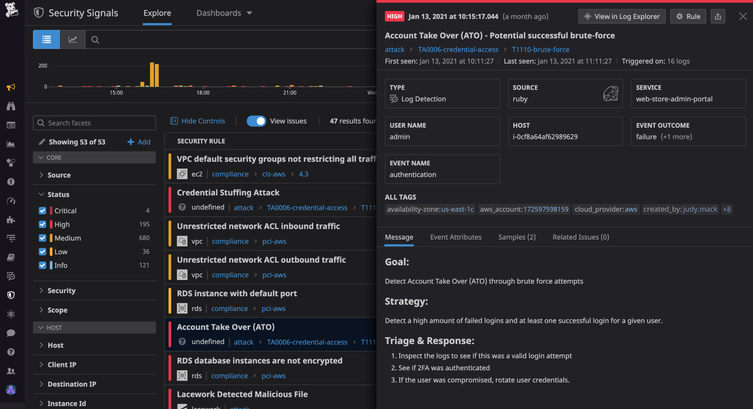
Monitor system, application, and network logs for unusual activity, including repeated failed login attempts, logins from unfamiliar locations, and access at unexpected times. These patterns can signal a brute-force attack, compromised account, or other security issue. Centralize logs where possible, set alerts for suspicious behavior, and investigate promptly. Keep logs protected and retain them long enough to support incident investigations.

Back up critical data and test recovery regularly.

Back up critical data regularly and keep copies separate from the systems they protect, so an attack, hardware failure, or accidental deletion won’t destroy every version. Just as important, test your recovery process on a regular schedule: verify that backups are complete, can be restored, and meet your organization’s recovery needs. A backup is only useful if you can access it and restore operations when it matters.

Train staff to spot phishing and report incidents.

Train staff to recognize phishing emails, texts, and calls by watching for suspicious links, unexpected attachments, urgent demands, and requests for sensitive information. Encourage employees to report anything suspicious promptly through a clear, easy-to-use process—even if they are unsure or have already clicked a link. Regular training and realistic practice help people respond confidently, giving security teams a better chance to contain threats before they spread.

cyber security monitoring

Cyber Security Monitoring: A Practical Guide to Detecting and Responding to Threats

Cybersecurity Monitoring: A Practical Guide for Organizations

Cybersecurity threats can emerge at any time, and even well-protected systems may have vulnerabilities. Cybersecurity monitoring helps organizations spot suspicious activity, investigate potential incidents, and respond before a problem causes serious damage. It is an ongoing process—not a one-time security check.

What Is Cybersecurity Monitoring?

Cybersecurity monitoring is the continuous review of activity across an organization’s computers, networks, applications, cloud services, and user accounts. Security teams look for signs of unauthorized access, malware, data theft, unusual behavior, and other possible threats.

Monitoring may rely on automated tools, human analysis, or a combination of both. For example, software might flag a login from an unfamiliar location, while an analyst determines whether it is a legitimate employee or a compromised account.

Why Is Monitoring Important?

Many attacks do not cause immediate, obvious disruption. An intruder may quietly explore a network, steal credentials, or access sensitive information over time. Continuous monitoring can help reduce the time between the start of an attack and its detection.

Effective monitoring can help organizations:

  • Identify suspicious activity earlier
  • Limit the impact of security incidents
  • Protect sensitive and customer data
  • Investigate events with useful system records
  • Meet security, privacy, or regulatory obligations
  • Understand recurring weaknesses and improve defenses

What Should Organizations Monitor?

A useful monitoring program considers the systems and information most important to the organization. Common sources of security data include:

  • Network traffic: Connections between devices, unusual data transfers, and attempts to reach suspicious destinations.
  • User accounts: Login patterns, failed sign-in attempts, changes to permissions, and activity involving privileged accounts.
  • Endpoints: Activity on laptops, desktops, servers, and mobile devices, including unexpected software or processes.
  • Applications and cloud services: Access to files, configuration changes, administrative actions, and unusual use of cloud resources.
  • Security tools: Alerts from firewalls, endpoint protection, email security, and identity systems.

How Cybersecurity Monitoring Works

Monitoring typically involves several connected activities:

  1. Collect data: Gather relevant logs and alerts from devices, services, and security tools.
  2. Analyze activity: Compare events with known threat indicators, established rules, and normal patterns of use.
  3. Prioritize alerts: Assess the likelihood and potential impact of each event to help teams focus on the most urgent risks.
  4. Investigate: Review related events and available evidence to determine whether an alert is a real incident.
  5. Respond: Take appropriate steps, such as disabling a compromised account, isolating a device, or blocking malicious traffic.
  6. Improve: Use lessons from incidents and near misses to refine security controls and response procedures.

Tools and Services

Organizations use a range of technologies to support monitoring. Security information and event management (SIEM) platforms collect and correlate data from multiple sources. Endpoint detection and response (EDR) tools help identify and investigate activity on individual devices. Network monitoring tools examine traffic, while identity and access management systems record account activity.

Some organizations operate an internal security operations center (SOC). Others use a managed security service provider to monitor systems and help investigate alerts. The right approach depends on an organization’s size, risk, budget, and available expertise. Tools can help process large volumes of data, but they still need thoughtful configuration and qualified people to interpret results.

Best Practices for an Effective Program

  • Start with important assets. Identify critical systems, sensitive data, and accounts that would cause significant harm if compromised.
  • Set clear priorities. Define which events require immediate attention and who is responsible for responding.
  • Protect and retain logs. Limit access to security records and keep them for a period that supports investigations and applicable requirements.
  • Reduce alert fatigue. Tune rules to minimize irrelevant alerts without overlooking meaningful warning signs.
  • Use multiple signals. A single unusual event may have an innocent explanation; related events can provide better context.
  • Prepare response procedures. Document how to report, investigate, contain, and recover from common incident types.
  • Test and review. Practice incident response and periodically check whether monitoring covers new systems, services, and risks.
  • Respect privacy. Establish appropriate policies for collecting and reviewing employee and customer data, and follow applicable laws.

Measuring Success

Counting alerts alone does not show whether a monitoring program is effective. Organizations can also assess how quickly they detect and respond to incidents, whether high-priority systems are covered, how often alerts are false positives, and whether investigations lead to practical improvements. These measures should support better decisions rather than encourage teams to chase a single target.

Conclusion

Cybersecurity monitoring gives organizations a clearer view of activity across their digital environments. When paired with sound security controls, trained responders, and a tested incident response plan, it can help detect threats sooner and reduce their impact. The strongest programs are continually reviewed and adapted as technology, business needs, and risks change.


6 Essential Tips for Effective Cybersecurity Monitoring

  1. Monitor network traffic for unusual patterns.
  2. Enable alerts for suspicious login attempts.
  3. Review security logs regularly.
  4. Use endpoint detection on all devices.
  5. Investigate alerts promptly.
  6. Test monitoring tools and response plans.

Monitor network traffic for unusual patterns.

Monitor network traffic for unusual patterns, such as unexpected data transfers, connections to unfamiliar destinations, or spikes in activity outside normal business hours. These changes may signal compromised accounts, malware, or unauthorized access. Set a baseline for typical network behavior, use monitoring tools to flag anomalies, and investigate alerts promptly to determine whether they’re legitimate or require a response.

Enable alerts for suspicious login attempts.

Enable alerts for suspicious login attempts so your team can quickly investigate potential account compromise. Configure notifications for patterns such as repeated failed sign-ins, logins from unusual locations or devices, and attempts to access privileged accounts. Pair alerts with a clear response process, such as verifying the activity with the user, requiring a password reset, or temporarily locking the account when appropriate. Tune alert settings regularly to reduce false alarms while ensuring genuinely risky activity receives prompt attention.

Review security logs regularly.

Review security logs regularly to spot unusual activity before it becomes a bigger problem. Check records from systems such as user accounts, servers, applications, and firewalls for unexpected logins, repeated failed sign-in attempts, unfamiliar devices, or unusual data transfers. Set a consistent review schedule, prioritize alerts involving sensitive systems, and investigate anything that doesn’t match normal activity. Regular reviews can help your team detect threats sooner and respond with better information.

Use endpoint detection on all devices.

Use endpoint detection and response (EDR) on every device that accesses your organization’s data, including laptops, desktops, and servers. EDR tools monitor device activity for signs of malware or other suspicious behavior and can help security teams investigate and contain threats quickly. Keep the software enabled and up to date, and make sure alerts are reviewed and acted on promptly.

Investigate alerts promptly.

Investigate security alerts promptly to determine whether they indicate a real threat and limit potential damage. Prioritize alerts based on their severity and the systems involved, then review relevant logs and activity for context. If an alert appears credible, follow your incident response plan—such as securing an account or isolating a device—and document what happened and how it was handled.

Test monitoring tools and response plans.

Regularly test your cybersecurity monitoring tools and response plans to make sure they work when an incident occurs. Run practice scenarios, such as a compromised account or suspicious data transfer, to confirm that alerts reach the right people and responders understand what to do. Use the results to fix gaps, update procedures, and ensure your tools are configured to detect the threats most relevant to your organization.

java source code

Java Source Code: A Beginner’s Guide to Writing and Running Programs

Understanding Java Source Code

Java source code is the human-readable text developers write to create Java applications. It contains instructions, data definitions, and logic that describe how a program should work. Before a Java program can run, its source code is typically compiled into bytecode, which runs on the Java Virtual Machine (JVM).

What Is a Java Source File?

Java source files usually have the .java extension. A source file can contain classes, interfaces, methods, variables, and comments. For example, a simple program might look like this:

public class HelloWorld {

public static void main(String[] args) {

System.out.println("Hello, world!");

}

}

In this example, HelloWorld is a class. The main method is the program’s entry point, and System.out.println displays a line of text.

From Source Code to a Running Program

Java uses a two-stage process to turn source code into a running application:

  1. Compilation: The Java compiler, javac, checks the source code and converts it into bytecode. The result is commonly saved in a .class file.
  2. Execution: The JVM runs the bytecode. Because JVMs are available for many operating systems, the same compiled program can often run on different platforms.

A typical command-line workflow is:

javac HelloWorld.java

java HelloWorld

The first command compiles the source file. The second starts the program.

Key Parts of Java Source Code

  • Classes and interfaces: These define the structure and behavior of a Java program.
  • Methods: Methods contain instructions that perform tasks.
  • Variables: Variables store values, such as numbers, text, or object references.
  • Packages and imports: Packages organize related code, while import statements make other classes available.
  • Comments: Comments explain code to readers and are ignored by the compiler.

Java is case-sensitive, so total and Total are different names. In conventional Java projects, class names use PascalCase, while method and variable names usually use camelCase.

Why Source Code Matters

Readable source code is easier to maintain, test, and improve. Clear names, consistent formatting, and focused methods help developers understand how a program works. Comments are useful when they explain intent or important decisions, but well-written code should also communicate its purpose through its structure and naming.

Java source code is also the foundation for collaboration. Teams use version control systems to track changes, review updates, and coordinate work. Automated tests and build tools can help verify that changes behave as expected.

Getting Started

To begin writing Java source code, install a Java Development Kit (JDK), choose a text editor or integrated development environment, and create a file with a .java extension. Start with a small program, compile it, and run it. As you learn, explore variables, conditionals, loops, methods, classes, and exception handling.

Learning to read and write Java source code takes practice. By building small projects and reviewing clear examples, beginners can develop a solid understanding of how Java programs are structured and how they run.


Understanding Java Source Code: Common Questions Answered

  1. Is Java source code human-readable?
  2. Is Java a source code?
  3. Is Java outdated in 2026?
  4. Is Java built on C or C++?
  5. What is the source code of Java?

Is Java source code human-readable?

Yes, Java source code is human-readable: it uses familiar words, symbols, and a structured syntax that developers can write and understand. For example, a Java statement such as System.out.println("Hello, world!"); clearly indicates that text will be displayed. Although some programs can become complex, clear naming, formatting, and comments make Java source code easier to read and maintain.

Is Java a source code?

No. Java is a programming language, not source code itself. Source code is the human-readable set of instructions a programmer writes using Java, usually saved in files with the .java extension. A Java compiler then converts that source code into bytecode that can run on the Java Virtual Machine (JVM).

Is Java outdated in 2026?

No, Java is not outdated in 2026. It remains widely used for enterprise software, backend services, Android development, and large-scale systems, with ongoing updates to the language and its ecosystem. While newer languages may suit some projects better, Java continues to be a practical choice when long-term support, mature tools, performance, and a large developer community matter.

Is Java built on C or C++?

Java is not built on C or C++, though its syntax was influenced by both languages, especially C and C++. Java was designed as a separate programming language, with features such as automatic memory management and a bytecode-based runtime. Its compiler and runtime have been implemented in different languages over time, so Java itself is not simply a version of C or C++.

What is the source code of Java?

Java source code is the human-readable set of instructions written by developers to create Java programs, typically saved in files with the .java extension. A Java compiler translates this code into bytecode, which the Java Virtual Machine (JVM) executes. If you mean the source code used to build the Java platform itself, much of it is available in the OpenJDK project.

java enterprise edition
ee

Java Enterprise Edition: A Practical Guide to Enterprise Java Development

Java Enterprise Edition: A Guide to Enterprise Java

Java Enterprise Edition, commonly known as Java EE, was a set of specifications for building large-scale applications with Java. It extended the Java platform with standardized tools for common business needs, including web applications, database access, messaging, security, and transaction management.

Java EE is now called Jakarta EE. The name changed after the platform moved to the Eclipse Foundation, but its central goal remains the same: to provide common APIs and standards that help developers build reliable, portable enterprise applications.

What Java EE Was Designed to Do

Enterprise applications often need to handle many users, protect sensitive information, connect to databases, and coordinate work across multiple systems. Building each of these capabilities from scratch can be complex. Java EE specifications defined standard ways for applications to address these requirements.

Rather than prescribing one specific product, the platform described APIs and behaviors that compatible application servers could implement. This gave organizations a choice of vendors and helped applications move between compliant environments with fewer changes.

Key Technologies

Java EE included a broad collection of technologies. The exact set evolved over time, but several became especially well known:

  • Servlets and JavaServer Pages (JSP): Technologies for handling web requests and generating dynamic web content. Newer Java EE releases also included JavaServer Faces (JSF) for component-based user interfaces.
  • Enterprise JavaBeans (EJB): A component model for business logic, with services such as transactions and security provided by the runtime.
  • Java Persistence API (JPA): A standard for mapping Java objects to relational database data.
  • Java Message Service (JMS): An API for sending messages between application components and systems.
  • Java API for RESTful Web Services (JAX-RS): A standard for building HTTP-based REST services.
  • Bean Validation: A way to define and check constraints on application data.
  • Dependency injection and contexts: Facilities for managing components and their dependencies, including Contexts and Dependency Injection (CDI).

These technologies were designed to work together, though developers could use only the parts their applications needed.

Application Servers and Containers

Java EE applications typically run inside an application server, also called a runtime or container. The server provides services such as component management, security, database connection pooling, and transaction coordination. Examples of Java EE application servers included GlassFish, WildFly, and commercial products from several vendors.

This approach can reduce the amount of infrastructure code an application team must maintain. It also introduces a runtime that must be configured, operated, and kept up to date. Some applications use only a small portion of the platform, while others rely on a larger set of server-managed services.

From Java EE to Jakarta EE

Java EE was developed under Oracle’s stewardship. In 2017, Oracle transferred the enterprise Java technologies to the Eclipse Foundation. The platform was renamed Jakarta EE, and the Eclipse Foundation now manages its specifications and community processes.

The transition also involved a change in package names. Older Java EE APIs commonly used packages beginning with javax. Jakarta EE 9 introduced the new jakarta namespace for the platform APIs. As a result, moving an application to a newer Jakarta EE version may require source-code changes, updated dependencies, and a compatible application server.

Java EE documentation and applications remain relevant, especially in organizations maintaining established systems. For new development, Jakarta EE is the current continuation of the platform.

Java EE and Modern Application Development

Enterprise Java has changed over time. Modern Jakarta EE runtimes can support cloud deployments, containers, and microservices, while retaining standard APIs familiar to many Java developers. Frameworks such as Spring offer another widely used approach to building Java applications, with their own programming model and ecosystem.

The best fit depends on the project. Teams may consider existing skills, application-server requirements, deployment targets, vendor support, and the specific APIs a system needs. Standards can be valuable when portability and a shared specification matter; frameworks may be attractive when a team prefers a more integrated or opinionated development experience.

Benefits and Considerations

Java EE’s standards-based approach offers several potential benefits:

  • Portability: Applications built against standard APIs can often be deployed on compatible runtimes with less vendor-specific code.
  • Built-in services: The runtime can handle common concerns such as transactions, security, and resource management.
  • A mature ecosystem: Enterprise Java has a long history, extensive documentation, and a large community of developers and vendors.
  • Consistency: Standard APIs give teams a shared vocabulary and predictable programming interfaces.

There are also considerations. Application servers can add operational complexity, and platform versions, server support, and library compatibility need to be managed carefully. The move from javax to jakarta can also make upgrades more involved for older applications.

Conclusion

Java Enterprise Edition established a standards-based foundation for building business applications with Java. Although the platform is now known as Jakarta EE, its core ideas—portable APIs, managed runtime services, and support for large-scale applications—continue to shape enterprise Java development. Understanding Java EE is useful not only for maintaining legacy systems, but also for understanding the history and direction of the modern Jakarta EE platform.


Understanding Java Enterprise Edition (Java EE): Key FAQs and Insights

  1. What is Java Enterprise Edition (Java EE)?
  2. What is the difference between Java EE and Jakarta EE?
  3. What are the main features of Java EE?
  4. What technologies and APIs are included in Java EE?
  5. What is a Java EE application server?
  6. How is Java EE different from Java SE?
  7. Is Java EE still used for enterprise application development?
  8. How do I get started building a Java EE or Jakarta EE application?

What is Java Enterprise Edition (Java EE)?

Java Enterprise Edition (Java EE) was a collection of standards and APIs for building large-scale business applications with Java. It provided tools for common needs such as web development, database access, security, messaging, and transaction management, typically through an application server. Java EE is now known as Jakarta EE, which continues the platform under the Eclipse Foundation.

What is the difference between Java EE and Jakarta EE?

Java EE and Jakarta EE are successive names for the same enterprise Java platform. Java EE was originally developed under Oracle; after Oracle transferred it to the Eclipse Foundation, the platform was renamed Jakarta EE. The specifications and APIs continue to evolve under the new name, but there is an important compatibility change: Jakarta EE 9 moved many API packages from javax.* to jakarta.*. As a result, older Java EE applications may need code and dependency updates to run on newer Jakarta EE versions.

What are the main features of Java EE?

Java EE’s main features include standardized APIs for building web applications, managing business logic, connecting to databases, sending messages, and creating RESTful services. It also provides services such as dependency injection, security, transaction management, and component management through an application server. Together, these features help developers build scalable, reliable enterprise applications while reducing the need to implement common infrastructure from scratch. Java EE is now known as Jakarta EE, its ongoing successor.

What technologies and APIs are included in Java EE?

Java EE includes standardized technologies and APIs for building enterprise applications, including Servlets and JavaServer Pages (JSP) for web development, Java Persistence API (JPA) for database access, Enterprise JavaBeans (EJB) for business logic, Java Message Service (JMS) for messaging, JAX-RS for RESTful web services, and CDI for dependency injection. It also provides APIs for security, transactions, validation, and other common application needs. The exact set varies by Java EE version; the platform’s current continuation is Jakarta EE.

What is a Java EE application server?

A Java EE application server is a software platform that runs Java EE applications and provides services they commonly need, such as security, database connections, transaction management, and web request handling. It manages application components within a runtime environment, so developers can rely on standardized services instead of building every feature from scratch. Java EE is now known as Jakarta EE, and compatible application servers provide the runtime for Jakarta EE applications as well.

How is Java EE different from Java SE?

Java SE (Standard Edition) provides the core Java language, libraries, and runtime features used to build general-purpose applications. Java EE (Enterprise Edition), now continued as Jakarta EE, builds on Java SE by adding standardized APIs and services for enterprise applications, such as web services, database persistence, messaging, security, and transaction management. In short, Java SE is the foundation, while Java EE is designed to support larger, server-based applications that often run in an application server.

Is Java EE still used for enterprise application development?

Yes, Java EE is still used to develop and maintain enterprise applications, especially in organizations with established systems built on the platform. Java EE has evolved into Jakarta EE, which continues to provide standards for building Java applications, including APIs for web services, persistence, security, and transactions. Teams starting new projects may choose Jakarta EE or other Java frameworks based on their requirements, existing expertise, and deployment environment.

How do I get started building a Java EE or Jakarta EE application?

To get started, install a supported JDK and choose a Jakarta EE–compatible runtime, such as Payara, WildFly, or Open Liberty. Create a project with Maven or Gradle, using dependencies that match your runtime’s Jakarta EE version, then begin with a small feature such as a REST endpoint using Jakarta REST. Run the application locally, test it, and deploy it to your chosen runtime. If you’re working with an older Java EE application, check its API and server versions before upgrading, since newer Jakarta EE releases use the jakarta package namespace instead of javax.

cyber security infrastructure

Enhancing Your Organization’s Cyber Security Infrastructure: A Comprehensive Guide

The Importance of Cyber Security Infrastructure in Today’s Digital World

In today’s interconnected world, where businesses and individuals rely heavily on digital technologies, the need for robust cyber security infrastructure has never been more critical. Cyber threats continue to evolve and become more sophisticated, posing significant risks to sensitive data, financial assets, and even national security. Establishing a strong cyber security infrastructure is essential to safeguarding against these threats and ensuring the integrity and confidentiality of information.

Key Components of Cyber Security Infrastructure

A comprehensive cyber security infrastructure encompasses various components that work together to protect systems, networks, and data from cyber attacks. Some key components include:

  • Firewalls: Firewalls act as a barrier between internal networks and external threats, monitoring and filtering incoming and outgoing network traffic based on predefined security rules.
  • Intrusion Detection Systems (IDS) and Intrusion Prevention Systems (IPS): IDS and IPS are designed to detect and prevent unauthorized access or malicious activities within a network by analyzing network traffic patterns.
  • Antivirus Software: Antivirus software helps detect and remove malware, viruses, and other malicious software that can compromise system security.
  • Data Encryption: Encrypting sensitive data ensures that even if it is intercepted by unauthorized parties, they cannot decipher its contents without the decryption key.
  • Security Information and Event Management (SIEM): SIEM solutions collect and analyze log data from various sources to identify potential security incidents in real-time.

The Role of Cyber Security Infrastructure in Business Operations

For businesses, a robust cyber security infrastructure is not just about protecting data—it is also about safeguarding their reputation, maintaining customer trust, and ensuring uninterrupted operations. A successful cyber attack can have devastating consequences for a company, leading to financial losses, legal liabilities, and long-term damage to its brand image.

By investing in cyber security infrastructure, businesses can mitigate these risks by proactively identifying vulnerabilities, implementing effective security measures, conducting regular risk assessments, and providing employee training on cybersecurity best practices. This proactive approach helps organizations stay ahead of potential threats and respond swiftly in the event of a breach.

The Future of Cyber Security Infrastructure

As cyber threats continue to evolve in complexity and scale, the need for advanced cyber security infrastructure will only grow. Technologies such as artificial intelligence (AI), machine learning, blockchain, and quantum cryptography are being leveraged to enhance cybersecurity capabilities and stay one step ahead of cybercriminals.

Furthermore, with the rise of remote workforces and cloud-based services, organizations must adapt their cyber security infrastructure to address new challenges related to securing distributed environments and protecting sensitive data across multiple platforms.

In Conclusion

Cyber security infrastructure plays a crucial role in safeguarding our digital assets against ever-evolving threats. By prioritizing cybersecurity measures, staying informed about emerging risks, investing in advanced technologies, and fostering a culture of vigilance within organizations, we can collectively build a more secure digital ecosystem for the future.


Top 5 Essential Tips for Strengthening Your Cybersecurity Infrastructure

  1. Regularly update software and security patches to protect against known vulnerabilities.
  2. Implement strong password policies and consider multi-factor authentication for added security.
  3. Encrypt sensitive data both in transit and at rest to prevent unauthorized access.
  4. Conduct regular security audits and risk assessments to identify potential weaknesses in the infrastructure.
  5. Train employees on cybersecurity best practices to build a culture of security awareness within the organization.

Regularly update software and security patches to protect against known vulnerabilities.

Regularly updating software and security patches is a fundamental practice in maintaining a robust cyber security infrastructure. By staying current with the latest updates, organizations can effectively protect their systems and networks against known vulnerabilities that cybercriminals may exploit. These updates often contain critical security patches that address weaknesses identified by software developers or security researchers. Failing to apply these updates in a timely manner can leave systems exposed to potential attacks, making it essential for businesses to prioritize regular software maintenance as part of their overall cybersecurity strategy.

Implement strong password policies and consider multi-factor authentication for added security.

To enhance cyber security infrastructure, it is crucial to implement strong password policies and consider multi-factor authentication for added security. Strong passwords that are complex and unique help prevent unauthorized access to sensitive data and systems. By requiring users to follow password guidelines such as using a combination of letters, numbers, and special characters, organizations can significantly reduce the risk of password-related breaches. Additionally, implementing multi-factor authentication adds an extra layer of protection by requiring users to provide multiple forms of verification before accessing accounts or systems, making it harder for cyber attackers to compromise security. By incorporating these measures into their cyber security strategy, organizations can bolster their defenses against potential threats and better safeguard their digital assets.

Encrypt sensitive data both in transit and at rest to prevent unauthorized access.

To enhance the security of sensitive data, it is crucial to encrypt it both in transit and at rest. Encrypting data in transit ensures that information remains secure while being transferred between systems or over networks, protecting it from interception by unauthorized parties. Similarly, encrypting data at rest involves securing stored data on devices or servers, making it unreadable to anyone without the appropriate decryption key. By implementing robust encryption measures, organizations can significantly reduce the risk of unauthorized access and safeguard the confidentiality and integrity of their valuable information.

Conduct regular security audits and risk assessments to identify potential weaknesses in the infrastructure.

Conducting regular security audits and risk assessments is a fundamental practice in maintaining a strong cyber security infrastructure. By systematically evaluating the effectiveness of existing security measures and identifying potential vulnerabilities, organizations can proactively address weaknesses before they are exploited by malicious actors. These assessments provide valuable insights into the overall security posture of the infrastructure, enabling informed decisions on implementing additional safeguards and mitigating risks effectively. Regular audits and risk assessments are essential components of a comprehensive cyber security strategy, helping to ensure the resilience and integrity of digital assets in an ever-evolving threat landscape.

Train employees on cybersecurity best practices to build a culture of security awareness within the organization.

Training employees on cybersecurity best practices is a fundamental step in establishing a culture of security awareness within an organization. By educating staff members on how to identify and respond to potential cyber threats, companies can empower their workforce to become active participants in safeguarding sensitive data and protecting against malicious activities. Through ongoing training sessions, employees can learn about the latest cybersecurity trends, understand the importance of following security protocols, and contribute to creating a secure environment where everyone plays a role in maintaining the integrity of the organization’s cyber security infrastructure.