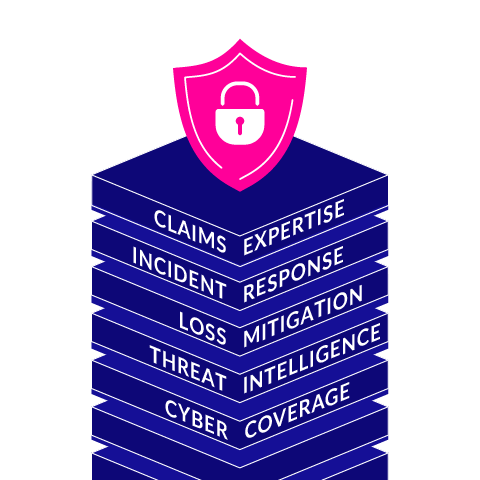
Cyber Services: Protecting Your Business in a Connected World
Cyber Services: Protecting Your Business in a Connected World
Businesses rely on digital tools to communicate, serve customers, store information, and manage daily operations. That connectivity creates opportunity—but it also brings risks. Cyber services help organizations protect their systems, data, and people from online threats while preparing them to respond when problems occur.
What Are Cyber Services?
Cyber services are professional services designed to strengthen an organization’s cybersecurity. Depending on a business’s needs, they may include assessing security risks, monitoring networks, protecting accounts and devices, training employees, and responding to cyber incidents.
Cybersecurity is not a one-time project. Technology, business needs, and threats change over time, so effective protection requires ongoing attention and regular improvements.
Common Types of Cyber Services
Security Assessments
A security assessment reviews an organization’s systems, policies, and practices to identify weaknesses. The results can help prioritize improvements, such as updating software, tightening access controls, or creating stronger data-handling procedures.
Network and Endpoint Protection
Networks, computers, mobile devices, and servers can all be targets. Cyber services may help configure firewalls, endpoint protection, secure remote access, and other safeguards to reduce the chance that an attacker can enter or move through a system.
Identity and Access Management
Access controls help ensure that people can use only the information and systems required for their roles. Services in this area may include multi-factor authentication, account reviews, and policies for creating, changing, and removing user access.
Security Monitoring
Monitoring can help detect unusual activity, such as unexpected login attempts or suspicious changes to a system. Depending on the service, alerts may be reviewed around the clock or during specified business hours. Clear monitoring and escalation procedures help organizations respond more quickly to potential issues.
Employee Security Training
Employees play an important role in protecting an organization. Practical training can help them recognize phishing messages, use passwords safely, handle sensitive information, and report suspicious activity. Regular reminders and realistic examples can make security practices easier to apply in daily work.
Incident Response and Recovery
Even organizations with strong protections can experience a security incident. Incident response services help establish what to do, who should be involved, and how to contain and investigate an event. Recovery planning can also address backups, restoration procedures, and communication with affected parties.
Why Cyber Services Matter
A cyber incident can interrupt operations, expose private information, damage trust, and create unexpected costs. Cyber services can help reduce these risks by identifying vulnerabilities, improving defenses, and preparing teams to act. They can also support organizations that need to meet contractual, regulatory, or industry-specific security requirements.
No service can guarantee that an organization will never experience an attack. The goal is to make systems harder to compromise, detect problems sooner, and limit the impact if an incident occurs.
Choosing the Right Cyber Services
The right approach depends on an organization’s size, technology, data, budget, and risk tolerance. Before choosing a provider, consider:
- Which systems and information need the most protection?
- What security work is already handled internally?
- How quickly will the provider respond to alerts or incidents?
- What services are included, and what may cost extra?
- How will progress and recommendations be reported?
- Does the provider have experience with organizations of a similar size or type?
Ask for clear explanations of service scope, responsibilities, response times, and data handling. A useful provider should be able to explain risks and recommendations in plain language, not just provide technical reports.
Building a Stronger Security Program
Cyber services work best as part of a broader security program. Organizations can support that work by keeping software updated, using multi-factor authentication, limiting access to sensitive systems, maintaining reliable backups, and giving employees a clear way to report concerns. Regular reviews help ensure that protections keep pace with changes in the business.
With a thoughtful plan and the right expertise, cyber services can help an organization protect its operations, respond with confidence, and make informed decisions about technology and risk.
8 Essential Tips for Enhancing Your Cybersecurity Services
- Choose a trusted cybersecurity provider.
- Enable multifactor authentication.
- Keep software and services updated.
- Use strong, unique passwords.
- Back up important data regularly.
- Train staff to spot phishing.
- Review access permissions often.
- Check incident response plans regularly.
Choose a trusted cybersecurity provider.
Choosing a trusted cybersecurity provider is an important step in protecting your business. Look for a provider with relevant experience, clear service offerings, strong references, and a straightforward approach to explaining risks and recommendations. Before signing an agreement, ask about response times, data handling, and exactly what the services include. A reliable provider will take time to understand your needs and help you make informed security decisions.
Enable multifactor authentication.
Enable multifactor authentication (MFA) on your email, financial, cloud, and other important accounts. MFA requires a second form of verification—such as an authenticator app, security key, or one-time code—in addition to your password. This extra step can help prevent unauthorized access even if a password is stolen. For stronger protection, use an authenticator app or security key when available, and never share verification codes with anyone.
Keep software and services updated.
Keeping software and services updated is one of the simplest ways to strengthen cybersecurity. Updates often fix known security vulnerabilities that attackers could exploit, as well as improve reliability and performance. Turn on automatic updates when practical, and regularly check that operating systems, applications, plug-ins, and cloud services are current. For business-critical systems, plan updates carefully and verify that backups and recovery procedures are in place before making major changes.
Use strong, unique passwords.
Use strong, unique passwords for every account to make it harder for attackers to access your systems and sensitive information. A long passphrase made from several unrelated words can be easier to remember and tougher to guess than a short, complicated password. Avoid reusing passwords across work and personal accounts, and consider using a reputable password manager to create and store them securely. Enable multi-factor authentication whenever it’s available for an extra layer of protection.
Back up important data regularly.
Back up important data regularly to reduce the risk of losing files to hardware failure, accidental deletion, ransomware, or other disruptions. Use a reliable backup solution, keep copies separate from your main devices or network, and protect them with strong access controls. Test your backups periodically to make sure the data can be restored when you need it.
Train staff to spot phishing.
Train staff to spot phishing by teaching them to recognize common warning signs, such as unexpected attachments, urgent requests, unfamiliar sender addresses, and links that don’t match the message. Encourage employees to verify unusual requests through a separate trusted channel and report suspicious messages promptly. Regular, practical training helps make careful email habits part of everyday work and can reduce the risk of stolen credentials, malware, and data breaches.
Review access permissions often.
Review access permissions often to make sure employees and contractors can reach only the systems and information they need for their roles. Remove access promptly when someone changes jobs or leaves the organization, and disable unused accounts to reduce opportunities for unauthorized entry. Regular permission reviews can help catch outdated or excessive access before it becomes a security risk.
Check incident response plans regularly.
Check your incident response plans regularly to make sure they reflect your current systems, team members, and business needs. Review contact lists, roles, escalation steps, and recovery procedures, and update them whenever something changes. Practicing the plan with realistic scenarios can reveal gaps before an actual incident occurs, helping your team respond faster and reduce disruption.