cfchris.com

Loading

software development tools

Exploring the Latest Innovations in Software Development Tools

The Essential Software Development Tools Every Developer Should Know

The Essential Software Development Tools Every Developer Should Know

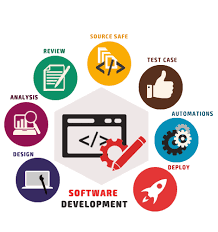
Software development tools are essential for developers to create, test, and deploy applications efficiently. With the ever-evolving technology landscape, staying updated on the latest tools is crucial for success in the field of software development.

Integrated Development Environments (IDEs)

IDEs are comprehensive software applications that provide developers with all the necessary tools to write, test, and debug code. Popular IDEs like Visual Studio, IntelliJ IDEA, and Eclipse offer features such as code completion, syntax highlighting, and version control integration.

Version Control Systems

Version control systems like Git and SVN help developers track changes to their codebase, collaborate with team members, and revert to previous versions if needed. These tools play a crucial role in maintaining code integrity and streamlining the development process.

Testing Frameworks

Testing frameworks such as JUnit for Java or Jest for JavaScript enable developers to write automated tests to ensure the functionality and reliability of their code. By automating testing processes, developers can identify bugs early in the development cycle and deliver high-quality software.

Containerization Tools

Containerization tools like Docker allow developers to package applications and their dependencies into lightweight containers that can run consistently across different environments. Containers streamline deployment processes and improve scalability and portability of applications.

Continuous Integration/Continuous Deployment (CI/CD) Tools

CI/CD tools such as Jenkins and Travis CI automate the build, testing, and deployment processes of software development. By integrating these tools into their workflow, developers can accelerate delivery cycles, reduce errors, and ensure a seamless deployment pipeline.

Code Editors

Code editors like Visual Studio Code, Sublime Text, and Atom provide developers with lightweight yet powerful environments for writing code. These editors offer features such as syntax highlighting, code snippets, and extensions that enhance productivity during development.

In conclusion, software development tools play a vital role in empowering developers to build robust applications efficiently. By leveraging the right tools for each stage of the development process, developers can streamline workflows, collaborate effectively with team members, and deliver high-quality software products that meet user expectations.


9 Common Questions About Software Development Tools and Their Importance

  1. What are software development tools?
  2. Why are software development tools important in the software development process?
  3. What are some examples of popular Integrated Development Environments (IDEs)?
  4. How do Version Control Systems benefit software developers?
  5. What role do Testing Frameworks play in software development?
  6. How can Containerization Tools help in application deployment?
  7. What are Continuous Integration/Continuous Deployment (CI/CD) Tools and why are they important?
  8. Which Code Editors are commonly used by developers for writing code?
  9. How can developers choose the right software development tools for their projects?

What are software development tools?

Software development tools encompass a wide range of software applications and platforms designed to assist developers in creating, testing, and deploying software solutions. These tools provide developers with functionalities such as code editing, debugging, version control, testing automation, and deployment management. By utilizing software development tools, developers can streamline their workflow, collaborate effectively with team members, ensure code quality and reliability, and ultimately deliver successful software projects that meet user requirements.

Why are software development tools important in the software development process?

Software development tools are crucial in the software development process for several reasons. These tools provide developers with the necessary resources to write, test, debug, and deploy code efficiently. By using integrated development environments (IDEs), version control systems, testing frameworks, and other tools, developers can streamline their workflows, collaborate effectively with team members, and ensure the quality and reliability of their code. Software development tools also help automate repetitive tasks, identify bugs early in the development cycle, and improve overall productivity. In essence, these tools play a fundamental role in empowering developers to create high-quality software products that meet user requirements and industry standards.

When it comes to popular Integrated Development Environments (IDEs), developers have a variety of options to choose from based on their programming language preferences and project requirements. Some well-known IDEs include Visual Studio for .NET development, IntelliJ IDEA for Java development, Eclipse for multi-language support, and Xcode for iOS and macOS development. These IDEs offer a range of features such as code completion, debugging tools, version control integration, and plugin support to enhance developers’ productivity and streamline the software development process.

How do Version Control Systems benefit software developers?

Version Control Systems (VCS) offer significant benefits to software developers by enabling them to track changes to their codebase, collaborate effectively with team members, and maintain code integrity. With VCS like Git or SVN, developers can easily manage different versions of their code, making it simple to revert to previous versions if needed. This feature is crucial for debugging and ensuring the stability of the codebase. Additionally, VCS facilitates seamless collaboration among team members by providing a centralized platform for sharing and merging code changes. By using version control systems, software developers can work more efficiently, reduce errors, and enhance overall productivity in the software development process.

What role do Testing Frameworks play in software development?

Testing frameworks play a crucial role in software development by enabling developers to automate the process of testing code for functionality and reliability. These frameworks provide a structured approach to writing and executing test cases, allowing developers to identify bugs and errors early in the development cycle. By incorporating testing frameworks like JUnit or Jest into their workflow, developers can ensure that their code meets quality standards, improve the overall stability of the software, and deliver a more robust product to end-users.

How can Containerization Tools help in application deployment?

Containerization tools play a crucial role in application deployment by simplifying the process and ensuring consistency across different environments. Tools like Docker allow developers to package applications along with their dependencies into lightweight, portable containers. These containers encapsulate everything needed for the application to run, making it easier to deploy the application on various platforms without worrying about compatibility issues. By using containerization tools, developers can streamline deployment processes, improve scalability, enhance security, and achieve greater flexibility in managing and deploying applications effectively.

What are Continuous Integration/Continuous Deployment (CI/CD) Tools and why are they important?

Continuous Integration/Continuous Deployment (CI/CD) tools are essential components in modern software development practices. CI/CD tools automate the process of integrating code changes into a shared repository, running automated tests, and deploying applications to production environments. By streamlining these processes, CI/CD tools help developers catch bugs early, ensure code quality, and accelerate the delivery of software updates. This automation reduces manual errors, improves collaboration among team members, and enables faster feedback loops, ultimately leading to more reliable and efficient software development cycles. In today’s fast-paced development environment, CI/CD tools are crucial for maintaining a competitive edge and delivering high-quality software products to users in a timely manner.

Which Code Editors are commonly used by developers for writing code?

Code editors are essential tools for developers to write and edit code efficiently. Some of the most commonly used code editors in the software development community include Visual Studio Code, Sublime Text, and Atom. These editors offer a range of features such as syntax highlighting, code completion, and customizable themes that cater to the diverse needs of developers. Visual Studio Code, known for its versatility and extensive extension library, has gained popularity among developers working with various programming languages. Sublime Text is favored for its speed and simplicity, while Atom is appreciated for its open-source nature and ease of customization. Ultimately, the choice of code editor often comes down to personal preference and the specific requirements of a developer’s workflow.

How can developers choose the right software development tools for their projects?

When it comes to choosing the right software development tools for their projects, developers should consider several key factors to ensure optimal outcomes. Firstly, developers need to assess the specific requirements of their project, such as the programming languages, frameworks, and technologies involved. Understanding the project scope and objectives is crucial in selecting tools that align with these needs. Additionally, developers should evaluate the scalability, flexibility, and compatibility of tools to ensure they can accommodate future growth and changes in project requirements. Collaboration capabilities, community support, and ease of integration with existing systems are also essential considerations when choosing software development tools. By conducting thorough research and testing different tools based on these criteria, developers can make informed decisions that enhance productivity and streamline the development process for their projects.
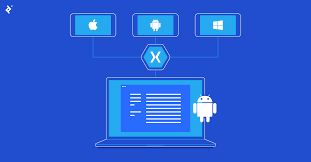

the xamarin cross platform development software is owned by

Xamarin: The Cross-Platform Development Software Owned by Microsoft

Xamarin, a popular cross-platform development software, is owned by Microsoft. The acquisition of Xamarin by Microsoft in 2016 marked a significant milestone in the world of mobile app development. Xamarin allows developers to create native applications for iOS, Android, and Windows using a single codebase, making it a valuable tool for businesses and individual developers alike.

With Xamarin, developers can leverage their existing C# skills and codebase to build high-performance apps that offer a native user experience on each platform. This not only streamlines the development process but also ensures consistency across different operating systems.

Microsoft’s ownership of Xamarin has further strengthened its integration with Visual Studio, providing developers with a comprehensive suite of tools for building, testing, and deploying cross-platform applications. The collaboration between Microsoft and Xamarin continues to drive innovation in the realm of mobile app development, empowering developers to create cutting-edge solutions for a diverse range of devices.

Overall, Xamarin’s ownership by Microsoft underscores the commitment to empowering developers with powerful tools and resources to succeed in today’s competitive app market.


Frequently Asked Questions About Xamarin Cross-Platform Development and Its Ownership

  1. What is Xamarin cross-platform?
  2. Is Xamarin supported by Microsoft?
  3. Is Xamarin a .NET framework?
  4. Is Xamarin a Microsoft product?
  5. Which companies uses Xamarin?

What is Xamarin cross-platform?

Xamarin cross-platform development refers to the practice of using Xamarin, a software owned by Microsoft, to build mobile applications that can run on multiple operating systems such as iOS, Android, and Windows. By utilizing Xamarin’s technology, developers can write code once in C# and deploy it across different platforms, saving time and effort compared to developing separate native apps for each operating system. Xamarin ensures that the final applications maintain a native look and feel on each platform, providing users with a seamless experience regardless of the device they are using. This approach to cross-platform development streamlines the process for developers and allows them to reach a wider audience with their apps.

Is Xamarin supported by Microsoft?

Yes, Xamarin is supported by Microsoft. Microsoft acquired Xamarin in 2016, integrating it into its suite of development tools and services. This acquisition has strengthened Xamarin’s capabilities and its integration with Microsoft’s ecosystem, particularly Visual Studio. As a result, developers using Xamarin can benefit from the support and resources provided by Microsoft, ensuring that they have access to the latest updates, features, and technical assistance to create high-quality cross-platform applications efficiently.

Is Xamarin a .NET framework?

Xamarin is closely associated with the .NET framework, as it allows developers to use C# and .NET to build cross-platform applications. Xamarin extends the capabilities of the .NET framework by enabling developers to create native mobile apps for iOS, Android, and Windows platforms using a shared codebase. This integration with .NET framework not only simplifies the development process but also ensures that developers can leverage their existing skills and knowledge to create high-quality, performant apps across multiple platforms.

Is Xamarin a Microsoft product?

Yes, Xamarin is indeed a Microsoft product. Microsoft acquired Xamarin in 2016, a move that solidified its position in the cross-platform development space. By bringing Xamarin under its umbrella, Microsoft has been able to enhance its offerings for developers looking to create native applications for multiple platforms using a single codebase. The integration of Xamarin with Microsoft’s existing tools and services has further streamlined the development process and provided developers with a comprehensive solution for building high-quality cross-platform apps.

Which companies uses Xamarin?

Several prominent companies across various industries utilize Xamarin for their cross-platform development needs. Companies such as UPS, Alaska Airlines, and Siemens have leveraged Xamarin to create robust and high-performing mobile applications that cater to their specific business requirements. By adopting Xamarin, these companies benefit from the ability to streamline their development processes, reduce time-to-market, and maintain a consistent user experience across multiple platforms. The versatility and efficiency of Xamarin make it an attractive choice for organizations looking to deliver innovative and seamless mobile solutions to their customers while maximizing development resources.

online android app development

Mastering Online Android App Development: Tools, Tips, and Trends

Online Android App Development

Online Android App Development: A Comprehensive Guide

In today’s digital age, mobile applications have become an essential part of our daily lives. With millions of apps available on the Google Play Store, Android app development has emerged as a lucrative field for developers. This article delves into the world of online Android app development, exploring tools, resources, and best practices to help you create successful apps.

The Rise of Android App Development

Android holds a significant share of the global smartphone market, making it a prime platform for app developers. The open-source nature of the Android operating system allows developers to customize and innovate freely. This flexibility has led to a vibrant ecosystem where creativity thrives.

Getting Started with Online Tools

The advent of online development tools has made it easier than ever to start building Android apps. Here are some popular platforms:

  • Android Studio: The official integrated development environment (IDE) for Android app development. It offers robust features such as code editing, debugging, and performance tooling.
  • Kodular: A web-based platform that allows users to create apps without extensive coding knowledge through a drag-and-drop interface.
  • Appy Pie: An intuitive app builder that enables users to design and build apps quickly using pre-made templates and modules.

Programming Languages for Android Development

The primary programming languages used in Android app development are Java and Kotlin. While Java has been the traditional choice for many years, Kotlin is gaining popularity due to its concise syntax and modern features.

Kotlin vs. Java

  • Kotlin: Known for its simplicity and interoperability with Java, Kotlin reduces boilerplate code and enhances productivity.
  • Java: A mature language with extensive libraries and community support, making it reliable for complex applications.

Best Practices for Developing Successful Apps

To ensure your app stands out in the crowded marketplace, consider these best practices:

  1. User-Centric Design: Focus on creating an intuitive user interface (UI) that enhances user experience (UX).
  2. Performance Optimization: Optimize your app’s performance by minimizing load times and reducing memory usage.
  3. Regular Updates: Keep your app updated with new features and security patches to maintain user engagement.
  4. User Feedback: Incorporate feedback from users to improve your app continuously.

The Future of Online Android App Development

The future looks promising for online Android app development as technology continues to evolve. Emerging trends such as artificial intelligence (AI), augmented reality (AR), and machine learning are opening new avenues for innovation in mobile applications.

The demand for skilled developers will continue to grow as businesses seek to leverage mobile technology to reach their audiences effectively. By staying informed about the latest tools and trends in online Android app development, you can position yourself at the forefront of this dynamic industry.

Conclusion

The world of online Android app development is vast and full of opportunities. Whether you’re a seasoned developer or just starting out, there are numerous resources available to help you succeed. By mastering essential tools like Android Studio or exploring user-friendly platforms like Kodular or Appy Pie, you can bring your creative ideas to life in the form of innovative mobile applications.

Your journey into online Android app development promises not only personal growth but also the potential to make a significant impact on how people interact with technology every day.


6 Essential Tips for Successful Online Android App Development

  1. Understand the Android platform and guidelines for app development.
  2. Use Android Studio as the primary Integrated Development Environment (IDE).
  3. Follow best practices for user interface design to ensure a good user experience.
  4. Optimize your app for performance and battery efficiency.
  5. Test your app thoroughly on different devices and screen sizes.
  6. Stay updated with the latest trends and technologies in Android development.

Understand the Android platform and guidelines for app development.

To succeed in online Android app development, it is crucial to thoroughly understand the Android platform and adhere to its guidelines for app development. By familiarizing yourself with the intricacies of the platform, including its design principles, user interface requirements, and performance considerations, you can ensure that your app meets the standards set by Google. Following these guidelines not only enhances the user experience but also increases the chances of your app being approved and well-received on the Google Play Store.

Use Android Studio as the primary Integrated Development Environment (IDE).

When embarking on online Android app development, it is highly recommended to utilize Android Studio as the primary Integrated Development Environment (IDE). Android Studio, being the official IDE for Android app development, offers a comprehensive suite of tools and features that streamline the development process. From code editing to debugging and performance analysis, Android Studio provides developers with a robust platform to create high-quality apps efficiently. By harnessing the power of Android Studio, developers can leverage its capabilities to build innovative and user-friendly applications for the ever-evolving Android ecosystem.

Follow best practices for user interface design to ensure a good user experience.

Following best practices for user interface design is crucial in online Android app development to guarantee a positive user experience. A well-designed user interface enhances usability, navigation, and overall aesthetics of the app, ultimately leading to higher user satisfaction and engagement. By focusing on intuitive layouts, clear navigation paths, consistent design elements, and responsive interactions, developers can create an app that not only looks visually appealing but also functions seamlessly, making it easier for users to accomplish their tasks efficiently. Prioritizing user interface design best practices is key to creating a successful Android app that resonates with users and keeps them coming back for more.

Optimize your app for performance and battery efficiency.

Optimizing your app for performance and battery efficiency is crucial in ensuring a seamless user experience. By streamlining code, minimizing resource-intensive operations, and implementing efficient algorithms, you can enhance your app’s responsiveness and reduce its impact on device battery life. Prioritizing performance optimization not only improves user satisfaction but also contributes to the longevity of your app’s success in the competitive Android app market.

Test your app thoroughly on different devices and screen sizes.

To ensure the optimal performance and user experience of your Android app, it is crucial to test it thoroughly on a variety of devices and screen sizes. By conducting comprehensive testing across different platforms, you can identify and address any compatibility issues, layout inconsistencies, or functionality errors that may arise. This proactive approach not only helps in delivering a seamless experience to users but also enhances the overall quality and reliability of your app across the diverse landscape of Android devices.

To excel in online Android app development, it is crucial to stay updated with the latest trends and technologies in the field. The Android ecosystem is constantly evolving, with new features, tools, and best practices emerging regularly. By staying informed about the latest advancements, developers can leverage cutting-edge technologies to create innovative and competitive apps. Continuous learning and adaptation to industry trends not only enhance the quality of app development but also ensure relevance in a dynamic and fast-paced market.

linux application development

Exploring the World of Linux Application Development

Linux Application Development

The World of Linux Application Development

Linux, an open-source operating system, has been a favorite among developers for its flexibility, security, and customization options. When it comes to application development on Linux, there are a plethora of tools and resources available to create robust and efficient software solutions.

Benefits of Linux for Application Development

Developers choose Linux for application development due to various reasons:

  • Open-Source Nature: Linux’s open-source nature allows developers to access the source code, modify it, and contribute to the community.
  • Stability and Security: Linux is known for its stability and security features, making it a reliable platform for developing secure applications.
  • Compatibility: Linux supports a wide range of programming languages and frameworks, making it versatile for developers with different preferences.
  • Cost-Effective: As an open-source platform, Linux is cost-effective compared to proprietary operating systems.

Tools for Linux Application Development

Several tools are popular among developers for creating applications on the Linux platform:

  1. GCC (GNU Compiler Collection): A powerful compiler that supports various programming languages like C, C++, and Fortran.
  2. Eclipse: An integrated development environment (IDE) that offers features for code editing, debugging, and version control integration.
  3. Vim: A highly configurable text editor favored by many developers for its efficiency and extensibility.
  4. Docker: A containerization platform that simplifies application deployment by packaging software into containers.

The Future of Linux Application Development

The future of Linux application development looks promising with continuous advancements in technology. With the rise of cloud computing, Internet of Things (IoT), artificial intelligence (AI), and machine learning (ML), developers have ample opportunities to innovate using Linux as their preferred development environment.

In conclusion, Linux provides a robust foundation for creating diverse applications across various industries. Its open nature fosters collaboration and innovation among developers worldwide. Whether you are a seasoned developer or just starting your journey in application development, exploring Linux as your platform can lead to exciting possibilities and rewarding outcomes.


8 Advantages of Linux Application Development: Customization, Stability, and More

  1. Open-source nature allows access to source code for customization.
  2. Stability and security features make Linux a reliable platform.
  3. Wide compatibility with various programming languages and frameworks.
  4. Cost-effective compared to proprietary operating systems.
  5. Vast community support for troubleshooting and collaboration.
  6. Efficient performance even on older hardware configurations.
  7. Extensive library of development tools and software packages.
  8. Seamless integration with cloud computing technologies.


7 Challenges of Linux Application Development: Overcoming Common Hurdles

  1. Limited Support for Commercial Software
  2. Fragmentation Across Different Distributions
  3. Hardware Compatibility Challenges
  4. Steep Learning Curve for Beginners
  5. Less User-Friendly Interface for Non-Tech Users
  6. Potential Dependency Management Issues
  7. Varied Documentation Quality

Open-source nature allows access to source code for customization.

One significant advantage of Linux application development is its open-source nature, which grants developers access to the source code for customization. This transparency enables developers to tailor software solutions to meet specific requirements, enhance functionality, and address unique challenges. By being able to modify and contribute to the source code, developers have the freedom to innovate and create tailored applications that align perfectly with their project goals. The open-source philosophy of Linux fosters collaboration and empowers developers to build efficient, secure, and personalized software solutions that cater to diverse needs in the ever-evolving tech landscape.

Stability and security features make Linux a reliable platform.

The inherent stability and robust security features of Linux make it a highly reliable platform for application development. Developers trust Linux for its ability to provide a secure environment that minimizes vulnerabilities and ensures the integrity of their software solutions. The consistent performance and resilience of Linux contribute to a dependable development environment, allowing developers to focus on creating innovative applications without compromising on stability or security.

Wide compatibility with various programming languages and frameworks.

One significant advantage of Linux application development is its wide compatibility with a diverse range of programming languages and frameworks. Developers have the flexibility to choose from popular languages like C, C++, Python, Java, and more, along with frameworks such as Qt, GTK, and Electron. This broad compatibility enables developers to work with their preferred tools and technologies, making Linux a versatile platform for creating software solutions tailored to specific needs and preferences.

Cost-effective compared to proprietary operating systems.

One significant advantage of Linux application development is its cost-effectiveness compared to proprietary operating systems. Since Linux is an open-source platform, developers can access and utilize it without incurring high licensing fees associated with proprietary operating systems. This cost-saving benefit enables developers to allocate resources more efficiently, invest in enhancing their applications, and reach a broader audience without financial constraints. Ultimately, the affordability of Linux as a development environment contributes to fostering innovation and creativity within the software development community.

Vast community support for troubleshooting and collaboration.

One significant advantage of Linux application development is the vast community support available for troubleshooting and collaboration. The active and diverse community of Linux users and developers worldwide offers a wealth of resources, forums, and online communities where individuals can seek help, share knowledge, and collaborate on projects. This extensive network not only facilitates quick resolution of technical issues but also promotes knowledge sharing and fosters a culture of innovation within the Linux development ecosystem. Developers can benefit greatly from this supportive community environment, making Linux an ideal platform for those looking to engage with like-minded individuals and enhance their skills through collective learning and problem-solving efforts.

Efficient performance even on older hardware configurations.

One significant advantage of Linux application development is its efficient performance, even on older hardware configurations. Linux’s lightweight design and optimized resource utilization allow it to run smoothly on older machines, maximizing their potential and extending their usability. This capability not only benefits users with older hardware but also contributes to reducing electronic waste by giving new life to aging devices. Developers can leverage Linux’s efficiency to create applications that deliver a seamless user experience across a wide range of hardware setups, making it a versatile choice for software development projects aimed at diverse audiences.

Extensive library of development tools and software packages.

One significant advantage of Linux application development is its extensive library of development tools and software packages. Developers have access to a wide range of resources that can streamline the development process, enhance productivity, and facilitate the creation of high-quality applications. Whether it’s compilers, debuggers, libraries, or other essential tools, the vast selection available on Linux ensures that developers can find the right solutions to meet their specific needs and requirements. This rich ecosystem of development tools and software packages contributes to the efficiency and effectiveness of Linux as a preferred platform for application development.

Seamless integration with cloud computing technologies.

Linux application development offers the significant advantage of seamless integration with cloud computing technologies. With Linux as the underlying operating system, developers can easily deploy and manage applications on cloud platforms like AWS, Google Cloud, and Azure. The compatibility of Linux with cloud services enables developers to leverage scalable resources, automate deployment processes, and build resilient applications that can adapt to dynamic cloud environments. This seamless integration empowers developers to take full advantage of the benefits of cloud computing while utilizing the robust capabilities of Linux for efficient and effective application development.

Limited Support for Commercial Software

One significant con of Linux application development is the limited support for commercial software. While Linux offers a vast array of open-source tools and applications, some proprietary software may not have native compatibility with the operating system. This can pose challenges for developers who rely on specific commercial software packages that are not readily available or optimized for Linux. As a result, developers may encounter difficulties in integrating certain third-party applications seamlessly into their Linux-based development environment, potentially impacting productivity and workflow efficiency.

Fragmentation Across Different Distributions

One notable con of Linux application development is the fragmentation that exists across different distributions. With numerous Linux distributions available, each with its own set of libraries, package managers, and system configurations, developers often face challenges in ensuring their applications run smoothly on all platforms. This fragmentation can lead to compatibility issues, requiring extra effort to optimize and test applications for various distributions, ultimately increasing development time and complexity. Developers must carefully consider compatibility factors and implement strategies to address fragmentation when targeting a wide range of Linux distributions for their applications.

Hardware Compatibility Challenges

One significant challenge in Linux application development is the issue of hardware compatibility. Due to the diverse range of hardware components available in the market, ensuring that an application developed on Linux runs smoothly across all devices can be a daunting task. Developers may encounter difficulties in optimizing their software to work seamlessly with various hardware configurations, leading to potential performance issues or functionality limitations. Addressing hardware compatibility challenges requires thorough testing, meticulous debugging, and continuous updates to ensure that the application can effectively interact with different hardware setups while maintaining optimal performance and user experience.

Steep Learning Curve for Beginners

One significant con of Linux application development is the steep learning curve it presents for beginners. Due to its highly customizable nature and command-line interface, newcomers to Linux development may find it challenging to grasp the intricacies of the operating system and the various tools and commands required for software development. The abundance of options and configurations available on Linux can be overwhelming for those unfamiliar with the environment, leading to a longer onboarding process and potentially hindering the initial progress of novice developers.

Less User-Friendly Interface for Non-Tech Users

One notable con of Linux application development is its less user-friendly interface for non-tech users. Unlike some other operating systems that prioritize simplicity and ease of use, Linux can be more challenging for individuals who are not familiar with technical terms and processes. Navigating the system settings, installing software, and troubleshooting issues may require a certain level of technical knowledge, which can be a barrier for those who prefer a more intuitive user experience. This complexity in the user interface aspect of Linux may deter some non-tech users from fully embracing the platform for application development.

Potential Dependency Management Issues

One significant challenge in Linux application development is the potential for dependency management issues. Due to the diverse range of libraries, packages, and versions available in the Linux ecosystem, developers may encounter difficulties in ensuring that all dependencies are correctly installed and compatible with their application. This can lead to compatibility issues, version conflicts, and time-consuming troubleshooting efforts to resolve dependency-related errors. Effective dependency management strategies and tools are essential to mitigate these challenges and streamline the development process on the Linux platform.

Varied Documentation Quality

One notable con of Linux application development is the varied quality of documentation available. While Linux offers a vast array of resources and documentation to support developers, the quality and consistency of these materials can vary widely. This inconsistency in documentation quality can pose a challenge for developers, especially those who rely heavily on clear and comprehensive guides to navigate the intricacies of the Linux environment. Navigating through disparate levels of documentation quality may lead to confusion, inefficiencies, and potential roadblocks in the development process, requiring developers to invest additional time and effort in seeking out reliable information and troubleshooting solutions.

land development software

Transforming Urban Planning with Advanced Land Development Software Solutions

The Role of Land Development Software in Modern Urban Planning

The Role of Land Development Software in Modern Urban Planning

In today’s rapidly evolving world, urban planning plays a crucial role in shaping sustainable and efficient cities. With the increasing need for smart development solutions, land development software has become an indispensable tool for urban planners, architects, and developers.

Land development software offers a wide range of functionalities that streamline the planning and design process. From site analysis to conceptual design and project management, these tools provide comprehensive support throughout the entire development lifecycle.

Key Features of Land Development Software:

  • Site Analysis: Utilizing GIS data and mapping tools to assess site characteristics such as topography, soil composition, and environmental constraints.
  • Conceptual Design: Creating 2D and 3D models to visualize proposed developments and analyze their impact on the surrounding environment.
  • Zoning Compliance: Ensuring that proposed projects comply with local zoning regulations and land use ordinances.
  • Infrastructure Planning: Designing transportation networks, utilities, and other essential infrastructure elements to support future developments.
  • Environmental Impact Assessment: Evaluating the environmental implications of proposed projects to minimize negative effects on ecosystems and natural resources.

The Benefits of Using Land Development Software:

By leveraging land development software, urban planners can achieve the following benefits:

  • Efficiency: Streamlining the planning process and reducing time spent on manual tasks.
  • Accuracy: Enhancing data accuracy through advanced mapping and analysis tools.
  • Sustainability: Promoting sustainable development practices by optimizing resource utilization and minimizing environmental impact.
  • Collaboration: Facilitating collaboration among stakeholders by providing a centralized platform for sharing project information.

In conclusion, land development software plays a pivotal role in modern urban planning by enabling professionals to create smarter, more sustainable cities. As technology continues to advance, these tools will become increasingly essential for shaping the future of our urban environments.


Understanding Land Development Software: Key Features, Benefits, and Integration for Sustainable Urban Planning

  1. What is land development software and what does it do?
  2. How can land development software help streamline the urban planning process?
  3. What are the key features and functionalities of land development software?
  4. Is land development software compatible with other planning and design tools?
  5. How does land development software contribute to sustainable and efficient city planning?

What is land development software and what does it do?

Land development software is a specialized tool designed to assist urban planners, architects, and developers in the planning and design of land development projects. This software encompasses a range of features that enable users to analyze site characteristics, create conceptual designs, ensure compliance with zoning regulations, plan infrastructure elements, and assess environmental impacts. By providing a comprehensive suite of functionalities, land development software streamlines the development process, enhances efficiency, promotes sustainability, and facilitates collaboration among stakeholders. Ultimately, this software plays a vital role in shaping sustainable and efficient urban environments by leveraging advanced technology to optimize the planning and design of land development projects.

How can land development software help streamline the urban planning process?

Land development software plays a crucial role in streamlining the urban planning process by providing tools and functionalities that enhance efficiency and accuracy. By utilizing features such as site analysis, conceptual design, zoning compliance checks, infrastructure planning, and environmental impact assessments, urban planners can make informed decisions and visualize proposed developments effectively. This software enables professionals to optimize resource utilization, minimize errors, and collaborate seamlessly with stakeholders, ultimately leading to more sustainable and well-planned urban environments.

What are the key features and functionalities of land development software?

Land development software offers a comprehensive set of key features and functionalities essential for efficient urban planning and development. These tools typically include site analysis capabilities that leverage GIS data for assessing site characteristics, conceptual design modules for creating visual representations of proposed projects, zoning compliance checks to ensure adherence to local regulations, infrastructure planning tools for designing essential utilities and transportation networks, and environmental impact assessment functionalities to evaluate the ecological implications of developments. By integrating these features, land development software empowers planners and developers to make informed decisions, streamline processes, and create sustainable urban environments.

Is land development software compatible with other planning and design tools?

Land development software is designed to be compatible with a variety of planning and design tools commonly used in the industry. Integration capabilities allow users to seamlessly transfer data between different software platforms, ensuring continuity and efficiency in the planning process. By enabling interoperability with other tools, land development software enhances collaboration among stakeholders and promotes a more holistic approach to urban planning and design projects.

How does land development software contribute to sustainable and efficient city planning?

Land development software significantly contributes to sustainable and efficient city planning by providing urban planners with powerful tools to analyze, design, and manage development projects. These software solutions enable planners to conduct in-depth site analysis, assess environmental impacts, and optimize resource allocation. By leveraging data-driven insights and advanced modeling capabilities, land development software helps identify opportunities for sustainable growth while minimizing negative effects on the environment. This technology facilitates collaboration among stakeholders, streamlines decision-making processes, and ensures that urban developments align with long-term sustainability goals. Ultimately, land development software plays a crucial role in creating resilient cities that are environmentally conscious, economically viable, and socially inclusive.

learn software development

Mastering Software Development: A Guide to Learning and Growing in the Tech World

Article: Learn Software Development

The Importance of Learning Software Development

Software development is a crucial skill in today’s digital age. As technology continues to advance rapidly, the demand for skilled software developers is higher than ever. Whether you are a beginner looking to start a career in tech or an experienced professional seeking to enhance your skills, learning software development can open up a world of opportunities.

Benefits of Learning Software Development

**High Demand**: Companies across various industries are constantly seeking talented software developers to create applications, websites, and other digital solutions.

**Lucrative Career**: Software developers often enjoy competitive salaries and numerous job prospects. The tech industry offers great potential for career growth and advancement.

**Creativity**: Software development allows you to unleash your creativity by building innovative solutions that solve real-world problems.

How to Get Started

If you are interested in learning software development, there are several paths you can take:

  • **Online Courses**: Platforms like Coursera, Udemy, and Codecademy offer a wide range of courses on programming languages and software development concepts.
  • **Bootcamps**: Coding bootcamps provide intensive training programs that can help you quickly gain the skills needed to start a career in software development.
  • **Self-Study**: There are plenty of resources available online, including tutorials, documentation, and forums where you can learn at your own pace.

Tips for Success

To succeed in software development, consider the following tips:

  1. **Practice Regularly**: The more you code, the better you will become. Practice coding daily to improve your skills.
  2. **Build Projects**: Create your own projects to apply what you have learned and showcase your abilities to potential employers.

Conclusion

Learning software development is a rewarding journey that can lead to a fulfilling and successful career. By acquiring programming skills and staying updated on industry trends, you can position yourself as a valuable asset in the tech world. Start learning today and unlock endless possibilities in the field of software development!


Top 8 FAQs About Learning Software Development: Skills, Time, and Self-Study

  1. How can I learn to develop software?
  2. How hard is it to learn software development?
  3. How long does it take to learn to be a software developer?
  4. Can I teach myself software development?
  5. Can I learn software development in 6 months?
  6. What are 3 skills you need to be a software developer?
  7. Is C++ enough for software development?
  8. How much time does it take to learn software development?

How can I learn to develop software?

Learning to develop software is a common goal for many individuals seeking to enter the tech industry or enhance their skill set. To learn software development effectively, one can start by exploring online courses on platforms like Coursera or Udemy, enrolling in coding bootcamps for intensive training, or engaging in self-study using resources such as tutorials and forums. It is crucial to practice coding regularly and build projects to apply theoretical knowledge practically. By immersing oneself in coding exercises and real-world projects, aspiring software developers can gradually master the skills needed to succeed in this dynamic field.

How hard is it to learn software development?

Learning software development can vary in difficulty depending on individual aptitude, dedication, and the complexity of the programming languages and concepts being studied. While some may find it challenging to grasp coding principles and algorithms initially, consistent practice, problem-solving skills, and a growth mindset can significantly aid in overcoming hurdles. Breaking down complex concepts into manageable parts and seeking guidance from experienced developers or online resources can also make the learning process more accessible. Ultimately, with persistence and a willingness to learn, mastering software development is achievable for anyone willing to put in the effort.

How long does it take to learn to be a software developer?

Learning to be a software developer is a journey that varies in duration depending on individual factors such as prior experience, dedication, and learning pace. While some people may acquire the necessary skills to become a proficient software developer in a few months through intensive study and practice, others may take several years to reach the same level. Consistent effort, hands-on experience, and continuous learning are key elements in the process of mastering software development. It’s important to remember that becoming a skilled software developer is not just about the time it takes but also about the quality of learning and practical application of knowledge.

Can I teach myself software development?

Many aspiring developers wonder, “Can I teach myself software development?” The answer is a resounding yes. With the abundance of online resources, tutorials, and practice platforms available today, self-learning software development is not only possible but also increasingly common. By dedicating time and effort to studying programming languages, practicing coding exercises, and building projects, individuals can acquire the skills needed to become proficient software developers. Self-taught developers often demonstrate strong problem-solving abilities and a passion for continuous learning, making self-teaching a viable path to success in the field of software development.

Can I learn software development in 6 months?

Learning software development in 6 months is a common goal for many aspiring developers. While it is possible to acquire a solid foundation in programming concepts and languages within this timeframe, becoming proficient and job-ready may require continued practice and learning beyond the initial 6 months. The key factors that contribute to success in learning software development include dedication, consistency, and the willingness to tackle challenges. Setting realistic expectations and staying committed to continuous improvement can help individuals make significant progress in their software development journey within the 6-month timeframe.

What are 3 skills you need to be a software developer?

To become a successful software developer, there are three essential skills you need to master. Firstly, proficiency in programming languages such as Java, Python, or C++ is crucial for writing efficient and functional code. Secondly, problem-solving skills are vital as software developers often encounter complex issues that require logical thinking and analytical problem-solving abilities. Lastly, strong communication skills are key for collaborating with team members, understanding project requirements, and effectively conveying technical concepts to non-technical stakeholders. By honing these three skills, aspiring software developers can pave the way for a rewarding career in the tech industry.

Is C++ enough for software development?

Whether C++ is enough for software development is a common question among aspiring developers. While C++ is a powerful and versatile programming language with a wide range of applications, the answer depends on the specific requirements of the project or industry. C++ is commonly used in areas such as game development, system programming, and high-performance applications. However, modern software development often involves multiple languages and technologies to meet diverse needs. It is beneficial for developers to have a strong foundation in C++ but also be open to learning other languages and frameworks to stay competitive in the ever-evolving tech landscape.

How much time does it take to learn software development?

Learning software development is a process that varies greatly depending on individual circumstances, such as prior experience, dedication, and the specific areas of software development one aims to master. While some may acquire basic coding skills in a matter of weeks through intensive study, becoming proficient in software development typically requires months to years of consistent learning and practice. Continuous learning is crucial in this field due to its ever-evolving nature, with new technologies and methodologies emerging regularly. Ultimately, the time it takes to learn software development is subjective and depends on the individual’s goals and commitment to mastering this valuable skill set.

programming development

Exploring the Exciting World of Programming Development

The World of Programming Development

The World of Programming Development

Programming development is a dynamic and ever-evolving field that plays a crucial role in shaping the digital world we live in today. From creating websites and mobile applications to developing complex software systems, programming development encompasses a wide range of activities that require creativity, problem-solving skills, and attention to detail.

The Importance of Programming Development

In today’s technology-driven era, programming development is essential for businesses and individuals looking to stay competitive and relevant. Whether it’s automating repetitive tasks, analyzing data to make informed decisions, or enhancing user experiences through intuitive interfaces, programming development empowers us to leverage the power of technology to achieve our goals.

The Evolution of Programming Languages

Over the years, programming languages have evolved to meet the changing needs of developers and users. From classic languages like C and Java to modern languages such as Python and JavaScript, each language has its strengths and weaknesses that make it suitable for different types of projects. The choice of programming language often depends on factors like project requirements, scalability, performance, and developer preferences.

The Role of Developers in Programming Development

Developers are the architects behind every software application and digital solution. Their expertise in coding, debugging, testing, and deploying applications is instrumental in bringing ideas to life and delivering value to users. Skilled developers possess a deep understanding of algorithms, data structures, design patterns, and best practices that enable them to write efficient and maintainable code.

The Future of Programming Development

As technology continues to advance at a rapid pace, the future of programming development holds exciting possibilities. Emerging trends like artificial intelligence, machine learning, blockchain technology, and Internet of Things (IoT) are reshaping the way we interact with software systems and devices. Developers who embrace these technologies and adapt to changing industry trends will be well-positioned to drive innovation and create impactful solutions for tomorrow’s challenges.

Programming development is not just about writing code; it’s about transforming ideas into reality through innovation and collaboration. Whether you’re a seasoned developer or just starting your journey in programming, the world of programming development offers endless opportunities for learning, growth, and creativity.


Understanding Programming and Development: Key Differences and Processes

  1. What is programming vs coding?
  2. What are the 7 steps in program development?
  3. What is programming and development?
  4. What is development in programming?
  5. What is the difference between programming and software development?

What is programming vs coding?

In the realm of programming development, a common question that often arises is the distinction between programming and coding. While coding typically refers to the act of writing specific instructions in a programming language to create a software application or script, programming encompasses a broader scope of activities. Programming involves not only writing code but also designing algorithms, planning the structure of a program, debugging errors, and optimizing performance. In essence, coding is a part of programming, with programming encompassing a more comprehensive approach to developing software solutions that meet specific requirements and solve complex problems effectively.

What are the 7 steps in program development?

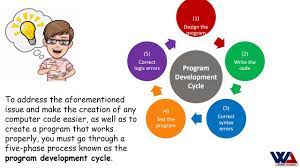
In programming development, the process typically involves several key steps to ensure the successful creation and implementation of software solutions. The 7 steps in program development commonly include: 1) Understanding the problem or requirements, 2) Planning and designing the solution, 3) Writing code to implement the solution, 4) Testing the code for errors and bugs, 5) Debugging and fixing issues, 6) Documenting the code and system for future reference, and 7) Deploying the final product. Each step plays a crucial role in the development lifecycle, guiding developers through a structured approach to deliver efficient and reliable software applications.

What is programming and development?

Programming and development refer to the process of creating software applications, websites, and digital solutions using programming languages and tools. Programming involves writing code that instructs computers to perform specific tasks, while development encompasses the entire lifecycle of a software project, including planning, designing, coding, testing, and deploying the final product. In essence, programming and development are essential disciplines that enable us to harness the power of technology to solve problems, automate processes, and innovate in today’s digital age.

What is development in programming?

Development in programming refers to the process of creating, designing, implementing, and maintaining software applications or systems using programming languages and tools. It involves translating a concept or idea into a functional and executable program that can perform specific tasks or solve particular problems. Development in programming encompasses various stages, including planning, coding, testing, debugging, and deployment. Developers play a crucial role in the development process by writing code, building algorithms, integrating components, and ensuring that the software meets the desired requirements and objectives. Overall, development in programming is a systematic and iterative approach to building software solutions that drive innovation and enhance user experiences in the digital landscape.

What is the difference between programming and software development?

The key distinction between programming and software development lies in their scope and focus. Programming primarily involves writing code to create specific functionalities within a software application or system. It focuses on the technical aspects of implementing algorithms, logic, and instructions to achieve desired outcomes. On the other hand, software development encompasses a broader process that includes not only programming but also planning, designing, testing, and maintaining software products or systems. Software development involves a more comprehensive approach that considers the entire lifecycle of a software project, from conceptualization to deployment and ongoing support. In essence, while programming is a fundamental component of software development, the latter involves a more holistic view that incorporates various disciplines and stages beyond just writing code.

developer

Mastering the Art of Becoming a Skilled Developer

The World of Developers

The World of Developers

In today’s digital age, developers play a crucial role in shaping the technological landscape. A developer is a creative problem solver who uses programming languages to build software, websites, applications, and more. They are the architects behind the digital innovations that drive our modern world.

Types of Developers

Developers come in various specialties, each focusing on different aspects of technology:

  • Front-End Developers: These developers specialize in creating the user interface and experience of websites and applications.
  • Back-End Developers: Back-end developers work on the server-side of applications, managing databases and ensuring smooth functionality.
  • Full-Stack Developers: Full-stack developers have expertise in both front-end and back-end development, allowing them to work on all aspects of a project.
  • Mobile App Developers: These developers focus on creating applications specifically for mobile devices, such as smartphones and tablets.
  • Software Engineers: Software engineers design and develop complex software systems, often working on large-scale projects.

The Skills of a Developer

To excel as a developer, one must possess a combination of technical skills and soft skills:

  • Programming Languages: Developers are proficient in languages such as JavaScript, Python, Java, C++, and more.
  • Problem-Solving: Developers are adept at analyzing problems and finding efficient solutions through code.
  • Creativity: Creativity is essential for designing engaging user interfaces and innovative solutions.
  • Collaboration: Developers often work in teams, requiring strong communication and collaboration skills.
  • Continuous Learning: Technology evolves rapidly, so developers must stay updated with the latest trends and tools.

The Future of Development

The demand for skilled developers continues to grow as technology becomes increasingly integrated into every aspect of our lives. From artificial intelligence to blockchain to augmented reality, developers will drive the next wave of innovation that shapes our future. Aspiring developers have a world of opportunities ahead as they embark on their journey to create the technologies that will define tomorrow.


5 Essential Tips for Developers to Enhance Skills and Collaborate Effectively

  1. Stay updated with the latest technologies and trends in the industry.
  2. Practice coding regularly to improve your skills and problem-solving abilities.
  3. Collaborate with other developers to learn from each other and work on projects together.
  4. Document your code properly to make it easier for yourself and others to understand and maintain in the future.
  5. Don’t be afraid to ask for help when you encounter challenges or need guidance.

Staying updated with the latest technologies and trends in the industry is essential for developers to remain competitive and relevant in today’s fast-paced digital landscape. By keeping abreast of new tools, programming languages, and innovations, developers can enhance their skills, stay ahead of the curve, and deliver cutting-edge solutions to meet the ever-evolving needs of clients and users. Continuous learning and adaptation to industry trends not only ensure professional growth but also enable developers to contribute effectively to the advancement of technology.

Practice coding regularly to improve your skills and problem-solving abilities.

To enhance your skills and problem-solving capabilities as a developer, it is essential to practice coding regularly. By consistently engaging in coding exercises and projects, you not only reinforce your understanding of programming concepts but also sharpen your ability to tackle complex problems efficiently. Regular practice not only hones your technical proficiency but also cultivates a mindset of continuous learning and improvement, enabling you to stay ahead in the dynamic field of software development.

Collaborate with other developers to learn from each other and work on projects together.

Collaborating with other developers is a valuable tip that can greatly enhance your skills and knowledge in the field. By working together on projects and sharing insights, you have the opportunity to learn from each other’s experiences, techniques, and perspectives. This collaborative approach not only fosters a sense of community within the developer community but also opens doors to new ideas and innovative solutions that you may not have discovered on your own. Embracing collaboration with fellow developers can lead to personal growth, improved problem-solving abilities, and the creation of more robust and successful projects.

Document your code properly to make it easier for yourself and others to understand and maintain in the future.

Properly documenting your code is a crucial practice for developers to enhance the readability and maintainability of their work. By providing clear and concise comments and explanations within the code, developers not only make it easier for themselves to revisit and understand their own work in the future but also facilitate collaboration with team members or other developers who may need to work on the same codebase. Documentation serves as a roadmap that guides readers through the logic and functionality of the code, ensuring that its purpose and implementation are transparent and comprehensible.

Don’t be afraid to ask for help when you encounter challenges or need guidance.

When navigating the complex world of development, it is essential to remember that asking for help is not a sign of weakness, but rather a demonstration of strength and a commitment to growth. Seeking guidance when faced with challenges can lead to valuable insights, innovative solutions, and personal development. Embracing the opportunity to learn from others in the developer community fosters collaboration, enhances skills, and ultimately contributes to success in overcoming obstacles.

software development projects

Exploring the Impact of Agile Methodologies in Software Development Projects

Article: Software Development Projects

The Importance of Software Development Projects

Software development projects play a crucial role in today’s digital world. From creating mobile applications to building enterprise software systems, these projects drive innovation and enable businesses to stay competitive in a rapidly evolving market.

Key Phases of Software Development Projects

Software development projects typically go through several key phases:

  1. Planning: This phase involves defining project goals, scope, and requirements. It sets the foundation for the entire project.
  2. Design: In this phase, developers create a blueprint of the software solution, including architecture, user interface design, and data structures.
  3. Development: The actual coding and implementation of the software take place in this phase. Developers bring the design to life through programming.
  4. Testing: Quality assurance is critical to ensure that the software functions as intended. Testing helps identify and fix bugs and issues before deployment.
  5. Deployment: Once the software is tested and approved, it is deployed to production environments for end-users to access and utilize.
  6. Maintenance: Post-deployment, ongoing maintenance and updates are necessary to keep the software running smoothly and address any new requirements or issues that arise.

The Role of Project Management in Software Development

Effective project management is essential for the success of software development projects. Project managers oversee scheduling, resource allocation, risk management, and communication among team members to ensure timely delivery within budget constraints.

The Impact of Agile Methodologies

In recent years, agile methodologies have gained popularity in software development projects due to their iterative approach that emphasizes flexibility and collaboration. Agile allows teams to adapt to changing requirements and deliver incremental improvements throughout the project lifecycle.

In Conclusion

Software development projects are dynamic endeavors that require careful planning, skilled execution, and continuous adaptation. By embracing best practices in project management and leveraging innovative technologies, organizations can successfully deliver high-quality software solutions that meet user needs and drive business growth.


Essential FAQs About Software Development Projects: Phases, Challenges, and Best Practices

  1. What is a software development project?
  2. What are the key phases of a software development project?
  3. How important is project planning in software development projects?
  4. What role does testing play in software development projects?
  5. How do agile methodologies impact software development projects?
  6. What are the common challenges faced in software development projects?
  7. How can project management tools help streamline software development projects?
  8. What are the best practices for successful completion of software development projects?

What is a software development project?

A software development project refers to a structured endeavor aimed at creating, designing, and implementing software solutions to address specific needs or requirements. It involves a series of planned activities, such as defining project goals, gathering requirements, coding, testing, and deployment. Software development projects require collaboration among developers, designers, testers, and project managers to ensure the successful delivery of high-quality software products that meet user expectations and business objectives. Effective project management practices play a crucial role in overseeing the project’s progress, resource allocation, risk mitigation, and timely completion within budget constraints.

What are the key phases of a software development project?

In software development projects, the key phases typically include planning, design, development, testing, deployment, and maintenance. During the planning phase, project goals, scope, and requirements are defined to establish a solid foundation. The design phase involves creating a blueprint of the software solution, encompassing architecture and user interface design. Development is where the actual coding and implementation take place. Testing is crucial for quality assurance to identify and rectify any issues before deployment. Once tested and approved, the software is deployed for end-users to access. Maintenance follows post-deployment to ensure ongoing functionality and address any new requirements or challenges that may arise. These phases are essential for a successful software development project from inception to maintenance.

How important is project planning in software development projects?

Project planning is a critical aspect of software development projects as it sets the foundation for success. Proper project planning helps define project goals, scope, timelines, and resource requirements, ensuring that all stakeholders are aligned and aware of the project’s objectives. By creating a detailed project plan, teams can effectively manage risks, allocate resources efficiently, and establish a roadmap for the development process. Effective project planning in software development projects enhances communication, minimizes delays, and increases the likelihood of delivering high-quality software solutions that meet user expectations.

What role does testing play in software development projects?

Testing plays a crucial role in software development projects as it ensures the quality, reliability, and functionality of the software being developed. By systematically evaluating the software against predefined requirements and use cases, testing helps identify defects, bugs, and potential issues early in the development process. This proactive approach not only improves the overall quality of the software but also reduces the likelihood of costly errors in production. Testing also provides valuable feedback to developers, enabling them to make necessary improvements and enhancements before final deployment. In essence, testing is an integral part of software development projects that ultimately contributes to delivering a successful and user-friendly product.

How do agile methodologies impact software development projects?

Agile methodologies have a significant impact on software development projects by promoting a collaborative and iterative approach to project management. Unlike traditional waterfall methods, agile allows for flexibility and adaptability throughout the development process. By breaking down the project into smaller, manageable tasks called sprints, agile teams can deliver incremental improvements and respond quickly to changing requirements. This results in enhanced communication, increased transparency, and higher levels of stakeholder engagement, ultimately leading to more efficient project delivery and higher-quality software products.

What are the common challenges faced in software development projects?

In software development projects, several common challenges are frequently encountered. These challenges may include scope creep, where project requirements expand beyond the initial plan, leading to delays and increased costs. Communication gaps among team members or stakeholders can also hinder progress and result in misunderstandings. Tight deadlines and unrealistic expectations can put pressure on the team, affecting the quality of deliverables. Additionally, changing technology landscapes and evolving user needs may require constant adaptation, making it crucial to stay agile and responsive throughout the project lifecycle. Addressing these challenges proactively with effective planning, communication strategies, and risk management can help mitigate their impact on software development projects.

How can project management tools help streamline software development projects?

Project management tools play a crucial role in streamlining software development projects by providing teams with centralized platforms to plan, track, and collaborate effectively. These tools offer features such as task assignment, progress monitoring, resource allocation, and communication channels that enhance productivity and coordination among team members. By utilizing project management tools, teams can establish clear timelines, identify dependencies, manage risks, and ensure that project milestones are met efficiently. Additionally, these tools facilitate transparency and accountability throughout the project lifecycle, enabling stakeholders to stay informed and make data-driven decisions to optimize project outcomes.

What are the best practices for successful completion of software development projects?

When it comes to ensuring the successful completion of software development projects, following best practices is essential. Key strategies include thorough project planning to define clear goals and requirements, effective communication among team members and stakeholders, regular testing to identify and address issues early on, prioritizing collaboration and flexibility through agile methodologies, and diligent project management to track progress, allocate resources efficiently, and mitigate risks. By adhering to these best practices, software development projects are more likely to achieve their objectives within the specified time frame and budget while delivering high-quality solutions that meet user needs.

custom application development

Unlocking Business Potential with Custom Application Development

Custom Application Development

The Power of Custom Application Development

In today’s fast-paced digital world, businesses are constantly seeking ways to stay ahead of the competition. Custom application development has emerged as a powerful tool for companies looking to streamline processes, enhance productivity, and deliver unique user experiences.

Benefits of Custom Applications

Custom applications are tailored to meet the specific needs of a business. Unlike off-the-shelf solutions, custom applications are designed from the ground up to align with the company’s goals and requirements. This customization offers several key benefits:

  • Enhanced Efficiency: Custom applications are built to automate tasks and workflows, reducing manual effort and improving operational efficiency.
  • Scalability: Custom applications can easily scale with your business as it grows, ensuring that your software remains relevant and effective.
  • Competitive Advantage: By developing unique software solutions, businesses can differentiate themselves in the market and gain a competitive edge.
  • Bespoke User Experience: Custom applications can be designed with the end-user in mind, providing a seamless and intuitive experience that boosts user satisfaction.
  • Data Security: With custom applications, businesses have greater control over data security measures, reducing the risk of breaches and ensuring compliance with industry regulations.

The Development Process

The process of custom application development typically involves several stages, including:

  1. Requirements Gathering: Understanding the business needs and objectives that the application will address.
  2. Design: Creating wireframes and mockups to visualize the application’s layout and features.
  3. Development: Writing code to build the application according to the design specifications.
  4. Testing: Conducting thorough testing to identify and fix any bugs or issues before deployment.
  5. Deployment: Rolling out the application for users to access and interact with.

In Conclusion

Custom application development offers businesses a tailored approach to software solutions that can drive growth, improve efficiency, and enhance competitiveness. By investing in custom applications, companies can unlock new opportunities for innovation and success in today’s digital landscape.


9 Essential Tips for Successful Custom Application Development

  1. Clearly define the project requirements before starting development.
  2. Use a version control system to track changes and collaborate with team members.
  3. Follow coding best practices and maintain clean, well-documented code.
  4. Regularly test the application for bugs and performance issues throughout the development process.
  5. Consider scalability and future expansion when designing the application architecture.
  6. Prioritize security measures to protect user data and prevent vulnerabilities.
  7. Incorporate user feedback during development to ensure the application meets their needs.
  8. Optimize the application for speed and responsiveness to enhance user experience.
  9. Plan for regular maintenance and updates post-launch to keep the application running smoothly.

Clearly define the project requirements before starting development.

It is crucial to clearly define the project requirements before embarking on custom application development. By establishing a comprehensive understanding of the business needs, goals, and desired functionalities at the outset, developers can ensure that the final product aligns perfectly with the client’s expectations. This initial step sets a solid foundation for the development process, helping to streamline workflow, minimize revisions, and ultimately deliver a custom application that meets all specifications effectively and efficiently.

Use a version control system to track changes and collaborate with team members.

Utilizing a version control system is a crucial tip in custom application development. By implementing a version control system, developers can effectively track changes made to the codebase, maintain a history of revisions, and collaborate seamlessly with team members. This practice not only ensures better organization and documentation of the development process but also facilitates teamwork by enabling multiple developers to work on the same codebase concurrently without the risk of conflicts. Overall, incorporating a version control system enhances efficiency, transparency, and coordination within the development team, leading to smoother project management and higher-quality custom applications.

Follow coding best practices and maintain clean, well-documented code.

Following coding best practices and maintaining clean, well-documented code is essential in custom application development. By adhering to established coding standards and keeping the codebase organized and well-documented, developers can ensure better readability, maintainability, and scalability of the application. Clean code not only makes it easier for team members to collaborate and troubleshoot issues but also reduces the risk of errors and technical debt in the long run. Embracing these practices from the outset of a project can lead to more efficient development processes and higher-quality software solutions.

Regularly test the application for bugs and performance issues throughout the development process.

Regularly testing the application for bugs and performance issues throughout the development process is crucial for ensuring the quality and reliability of the custom software. By conducting thorough and systematic testing at each stage of development, developers can identify and address any issues early on, preventing them from escalating into more significant problems later. This proactive approach not only helps in delivering a robust and error-free application but also enhances user satisfaction by providing a smooth and seamless experience.

Consider scalability and future expansion when designing the application architecture.

When embarking on custom application development, it is crucial to consider scalability and future expansion when designing the application architecture. By anticipating potential growth and changes in user requirements, developers can create a flexible and robust framework that can easily accommodate future needs. Building a scalable architecture ensures that the application can adapt to increasing data volumes, user traffic, and new features without requiring a complete overhaul. This proactive approach not only future-proofs the application but also saves time and resources in the long run by minimizing the need for extensive rework or redevelopment.

Prioritize security measures to protect user data and prevent vulnerabilities.

In custom application development, it is crucial to prioritize security measures to safeguard user data and prevent vulnerabilities. By implementing robust security protocols and staying vigilant against potential threats, businesses can instill trust among users and ensure the confidentiality and integrity of sensitive information. Prioritizing security not only protects the organization from data breaches but also demonstrates a commitment to maintaining a secure and reliable application environment for users.

Incorporate user feedback during development to ensure the application meets their needs.

Incorporating user feedback during the development process of a custom application is crucial to ensuring that the final product meets the specific needs and expectations of its intended users. By actively engaging with users and soliciting their input throughout the development cycle, developers can gain valuable insights that help refine features, enhance usability, and address any pain points early on. This iterative approach not only fosters a deeper understanding of user requirements but also increases the likelihood of delivering a successful and user-centric application that resonates with its target audience.

Optimize the application for speed and responsiveness to enhance user experience.

To ensure a superior user experience, it is crucial to optimize the custom application for speed and responsiveness. By focusing on performance enhancements, such as minimizing loading times and ensuring smooth interactions, users can enjoy a seamless and efficient experience while using the application. Prioritizing speed and responsiveness not only improves user satisfaction but also reflects positively on the overall usability and effectiveness of the custom application.

Plan for regular maintenance and updates post-launch to keep the application running smoothly.

It is crucial to plan for regular maintenance and updates post-launch when developing custom applications. By implementing a structured maintenance schedule, businesses can ensure that their application continues to run smoothly and efficiently over time. Regular updates not only address any potential issues or bugs but also allow for the integration of new features, enhancements, and security patches to keep the application up-to-date and aligned with evolving business needs. This proactive approach to maintenance helps maximize the longevity and performance of the custom application, ultimately contributing to its long-term success.