cfchris.com

Loading

cyber services

Cyber Services: Protecting Your Business in a Connected World

Cyber Services: Protecting Your Business in a Connected World

Businesses rely on digital tools to communicate, serve customers, store information, and manage daily operations. That connectivity creates opportunity—but it also brings risks. Cyber services help organizations protect their systems, data, and people from online threats while preparing them to respond when problems occur.

What Are Cyber Services?

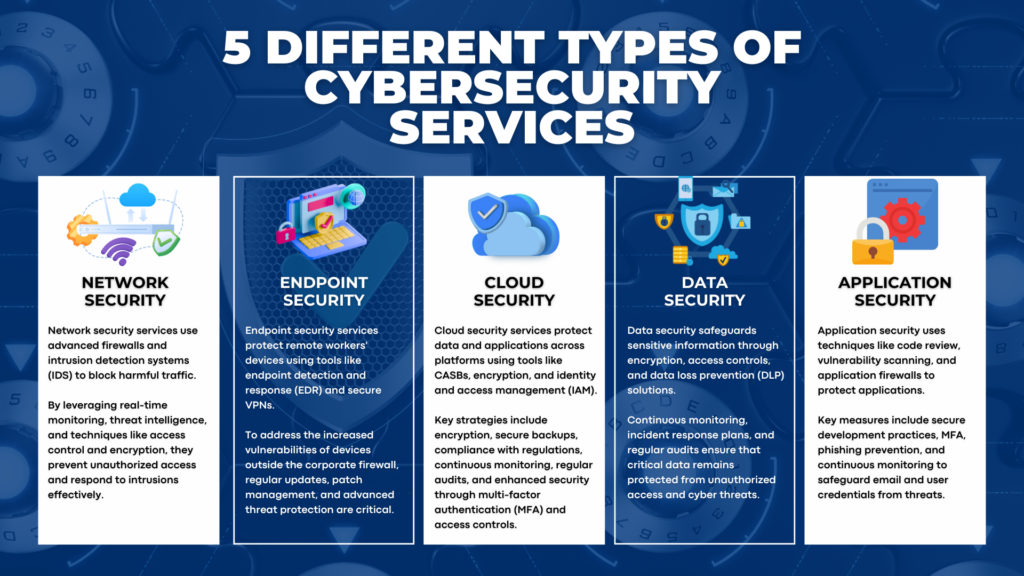
Cyber services are professional services designed to strengthen an organization’s cybersecurity. Depending on a business’s needs, they may include assessing security risks, monitoring networks, protecting accounts and devices, training employees, and responding to cyber incidents.

Cybersecurity is not a one-time project. Technology, business needs, and threats change over time, so effective protection requires ongoing attention and regular improvements.

Common Types of Cyber Services

Security Assessments

A security assessment reviews an organization’s systems, policies, and practices to identify weaknesses. The results can help prioritize improvements, such as updating software, tightening access controls, or creating stronger data-handling procedures.

Network and Endpoint Protection

Networks, computers, mobile devices, and servers can all be targets. Cyber services may help configure firewalls, endpoint protection, secure remote access, and other safeguards to reduce the chance that an attacker can enter or move through a system.

Identity and Access Management

Access controls help ensure that people can use only the information and systems required for their roles. Services in this area may include multi-factor authentication, account reviews, and policies for creating, changing, and removing user access.

Security Monitoring

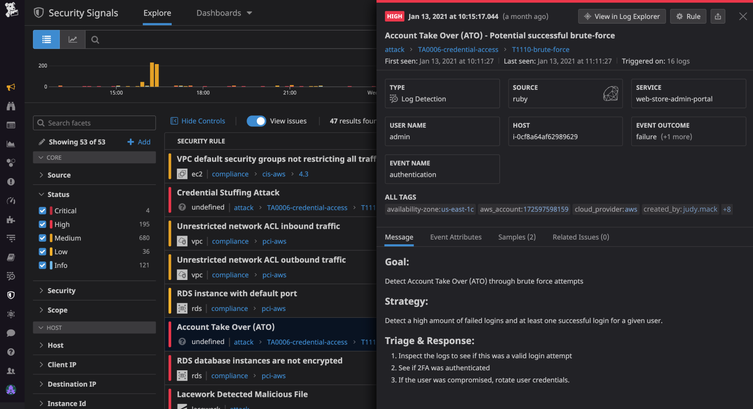
Monitoring can help detect unusual activity, such as unexpected login attempts or suspicious changes to a system. Depending on the service, alerts may be reviewed around the clock or during specified business hours. Clear monitoring and escalation procedures help organizations respond more quickly to potential issues.

Employee Security Training

Employees play an important role in protecting an organization. Practical training can help them recognize phishing messages, use passwords safely, handle sensitive information, and report suspicious activity. Regular reminders and realistic examples can make security practices easier to apply in daily work.

Incident Response and Recovery

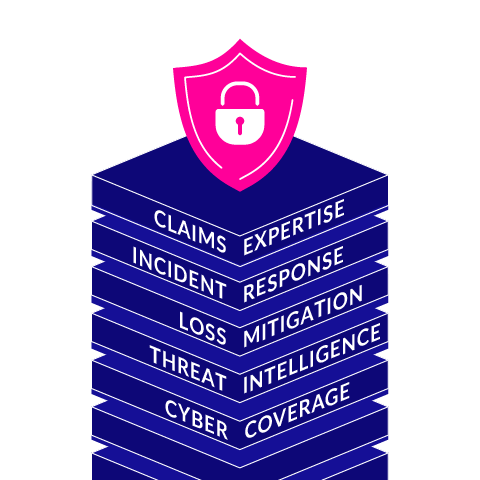
Even organizations with strong protections can experience a security incident. Incident response services help establish what to do, who should be involved, and how to contain and investigate an event. Recovery planning can also address backups, restoration procedures, and communication with affected parties.

Why Cyber Services Matter

A cyber incident can interrupt operations, expose private information, damage trust, and create unexpected costs. Cyber services can help reduce these risks by identifying vulnerabilities, improving defenses, and preparing teams to act. They can also support organizations that need to meet contractual, regulatory, or industry-specific security requirements.

No service can guarantee that an organization will never experience an attack. The goal is to make systems harder to compromise, detect problems sooner, and limit the impact if an incident occurs.

Choosing the Right Cyber Services

The right approach depends on an organization’s size, technology, data, budget, and risk tolerance. Before choosing a provider, consider:

  • Which systems and information need the most protection?
  • What security work is already handled internally?
  • How quickly will the provider respond to alerts or incidents?
  • What services are included, and what may cost extra?
  • How will progress and recommendations be reported?
  • Does the provider have experience with organizations of a similar size or type?

Ask for clear explanations of service scope, responsibilities, response times, and data handling. A useful provider should be able to explain risks and recommendations in plain language, not just provide technical reports.

Building a Stronger Security Program

Cyber services work best as part of a broader security program. Organizations can support that work by keeping software updated, using multi-factor authentication, limiting access to sensitive systems, maintaining reliable backups, and giving employees a clear way to report concerns. Regular reviews help ensure that protections keep pace with changes in the business.

With a thoughtful plan and the right expertise, cyber services can help an organization protect its operations, respond with confidence, and make informed decisions about technology and risk.


8 Essential Tips for Enhancing Your Cybersecurity Services

  1. Choose a trusted cybersecurity provider.
  2. Enable multifactor authentication.
  3. Keep software and services updated.
  4. Use strong, unique passwords.
  5. Back up important data regularly.
  6. Train staff to spot phishing.
  7. Review access permissions often.
  8. Check incident response plans regularly.

Choose a trusted cybersecurity provider.

Choosing a trusted cybersecurity provider is an important step in protecting your business. Look for a provider with relevant experience, clear service offerings, strong references, and a straightforward approach to explaining risks and recommendations. Before signing an agreement, ask about response times, data handling, and exactly what the services include. A reliable provider will take time to understand your needs and help you make informed security decisions.

Enable multifactor authentication.

Enable multifactor authentication (MFA) on your email, financial, cloud, and other important accounts. MFA requires a second form of verification—such as an authenticator app, security key, or one-time code—in addition to your password. This extra step can help prevent unauthorized access even if a password is stolen. For stronger protection, use an authenticator app or security key when available, and never share verification codes with anyone.

Keep software and services updated.

Keeping software and services updated is one of the simplest ways to strengthen cybersecurity. Updates often fix known security vulnerabilities that attackers could exploit, as well as improve reliability and performance. Turn on automatic updates when practical, and regularly check that operating systems, applications, plug-ins, and cloud services are current. For business-critical systems, plan updates carefully and verify that backups and recovery procedures are in place before making major changes.

Use strong, unique passwords.

Use strong, unique passwords for every account to make it harder for attackers to access your systems and sensitive information. A long passphrase made from several unrelated words can be easier to remember and tougher to guess than a short, complicated password. Avoid reusing passwords across work and personal accounts, and consider using a reputable password manager to create and store them securely. Enable multi-factor authentication whenever it’s available for an extra layer of protection.

Back up important data regularly.

Back up important data regularly to reduce the risk of losing files to hardware failure, accidental deletion, ransomware, or other disruptions. Use a reliable backup solution, keep copies separate from your main devices or network, and protect them with strong access controls. Test your backups periodically to make sure the data can be restored when you need it.

Train staff to spot phishing.

Train staff to spot phishing by teaching them to recognize common warning signs, such as unexpected attachments, urgent requests, unfamiliar sender addresses, and links that don’t match the message. Encourage employees to verify unusual requests through a separate trusted channel and report suspicious messages promptly. Regular, practical training helps make careful email habits part of everyday work and can reduce the risk of stolen credentials, malware, and data breaches.

Review access permissions often.

Review access permissions often to make sure employees and contractors can reach only the systems and information they need for their roles. Remove access promptly when someone changes jobs or leaves the organization, and disable unused accounts to reduce opportunities for unauthorized entry. Regular permission reviews can help catch outdated or excessive access before it becomes a security risk.

Check incident response plans regularly.

Check your incident response plans regularly to make sure they reflect your current systems, team members, and business needs. Review contact lists, roles, escalation steps, and recovery procedures, and update them whenever something changes. Practicing the plan with realistic scenarios can reveal gaps before an actual incident occurs, helping your team respond faster and reduce disruption.
offshore development company

How to Choose the Right Offshore Development Company

How to Choose the Right Offshore Development Company

Hiring an offshore development company can help a business build software, expand its technical capabilities, and manage development costs. By working with a team in another country, companies can access specialized skills and additional engineering capacity without limiting their search to local talent.

Offshore development can be a strong fit, but success depends on more than price. Clear goals, reliable communication, sound security practices, and a well-defined working relationship all matter. Here’s what to consider when evaluating an offshore development partner.

What Is an Offshore Development Company?

An offshore development company provides software development services from a country different from the client’s. Its team may handle a complete project or contribute to specific tasks, such as building an application, maintaining existing software, testing, or providing technical expertise.

Offshore arrangements can take several forms. A company might hire a partner to deliver a project from start to finish, add dedicated developers to its existing team, or establish a longer-term development relationship. The right model depends on the project’s scope, schedule, and in-house capabilities.

Potential Benefits of Offshore Development

Access to a Broader Talent Pool

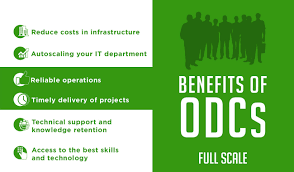
Working with an offshore company can make it easier to find developers with experience in particular technologies or industries. This can be helpful when local hiring is challenging or a project requires skills that are not available on the existing team.

Flexible Team Capacity

An external development team can provide additional capacity for a product launch, modernization effort, or ongoing backlog. Depending on the agreement, the team can scale up or down as priorities change.

Potential Cost Efficiency

Offshore development may reduce some labor and operational costs. However, the lowest hourly rate does not always produce the lowest total cost. Project management, onboarding, rework, communication, and maintenance should all be part of the budget.

More Time for Core Priorities

Delegating well-defined development work can free an internal team to focus on product strategy, customer needs, or other business priorities. This works best when responsibilities and decision-making authority are clearly established.

What to Look for in a Development Partner

Relevant Experience

Ask whether the company has worked on projects similar to yours in terms of technology, scale, and business requirements. Request examples, references, or case studies that explain the partner’s role and the results delivered. Look for evidence of sound engineering practices, not just an impressive list of tools.

Clear Communication

Confirm how the team handles meetings, written updates, documentation, and urgent questions. Differences in time zones can be manageable when both sides agree on overlapping work hours and response expectations.

A Compatible Development Process

Discuss how work is planned, reviewed, tested, and released. The company should be able to explain its approach to project management, code reviews, quality assurance, and handling changes in scope. A transparent process makes it easier to identify problems early.

Security and Intellectual Property Practices

Before sharing sensitive information or granting access to systems, understand how the company protects data and manages permissions. Review confidentiality terms, intellectual property ownership, access controls, backup practices, and any relevant compliance requirements with your legal and security teams.

Team Stability and Oversight

Ask who will work on the project, who will lead the team, and how staffing changes are handled. A dependable partner should provide a clear point of contact and explain how knowledge is documented and transferred if a team member leaves.

Questions to Ask Before Signing

  • What experience do you have with projects like this?
  • Who will be assigned to the project, and what are their roles?
  • How will progress, risks, and blockers be reported?
  • What development and testing tools do you use?
  • How do you handle changing requirements?
  • Who owns the source code and other project deliverables?
  • How do you protect confidential data and system access?
  • What support is available after launch?
  • How are pricing, expenses, and additional work handled?

How to Set Up the Relationship for Success

Begin with a clear project brief. Describe the business problem, intended users, required features, technical constraints, and measures of success. Separate essential requirements from items that can be considered later.

Agree on practical ways of working before development begins. Establish communication channels, meeting schedules, approval processes, documentation expectations, and responsibility for final decisions. Make sure both teams understand how work will be tracked and accepted.

For a larger engagement, consider starting with a small, well-defined project or discovery phase. This gives both sides a chance to test communication and collaboration before making a long-term commitment. Review progress regularly and address concerns while they are still manageable.

Common Challenges to Plan For

Offshore development can bring challenges, including time-zone differences, unclear requirements, language or communication gaps, and limited visibility into day-to-day work. These issues are not inevitable, but they should be addressed through planning.

Use shared documentation, short feedback cycles, regular demonstrations, and clearly assigned points of contact. Keep product decisions close to the people who understand the business, and make sure the development team can ask questions promptly. A strong partnership depends on active collaboration from both sides.

Conclusion

An offshore development company can give a business access to new skills and flexible development capacity. The best results come from choosing a partner based on expertise, communication, security, and working practices—not price alone. With clear expectations and regular collaboration, an offshore team can become a valuable extension of an organization’s technology capabilities.


8 Essential Tips for Choosing an Offshore Development Company

  1. Define clear goals and requirements before hiring.
  2. Check the company’s portfolio and client references.
  3. Compare expertise, not just hourly rates.
  4. Confirm time-zone overlap and communication plans.
  5. Agree on milestones, deliverables, and payment terms.
  6. Protect your data with clear security requirements.
  7. Start with a small project or trial phase.
  8. Review progress regularly and share feedback early.

Define clear goals and requirements before hiring.

Before hiring an offshore development company, define what you want the project to achieve and document its key requirements. Outline the problem to solve, essential features, target users, technical constraints, timeline, budget, and measures of success. Clear expectations help potential partners provide accurate estimates, identify risks, and recommend an appropriate approach. They also reduce misunderstandings, limit costly rework, and give both teams a shared basis for tracking progress once development begins.

Check the company’s portfolio and client references.

Before choosing an offshore development company, review its portfolio and ask for client references. Look for projects similar to yours in complexity, industry, or technology, and check whether the company can explain its role and results clearly. Speaking with former or current clients can offer useful insight into communication, reliability, work quality, and how the team handles challenges—details that a portfolio alone may not reveal.

Compare expertise, not just hourly rates.

When choosing an offshore development company, compare expertise—not just hourly rates. A lower rate may seem appealing, but experience with your industry, technology stack, and project type can help a team deliver better results with less rework. Ask about relevant projects, engineering practices, and the skills of the people who will work on your project. Evaluating the overall value, including quality, communication, and long-term support, can help you find a partner that fits your needs and budget.

Confirm time-zone overlap and communication plans.

Before choosing an offshore development company, confirm how much your teams’ working hours overlap and agree on a communication plan. Set expectations for response times, recurring meetings, progress updates, and how urgent issues will be handled. Shared tools and clear documentation can keep work moving smoothly, even when your teams are in different time zones.

Agree on milestones, deliverables, and payment terms.

Before work begins, agree on clear milestones, specific deliverables, and payment terms with your offshore development company. Define what each phase should produce, how and when the work will be reviewed and approved, and what happens if requirements or timelines change. Tie payments to agreed milestones where appropriate, and document any fees, expenses, or additional-work rates. Clear terms help both teams track progress, manage expectations, and avoid misunderstandings.

Protect your data with clear security requirements.

Protect your data by setting clear security requirements before work begins with an offshore development company. Specify how sensitive information must be stored, accessed, shared, and deleted, and define requirements for encryption, access controls, security testing, and incident reporting. Use written agreements to clarify confidentiality and data ownership, and grant the development team only the permissions it needs. Regularly review the company’s security practices to help ensure your data remains protected throughout the project.

Start with a small project or trial phase.

Starting with a small project or trial phase is a practical way to evaluate an offshore development company before making a larger commitment. Choose a clearly defined task with measurable goals, then observe how the team communicates, manages deadlines, handles feedback, and delivers quality work. This initial collaboration can reveal whether the company’s process and working style fit your needs, while giving both sides a chance to build trust and address issues early.

Review progress regularly and share feedback early.

Review progress regularly and share feedback early to keep your offshore development project aligned with your goals. Schedule consistent check-ins, review completed work, and raise questions or concerns as soon as they come up. Timely feedback helps the team address misunderstandings before they grow into costly delays or rework, while regular progress updates give everyone a clearer view of what’s on track and what needs attention.

cyber security management services

Cyber Security Management Services: Protecting Your Business from Digital Threats

Cybersecurity Management Services: Protecting Your Business in a Changing Threat Landscape

Cybersecurity is an ongoing business responsibility, not a one-time technology project. New threats, changing systems, and evolving work practices can create risks for organizations of every size. Cybersecurity management services help businesses assess those risks, strengthen their defenses, and respond effectively when security issues arise.

What Are Cybersecurity Management Services?

Cybersecurity management services provide ongoing support for the people, processes, and technologies used to protect an organization’s systems and information. Depending on a business’s needs, services may include security assessments, monitoring, policy development, employee training, incident response planning, and help with regulatory requirements.

Some organizations manage cybersecurity internally, while others work with an outside provider for specialized expertise or day-to-day support. A provider may work alongside an internal IT team or take responsibility for selected security functions.

Common Cybersecurity Management Services

Security Risk Assessments

A risk assessment identifies potential weaknesses in systems, accounts, applications, and business processes. It can help an organization understand which risks are most important and decide where to focus its security investments.

Security Monitoring and Threat Detection

Monitoring tools can help identify unusual activity, suspicious logins, malware, and other potential threats. When alerts are reviewed and handled promptly, businesses may be better positioned to investigate problems before they cause wider disruption.

Vulnerability and Patch Management

Software vulnerabilities can leave systems exposed if they are not addressed. Vulnerability management involves identifying known weaknesses, prioritizing them by risk, and coordinating updates or other safeguards.

Identity and Access Management

Managing who can access business systems is a core part of cybersecurity. Services may include multifactor authentication, access reviews, stronger account controls, and processes for promptly changing or removing access when someone changes roles or leaves the organization.

Employee Security Awareness

Employees can help protect an organization when they know how to recognize phishing attempts, handle sensitive information, and report suspicious activity. Training can reinforce practical security habits and make reporting concerns easier.

Incident Response Planning

Even well-prepared organizations can experience security incidents. An incident response plan outlines who should take action, how systems and information will be protected, and how the organization will communicate and recover. Planning ahead can reduce confusion during a high-pressure situation.

Backup and Recovery Planning

Reliable backups can help a business restore important data after an outage, accidental deletion, hardware failure, or ransomware incident. A recovery plan should identify what needs to be restored first and include regular tests to check that backups can be used.

Why Ongoing Cybersecurity Management Matters

Security needs change as organizations adopt new applications, hire employees, work with vendors, or move data to cloud services. Ongoing management can help businesses keep track of these changes and maintain appropriate protections over time.

  • Reduce avoidable risk: Regular reviews can reveal weaknesses before they become larger problems.
  • Improve response readiness: Clear plans and responsibilities help teams act more effectively during an incident.
  • Support business continuity: Security and recovery planning can help limit interruptions to essential operations.
  • Make security more consistent: Documented procedures help employees and teams follow the same expectations.
  • Use expertise effectively: Outside specialists can provide skills or coverage that may be difficult to maintain in-house.

Choosing a Cybersecurity Management Provider

Cybersecurity services should fit an organization’s systems, operations, and risk profile. Before selecting a provider, consider the following:

  • Which services are included, and which require additional fees?
  • How are alerts reviewed, prioritized, and escalated?
  • Who will be responsible for responding to an incident?
  • How will the provider coordinate with internal IT staff and leadership?
  • How are access to business systems and sensitive information controlled?
  • What reports, recommendations, or service reviews will be provided?
  • Can the provider support the organization’s legal, contractual, and regulatory obligations?

It is also helpful to ask how a provider will learn about the business, document its environment, and measure progress. A useful relationship should include clear communication and practical recommendations—not just software or alerts.

Build a Security Program That Can Adapt

Effective cybersecurity management is a continuing process. It starts with understanding the organization’s most important systems and risks, then combines suitable safeguards with monitoring, training, and response planning. Regular reviews help ensure those measures remain relevant as the business changes.

Cybersecurity management services can give organizations the structure and support to take a more proactive approach. With clear priorities and consistent oversight, businesses can better protect their information, support daily operations, and prepare for security challenges.


Top FAQs About Cybersecurity Management Services: Costs, Careers, and Key Players

  1. What are the top 3 cybersecurity companies?
  2. What is the average cost of cyber security services?
  3. Can I make $200,000 a year in cyber security?
  4. What are cyber security managed services?
  5. What is cybersecurity service management?
  6. What are the examples of managed security services?
  7. What is the role of cyber security management?
  8. How much do cybersecurity services cost?

What are the top 3 cybersecurity companies?

There isn’t a universally agreed-upon top three, since the best cybersecurity company depends on an organization’s size, needs, and budget. CrowdStrike, Palo Alto Networks, and Microsoft are widely recognized for their cybersecurity products and services, including threat detection, network security, and cloud protection. For managed cybersecurity services, compare providers based on their expertise, monitoring and response capabilities, industry experience, and fit with your existing systems.

What is the average cost of cyber security services?

There’s no single average cost for cybersecurity services because pricing depends on your organization’s size, risk level, systems, and the type of support needed. Small businesses may pay a few hundred to several thousand dollars per month for ongoing managed security, while assessments, compliance projects, and incident response are often priced separately. The best way to estimate your cost is to identify your priorities and request a detailed quote that explains what’s included, how support is provided, and whether there are additional fees.

Can I make $200,000 a year in cyber security?

Yes, earning $200,000 a year in cybersecurity is possible, especially in senior or specialized roles such as security architect, director of information security, or security consultant. Reaching that level often requires substantial experience, in-demand technical or leadership skills, and working in a higher-paying market; compensation may also include bonuses or stock rather than base salary alone. Pay varies widely by location, employer, and role, so $200,000 is achievable for some professionals but is not a typical starting salary or a guaranteed outcome.

What are cyber security managed services?

Cybersecurity managed services are ongoing security solutions provided by an outside specialist to help protect an organization’s systems, data, and users. Depending on the provider and service plan, they may include security monitoring, threat detection, vulnerability and patch management, access controls, employee training, and incident response support. These services can supplement an in-house IT team or provide security expertise a business does not have internally.

What is cybersecurity service management?

Cybersecurity service management is the process of planning, coordinating, and overseeing the security services an organization uses to protect its systems, data, and users. It may include managing security monitoring, access controls, vulnerability updates, incident response, employee training, and reporting. The goal is to make these services work together, align them with business needs, and continually adapt them as threats and technology change.

What are the examples of managed security services?

Examples of managed security services include 24/7 security monitoring and threat detection, managed firewalls, endpoint protection, vulnerability scanning and patch management, email security, identity and access management, security awareness training, data backup and recovery, and incident response support. A provider may deliver these services individually or combine them into a broader program tailored to an organization’s systems, risks, and needs.

What is the role of cyber security management?

Cybersecurity management helps an organization protect its systems, networks, and sensitive information by coordinating security policies, tools, and practices. It includes identifying and reducing risks, managing access, monitoring for suspicious activity, preparing for and responding to incidents, and helping employees follow safe security practices. By regularly reviewing and improving these measures, cybersecurity management supports business continuity and helps the organization adapt to changing threats.

How much do cybersecurity services cost?

The cost of cybersecurity services depends on your organization’s size, risk level, systems, and the type of support you need. A one-time security assessment typically costs less than ongoing services such as 24/7 monitoring, vulnerability management, incident response, or compliance support. Pricing may be based on a monthly subscription, the number of users or devices, or a custom scope of work. Requesting a detailed quote can help you compare what’s included and choose services that fit your budget and security priorities.

cyber security monitoring

Cyber Security Monitoring: A Practical Guide to Detecting and Responding to Threats

Cybersecurity Monitoring: A Practical Guide for Organizations

Cybersecurity threats can emerge at any time, and even well-protected systems may have vulnerabilities. Cybersecurity monitoring helps organizations spot suspicious activity, investigate potential incidents, and respond before a problem causes serious damage. It is an ongoing process—not a one-time security check.

What Is Cybersecurity Monitoring?

Cybersecurity monitoring is the continuous review of activity across an organization’s computers, networks, applications, cloud services, and user accounts. Security teams look for signs of unauthorized access, malware, data theft, unusual behavior, and other possible threats.

Monitoring may rely on automated tools, human analysis, or a combination of both. For example, software might flag a login from an unfamiliar location, while an analyst determines whether it is a legitimate employee or a compromised account.

Why Is Monitoring Important?

Many attacks do not cause immediate, obvious disruption. An intruder may quietly explore a network, steal credentials, or access sensitive information over time. Continuous monitoring can help reduce the time between the start of an attack and its detection.

Effective monitoring can help organizations:

  • Identify suspicious activity earlier
  • Limit the impact of security incidents
  • Protect sensitive and customer data
  • Investigate events with useful system records
  • Meet security, privacy, or regulatory obligations
  • Understand recurring weaknesses and improve defenses

What Should Organizations Monitor?

A useful monitoring program considers the systems and information most important to the organization. Common sources of security data include:

  • Network traffic: Connections between devices, unusual data transfers, and attempts to reach suspicious destinations.
  • User accounts: Login patterns, failed sign-in attempts, changes to permissions, and activity involving privileged accounts.
  • Endpoints: Activity on laptops, desktops, servers, and mobile devices, including unexpected software or processes.
  • Applications and cloud services: Access to files, configuration changes, administrative actions, and unusual use of cloud resources.
  • Security tools: Alerts from firewalls, endpoint protection, email security, and identity systems.

How Cybersecurity Monitoring Works

Monitoring typically involves several connected activities:

  1. Collect data: Gather relevant logs and alerts from devices, services, and security tools.
  2. Analyze activity: Compare events with known threat indicators, established rules, and normal patterns of use.
  3. Prioritize alerts: Assess the likelihood and potential impact of each event to help teams focus on the most urgent risks.
  4. Investigate: Review related events and available evidence to determine whether an alert is a real incident.
  5. Respond: Take appropriate steps, such as disabling a compromised account, isolating a device, or blocking malicious traffic.
  6. Improve: Use lessons from incidents and near misses to refine security controls and response procedures.

Tools and Services

Organizations use a range of technologies to support monitoring. Security information and event management (SIEM) platforms collect and correlate data from multiple sources. Endpoint detection and response (EDR) tools help identify and investigate activity on individual devices. Network monitoring tools examine traffic, while identity and access management systems record account activity.

Some organizations operate an internal security operations center (SOC). Others use a managed security service provider to monitor systems and help investigate alerts. The right approach depends on an organization’s size, risk, budget, and available expertise. Tools can help process large volumes of data, but they still need thoughtful configuration and qualified people to interpret results.

Best Practices for an Effective Program

  • Start with important assets. Identify critical systems, sensitive data, and accounts that would cause significant harm if compromised.
  • Set clear priorities. Define which events require immediate attention and who is responsible for responding.
  • Protect and retain logs. Limit access to security records and keep them for a period that supports investigations and applicable requirements.
  • Reduce alert fatigue. Tune rules to minimize irrelevant alerts without overlooking meaningful warning signs.
  • Use multiple signals. A single unusual event may have an innocent explanation; related events can provide better context.
  • Prepare response procedures. Document how to report, investigate, contain, and recover from common incident types.
  • Test and review. Practice incident response and periodically check whether monitoring covers new systems, services, and risks.
  • Respect privacy. Establish appropriate policies for collecting and reviewing employee and customer data, and follow applicable laws.

Measuring Success

Counting alerts alone does not show whether a monitoring program is effective. Organizations can also assess how quickly they detect and respond to incidents, whether high-priority systems are covered, how often alerts are false positives, and whether investigations lead to practical improvements. These measures should support better decisions rather than encourage teams to chase a single target.

Conclusion

Cybersecurity monitoring gives organizations a clearer view of activity across their digital environments. When paired with sound security controls, trained responders, and a tested incident response plan, it can help detect threats sooner and reduce their impact. The strongest programs are continually reviewed and adapted as technology, business needs, and risks change.


6 Essential Tips for Effective Cybersecurity Monitoring

  1. Monitor network traffic for unusual patterns.
  2. Enable alerts for suspicious login attempts.
  3. Review security logs regularly.
  4. Use endpoint detection on all devices.
  5. Investigate alerts promptly.
  6. Test monitoring tools and response plans.

Monitor network traffic for unusual patterns.

Monitor network traffic for unusual patterns, such as unexpected data transfers, connections to unfamiliar destinations, or spikes in activity outside normal business hours. These changes may signal compromised accounts, malware, or unauthorized access. Set a baseline for typical network behavior, use monitoring tools to flag anomalies, and investigate alerts promptly to determine whether they’re legitimate or require a response.

Enable alerts for suspicious login attempts.

Enable alerts for suspicious login attempts so your team can quickly investigate potential account compromise. Configure notifications for patterns such as repeated failed sign-ins, logins from unusual locations or devices, and attempts to access privileged accounts. Pair alerts with a clear response process, such as verifying the activity with the user, requiring a password reset, or temporarily locking the account when appropriate. Tune alert settings regularly to reduce false alarms while ensuring genuinely risky activity receives prompt attention.

Review security logs regularly.

Review security logs regularly to spot unusual activity before it becomes a bigger problem. Check records from systems such as user accounts, servers, applications, and firewalls for unexpected logins, repeated failed sign-in attempts, unfamiliar devices, or unusual data transfers. Set a consistent review schedule, prioritize alerts involving sensitive systems, and investigate anything that doesn’t match normal activity. Regular reviews can help your team detect threats sooner and respond with better information.

Use endpoint detection on all devices.

Use endpoint detection and response (EDR) on every device that accesses your organization’s data, including laptops, desktops, and servers. EDR tools monitor device activity for signs of malware or other suspicious behavior and can help security teams investigate and contain threats quickly. Keep the software enabled and up to date, and make sure alerts are reviewed and acted on promptly.

Investigate alerts promptly.

Investigate security alerts promptly to determine whether they indicate a real threat and limit potential damage. Prioritize alerts based on their severity and the systems involved, then review relevant logs and activity for context. If an alert appears credible, follow your incident response plan—such as securing an account or isolating a device—and document what happened and how it was handled.

Test monitoring tools and response plans.

Regularly test your cybersecurity monitoring tools and response plans to make sure they work when an incident occurs. Run practice scenarios, such as a compromised account or suspicious data transfer, to confirm that alerts reach the right people and responders understand what to do. Use the results to fix gaps, update procedures, and ensure your tools are configured to detect the threats most relevant to your organization.

cyber security infrastructure

Enhancing Your Organization’s Cyber Security Infrastructure: A Comprehensive Guide

The Importance of Cyber Security Infrastructure in Today’s Digital World

In today’s interconnected world, where businesses and individuals rely heavily on digital technologies, the need for robust cyber security infrastructure has never been more critical. Cyber threats continue to evolve and become more sophisticated, posing significant risks to sensitive data, financial assets, and even national security. Establishing a strong cyber security infrastructure is essential to safeguarding against these threats and ensuring the integrity and confidentiality of information.

Key Components of Cyber Security Infrastructure

A comprehensive cyber security infrastructure encompasses various components that work together to protect systems, networks, and data from cyber attacks. Some key components include:

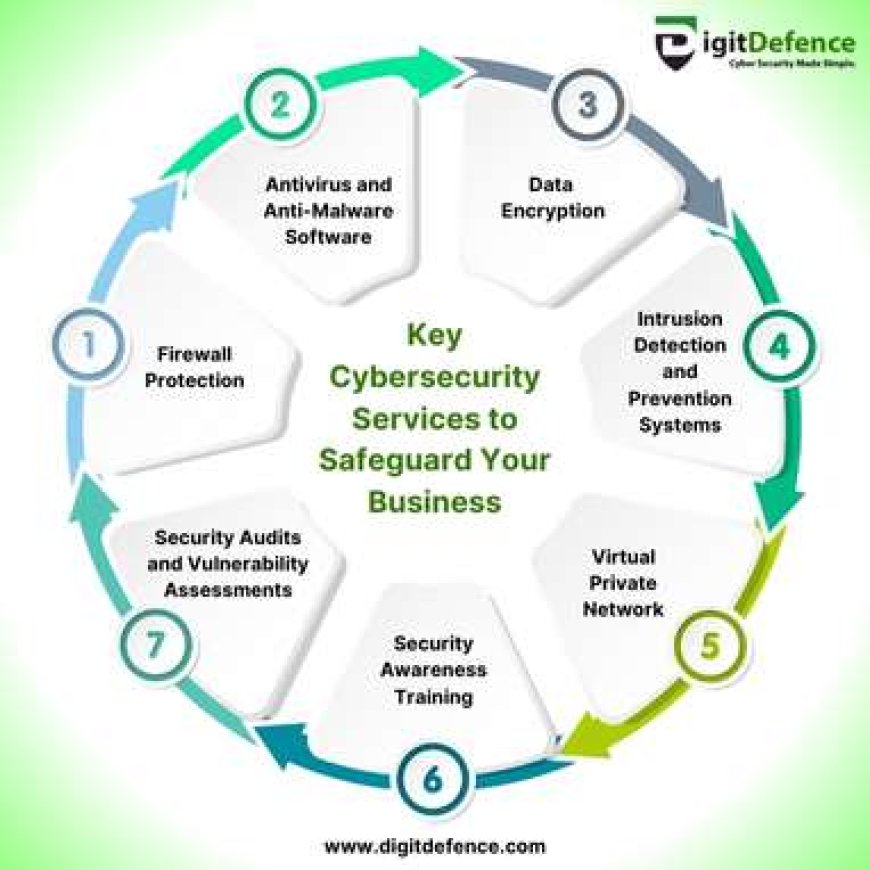
  • Firewalls: Firewalls act as a barrier between internal networks and external threats, monitoring and filtering incoming and outgoing network traffic based on predefined security rules.
  • Intrusion Detection Systems (IDS) and Intrusion Prevention Systems (IPS): IDS and IPS are designed to detect and prevent unauthorized access or malicious activities within a network by analyzing network traffic patterns.
  • Antivirus Software: Antivirus software helps detect and remove malware, viruses, and other malicious software that can compromise system security.
  • Data Encryption: Encrypting sensitive data ensures that even if it is intercepted by unauthorized parties, they cannot decipher its contents without the decryption key.
  • Security Information and Event Management (SIEM): SIEM solutions collect and analyze log data from various sources to identify potential security incidents in real-time.

The Role of Cyber Security Infrastructure in Business Operations

For businesses, a robust cyber security infrastructure is not just about protecting data—it is also about safeguarding their reputation, maintaining customer trust, and ensuring uninterrupted operations. A successful cyber attack can have devastating consequences for a company, leading to financial losses, legal liabilities, and long-term damage to its brand image.

By investing in cyber security infrastructure, businesses can mitigate these risks by proactively identifying vulnerabilities, implementing effective security measures, conducting regular risk assessments, and providing employee training on cybersecurity best practices. This proactive approach helps organizations stay ahead of potential threats and respond swiftly in the event of a breach.

The Future of Cyber Security Infrastructure

As cyber threats continue to evolve in complexity and scale, the need for advanced cyber security infrastructure will only grow. Technologies such as artificial intelligence (AI), machine learning, blockchain, and quantum cryptography are being leveraged to enhance cybersecurity capabilities and stay one step ahead of cybercriminals.

Furthermore, with the rise of remote workforces and cloud-based services, organizations must adapt their cyber security infrastructure to address new challenges related to securing distributed environments and protecting sensitive data across multiple platforms.

In Conclusion

Cyber security infrastructure plays a crucial role in safeguarding our digital assets against ever-evolving threats. By prioritizing cybersecurity measures, staying informed about emerging risks, investing in advanced technologies, and fostering a culture of vigilance within organizations, we can collectively build a more secure digital ecosystem for the future.


Top 5 Essential Tips for Strengthening Your Cybersecurity Infrastructure

  1. Regularly update software and security patches to protect against known vulnerabilities.
  2. Implement strong password policies and consider multi-factor authentication for added security.
  3. Encrypt sensitive data both in transit and at rest to prevent unauthorized access.
  4. Conduct regular security audits and risk assessments to identify potential weaknesses in the infrastructure.
  5. Train employees on cybersecurity best practices to build a culture of security awareness within the organization.

Regularly update software and security patches to protect against known vulnerabilities.

Regularly updating software and security patches is a fundamental practice in maintaining a robust cyber security infrastructure. By staying current with the latest updates, organizations can effectively protect their systems and networks against known vulnerabilities that cybercriminals may exploit. These updates often contain critical security patches that address weaknesses identified by software developers or security researchers. Failing to apply these updates in a timely manner can leave systems exposed to potential attacks, making it essential for businesses to prioritize regular software maintenance as part of their overall cybersecurity strategy.

Implement strong password policies and consider multi-factor authentication for added security.

To enhance cyber security infrastructure, it is crucial to implement strong password policies and consider multi-factor authentication for added security. Strong passwords that are complex and unique help prevent unauthorized access to sensitive data and systems. By requiring users to follow password guidelines such as using a combination of letters, numbers, and special characters, organizations can significantly reduce the risk of password-related breaches. Additionally, implementing multi-factor authentication adds an extra layer of protection by requiring users to provide multiple forms of verification before accessing accounts or systems, making it harder for cyber attackers to compromise security. By incorporating these measures into their cyber security strategy, organizations can bolster their defenses against potential threats and better safeguard their digital assets.

Encrypt sensitive data both in transit and at rest to prevent unauthorized access.

To enhance the security of sensitive data, it is crucial to encrypt it both in transit and at rest. Encrypting data in transit ensures that information remains secure while being transferred between systems or over networks, protecting it from interception by unauthorized parties. Similarly, encrypting data at rest involves securing stored data on devices or servers, making it unreadable to anyone without the appropriate decryption key. By implementing robust encryption measures, organizations can significantly reduce the risk of unauthorized access and safeguard the confidentiality and integrity of their valuable information.

Conduct regular security audits and risk assessments to identify potential weaknesses in the infrastructure.

Conducting regular security audits and risk assessments is a fundamental practice in maintaining a strong cyber security infrastructure. By systematically evaluating the effectiveness of existing security measures and identifying potential vulnerabilities, organizations can proactively address weaknesses before they are exploited by malicious actors. These assessments provide valuable insights into the overall security posture of the infrastructure, enabling informed decisions on implementing additional safeguards and mitigating risks effectively. Regular audits and risk assessments are essential components of a comprehensive cyber security strategy, helping to ensure the resilience and integrity of digital assets in an ever-evolving threat landscape.

Train employees on cybersecurity best practices to build a culture of security awareness within the organization.

Training employees on cybersecurity best practices is a fundamental step in establishing a culture of security awareness within an organization. By educating staff members on how to identify and respond to potential cyber threats, companies can empower their workforce to become active participants in safeguarding sensitive data and protecting against malicious activities. Through ongoing training sessions, employees can learn about the latest cybersecurity trends, understand the importance of following security protocols, and contribute to creating a secure environment where everyone plays a role in maintaining the integrity of the organization’s cyber security infrastructure.

computer tech solutions

Computer Tech Solutions for a Smarter, More Secure Future

Computer Tech Solutions: Helping People and Businesses Work Smarter

Computers and digital tools play a central role in how people work, communicate, and manage everyday tasks. When technology works well, it can save time and make work easier. When it breaks down or falls behind, it can interrupt business, create security risks, and cause frustration. Computer tech solutions help people and organizations choose, maintain, and use technology more effectively.

What Are Computer Tech Solutions?

Computer tech solutions are services, tools, and strategies that address technology needs and problems. They can include setting up computers, repairing hardware, managing networks, protecting data, moving systems to the cloud, and providing ongoing technical support. The right solution depends on the user’s goals, budget, existing equipment, and security requirements.

Common Types of Technology Support

Computer Setup and Repair

Proper setup helps computers run reliably from the start. This may involve installing operating systems and applications, configuring user accounts, connecting printers, and transferring files from an older device. Repair services can help diagnose problems such as slow performance, failing components, software errors, or unexpected shutdowns.

Network and Wi-Fi Management

A dependable network allows computers, phones, printers, and other devices to communicate. Network support can include router configuration, Wi-Fi coverage improvements, equipment installation, and troubleshooting connection issues. For businesses, network planning can also help control access and keep important systems available.

Cybersecurity and Data Protection

Security is an essential part of any technology plan. Useful safeguards include strong, unique passwords, multifactor authentication, software updates, antivirus protection, and regular data backups. Businesses may also need access controls, security monitoring, and an incident response plan. No single tool can prevent every threat, so a layered approach is often the most practical.

Cloud Services and Data Backup

Cloud services can make files and applications available across multiple devices and locations. They can also support collaboration and flexible work arrangements. Before moving data to the cloud, it is important to consider privacy, access permissions, ongoing costs, and backup needs. Cloud storage and backup are not always the same, so organizations should confirm that critical data can be restored when needed.

Software and System Support

Software support helps keep applications compatible, updated, and configured for the work they need to do. This may include installing business software, resolving errors, managing licenses, and helping users learn new tools. Regular maintenance can reduce avoidable problems and help systems stay useful over time.

Choosing the Right Solution

Before investing in technology, identify the problem you want to solve. A useful assessment includes the devices and software already in use, the people who rely on them, any security or compliance requirements, and the budget available. It is also worth considering future needs so that a short-term fix does not create a larger challenge later.

For ongoing support, look for clear communication, transparent pricing, relevant experience, and a practical plan for maintaining and protecting your systems. Ask what is included, how urgent issues are handled, and how your data and account access will be managed.

Technology That Supports Your Goals

Computer tech solutions are most effective when they fit the people and processes using them. A well-maintained computer, secure network, reliable backup, or thoughtfully chosen cloud service can make daily work smoother and reduce unnecessary risk. With regular maintenance and informed planning, technology can remain a dependable tool for both personal and business needs.


9 Essential Computer Tech Tips for a Smooth and Secure Experience

  1. Restart the computer to clear temporary glitches.
  2. Install updates to fix bugs and security issues.
  3. Back up important files to cloud storage or an external drive.
  4. Use strong, unique passwords for every account.
  5. Run a trusted antivirus scan if the computer behaves strangely.
  6. Free up disk space by removing unused apps and files.
  7. Check cable connections when a device stops working.
  8. Use a password manager to store login details securely.
  9. Contact tech support if basic troubleshooting fails.

Restart the computer to clear temporary glitches.

Restarting your computer is a simple first step when you encounter a temporary glitch, such as a frozen app, sluggish performance, or a device that isn’t responding as expected. A restart closes active programs and refreshes the operating system, which can clear minor errors and restore normal operation. Save your work first, then restart and check whether the issue is resolved.

Install updates to fix bugs and security issues.

Install updates regularly to fix bugs, improve performance, and address security vulnerabilities. Operating system, software, and device updates often include important protections against new threats, so delaying them can leave your computer exposed. Turn on automatic updates when practical, and restart your device when prompted to complete the installation.

Back up important files to cloud storage or an external drive.

Protect important files by backing them up regularly to a trusted cloud storage service, an external drive, or both. Cloud backups make files accessible from different devices, while an external drive gives you a separate copy that can be stored safely offline. Set up automatic backups when possible, and occasionally check that your files can be restored—having a backup is only useful if it works when you need it.

Use strong, unique passwords for every account.

Use a strong, unique password for every account to reduce the risk of a security breach. If one password is stolen or exposed, unique passwords help prevent attackers from using it to access your other accounts. Consider using a reputable password manager to create and securely store long passwords, and turn on multifactor authentication whenever it’s available for an extra layer of protection.

Run a trusted antivirus scan if the computer behaves strangely.

If your computer starts behaving strangely—such as slowing down, showing unexpected pop-ups, or opening unfamiliar programs—run a scan with trusted, up-to-date antivirus software. Follow the program’s instructions to quarantine or remove any detected threats, then restart your computer if prompted. Avoid downloading unfamiliar “cleanup” tools, and keep your operating system and security software updated to help protect against future threats.

Free up disk space by removing unused apps and files.

Freeing up disk space can help your computer run more smoothly and leave room for important updates and new files. Start by uninstalling apps you no longer use, then review your Downloads, Documents, and desktop folders for duplicate or unnecessary files. Before deleting anything, make sure you have a backup of files you may want later, and empty the Recycle Bin or Trash when you’re ready.

Check cable connections when a device stops working.

When a device suddenly stops working, check its cable connections before trying more complicated fixes. Make sure each cable is firmly plugged into the device and the power outlet, and look for loose, damaged, or frayed cords. If possible, unplug and reconnect the cables, then test the device again. A simple connection issue is often easy to fix and can save time and unnecessary repair costs.

Use a password manager to store login details securely.

Use a password manager to store your login details securely and make it easier to use a unique, strong password for every account. Instead of remembering dozens of passwords or reusing the same one, you’ll only need to remember the manager’s main password. Choose a reputable password manager, protect it with multifactor authentication when available, and never share your master password.

Contact tech support if basic troubleshooting fails.

If basic troubleshooting doesn’t solve the problem, contact tech support for help. A support professional can identify issues that may not be obvious, guide you through safe next steps, and recommend repairs or solutions. Before reaching out, note any error messages, what you’ve already tried, and when the problem started—these details can help speed up diagnosis.

cybersecurity as a service

Cybersecurity as a Service: A Practical Guide for Businesses

Cybersecurity as a Service: A Practical Guide for Businesses

Cybersecurity is no longer a one-time project. Threats change constantly, software needs regular updates, and even well-prepared organizations can face new risks. For many businesses, keeping up requires more time and specialized expertise than an in-house team can provide. Cybersecurity as a Service (CSaaS) offers another approach: access to ongoing security tools and expertise through an external provider.

What Is Cybersecurity as a Service?

Cybersecurity as a Service is a model in which an organization relies on a third-party provider for some or all of its security operations. Services are typically delivered on an ongoing basis and may be tailored to the organization’s size, systems, risk profile, and regulatory requirements.

Depending on the provider and service plan, CSaaS may include security monitoring, threat detection, vulnerability assessments, incident response support, employee training, and help with security policies. Some providers focus on a specific area, while others offer a broader managed security program.

Common Cybersecurity as a Service Offerings

  • Security monitoring: Reviewing activity across networks, devices, cloud environments, and applications to identify suspicious behavior.
  • Managed detection and response: Investigating potential threats and helping contain or remediate them. The exact level of response varies by provider and contract.
  • Vulnerability management: Identifying weaknesses in systems and helping prioritize fixes based on risk.
  • Endpoint protection: Managing security for computers, mobile devices, and servers.
  • Cloud security: Helping protect cloud accounts, workloads, data, and configurations.
  • Identity and access management: Supporting controls such as multifactor authentication, role-based access, and account reviews.
  • Security awareness training: Teaching employees how to recognize phishing, handle sensitive information, and report concerns.
  • Incident response planning: Preparing procedures and providing support when a security event occurs.

Why Businesses Choose CSaaS

Access to specialized expertise: Security providers may bring experience across different technologies and threat scenarios. This can be valuable for organizations that do not have a dedicated security team.

Ongoing coverage: Security risks do not follow business hours. Some services provide continuous monitoring or on-call support, depending on the agreement.

Predictable costs: A subscription or managed-services arrangement can make security spending easier to plan than building every capability internally. Costs and included services vary, so it is important to review the full scope.

Room to scale: Services can often be adjusted as an organization adds employees, locations, applications, or cloud systems.

More focus on core work: By delegating selected security tasks, internal staff may have more time for other business priorities. Outsourcing does not remove the organization’s responsibility for managing risk, however.

What CSaaS Does Not Do

Cybersecurity as a Service is not a guarantee that an organization will never experience a breach. No provider can eliminate every risk, and technology alone cannot prevent every incident. Effective security still depends on clear policies, reliable backups, timely software updates, appropriate access controls, and informed employees.

Responsibility is also shared. The provider may operate specific tools or monitor defined systems, while the customer remains responsible for decisions such as approving access, protecting business data, and following applicable legal or regulatory requirements. Those boundaries should be documented before service begins.

How to Choose a Provider

Start by identifying the problems the service needs to solve. A business seeking help with after-hours monitoring may need a different arrangement from one preparing for a compliance review or improving cloud security.

  • Define the scope: Confirm which systems, locations, users, and data are covered—and which are not.
  • Understand response procedures: Ask who investigates alerts, who can take action, how quickly the provider responds, and when the business will be contacted.
  • Review service levels: Look for clear commitments about availability, response times, reporting, and escalation. Check how those commitments are measured.
  • Ask about data handling: Understand what information the provider collects, where it is stored, who can access it, and how it is protected.
  • Check experience and references: Look for experience with organizations of a similar size, industry, and technology environment.
  • Clarify responsibilities: Establish who manages software updates, account permissions, investigations, backups, and incident communications.
  • Plan for continuity: Ask how service handoffs, data access, and security operations will work if the contract ends.

Making the Most of the Service

Before onboarding, create an accurate inventory of devices, applications, cloud services, and important data. Share existing policies and known risks with the provider, and identify internal contacts who can make decisions during an incident. Regularly review reports and hold meetings to discuss unresolved issues, changing business needs, and recommended improvements.

It is also important to test the relationship before an emergency. Tabletop exercises and incident-response drills can reveal unclear responsibilities and communication gaps while there is still time to address them.

Conclusion

Cybersecurity as a Service can help businesses access security expertise and ongoing support without building every capability in-house. The value depends on choosing services that match actual risks, defining responsibilities clearly, and staying actively involved. With a well-scoped agreement and sound internal practices, CSaaS can become a practical part of a broader cybersecurity program.


Top 5 Advantages of Cybersecurity as a Service for Your Business

  1. Access to specialized security expertise
  2. Continuous threat monitoring
  3. Predictable subscription costs
  4. Scales with business needs
  5. Frees staff to focus on core work


7 Potential Drawbacks of Cybersecurity as a Service: Costs, Control, and More

  1. Ongoing subscription costs can add up.
  2. Less direct control over security operations.
  3. Service quality varies between providers.
  4. Sensitive data may be shared with a vendor.
  5. Response times may depend on the service agreement.
  6. Integrating tools can be complex.
  7. Outsourcing does not eliminate business risk.

Access to specialized security expertise

Cybersecurity as a Service gives businesses access to specialized security expertise without requiring them to hire and maintain a large in-house team. Providers bring experience with evolving threats, security tools, and industry practices, helping organizations identify risks, strengthen defenses, and respond to potential incidents. This expertise can be especially valuable for small and midsize businesses that need knowledgeable support but may not have the resources to build a dedicated security department.

Continuous threat monitoring

Continuous threat monitoring helps organizations spot suspicious activity as it happens, rather than discovering it after significant damage has occurred. A cybersecurity provider can monitor networks, devices, and cloud systems around the clock, investigate alerts, and notify the right people when action is needed. This ongoing visibility can help businesses respond to emerging threats more quickly, even when their internal team is unavailable.

Predictable subscription costs

Cybersecurity as a Service can make security spending more predictable through a regular subscription fee. Instead of making large upfront investments in tools, hiring, and ongoing maintenance, businesses can budget for an agreed set of services each month or year. Costs depend on the provider and scope, so reviewing what’s included—and what may incur extra charges—helps avoid surprises.

Scales with business needs

Cybersecurity as a Service can scale as your business changes. You can adjust coverage as you add employees, open new locations, adopt cloud tools, or face new security requirements—without having to build an entirely new in-house security team. This flexibility helps keep protection aligned with your needs and budget as your organization grows.

Frees staff to focus on core work

Cybersecurity as a Service can free employees from time-consuming security tasks, such as monitoring alerts, managing tools, and tracking routine updates. With a specialized provider handling agreed-upon responsibilities, your team can spend more time on the work that directly supports your business goals. Outsourcing security does not eliminate the need for internal oversight, but it can help staff focus their attention where it matters most.

Ongoing subscription costs can add up.

Ongoing subscription costs for cybersecurity as a service can add up over time, especially as a business grows or adds more users, devices, and security features. What starts as a manageable monthly expense may become a significant part of the IT budget, so it’s important to review pricing, renewal terms, and potential add-on fees regularly. Compare the total long-term cost with the value and coverage provided to make sure the service continues to fit your needs.

Less direct control over security operations.

One potential drawback of cybersecurity as a service is having less direct control over day-to-day security operations. When an outside provider manages monitoring, tools, or incident response, your team may have limited visibility into how decisions are made or how quickly actions are taken. This can create challenges if the provider’s procedures do not align with your business priorities. To reduce the risk, define responsibilities, approval requirements, reporting expectations, and escalation procedures clearly in the service agreement.

Service quality varies between providers.

Service quality can vary significantly between cybersecurity providers, making it difficult to know what level of protection you’ll receive. Providers may differ in their expertise, monitoring capabilities, response times, communication, and the tools they use. A service that sounds comprehensive may also have important limits in its contract. Before choosing a provider, review exactly what’s included, ask how incidents are handled, and check references to ensure the service meets your organization’s needs.

Sensitive data may be shared with a vendor.

One potential drawback of cybersecurity as a service is that protecting your systems may require sharing sensitive data with an outside vendor. Depending on the service, the provider could access security logs, user information, system configurations, or other confidential details. This creates additional privacy and data-protection risks, especially if the vendor’s controls or practices are inadequate. Before signing an agreement, review what data will be collected, how it will be stored and protected, who can access it, and whether it will be shared with subcontractors.

Response times may depend on the service agreement.

Response times for cybersecurity as a service can depend on the terms of the service agreement. A provider may prioritize incidents according to severity, offer different response levels for different plans, or limit support to certain hours. If those details are unclear, a business could wait longer than expected for help during a security incident. Before signing, confirm response-time commitments, after-hours coverage, escalation procedures, and what actions the provider is authorized to take.

Integrating tools can be complex.

Integrating cybersecurity tools can be complex, especially when a provider’s platforms need to work with existing networks, cloud services, and business applications. Compatibility issues, duplicated alerts, or gaps in data sharing can make it harder to get a clear view of security risks. Setup may also require changes to workflows and access controls, so businesses should clarify integration requirements, responsibilities, and ongoing support before adopting a service.

Outsourcing does not eliminate business risk.

Outsourcing cybersecurity can add valuable expertise and support, but it does not eliminate a business’s responsibility for managing risk. The provider can only protect the systems, data, and processes covered by the agreement, and gaps in scope, communication, or internal practices may leave the organization exposed. Businesses still need to make informed security decisions, maintain sound policies, train employees, and understand who is responsible for each task—especially during an incident.

cybersecurity security solutions

Enhancing Data Protection: Cybersecurity Security Solutions for Today’s Threat Landscape

The Importance of Cybersecurity Security Solutions

The Importance of Cybersecurity Security Solutions

In today’s digital age, cybersecurity has become a critical concern for individuals and businesses alike. With the increasing frequency and sophistication of cyber threats, it is essential to implement robust security solutions to protect sensitive data and prevent unauthorized access.

Cybersecurity security solutions encompass a range of technologies, practices, and policies designed to safeguard networks, devices, and data from cyber attacks. These solutions help identify potential vulnerabilities, detect malicious activities, and respond effectively to security incidents.

Key Components of Cybersecurity Security Solutions

Effective cybersecurity security solutions typically include the following key components:

  • Firewalls: Firewalls act as a barrier between internal networks and external threats, monitoring and controlling incoming and outgoing network traffic.
  • Antivirus Software: Antivirus software helps detect and remove malware, viruses, and other malicious programs that can compromise system security.
  • Encryption: Encryption technologies protect data by converting it into a secure format that can only be accessed with the appropriate decryption key.
  • Intrusion Detection Systems (IDS) and Intrusion Prevention Systems (IPS): IDS and IPS monitor network traffic for suspicious activities and take action to prevent potential threats from compromising network security.
  • Security Awareness Training: Educating employees about cybersecurity best practices is crucial in preventing social engineering attacks and human errors that could lead to data breaches.

The Benefits of Implementing Cybersecurity Security Solutions

By investing in cybersecurity security solutions, organizations can enjoy several benefits, including:

  • Data Protection: Safeguarding sensitive information from unauthorized access or theft.
  • Risk Mitigation: Reducing the likelihood of costly data breaches or cyber attacks that could harm reputation and financial stability.
  • Compliance: Ensuring compliance with industry regulations and standards related to data privacy and security.
  • Business Continuity: Minimizing downtime due to cyber incidents by proactively identifying and addressing security vulnerabilities.

Conclusion

In conclusion, cybersecurity security solutions play a vital role in protecting organizations against evolving cyber threats. By implementing comprehensive security measures that address potential risks proactively, businesses can enhance their resilience in the face of cyber attacks and maintain trust with customers. Prioritizing cybersecurity is not just a necessity but a strategic investment in long-term success in today’s interconnected digital landscape.


8 Essential Tips for Strengthening Your Cybersecurity Defenses

  1. Keep your software and operating systems updated regularly.
  2. Use strong, unique passwords for each account and enable two-factor authentication when possible.
  3. Be cautious of suspicious emails or messages that may contain phishing attempts.
  4. Regularly back up your data to a secure location to prevent data loss in case of a cyber attack.
  5. Use reputable antivirus software and keep it updated to protect against malware.
  6. Secure your home network with a strong password and encryption.
  7. Limit the amount of personal information you share online to reduce the risk of identity theft.
  8. Educate yourself on common cybersecurity threats and best practices for staying safe online.

Keep your software and operating systems updated regularly.

Keeping your software and operating systems updated regularly is a crucial tip for maintaining strong cybersecurity security solutions. Software updates often include patches that address known vulnerabilities, reducing the risk of exploitation by cyber attackers. By staying current with updates, you ensure that your systems have the latest security features and enhancements, enhancing their resilience against potential threats. Regular updates also help to improve system performance and reliability, ensuring a smoother and more secure computing experience overall.

Use strong, unique passwords for each account and enable two-factor authentication when possible.

It is crucial to enhance your cybersecurity posture by following best practices such as using strong, unique passwords for each account and enabling two-factor authentication whenever possible. By creating complex passwords that are unique to each account, you can significantly reduce the risk of unauthorized access to your sensitive data. Additionally, implementing two-factor authentication adds an extra layer of security by requiring a secondary verification method, such as a code sent to your mobile device, further fortifying your accounts against potential cyber threats. Prioritizing these measures helps bolster your online security and safeguard your digital assets effectively.

Be cautious of suspicious emails or messages that may contain phishing attempts.

One crucial tip for enhancing cybersecurity security solutions is to remain vigilant and cautious of suspicious emails or messages that may contain phishing attempts. Cybercriminals often use deceptive tactics to trick individuals into divulging sensitive information or clicking on malicious links. By staying alert and verifying the authenticity of unexpected communications, individuals can significantly reduce the risk of falling victim to phishing attacks and protect their personal and organizational data from unauthorized access.

Regularly back up your data to a secure location to prevent data loss in case of a cyber attack.

Regularly backing up your data to a secure location is a crucial tip in cybersecurity security solutions. By creating consistent backups of your important files and storing them in a safe and separate location, you can mitigate the risk of data loss in the event of a cyber attack or system failure. This proactive measure ensures that even if your primary data is compromised, you can restore from backups and resume normal operations quickly, minimizing downtime and potential damage to your business or personal information.

Use reputable antivirus software and keep it updated to protect against malware.

To enhance your cybersecurity defenses, it is crucial to utilize trusted antivirus software and ensure it remains up to date. By employing reputable antivirus solutions and regularly updating them, you can effectively shield your systems from malware threats. These software programs play a pivotal role in detecting and removing malicious programs that could compromise the security of your devices and data. Stay vigilant by maintaining the latest virus definitions and security patches to fortify your digital environment against potential cyber attacks.

Secure your home network with a strong password and encryption.

Securing your home network with a strong password and encryption is a fundamental step in enhancing cybersecurity protection for your personal data and devices. By setting up a robust password that combines alphanumeric characters, symbols, and is not easily guessable, you can significantly reduce the risk of unauthorized access to your network. Additionally, enabling encryption protocols such as WPA2 or WPA3 ensures that the data transmitted over your network is encrypted, making it harder for cybercriminals to intercept and exploit sensitive information. Taking these proactive measures strengthens the overall security posture of your home network and helps safeguard against potential cyber threats.

Limit the amount of personal information you share online to reduce the risk of identity theft.

Limiting the amount of personal information you share online is a crucial tip in cybersecurity security solutions to mitigate the risk of identity theft. By being cautious about the details you disclose on the internet, such as your full name, address, birthdate, and financial information, you can minimize the chances of cybercriminals gaining access to sensitive data that could be used for fraudulent activities. Protecting your privacy online is an essential step in safeguarding your identity and maintaining control over your personal information in today’s digital age.

Educate yourself on common cybersecurity threats and best practices for staying safe online.

It is crucial to educate yourself on common cybersecurity threats and best practices for staying safe online. By understanding the potential risks and adopting proactive measures, you can enhance your digital security posture and protect your sensitive information from cyber threats. Stay informed about phishing scams, malware attacks, and other common tactics used by cybercriminals to target individuals and organizations. Implementing strong password practices, keeping software up to date, and being cautious with email attachments and links are essential steps in safeguarding your online presence. Remember, knowledge is power when it comes to cybersecurity, so invest time in learning how to navigate the digital landscape securely.

cloud security services in cloud computing

Enhancing Data Protection: The Role of Cloud Security Services in Cloud Computing

Cloud Security Services in Cloud Computing

The Importance of Cloud Security Services in Cloud Computing

Cloud computing has revolutionized the way businesses operate by offering scalable and flexible solutions for data storage, processing, and management. However, with the increasing reliance on cloud services comes the need for robust security measures to protect sensitive information from cyber threats.

What Are Cloud Security Services?

Cloud security services are specialized tools and protocols designed to safeguard data stored in cloud environments. These services aim to mitigate risks such as data breaches, unauthorized access, malware attacks, and other security vulnerabilities that can compromise the integrity and confidentiality of information.

The Benefits of Cloud Security Services

Implementing cloud security services offers several key benefits:

  • Data Protection: Encryption, access controls, and authentication mechanisms help prevent unauthorized access to sensitive data.
  • Compliance: Cloud security services assist businesses in meeting regulatory requirements and industry standards related to data protection.
  • Threat Detection: Advanced monitoring tools can detect and respond to potential security incidents in real-time.
  • Scalability: Cloud security services can scale up or down based on the evolving needs of a business without compromising security.

Common Cloud Security Services

Some of the most common cloud security services include:

  • Firewalls: Network firewalls help monitor and control incoming and outgoing traffic to prevent unauthorized access.
  • Intrusion Detection Systems (IDS): IDS tools analyze network traffic for suspicious activity that may indicate a cyber attack.
  • Data Loss Prevention (DLP): DLP solutions prevent sensitive data from being leaked or lost through monitoring and enforcement policies.
  • Vulnerability Assessment: Regular assessments identify potential weaknesses in a cloud environment that could be exploited by attackers.

In Conclusion

In today’s digital landscape, ensuring the security of cloud-based operations is paramount for businesses of all sizes. By investing in robust cloud security services, organizations can protect their valuable assets, maintain customer trust, and stay ahead of evolving cyber threats in the dynamic world of cloud computing.


Essential FAQs About Cloud Security Services in Cloud Computing

  1. What is cloud security and why is it important in cloud computing?
  2. How do cloud security services help protect data in the cloud?
  3. What are the common threats to cloud security?
  4. What are the key benefits of implementing cloud security services?
  5. How can businesses ensure compliance with regulations when using cloud services?
  6. What are some best practices for securing data stored in the cloud?
  7. Are there different types of cloud security services available for businesses?
  8. How does encryption play a role in ensuring data security in the cloud?
  9. What steps can organizations take to enhance their overall cybersecurity posture in a cloud environment?

What is cloud security and why is it important in cloud computing?

Cloud security in cloud computing refers to the measures and protocols implemented to protect data and resources stored in cloud environments from cyber threats and unauthorized access. It is essential in cloud computing because businesses entrust their sensitive information to third-party cloud service providers, making data security a top priority. Without robust cloud security measures in place, organizations are vulnerable to data breaches, cyber attacks, and potential loss of critical information. By ensuring strong cloud security practices, businesses can safeguard their assets, maintain compliance with regulations, and build trust with customers who rely on secure cloud services for their operations.

How do cloud security services help protect data in the cloud?

Cloud security services play a crucial role in safeguarding data in the cloud by implementing various protective measures. These services utilize encryption techniques to secure data both at rest and in transit, ensuring that sensitive information remains confidential and inaccessible to unauthorized users. Access controls and authentication mechanisms are also employed to verify the identity of users accessing the cloud environment, reducing the risk of data breaches. Additionally, continuous monitoring and threat detection capabilities enable cloud security services to identify and respond swiftly to potential security incidents, enhancing overall data protection in the cloud.

What are the common threats to cloud security?

Common threats to cloud security in cloud computing include data breaches, unauthorized access, malware infections, DDoS attacks, and misconfigured security settings. Data breaches can occur when sensitive information is accessed by unauthorized parties, leading to potential financial and reputational damage. Unauthorized access refers to individuals gaining entry to cloud resources without proper authorization, posing a risk of data theft or manipulation. Malware infections can compromise the integrity of data stored in the cloud, while DDoS attacks aim to disrupt services by overwhelming cloud servers with traffic. Misconfigured security settings leave vulnerabilities that attackers can exploit to gain access to confidential information. Implementing robust security measures and staying vigilant against these threats is crucial for safeguarding data in cloud environments.

What are the key benefits of implementing cloud security services?

Implementing cloud security services offers a multitude of key benefits for businesses operating in cloud computing environments. These services provide essential data protection through encryption, access controls, and authentication mechanisms, ensuring that sensitive information remains secure from unauthorized access. Additionally, cloud security services help organizations achieve compliance with regulatory requirements and industry standards related to data protection. They enable proactive threat detection with advanced monitoring tools, allowing real-time responses to potential security incidents. Moreover, the scalability of cloud security services ensures that businesses can adapt their security measures to meet evolving needs without compromising the integrity of their data.

How can businesses ensure compliance with regulations when using cloud services?

Ensuring compliance with regulations while utilizing cloud services is a critical aspect for businesses in today’s digital landscape. To achieve this, organizations can implement a comprehensive approach that includes thorough due diligence when selecting cloud service providers who adhere to relevant compliance standards. Businesses should also establish clear policies and procedures for data handling, access control, and encryption to meet regulatory requirements. Regular audits and assessments of the cloud environment can help identify any non-compliance issues and ensure continuous alignment with industry regulations. By proactively addressing compliance concerns and staying informed about evolving regulatory frameworks, businesses can confidently leverage cloud services while maintaining data security and regulatory adherence.

What are some best practices for securing data stored in the cloud?

When it comes to securing data stored in the cloud, following best practices is essential to safeguard sensitive information from potential cyber threats. Some key recommendations include implementing strong encryption protocols to protect data both at rest and in transit, enforcing strict access controls to limit who can view and modify data, regularly monitoring and auditing cloud environments for any suspicious activity, conducting regular security assessments and updates to address vulnerabilities promptly, and educating employees on cybersecurity best practices to mitigate human error risks. By adhering to these best practices, organizations can enhance the security of their cloud-stored data and maintain the integrity and confidentiality of their information assets.

Are there different types of cloud security services available for businesses?

When it comes to cloud security services in cloud computing, businesses have access to a variety of options tailored to their specific needs. Different types of cloud security services are available to address various aspects of data protection and threat mitigation. From encryption and access controls to intrusion detection systems and vulnerability assessments, businesses can choose from a range of solutions to enhance the security of their cloud environments. By leveraging these diverse offerings, organizations can implement a comprehensive security strategy that safeguards their data and infrastructure against cyber threats in the ever-evolving digital landscape.

How does encryption play a role in ensuring data security in the cloud?

Encryption plays a crucial role in ensuring data security in the cloud by transforming sensitive information into a coded format that can only be accessed by authorized parties with the decryption key. When data is encrypted before being stored or transmitted in the cloud, even if unauthorized individuals gain access to it, they cannot decipher the content without the encryption key. This adds an extra layer of protection to prevent data breaches and unauthorized access, making encryption an essential component of safeguarding data integrity and confidentiality in cloud computing environments.

What steps can organizations take to enhance their overall cybersecurity posture in a cloud environment?

To enhance their overall cybersecurity posture in a cloud environment, organizations can take several proactive steps. First and foremost, implementing strong access controls and encryption mechanisms is crucial to safeguarding sensitive data stored in the cloud. Regularly updating security patches and conducting vulnerability assessments help identify and mitigate potential weaknesses in the cloud infrastructure. Additionally, educating employees on best practices for data security and implementing multi-factor authentication can further bolster defenses against cyber threats. Collaborating with trusted cloud security service providers and staying informed about the latest trends in cloud security are also essential for maintaining a robust cybersecurity posture in a rapidly evolving digital landscape.

cyber security services for companies

Enhancing Business Resilience: Comprehensive Cyber Security Services for Companies

Cyber Security Services for Companies

The Importance of Cyber Security Services for Companies

In today’s digital age, cyber threats are becoming more sophisticated and prevalent than ever before. Companies of all sizes are at risk of cyber attacks that can result in data breaches, financial losses, and damage to their reputation. This is why investing in robust cyber security services is crucial for the protection of sensitive information and the continuity of business operations.

Key Benefits of Cyber Security Services for Companies:

  • Protection from Cyber Attacks: Cyber security services help companies defend against various cyber threats such as malware, ransomware, phishing attacks, and more.
  • Data Protection: By implementing encryption, access controls, and data backup solutions, companies can safeguard their valuable data from unauthorized access or loss.
  • Compliance with Regulations: Many industries have strict data protection regulations that companies must comply with. Cyber security services ensure that businesses meet these requirements to avoid legal repercussions.
  • Enhanced Business Continuity: In the event of a cyber attack or system failure, having robust cyber security measures in place can minimize downtime and ensure business continuity.
  • Reputation Management: A data breach or security incident can severely damage a company’s reputation. Cyber security services help prevent such incidents and maintain customer trust.

Types of Cyber Security Services Offered to Companies:

Companies can benefit from a range of cyber security services tailored to their specific needs, including:

  • Network Security: Protecting networks from unauthorized access and potential intrusions.
  • Endpoint Security: Securing endpoints such as laptops, desktops, and mobile devices from malware and other threats.
  • Incident Response: Developing response plans to quickly address and mitigate cyber security incidents.
  • Vulnerability Assessment: Identifying weaknesses in systems and applications to proactively address potential security risks.
  • Security Awareness Training: Educating employees on best practices for maintaining a secure work environment.

Cyber security is not a one-time investment but an ongoing process that requires continuous monitoring, updates, and adaptation to evolving threats. By partnering with reputable cyber security service providers, companies can stay ahead of cyber criminals and protect their assets effectively.


Essential Cybersecurity Tips for Companies: Strengthen Your Defense with These 6 Strategies

  1. Regularly update software and systems to patch security vulnerabilities.
  2. Implement strong password policies and enable multi-factor authentication.
  3. Train employees on cybersecurity best practices and how to recognize phishing attempts.
  4. Secure company devices with encryption and remote wipe capabilities in case of loss or theft.
  5. Back up important data regularly to prevent data loss from ransomware attacks or hardware failures.
  6. Monitor network traffic for suspicious activity and invest in intrusion detection/prevention systems.

Regularly update software and systems to patch security vulnerabilities.

Regularly updating software and systems is a crucial aspect of maintaining strong cyber security for companies. By applying patches and updates promptly, organizations can address known security vulnerabilities and reduce the risk of exploitation by cyber attackers. Keeping software and systems up to date ensures that they have the latest security features and fixes, enhancing overall protection against potential threats. Proactive maintenance through regular updates is a simple yet effective way to bolster the resilience of a company’s cyber defenses and safeguard sensitive data from potential breaches.

Implement strong password policies and enable multi-factor authentication.

To enhance cyber security measures, companies should implement strong password policies and enable multi-factor authentication. Strong password policies require employees to create complex passwords that are difficult to guess, thereby reducing the risk of unauthorized access to sensitive information. Multi-factor authentication adds an extra layer of security by requiring users to provide additional verification beyond just a password, such as a code sent to their mobile device. These measures significantly strengthen defenses against cyber threats and help safeguard company data from potential breaches.

Train employees on cybersecurity best practices and how to recognize phishing attempts.

Training employees on cybersecurity best practices and how to recognize phishing attempts is a crucial step in enhancing a company’s overall cyber security posture. By educating staff members on the importance of strong passwords, identifying suspicious emails, and being cautious of clicking on unknown links or attachments, organizations can significantly reduce the risk of falling victim to cyber attacks. Empowering employees with the knowledge and skills to detect and report potential security threats not only helps protect sensitive data but also strengthens the company’s defense against evolving cyber threats.

Secure company devices with encryption and remote wipe capabilities in case of loss or theft.

To enhance cyber security measures for companies, it is crucial to secure company devices with encryption and remote wipe capabilities in case of loss or theft. By encrypting sensitive data stored on devices, companies can protect information from unauthorized access even if the device falls into the wrong hands. Additionally, enabling remote wipe capabilities allows companies to remotely erase data on lost or stolen devices, minimizing the risk of data breaches and ensuring that confidential information remains secure. This proactive approach helps companies mitigate potential risks and safeguard their valuable assets effectively.

Back up important data regularly to prevent data loss from ransomware attacks or hardware failures.

Regularly backing up important data is a crucial practice for companies to prevent data loss from ransomware attacks or hardware failures. By maintaining up-to-date backups of critical information, businesses can ensure that they have copies of their data available in case of a cyber incident or system malfunction. This proactive approach not only safeguards against potential data breaches but also enables quick recovery and minimal disruption to operations in the event of an unforeseen event. Implementing a robust backup strategy is an essential component of a comprehensive cyber security plan for companies looking to protect their valuable assets and maintain business continuity.

Monitor network traffic for suspicious activity and invest in intrusion detection/prevention systems.

To enhance cyber security measures, companies should prioritize monitoring network traffic for any signs of suspicious activity. Investing in intrusion detection and prevention systems can help identify and mitigate potential threats before they escalate. By proactively monitoring network traffic and deploying robust security systems, companies can strengthen their defense against cyber attacks and safeguard their sensitive data from unauthorized access.