
cfchris.com

Loading

google cloud analytics

Google Cloud Analytics: A Guide to Turning Data Into Actionable Insights

Google Cloud Analytics: Turning Data Into Better Decisions

Organizations collect data from websites, mobile apps, business applications, connected devices, and many other sources. The challenge is turning that information into insights people can use. Google Cloud analytics brings together cloud services for storing, processing, analyzing, and visualizing data—helping teams move from raw information to informed decisions.

What Is Google Cloud Analytics?

Google Cloud analytics is not a single product. It is an ecosystem of services that work together to support data analysis, business intelligence, streaming workloads, and machine learning. Organizations can use these tools to build data pipelines, query large datasets, create reports, and make data available to teams across the business.

It is also different from Google Analytics. Google Analytics is a product for measuring activity on websites and apps. Google Cloud provides a broader set of cloud infrastructure and data services, including tools that can store and analyze data from Google Analytics as well as other sources.

Key Google Cloud Analytics Services

BigQuery

BigQuery is Google Cloud’s data warehouse for analyzing large datasets with SQL. It is designed to reduce the operational work involved in managing traditional database infrastructure. Teams can use it to combine data from different systems, run analytical queries, and support reporting and data science projects.

BigQuery can also work with data stored in other locations, depending on how an organization configures its environment. This can help teams explore information without first moving every dataset into one place.

Looker

Looker helps organizations explore data and build dashboards, reports, and data-driven applications. It supports a governed approach to business intelligence, allowing teams to define shared business metrics so that different departments can work from consistent calculations.

For organizations that need self-service reporting, Looker can give users a way to explore approved data without requiring them to write every query themselves. Google Cloud also offers Looker Studio for creating and sharing reports, including reports that use data from a variety of sources.

Dataflow

Dataflow is a managed service for processing data in batch or in real time. It can be used to build pipelines that clean, transform, and move information between systems. For example, a company might use a pipeline to process incoming event data before making it available for analysis.

Pub/Sub

Pub/Sub is a messaging service that helps applications and systems exchange event data. It is often used to collect streams of information, such as application events or device readings, and pass them to downstream services for processing.

Dataproc

Dataproc is a managed service for running open-source data processing tools such as Apache Spark and Apache Hadoop. It can be useful for teams that already rely on these technologies or need to run compatible workloads in the cloud.

How the Pieces Work Together

A typical analytics workflow may begin with data from sales systems, websites, applications, or operational databases. Data can be collected through services such as Pub/Sub or imported from existing sources. Dataflow or Dataproc can then process and prepare it. The prepared information can be stored in BigQuery, where analysts and applications can query it. Finally, Looker or another reporting tool can present the results to decision-makers.

The exact architecture depends on the organization’s data, security requirements, existing technology, and goals. A small reporting project may need only a few services, while a real-time analytics platform may use a more extensive pipeline.

Benefits of Using Google Cloud for Analytics

  • Scalability: Cloud services can support changing workloads without requiring an organization to build and maintain all of its own data infrastructure.
  • Faster analysis: Managed services can help teams spend less time maintaining systems and more time working with data.
  • Flexible data processing: Organizations can choose tools for batch processing, streaming data, SQL analysis, and business intelligence.
  • Integration: Services can connect data collection, processing, storage, and reporting in a coordinated analytics environment.
  • Support for varied teams: Engineers, analysts, data scientists, and business users can work with data using tools suited to their roles.

What to Consider Before Getting Started

Cloud analytics can make data work more accessible, but a successful setup requires planning. Organizations should define the decisions they want to support, identify their data sources, and establish clear rules for data quality and ownership. They should also plan for access controls, privacy, regulatory requirements, and ongoing costs.

Costs can depend on factors such as the amount of data stored, the volume of data processed, query activity, and the services used. Monitoring usage and designing efficient data pipelines can help teams keep spending predictable. It is also important to consider how data will be documented and how users will know which reports and metrics are trustworthy.

Getting Started

A practical first step is to choose a focused use case, such as combining sales data from a few systems or building a dashboard for a specific team. Start with the minimum set of services needed, test the results with real users, and expand the solution as requirements become clearer. This approach helps organizations learn what works before committing to a large-scale platform.

Conclusion

Google Cloud analytics offers a collection of services for managing the full data journey—from collecting and processing information to querying it and sharing insights. With thoughtful planning, organizations can use these tools to make data more useful, improve reporting, and support better decisions across their business.


Google Cloud Analytics FAQ: Services, BigQuery, Pricing, Data Integration, and Security

  1. What is Google Cloud Analytics?
  2. How is Google Cloud Analytics different from Google Analytics?
  3. Which Google Cloud services are used for data analytics?
  4. How does BigQuery work with Google Cloud Analytics?
  5. How much does Google Cloud Analytics cost?
  6. How can I connect data sources to Google Cloud Analytics?
  7. Is Google Cloud Analytics secure for sensitive business data?

What is Google Cloud Analytics?

Google Cloud Analytics refers to the tools and services on Google Cloud that help organizations collect, process, store, analyze, and visualize data. It isn’t a single product: services such as BigQuery, Dataflow, and Looker can work together to support data pipelines, large-scale analysis, and reporting. Google Cloud Analytics is distinct from Google Analytics, which focuses specifically on measuring activity on websites and apps.

How is Google Cloud Analytics different from Google Analytics?

Google Cloud Analytics and Google Analytics serve different purposes. Google Analytics is a specific product that measures how people use websites and apps, helping teams understand traffic, engagement, and conversions. Google Cloud Analytics refers more broadly to Google Cloud’s data and analytics services—such as BigQuery and Looker—which can store, process, analyze, and visualize data from many sources, including Google Analytics. In short, Google Analytics collects and reports on digital behavior, while Google Cloud provides tools to work with that data alongside information from across an organization.

Which Google Cloud services are used for data analytics?

Google Cloud offers several services for data analytics, and the right combination depends on your needs. BigQuery is used to store and analyze large datasets with SQL, while Looker and Looker Studio help create dashboards and reports. Dataflow supports batch and real-time data processing, Pub/Sub handles streaming event data, and Dataproc runs managed Apache Spark and Hadoop workloads. Cloud Storage can store data files, and tools such as Dataform can help manage SQL-based data transformations.

How does BigQuery work with Google Cloud Analytics?

BigQuery is the data warehouse at the center of many Google Cloud analytics workflows. It lets teams store and analyze large datasets using SQL, then connect the results to tools such as Looker for dashboards and reporting. Data can be loaded into BigQuery from business applications, databases, and streaming pipelines, and services like Dataflow can prepare or transform it along the way. Together, these tools help organizations bring data into one place, explore it, and share useful insights.

How much does Google Cloud Analytics cost?

The cost of Google Cloud analytics depends on the services you use and how much data you store, process, and query. For example, BigQuery pricing can vary based on storage and query usage, while services such as Dataflow and Pub/Sub have their own pricing models. Google Cloud offers pricing calculators and detailed service pricing pages to help estimate expenses. To manage costs, start with a clear use case, monitor usage, and review your configuration regularly.

How can I connect data sources to Google Cloud Analytics?

You can connect data sources to Google Cloud analytics services such as BigQuery using built-in connectors, scheduled transfers, and data pipelines. For example, BigQuery Data Transfer Service can bring in data from supported Google products and external platforms, while APIs, database connectors, and partner tools can load data from other systems. For custom or real-time workflows, services such as Dataflow and Pub/Sub can collect, transform, and stream data into your analytics environment. The best option depends on where your data lives, how often it needs to update, and whether it requires processing before analysis.

Is Google Cloud Analytics secure for sensitive business data?

Google Cloud can be used to analyze sensitive business data, but security depends on the services you choose and how you configure them. Google Cloud provides security features such as encryption, access controls, and audit logging, along with compliance support for certain requirements. Your organization is still responsible for managing permissions, protecting credentials, configuring data storage and retention appropriately, and meeting applicable legal and industry obligations. Review the security and compliance documentation for each service, and consult your security team before placing sensitive data in a cloud analytics environment.
software engineer machine learning

Software Engineer in Machine Learning: Roles, Skills, and Career Path

What Does a Machine Learning Software Engineer Do?

A machine learning software engineer builds the systems that allow computers to learn from data and make predictions or decisions. The role combines software engineering with machine learning, turning models and experiments into reliable features that can be used by real people and businesses.

Machine learning is used in many familiar products, including recommendation systems, fraud detection, voice assistants, image recognition, and search. Behind these features are engineers who develop the software, data pipelines, and infrastructure needed to make machine learning work at scale.

What Is a Machine Learning Software Engineer?

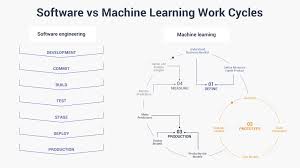
A machine learning software engineer applies engineering principles to the full lifecycle of machine learning products. This may include preparing data, building and integrating models, deploying services, and monitoring performance after release.

The job title can mean different things from one company to another. Some roles focus heavily on model development, while others emphasize production software, infrastructure, or data systems. In general, the role sits between traditional software engineering and applied machine learning.

Typical Responsibilities

Responsibilities vary by team and product, but may include:

  • Designing, building, and maintaining software that uses machine learning models
  • Preparing data for training, testing, and inference
  • Integrating models into applications, APIs, or backend services
  • Developing tools and pipelines for training and deploying models
  • Testing model behavior, software quality, and system reliability
  • Monitoring production systems for errors, latency, and changes in model performance
  • Working with data scientists, product managers, designers, and other engineers
  • Documenting technical decisions and communicating tradeoffs

In many cases, the work does not end when a model is trained. The model must also be served efficiently, updated when data changes, and evaluated to ensure it continues to meet product requirements.

Skills and Technologies

Programming and Software Engineering

Python is widely used in machine learning, but engineers may also work with languages such as Java, C++, Go, or JavaScript. Strong software engineering skills matter regardless of language. These include writing readable code, designing maintainable systems, testing changes, using version control, and troubleshooting production issues.

Machine Learning Fundamentals

Machine learning software engineers benefit from understanding common model types, training and evaluation methods, and the strengths and limits of different approaches. Useful concepts include supervised and unsupervised learning, classification, regression, feature engineering, overfitting, and model evaluation.

A role focused on production systems may not require inventing new algorithms. However, engineers still need enough machine learning knowledge to implement models correctly, understand their limitations, and identify when their behavior may be unreliable.

Data and Infrastructure

Machine learning systems depend on data that is accurate, accessible, and appropriately managed. Engineers may work with databases, data processing frameworks, cloud platforms, containers, and distributed systems. They may also use tools for model tracking, workflow orchestration, deployment, and monitoring.

The specific technology stack depends on the organization. More important than knowing every tool is understanding how data and models move through a system, how to handle failures, and how to build processes that can be repeated and maintained.

Communication and Collaboration

Machine learning projects often involve people with different areas of expertise. An engineer may need to explain why a model is too slow for a particular product, clarify what data is available, or help a team choose between accuracy, cost, and response time. Clear communication helps teams make practical decisions and set realistic expectations.

How Machine Learning Software Engineering Differs from Data Science

Data scientists often focus on exploring data, testing hypotheses, and developing models or analyses. Machine learning software engineers generally focus on making software systems that can use those models reliably in production.

The responsibilities can overlap. At smaller organizations, one person may handle data analysis, model development, and deployment. At larger companies, these tasks may be divided among several specialized teams. The exact boundaries depend on the product and organization.

How to Become a Machine Learning Software Engineer

There is no single path into the field, but a strong foundation in software engineering is a practical starting point. A typical learning path may include:

  1. Learn programming fundamentals. Build confidence with a language commonly used for software or machine learning, such as Python.
  2. Develop core engineering skills. Practice data structures, algorithms, testing, APIs, databases, and version control.
  3. Study the math and concepts behind machine learning. Focus on statistics, probability, linear algebra, and foundational model concepts.
  4. Build complete projects. Go beyond training a model by creating an application or service that uses it.
  5. Learn deployment and monitoring. Explore how to package, serve, evaluate, and update models in a production-like environment.
  6. Share your work clearly. Document projects, describe design decisions, and explain how you measured results.

A degree in computer science, engineering, mathematics, or a related field can be helpful, but practical experience also matters. Personal projects, internships, research, and contributions to open-source software can demonstrate relevant skills.

Challenges in the Role

Machine learning systems introduce challenges beyond those found in many conventional applications. Data may be incomplete or change over time. A model that performed well in testing may behave differently in production. Predictions can also be difficult to explain, and small changes in a pipeline may affect results in unexpected ways.

Engineers must consider more than model accuracy. A successful system also needs appropriate safeguards, acceptable response times, reliable infrastructure, and responsible data practices. Depending on the application, privacy, fairness, security, and regulatory requirements may be essential parts of the work.

Career Outlook

Organizations across many industries are exploring ways to use machine learning, creating opportunities for engineers who can connect models with dependable software. Demand and job requirements vary by location and industry, and not every position uses the same tools or level of machine learning expertise.

For people interested in both building software and working with data-driven technology, machine learning software engineering can be a rewarding career. The strongest candidates combine sound engineering judgment with a practical understanding of machine learning—and keep learning as tools and techniques evolve.


6 Essential Tips for Software Engineers to Master Machine Learning

  1. Learn Python, SQL, and core machine learning concepts.
  2. Build projects with real-world datasets.
  3. Track experiments and version your data and models.
  4. Evaluate models with metrics that match the task.
  5. Deploy models with monitoring and clear rollback plans.
  6. Keep learning about new tools and techniques.

Learn Python, SQL, and core machine learning concepts.

Start by building a strong foundation in Python, SQL, and core machine learning concepts. Python is widely used to develop models and machine learning applications, while SQL helps you query, organize, and understand the data those systems depend on. Learn key ideas such as supervised and unsupervised learning, model training, evaluation, and overfitting. Together, these skills will help you contribute to machine learning projects and prepare you to build reliable, data-driven software.

Build projects with real-world datasets.

Build projects with real-world datasets to learn how machine learning works beyond clean, classroom examples. Real data often contains missing values, inconsistent formats, noise, or unexpected patterns, giving you practice with the preparation and troubleshooting required in real projects. Choose a dataset connected to a problem you care about, document your decisions, and evaluate your model with appropriate metrics. Then, if possible, turn your work into a small application or service to show how the model could be used in practice.

Track experiments and version your data and models.

Track every machine learning experiment, and version your data and models so you can reproduce results and understand what changed. Record key details such as the code version, dataset, model settings, evaluation metrics, and environment. When an outcome improves—or a model behaves unexpectedly—this history makes it easier to compare approaches, debug issues, and reliably roll back to a previous version.

Evaluate models with metrics that match the task.

Evaluate machine learning models with metrics that reflect the task and the cost of different mistakes. For example, accuracy can be misleading when one class is much more common than another; precision and recall may better show how well a model handles important positive cases. For regression, metrics such as mean absolute error or root mean squared error can reveal how far predictions are from actual values. Choose metrics based on how the model will be used, and review them alongside real-world constraints like latency, reliability, and the impact of incorrect predictions.

Deploy models with monitoring and clear rollback plans.

When deploying a machine learning model, set up monitoring to track performance, errors, latency, and changes in incoming data. Clear alerts can help the team catch problems before they affect many users. Create and test a rollback plan in advance so you can quickly restore a previous model or system version if the new deployment behaves unexpectedly. Together, monitoring and a reliable rollback process make releases safer and easier to manage.

Keep learning about new tools and techniques.

Machine learning tools and techniques evolve quickly, so make continuous learning part of your routine. Follow trusted industry publications, take courses, attend meetups, and experiment with new libraries or approaches through small projects. Focus not only on what a tool can do, but also on when it is useful and what tradeoffs it brings. Staying curious helps you make better technical decisions and build machine learning systems that are effective, reliable, and up to date.