cfchris.com

Loading

javascript programming language

Mastering the JavaScript Programming Language: A Comprehensive Guide

Article: JavaScript Programming Language

The Power of JavaScript Programming Language

JavaScript is a versatile and widely-used programming language that powers the interactive elements of websites and web applications. Originally created to make web pages more dynamic, JavaScript has evolved into a powerful tool for building complex applications across various platforms.

Key Features of JavaScript:

  • Client-Side Scripting: JavaScript runs on the client side, allowing for dynamic updates without reloading the entire page.
  • Cross-Platform Compatibility: JavaScript is supported by all major browsers, making it a reliable choice for web development.
  • Asynchronous Programming: Using callbacks and promises, JavaScript enables non-blocking operations for efficient processing.
  • Object-Oriented: JavaScript supports object-oriented programming paradigms, allowing for code organization and reusability.
  • Extensive Libraries: The vast ecosystem of libraries and frameworks like React, Angular, and Vue.js enhances the capabilities of JavaScript for building robust applications.

Applications of JavaScript:

JavaScript is used in various domains, including:

  • Web Development: Creating interactive websites with dynamic content and user-friendly interfaces.
  • Mobile App Development: Building cross-platform mobile applications using frameworks like React Native or Ionic.
  • Data Visualization: Utilizing libraries such as D3.js for creating interactive charts and graphs.
  • Server-Side Development: Node.js allows developers to use JavaScript on the server side for scalable applications.
  • IoT (Internet of Things): Controlling connected devices and sensors using embedded JavaScript frameworks like Johnny-Five.

The Future of JavaScript:

In an ever-evolving tech landscape, JavaScript continues to adapt and innovate. With advancements in areas like WebAssembly and Progressive Web Apps (PWAs), JavaScript remains at the forefront of modern web development. As new features are added to the language and tools are refined, the future looks bright for those who harness the power of JavaScript programming language.


8 Advantages of JavaScript: Versatility, Ease of Learning, and More

  1. 1. Versatile
  2. 2. Easy to Learn
  3. 3. Interactivity
  4. 4. Extensive Libraries
  5. 5. Cross-Browser Compatibility
  6. 6. Asynchronous Programming
  7. 7. Scalability
  8. 8. Community Support


Challenges of JavaScript: Browser Dependency, Security Risks, and Performance Limitations

  1. Browser Dependency
  2. Security Risks
  3. Performance Limitations

1. Versatile

JavaScript’s versatility shines through its ability to serve as a powerful tool for both front-end and back-end development. This unique feature allows developers to streamline their workflow by using the same language across different aspects of a project. Whether creating dynamic user interfaces on the client side or building robust server-side applications, JavaScript’s versatility empowers developers to tackle a wide range of tasks efficiently and effectively.

2. Easy to Learn

JavaScript’s ease of learning is a significant advantage, thanks to its simple syntax that is particularly welcoming to beginners. The language’s straightforward structure and intuitive nature make it accessible for those new to programming, allowing them to quickly grasp fundamental concepts and start building functional applications with ease. This user-friendly aspect of JavaScript empowers aspiring developers to dive into coding without feeling overwhelmed, fostering a smooth learning curve and encouraging creativity in problem-solving.

3. Interactivity

JavaScript’s ability to enable dynamic and interactive elements on websites is a game-changer in web development. By leveraging this feature, developers can create engaging user experiences that respond to user actions in real-time. Whether it’s updating content without page reloads, validating form inputs instantly, or animating elements smoothly, the interactivity aspect of JavaScript enhances user engagement and makes websites more user-friendly and visually appealing. This pro of JavaScript empowers developers to bring websites to life and deliver immersive online experiences that keep visitors coming back for more.

4. Extensive Libraries

JavaScript offers developers access to an extensive array of libraries and frameworks, empowering them to streamline and expedite the development process. With a wealth of pre-built solutions available, developers can leverage these tools to enhance functionality, improve performance, and expedite project delivery. This abundance of resources not only accelerates development but also ensures that developers have the support they need to create robust and innovative applications efficiently.

5. Cross-Browser Compatibility

JavaScript’s cross-browser compatibility is a significant advantage that allows developers to create web applications that work seamlessly across various browsers. This feature ensures a consistent user experience regardless of the browser used, eliminating compatibility issues and making it easier to reach a wider audience. By leveraging JavaScript’s ability to run consistently on different platforms, developers can focus on building robust and engaging web experiences without worrying about browser-specific quirks or limitations.

6. Asynchronous Programming

JavaScript’s support for asynchronous programming is a key advantage that enables non-blocking operations, leading to enhanced performance. By utilizing callbacks and promises, JavaScript can execute multiple tasks concurrently without waiting for each operation to complete. This allows developers to create responsive and efficient applications that can handle complex tasks seamlessly, ultimately improving the overall user experience.

7. Scalability

JavaScript’s scalability is a key advantage that sets it apart as a programming language. It excels in accommodating projects of varying sizes, from small-scale endeavors to large, complex applications. Whether you are developing a simple website or a sophisticated web application, JavaScript’s scalability ensures that it can grow with your project requirements without compromising performance or efficiency. This flexibility makes JavaScript a versatile choice for developers looking to build scalable solutions that can adapt to evolving needs and expanding user bases.

8. Community Support

JavaScript’s strength lies in its extensive community support, with a vast network of developers offering a wealth of resources, tutorials, and assistance. This robust community ensures that programmers at all levels have access to valuable insights, best practices, and solutions to challenges they may encounter while working with the language. The collaborative nature of the JavaScript community fosters continuous learning and growth, making it easier for developers to stay updated on the latest trends and techniques in web development.

Browser Dependency

One significant drawback of JavaScript programming language is its heavy reliance on the client’s browser for execution. This dependency can result in compatibility issues when running JavaScript code across various browsers. Different browsers may interpret JavaScript code differently, leading to inconsistent behavior and potential errors in the functionality of web applications. Developers often need to test and adjust their code to ensure compatibility with multiple browsers, adding complexity and effort to the development process.

Security Risks

JavaScript programming language poses a significant security risk due to its client-side nature, which exposes the code to users. This visibility makes JavaScript susceptible to security vulnerabilities if not adequately secured. Malicious users can easily access and manipulate JavaScript code, leading to potential risks such as cross-site scripting (XSS) attacks and data breaches. It is essential for developers to implement robust security measures, such as input validation, output encoding, and secure coding practices, to mitigate these risks and protect sensitive information from unauthorized access or exploitation.

Performance Limitations

JavaScript programming language may encounter performance limitations, especially when dealing with intensive computations or processing large volumes of data. Due to its nature as a high-level language running in the browser environment, JavaScript may not be as efficient as lower-level languages in handling complex tasks that require extensive computational resources. Developers need to be mindful of these performance constraints and consider optimization techniques or alternative solutions when working on applications that demand high-speed processing or memory-intensive operations.
javascript code examples

Exploring the Power of JavaScript Through Code Examples

The Power of JavaScript: Exploring Code Examples

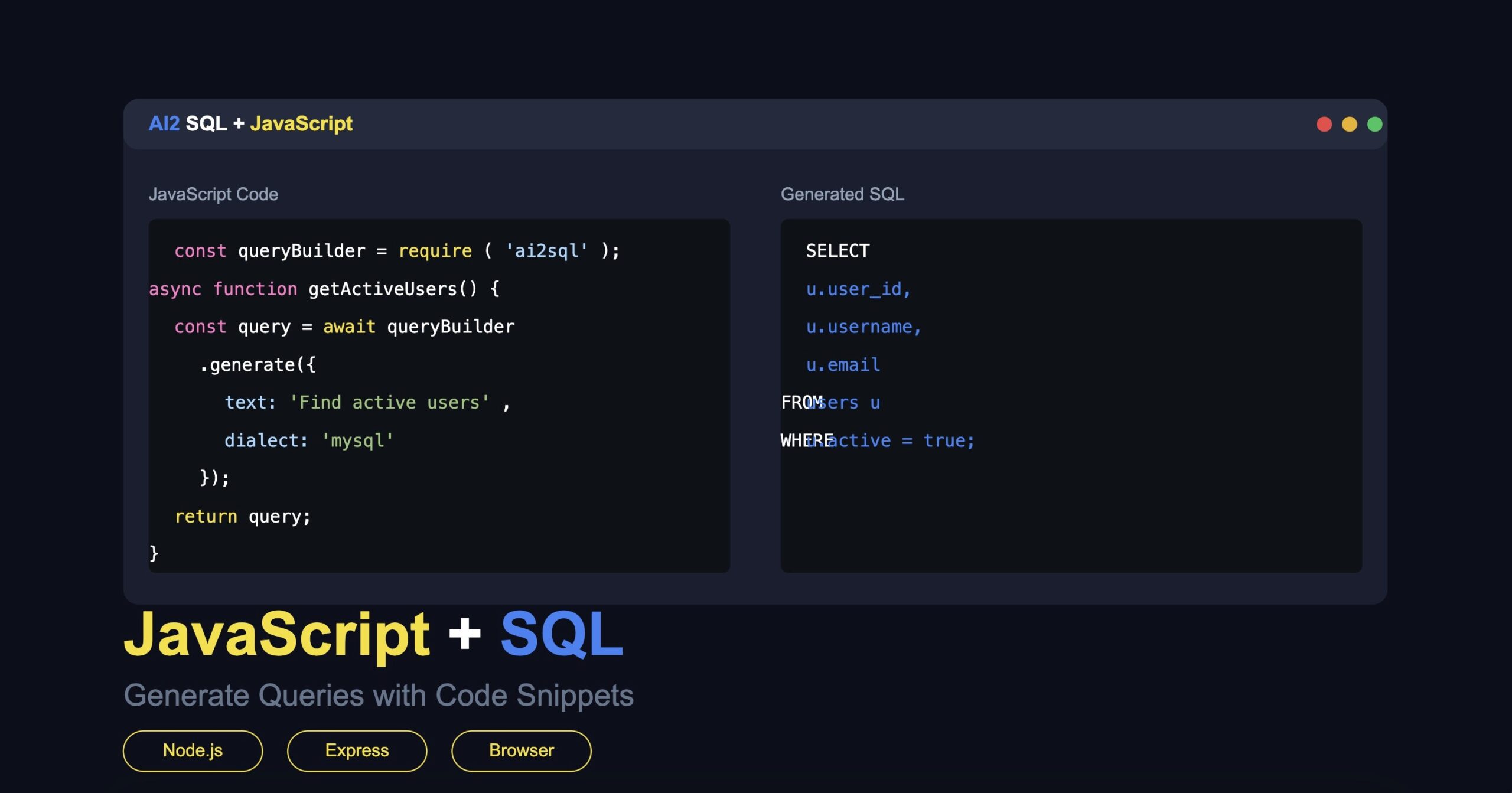
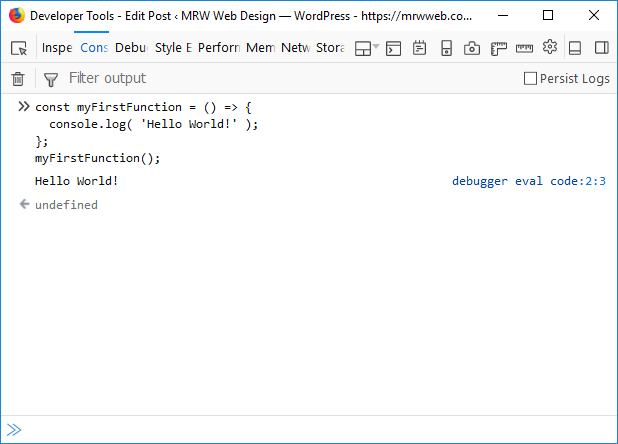
JavaScript is a versatile programming language that is widely used in web development to create dynamic and interactive websites. With its flexibility and ease of use, JavaScript allows developers to add functionality and interactivity to their web pages. Let’s explore some code examples to showcase the power of JavaScript:

Example 1: Displaying a Welcome Message

With just a few lines of JavaScript code, you can display a personalized welcome message to your website visitors:

“`html

Welcome Message Example

“`

Example 2: Creating an Interactive Button

You can make your website more engaging by adding an interactive button that changes its text when clicked:

“`html

Interactive Button Example

“`

Example 3: Validating Form Input

JavaScript can also be used to validate user input in forms to ensure data integrity:

“`html

“`

These examples demonstrate just a fraction of what JavaScript can do. By leveraging the power of JavaScript, developers can create dynamic, responsive, and user-friendly web applications that enhance the overall user experience.


8 Commonly Asked Questions About JavaScript Code Examples and Their Solutions

  1. 1. How can I display a message using JavaScript?
  2. 2. How do I create interactive elements like buttons with JavaScript?
  3. 3. What are some common uses of JavaScript in web development?
  4. 4. Can you provide examples of form validation using JavaScript?
  5. 5. How can I manipulate the DOM (Document Object Model) with JavaScript?
  6. 6. What is event handling in JavaScript and how is it used in code examples?
  7. 7. How do I make AJAX (Asynchronous JavaScript and XML) requests with JavaScript?
  8. 8. Are there any resources or tutorials for beginners to learn about JavaScript code examples?

1. How can I display a message using JavaScript?

To display a message using JavaScript, developers can use the `alert()`, `prompt()`, or `document.write()` functions. The `alert()` function creates a pop-up dialog box with a message, while the `prompt()` function prompts the user to input text. Additionally, the `document.write()` function can dynamically write content directly to the HTML document. By incorporating these functions into their code, developers can easily showcase messages and interact with users in a simple and effective manner using JavaScript.

2. How do I create interactive elements like buttons with JavaScript?

To create interactive elements like buttons using JavaScript, you can utilize event handling to define actions that occur when the button is clicked. By assigning a function to the button’s onclick event, you can specify the behavior you want the button to exhibit when interacted with. This allows you to dynamically change the content of the button or perform specific actions based on user input. JavaScript provides a flexible and powerful way to add interactivity to your web pages, giving you the ability to create engaging user experiences through custom functionality and behavior.

3. What are some common uses of JavaScript in web development?

JavaScript is a foundational element in web development, offering a wide range of functionalities that enhance user interaction and experience on websites. Some common uses of JavaScript in web development include form validation to ensure data accuracy, creating interactive elements like buttons and sliders for engaging user interfaces, implementing dynamic content updates without reloading the entire page, and integrating with APIs to fetch and display real-time data. JavaScript also plays a crucial role in animations, user authentication processes, handling events such as clicks or scrolls, and optimizing website performance through asynchronous loading of resources. Overall, JavaScript is essential for building modern, dynamic websites that deliver a seamless and interactive user experience.

4. Can you provide examples of form validation using JavaScript?

Certainly! Form validation using JavaScript is a common practice in web development to ensure that user input meets specific criteria before being submitted. By incorporating JavaScript code into the form, developers can create custom validation rules such as checking for required fields, validating email addresses, or ensuring that input data falls within a certain range. These validations help improve the user experience by providing real-time feedback and preventing erroneous data from being submitted. Overall, form validation with JavaScript is a powerful tool that enhances the functionality and reliability of web forms.

5. How can I manipulate the DOM (Document Object Model) with JavaScript?

To manipulate the DOM (Document Object Model) with JavaScript, developers can use a variety of methods and properties provided by the language. By accessing elements within the DOM tree using selectors like getElementById, getElementsByClassName, or querySelector, developers can dynamically change content, styles, attributes, and even create new elements on a web page. Additionally, event listeners can be attached to DOM elements to respond to user interactions such as clicks or key presses. Through these techniques, JavaScript empowers developers to create dynamic and interactive web experiences by manipulating the structure and content of the DOM in real-time.

6. What is event handling in JavaScript and how is it used in code examples?

Event handling in JavaScript refers to the process of defining and assigning functions to be executed when a specific event occurs, such as a user clicking a button or hovering over an element on a webpage. In code examples, event handling is implemented by using event listeners to listen for certain events and trigger corresponding actions. For instance, a click event on a button can be captured using an event listener, which then calls a function to perform a specific task, like displaying a message or updating content on the page. Event handling is crucial in creating interactive and dynamic web applications that respond to user actions in real-time, enhancing the overall user experience.

7. How do I make AJAX (Asynchronous JavaScript and XML) requests with JavaScript?

To make AJAX (Asynchronous JavaScript and XML) requests with JavaScript, developers can use the XMLHttpRequest object to send and receive data from a web server without having to reload the entire page. By utilizing AJAX, developers can create dynamic and interactive web applications that fetch data in the background, providing a seamless user experience. With the XMLHttpRequest object, developers can specify the type of request (GET or POST), define the URL endpoint, handle response data asynchronously, and update the webpage content dynamically based on the retrieved data. AJAX has revolutionized web development by enabling real-time updates and improved performance without disrupting the user’s browsing experience.

8. Are there any resources or tutorials for beginners to learn about JavaScript code examples?

For beginners looking to learn about JavaScript code examples, there are plenty of resources and tutorials available online. Websites like Codecademy, W3Schools, and Mozilla Developer Network offer comprehensive guides and interactive lessons that cover a wide range of JavaScript topics, including code examples. Additionally, platforms like YouTube and Udemy host video tutorials that cater to different learning styles. By exploring these resources, beginners can gain a solid understanding of JavaScript fundamentals and practice writing their own code examples to enhance their skills.

js code

Unleashing the Power of JS Code: Transforming the Web Experience

The Power of JavaScript Code: Transforming the Web

JavaScript, often abbreviated as JS, is a powerful programming language that has revolutionized the way websites and web applications are developed. Originally created to add interactivity to web pages, JavaScript has evolved into a versatile language that can handle complex tasks and create dynamic user experiences.

One of the key strengths of JavaScript is its ability to manipulate HTML elements and CSS styles on a webpage. With just a few lines of code, developers can change the content of a webpage, animate elements, validate forms, and much more. This dynamic nature of JavaScript makes websites more engaging and interactive for users.

Another important feature of JavaScript is its support for asynchronous programming through AJAX (Asynchronous JavaScript and XML). This allows web pages to fetch data from servers in the background without reloading the entire page. As a result, users experience faster and more responsive websites.

JavaScript is also widely used in building web applications. Frameworks like React, Angular, and Vue.js leverage the power of JavaScript to create single-page applications that provide a seamless user experience similar to desktop applications. These frameworks simplify complex tasks like state management, routing, and data binding, enabling developers to build robust applications efficiently.

Furthermore, JavaScript has expanded beyond the web browser with the introduction of Node.js. Node.js allows developers to run JavaScript on the server-side, opening up new possibilities for building scalable and high-performance web applications. With Node.js, developers can use JavaScript throughout the entire web development stack.

In conclusion, JavaScript code plays a crucial role in transforming the web by enabling dynamic interactions, asynchronous communication, and sophisticated web applications. Its versatility and widespread adoption make it an essential tool for modern web development.


7 Essential Tips for Writing Clean and Efficient JavaScript Code

  1. Use meaningful variable and function names for better code readability.
  2. Follow consistent coding style and indentation to improve code maintainability.
  3. Comment your code to explain complex logic or functionality.
  4. Avoid global variables to prevent variable conflicts and unexpected behavior.
  5. Use built-in methods and libraries whenever possible to write efficient code.
  6. Regularly test your code for bugs and errors using debugging tools or testing frameworks.
  7. Keep your code modular by breaking it into smaller functions or modules for easier troubleshooting.

Use meaningful variable and function names for better code readability.

When writing JavaScript code, it is essential to use meaningful variable and function names to enhance code readability. By choosing descriptive names that accurately reflect the purpose of each variable or function, developers can easily understand the logic of the code without needing to decipher cryptic abbreviations or unclear identifiers. This practice not only improves the readability of the code but also makes it more maintainable and easier for other developers to collaborate on the project effectively.

Follow consistent coding style and indentation to improve code maintainability.

Following a consistent coding style and indentation practices in JavaScript code is essential for improving code maintainability. By adhering to a set of guidelines for formatting and structuring code, developers can enhance readability, facilitate collaboration, and reduce the likelihood of errors. Consistent coding style ensures that all team members follow the same conventions, making it easier to understand and modify code in the future. Proper indentation also helps in visually organizing the code, making it more accessible and manageable. Overall, maintaining a uniform coding style and indentation standard leads to more maintainable and sustainable JavaScript codebases.

Comment your code to explain complex logic or functionality.

Commenting your JavaScript code is essential, especially when dealing with complex logic or functionality. By adding comments to your code, you provide valuable insights into the purpose of each section, making it easier for other developers (or even your future self) to understand how the code works. Clear and concise comments can clarify the reasoning behind specific decisions, outline the expected behavior of functions, and highlight any potential pitfalls. In addition, well-documented code fosters collaboration among team members and ensures that the codebase remains maintainable and scalable over time. Remember, commenting your code is not just a good practice—it’s a necessity for effective communication and efficient development.

Avoid global variables to prevent variable conflicts and unexpected behavior.

To ensure smooth functioning and prevent unexpected behavior in JavaScript code, it is advisable to avoid using global variables. Global variables can lead to variable conflicts and unintended consequences, especially in larger codebases or when collaborating with other developers. By encapsulating variables within functions or modules, developers can limit the scope of variables and reduce the risk of conflicts, ultimately improving code maintainability and reliability.

Use built-in methods and libraries whenever possible to write efficient code.

When writing JavaScript code, it is advisable to utilize built-in methods and libraries whenever feasible to ensure the efficiency of your code. By leveraging the existing functionality provided by JavaScript’s built-in methods and popular libraries, developers can streamline their coding process, improve performance, and reduce the likelihood of errors. These resources are often optimized for speed and reliability, allowing developers to focus on implementing solutions rather than reinventing the wheel. Embracing built-in methods and libraries in JavaScript coding not only enhances productivity but also promotes best practices in software development.

Regularly test your code for bugs and errors using debugging tools or testing frameworks.

Regularly testing your JavaScript code for bugs and errors using debugging tools or testing frameworks is essential to ensure the reliability and performance of your applications. By identifying and fixing issues early in the development process, you can prevent potential problems from impacting the user experience. Debugging tools like Chrome DevTools provide valuable insights into code execution, variable values, and network activity, helping you pinpoint and resolve issues efficiently. Testing frameworks such as Jest or Mocha enable you to automate the testing process, ensuring that your code functions as intended across different scenarios. Prioritizing thorough testing practices not only improves the quality of your code but also enhances overall software stability and user satisfaction.

Keep your code modular by breaking it into smaller functions or modules for easier troubleshooting.

To improve the maintainability and troubleshooting of your JavaScript code, it is essential to keep it modular by breaking it into smaller functions or modules. By dividing your code into smaller, self-contained units, you can isolate specific functionalities and make it easier to identify and fix issues when they arise. Modular code also promotes reusability, as individual functions or modules can be used in different parts of your application without duplicating code. This approach not only enhances the readability of your code but also streamlines the debugging process, ultimately leading to more efficient development and better-performing applications.

Unleashing the Power of D3.js: Transforming Data into Dynamic Visualizations

Exploring the Power of D3.js

The Magic of D3.js

D3.js, short for Data-Driven Documents, is a powerful JavaScript library that allows you to bring data to life using HTML, SVG, and CSS. It is widely used for creating interactive and dynamic data visualizations on the web.

With D3.js, you can manipulate data with ease and bind it to the Document Object Model (DOM). This enables you to create stunning visual representations of your data that are not only informative but also engaging for your audience.

Key Features of D3.js:

  • Data Binding: D3.js makes it simple to bind data to DOM elements, allowing you to update and manipulate visualizations based on changes in the underlying data.
  • Scalability: D3.js can handle large datasets efficiently, making it ideal for creating complex and interactive visualizations.
  • Interactivity: You can add interactive elements such as tooltips, zooming, panning, and animations to make your visualizations more engaging.

Examples of D3.js Visualizations:

D3.js can be used to create a wide range of visualizations, including:

  • Bar Charts
  • Line Charts
  • Pie Charts
  • Scatter Plots
  • Maps
  • And many more…

If you are looking to add dynamic and interactive data visualizations to your website or application, D3.js is a fantastic tool that offers endless possibilities. Its flexibility and capabilities make it a popular choice among developers for creating compelling data-driven experiences.

Explore the world of D3.js and unlock the potential of your data like never before!


7 Reasons to Choose D3.js for Powerful and Interactive Data Visualizations

  1. Powerful data visualization capabilities
  2. Extensive range of chart types and visualizations
  3. Highly customizable with HTML, SVG, and CSS
  4. Efficient handling of large datasets
  5. Interactive features enhance user engagement
  6. Active community for support and resources
  7. Compatible with modern web technologies


Challenges of Using D3.js: Key Drawbacks to Consider

  1. Steep learning curve for beginners due to its complex API.
  2. Requires a solid understanding of JavaScript, HTML, CSS, and SVG.
  3. Debugging can be challenging when dealing with complex visualizations.
  4. Limited documentation compared to other libraries, making it harder to find solutions to specific problems.
  5. Performance issues may arise when handling extremely large datasets.
  6. Compatibility issues with older browsers that do not support modern web standards.

Powerful data visualization capabilities

D3.js stands out for its powerful data visualization capabilities, allowing users to create stunning and interactive visual representations of data with ease. By leveraging D3.js, developers can transform raw data into engaging charts, graphs, and other visual elements that not only convey information effectively but also captivate audiences. The library’s robust features enable the creation of dynamic and customizable visualizations that enhance data interpretation and storytelling on the web.

Extensive range of chart types and visualizations

D3.js offers an extensive range of chart types and visualizations, making it a versatile tool for creating diverse and engaging data representations. From traditional bar charts and line graphs to more complex interactive visualizations like tree maps and network diagrams, D3.js empowers developers to choose the most suitable format for presenting their data effectively. This flexibility allows for the creation of dynamic and informative visualizations that cater to a wide range of data visualization needs.

Highly customizable with HTML, SVG, and CSS

D3.js stands out for its high level of customization, leveraging the power of HTML, SVG, and CSS. This unique feature allows developers to create visually stunning and interactive data visualizations tailored to their specific needs. By seamlessly integrating with these web technologies, D3.js empowers users to design and style their visualizations with precision, ensuring a seamless fit within their web applications. The ability to harness the flexibility of HTML for structuring content, SVG for scalable vector graphics, and CSS for styling elements makes D3.js a versatile tool for crafting dynamic and engaging data-driven experiences on the web.

Efficient handling of large datasets

One of the key advantages of D3.js is its efficient handling of large datasets. D3.js excels in processing and visualizing substantial amounts of data, allowing developers to create complex and interactive visualizations without compromising performance. By leveraging its scalability features, D3.js enables users to work with extensive datasets seamlessly, making it an ideal choice for projects that require handling and displaying a vast amount of information dynamically.

Interactive features enhance user engagement

One of the key advantages of D3.js is its ability to incorporate interactive features that significantly enhance user engagement. By adding elements such as tooltips, zooming, panning, and animations to data visualizations created with D3.js, developers can create dynamic and immersive experiences for users. These interactive features not only make the data more accessible and understandable but also encourage users to explore and interact with the visualizations, leading to a more engaging and impactful user experience overall.

Active community for support and resources

One of the key advantages of using D3.js is its active community, which provides valuable support and a wealth of resources for developers. Whether you are a beginner looking for tutorials and documentation or an experienced user seeking advice on complex projects, the D3.js community is always ready to help. With forums, online groups, and regular updates, developers can rely on this vibrant community to enhance their skills, troubleshoot issues, and stay informed about the latest developments in data visualization techniques.

Compatible with modern web technologies

D3.js stands out for its compatibility with modern web technologies, seamlessly integrating with HTML, SVG, and CSS to create dynamic and interactive data visualizations. This compatibility allows developers to leverage the latest web standards and practices, ensuring that their visualizations are not only visually appealing but also optimized for performance across different browsers and devices. By embracing modern web technologies, D3.js empowers developers to build sophisticated and engaging data-driven experiences that resonate with today’s digital audience.

Steep learning curve for beginners due to its complex API.

One notable drawback of D3.js is its steep learning curve, especially for beginners, attributed to its complex API. The library’s extensive capabilities and flexibility can be overwhelming for those new to data visualization and web development. Navigating through D3.js documentation and understanding its intricate concepts may require a significant investment of time and effort. However, with dedication and practice, mastering D3.js can lead to the creation of sophisticated and interactive data visualizations that truly stand out.

Requires a solid understanding of JavaScript, HTML, CSS, and SVG.

One significant drawback of using D3.js is that it demands a solid understanding of JavaScript, HTML, CSS, and SVG. Mastery of these technologies is essential to effectively utilize D3.js for creating data visualizations. This steep learning curve may pose a challenge for beginners or those with limited experience in web development. The complexity involved in integrating D3.js with these foundational languages and technologies can be a barrier for individuals looking to quickly implement dynamic visualizations on their websites or applications.

Debugging can be challenging when dealing with complex visualizations.

When working with complex visualizations in D3.js, debugging can present a significant challenge. The intricate nature of interactive and dynamic data representations created using D3.js can sometimes make it difficult to pinpoint and resolve issues that may arise during development. Identifying the root cause of bugs within intricate visualizations requires a deep understanding of both the data structure and the D3.js library itself, making the debugging process more time-consuming and complex. Developers tackling such challenges must possess strong problem-solving skills and a keen eye for detail to effectively troubleshoot and optimize their D3.js visualizations.

Limited documentation compared to other libraries, making it harder to find solutions to specific problems.

One notable drawback of D3.js is its limited documentation compared to other libraries, which can make it challenging to find solutions to specific problems. Developers may face difficulties in troubleshooting issues or implementing advanced features due to the lack of comprehensive documentation. This can result in longer development times and a steeper learning curve for those new to D3.js, requiring users to rely more on experimentation and community forums for guidance.

Performance issues may arise when handling extremely large datasets.

When working with D3.js, one potential drawback to consider is the possibility of performance issues when dealing with extremely large datasets. Due to the nature of data manipulation and rendering in real-time, managing vast amounts of data can sometimes lead to slower performance and increased load times. Developers need to be mindful of optimizing their code and implementing efficient strategies to handle large datasets effectively while maintaining a smooth user experience.

Compatibility issues with older browsers that do not support modern web standards.

One significant drawback of using D3.js is the compatibility issues it may pose with older browsers that do not support modern web standards. Since D3.js relies on cutting-edge technologies like SVG and CSS3, older browser versions may struggle to render D3.js visualizations correctly or may not support certain features altogether. This limitation can hinder the user experience for visitors using outdated browsers, requiring developers to implement workarounds or fallback options to ensure that their D3.js visualizations remain accessible across different platforms.