
cfchris.com

Loading

adobe marketing cloud

Unlocking Success with Adobe Marketing Cloud: A Comprehensive Digital Marketing Solution

Article: Adobe Marketing Cloud

The Power of Adobe Marketing Cloud

Adobe Marketing Cloud is a comprehensive digital marketing platform that offers a wide range of tools and services to help businesses create, manage, and optimize their marketing strategies. With its suite of integrated solutions, Adobe Marketing Cloud empowers organizations to deliver personalized and engaging experiences to their customers across multiple channels.

Key Features of Adobe Marketing Cloud:

  • Analytics: Gain insights into customer behavior and campaign performance with advanced analytics tools.
  • Campaign Management: Plan, execute, and track marketing campaigns across various channels with ease.
  • Personalization: Deliver targeted content and experiences based on customer preferences and behavior.
  • Social Media Management: Monitor social media conversations, engage with customers, and measure social ROI.
  • Mobile Marketing: Create mobile-optimized experiences and engage with customers on mobile devices.
  • Email Marketing: Design and send personalized email campaigns to nurture leads and drive conversions.

The Benefits of Using Adobe Marketing Cloud:

By leveraging the capabilities of Adobe Marketing Cloud, businesses can:

  • Improve customer engagement and loyalty through personalized experiences
  • Increase conversion rates by delivering relevant content to the right audience at the right time
  • Optimize marketing campaigns based on real-time data and insights
  • Enhance brand visibility and reputation across digital channels
  • Drive revenue growth through targeted marketing strategies

In today’s competitive digital landscape, having a robust marketing platform like Adobe Marketing Cloud is essential for businesses looking to stay ahead of the curve. With its powerful features and capabilities, Adobe Marketing Cloud enables organizations to create impactful marketing campaigns that drive results and foster long-term customer relationships.


Mastering Adobe Marketing Cloud: 7 Essential Tips for Effective Campaigns

  1. Utilize Adobe Marketing Cloud to create personalized and targeted marketing campaigns.
  2. Take advantage of the analytics tools in Adobe Marketing Cloud to track and measure the performance of your campaigns.
  3. Use Adobe Marketing Cloud’s automation features to streamline your marketing processes and improve efficiency.
  4. Integrate different components of Adobe Marketing Cloud for a comprehensive and cohesive marketing strategy.
  5. Stay updated on new features and updates released by Adobe to make the most of the Marketing Cloud platform.
  6. Collaborate with team members to leverage the collaborative capabilities of Adobe Marketing Cloud for better results.
  7. Invest time in training and learning about all the functionalities available in Adobe Marketing Cloud to maximize its potential.

Utilize Adobe Marketing Cloud to create personalized and targeted marketing campaigns.

By leveraging Adobe Marketing Cloud, businesses can harness the power of personalized and targeted marketing campaigns. This tip highlights the platform’s capability to tailor content and experiences based on customer preferences and behavior, ultimately enhancing engagement and driving conversions. Adobe Marketing Cloud empowers organizations to deliver relevant messages to the right audience at the right time, maximizing the effectiveness of their marketing efforts and fostering stronger connections with customers.

Take advantage of the analytics tools in Adobe Marketing Cloud to track and measure the performance of your campaigns.

Utilize the analytics tools available in Adobe Marketing Cloud to effectively monitor and evaluate the success of your marketing campaigns. By leveraging these tools, you can gain valuable insights into customer engagement, campaign effectiveness, and overall performance metrics. Tracking and measuring key performance indicators will enable you to make data-driven decisions, optimize your strategies, and enhance the impact of your marketing efforts.

Use Adobe Marketing Cloud’s automation features to streamline your marketing processes and improve efficiency.

Utilizing Adobe Marketing Cloud’s automation features can significantly enhance your marketing operations by streamlining processes and boosting efficiency. By automating repetitive tasks such as email campaigns, social media scheduling, and data analysis, businesses can save time and resources while ensuring consistent and timely delivery of marketing initiatives. This not only improves productivity but also allows teams to focus on more strategic activities, driving better results and overall effectiveness in reaching target audiences.

Integrate different components of Adobe Marketing Cloud for a comprehensive and cohesive marketing strategy.

To maximize the effectiveness of your marketing efforts, it is crucial to integrate different components of Adobe Marketing Cloud seamlessly. By combining analytics, campaign management, personalization, social media management, mobile marketing, and email marketing tools within the platform, businesses can create a unified and cohesive marketing strategy. This integration allows for a holistic view of customer interactions and enables targeted and personalized campaigns across various channels. By leveraging the full capabilities of Adobe Marketing Cloud in a harmonized manner, organizations can optimize their marketing initiatives for enhanced engagement and better results.

Stay updated on new features and updates released by Adobe to make the most of the Marketing Cloud platform.

To maximize the benefits of Adobe Marketing Cloud, it is crucial to stay informed about new features and updates regularly rolled out by Adobe. By staying updated on the latest enhancements, businesses can leverage the full potential of the Marketing Cloud platform, ensuring that they are equipped with the most advanced tools and capabilities to enhance their marketing strategies and deliver exceptional experiences to their customers across various digital channels.

Collaborate with team members to leverage the collaborative capabilities of Adobe Marketing Cloud for better results.

To maximize the potential of Adobe Marketing Cloud and achieve superior outcomes, it is crucial to collaborate effectively with team members. By harnessing the collaborative features of Adobe Marketing Cloud, teams can work together seamlessly, share insights, and leverage collective expertise to enhance marketing strategies and achieve better results. Effective collaboration not only fosters creativity and innovation but also ensures that all team members are aligned towards common goals, leading to more impactful and successful marketing initiatives.

Invest time in training and learning about all the functionalities available in Adobe Marketing Cloud to maximize its potential.

Investing time in training and learning about all the functionalities available in Adobe Marketing Cloud is crucial to maximizing its potential. By gaining a deep understanding of the platform’s features and capabilities, users can unlock its full power and leverage it effectively to drive successful marketing campaigns. Continuous learning and skill development ensure that businesses can make the most out of Adobe Marketing Cloud’s tools, leading to enhanced customer engagement, improved campaign performance, and ultimately, greater business success.
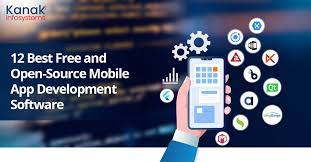
best app building software

The Ultimate Guide to Finding the Best App Building Software in 2021

Exploring the Best App Building Software in 2021

Exploring the Best App Building Software in 2021

In today’s digital age, having a mobile app for your business or idea is crucial. However, not everyone has the coding skills to develop an app from scratch. This is where app building software comes into play, offering intuitive tools and features to help you create your own mobile applications without extensive programming knowledge.

Appy Pie

Appy Pie is a popular app building platform that allows users to create apps for various platforms, including iOS, Android, and Windows. With its drag-and-drop interface and customizable templates, Appy Pie makes app development accessible to everyone.

BuildFire

BuildFire is another top choice for app building software. It offers a range of features such as push notifications, analytics, and customization options. BuildFire caters to both small businesses and enterprises looking to create high-quality mobile apps.

Xamarin

Xamarin is known for its cross-platform development capabilities, allowing developers to build apps that work seamlessly on different operating systems. With Xamarin’s robust tools and libraries, you can create native-like apps with a single codebase.

AppSheet

AppSheet stands out for its no-code approach to app development. By connecting data sources like Google Sheets or Excel files, users can easily build functional apps without writing a single line of code. AppSheet is ideal for prototyping and creating simple business applications.

Adobe PhoneGap

Adobe PhoneGap is an open-source framework that enables developers to build cross-platform mobile apps using web technologies like HTML, CSS, and JavaScript. With its extensive plugin library and strong community support, PhoneGap simplifies the app development process.

These are just a few examples of the best app building software available in 20

Whether you’re a beginner looking to create your first app or an experienced developer seeking efficient tools, there’s a solution out there to suit your needs.

Explore these platforms and start turning your app ideas into reality today!


Top 7 FAQs About Choosing the Best App Building Software

  1. Which programming is best for app?
  2. What is the best program to make an app?
  3. What software is the best to building an app?
  4. Which platform is best for application development?
  5. What is the best free app building software?
  6. What is the best way to develop mobile apps?
  7. Can I build an app myself?

Which programming is best for app?

When it comes to choosing the best programming language for app development, there isn’t a one-size-fits-all answer. The ideal programming language largely depends on the specific requirements of the app, the platform(s) it will run on, and the developer’s familiarity with the language. Some popular programming languages for app development include Java, Swift, Kotlin, and JavaScript. Java is commonly used for Android apps, while Swift and Kotlin are preferred for iOS app development. JavaScript is versatile and widely used for building web and mobile apps across different platforms. Ultimately, selecting the best programming language involves considering factors such as performance, scalability, community support, and ease of development to ensure a successful app creation process.

What is the best program to make an app?

When it comes to creating mobile applications, one of the frequently asked questions is, “What is the best program to make an app?” The answer to this question can vary depending on individual needs and preferences. There are several popular app building software options available, each offering unique features and capabilities. Some of the top choices include platforms like Appy Pie, BuildFire, Xamarin, AppSheet, and Adobe PhoneGap. These programs provide intuitive tools and templates that cater to different levels of expertise, making app development accessible to a wide range of users. Ultimately, the best program to make an app is one that aligns with your specific requirements and goals for your mobile application project.

What software is the best to building an app?

When it comes to choosing the best software for building an app, there are several options available to cater to different needs and skill levels. Popular choices include platforms like Appy Pie, BuildFire, Xamarin, AppSheet, and Adobe PhoneGap. Each of these tools offers unique features and benefits, such as drag-and-drop interfaces, cross-platform development capabilities, no-code app creation, and open-source frameworks. The best software for building an app ultimately depends on factors like your project requirements, technical expertise, and desired functionalities. It’s essential to explore these options thoroughly to find the right fit for turning your app idea into a reality.

Which platform is best for application development?

When considering which platform is best for application development, it ultimately depends on the specific needs and goals of the project. Different platforms offer unique features and capabilities that cater to various requirements. For instance, if you are looking for a user-friendly interface and quick app deployment, platforms like Appy Pie or BuildFire may be suitable choices. On the other hand, if you prioritize cross-platform compatibility and native-like performance, Xamarin or Adobe PhoneGap could be more appropriate options. It’s essential to evaluate factors such as target audience, budget, technical expertise, and desired functionalities to determine the best platform for your application development endeavors.

What is the best free app building software?

When it comes to finding the best free app building software, there are several options available that cater to different needs and skill levels. Some popular choices include platforms like MIT App Inventor, Thunkable, and Appy Pie. These tools offer intuitive interfaces and drag-and-drop functionality, making app development accessible to beginners without requiring coding expertise. While each software has its own strengths and limitations, exploring these free options can be a great starting point for individuals looking to create mobile applications without breaking the bank.

What is the best way to develop mobile apps?

When it comes to developing mobile apps, one of the best ways for individuals and businesses to create their own applications is by using app building software. These platforms offer intuitive tools and features that simplify the app development process, making it accessible to a wide range of users, regardless of their coding expertise. With app building software, users can leverage customizable templates, drag-and-drop interfaces, and various functionalities to design and deploy mobile apps for different platforms such as iOS and Android. This approach not only streamlines the development process but also allows for quicker iterations and updates, enabling creators to bring their app ideas to life efficiently.

Can I build an app myself?

Yes, you can build an app yourself even if you don’t have coding experience, thanks to the availability of user-friendly app building software. These platforms offer intuitive interfaces, drag-and-drop tools, and pre-designed templates that make the app development process accessible to beginners. By utilizing such software, individuals with no programming background can create customized mobile applications for various purposes, whether it’s for a business, personal project, or idea. With a bit of creativity and patience, anyone can embark on the journey of app development and bring their vision to life without relying on professional developers.