
cfchris.com

Loading

java online compiler

Exploring the Benefits of a Java Online Compiler for Efficient Coding

The Advantages of Using a Java Online Compiler

The Advantages of Using a Java Online Compiler

Java is a popular programming language known for its versatility and robustness. Whether you are a beginner learning the basics of Java or an experienced developer working on complex projects, having access to an online compiler can offer several advantages.

Convenience and Accessibility

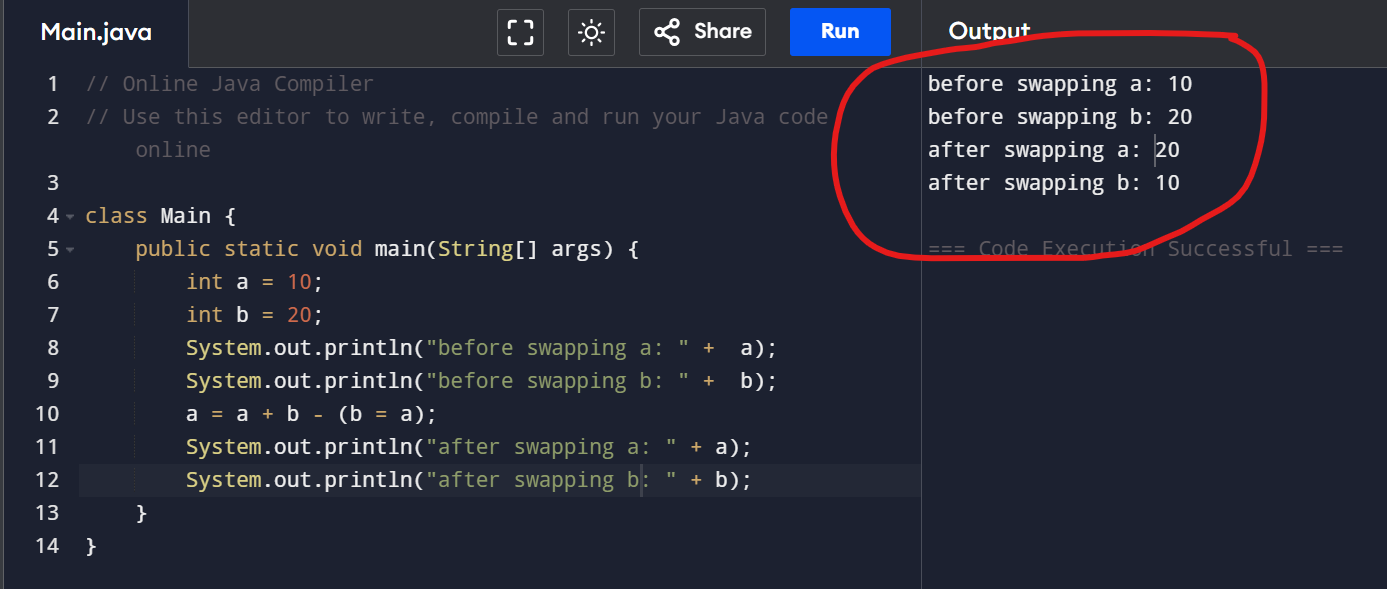
One of the primary benefits of using a Java online compiler is the convenience it provides. You can write, compile, and run your Java code directly from your web browser without the need to install any software locally. This accessibility allows you to work on your projects from any device with an internet connection.

Instant Feedback

Online compilers typically provide instant feedback on your code, highlighting syntax errors and offering suggestions for improvement. This immediate feedback can help you identify and correct errors more efficiently, speeding up the development process.

Collaboration and Sharing

Many online compilers offer features that enable collaboration among team members or sharing code snippets with others. This can be especially useful for code reviews, pair programming, or seeking help from the community. By sharing your code online, you can receive feedback and insights from fellow developers around the world.

Experimentation and Learning

For beginners learning Java, an online compiler provides a safe environment to experiment with code without worrying about setting up development environments or damaging local files. You can quickly try out different concepts, test small programs, and see immediate results, which can enhance your learning experience.

Cost-Effective Solution

Using a Java online compiler eliminates the need to invest in expensive development tools or IDEs. Most online compilers are free to use, making them a cost-effective solution for individuals or small teams looking to develop Java applications without incurring additional expenses.

Conclusion

In conclusion, a Java online compiler offers numerous advantages such as convenience, instant feedback, collaboration opportunities, learning support, and cost-effectiveness. Whether you are coding on-the-go or seeking feedback from peers, integrating an online compiler into your workflow can enhance your Java programming experience.


5 Essential Tips for Choosing and Using an Online Java Compiler Effectively

  1. Choose a reliable and secure online Java compiler to ensure the safety of your code.
  2. Look for features such as syntax highlighting, auto-completion, and error detection to enhance your coding experience.
  3. Familiarize yourself with the compiler’s user interface and functionalities to work efficiently.
  4. Consider saving your code regularly or using version control to prevent loss of work.
  5. Explore online Java compiler tutorials and documentation to maximize your understanding of its capabilities.

Choose a reliable and secure online Java compiler to ensure the safety of your code.

When utilizing a Java online compiler, it is crucial to select a reliable and secure platform to safeguard the integrity and confidentiality of your code. By choosing a trusted online Java compiler, you can ensure that your code remains protected from potential threats and vulnerabilities. Prioritizing security measures not only preserves the confidentiality of your work but also instills confidence in the reliability of the compiler, allowing you to focus on coding without concerns about data breaches or unauthorized access.

Look for features such as syntax highlighting, auto-completion, and error detection to enhance your coding experience.

When utilizing a Java online compiler, it is beneficial to seek out features like syntax highlighting, auto-completion, and error detection to elevate your coding experience. These functionalities not only help in writing code more efficiently but also aid in identifying and rectifying errors promptly. Syntax highlighting assists in visually distinguishing different elements of your code, auto-completion speeds up the coding process by suggesting possible completions as you type, and error detection alerts you to potential mistakes, enabling you to address them before running the code. By leveraging these features, you can streamline your coding workflow and enhance the overall quality of your Java programming projects.

Familiarize yourself with the compiler’s user interface and functionalities to work efficiently.

To make the most of a Java online compiler, it is essential to familiarize yourself with its user interface and functionalities. Understanding how the compiler works and exploring its features can significantly enhance your efficiency and productivity. By mastering the tools available within the compiler, you can streamline your coding process, troubleshoot errors effectively, and leverage advanced functions to optimize your Java development workflow. Taking the time to learn the ins and outs of the compiler will empower you to work more confidently and proficiently on your Java projects.

Consider saving your code regularly or using version control to prevent loss of work.

When using a Java online compiler, it is essential to consider saving your code regularly or utilizing version control systems to prevent the loss of your work. Online environments may have limitations or unexpected interruptions that could result in data loss if not saved periodically. By saving your code frequently or using version control tools like Git, you can safeguard your progress and ensure that you have access to previous versions of your code in case of any unforeseen issues. This practice helps maintain the integrity of your work and provides a safety net against potential setbacks.

Explore online Java compiler tutorials and documentation to maximize your understanding of its capabilities.

To maximize your understanding of the capabilities of a Java online compiler, it is highly recommended to explore tutorials and documentation provided by the platform. These resources can offer valuable insights into various features, functionalities, and best practices for utilizing the compiler effectively. By delving into tutorials and documentation, you can enhance your proficiency in using the Java online compiler, enabling you to leverage its full potential for coding projects and development tasks.

software development tools

Exploring the Latest Innovations in Software Development Tools

The Essential Software Development Tools Every Developer Should Know

The Essential Software Development Tools Every Developer Should Know

Software development tools are essential for developers to create, test, and deploy applications efficiently. With the ever-evolving technology landscape, staying updated on the latest tools is crucial for success in the field of software development.

Integrated Development Environments (IDEs)

IDEs are comprehensive software applications that provide developers with all the necessary tools to write, test, and debug code. Popular IDEs like Visual Studio, IntelliJ IDEA, and Eclipse offer features such as code completion, syntax highlighting, and version control integration.

Version Control Systems

Version control systems like Git and SVN help developers track changes to their codebase, collaborate with team members, and revert to previous versions if needed. These tools play a crucial role in maintaining code integrity and streamlining the development process.

Testing Frameworks

Testing frameworks such as JUnit for Java or Jest for JavaScript enable developers to write automated tests to ensure the functionality and reliability of their code. By automating testing processes, developers can identify bugs early in the development cycle and deliver high-quality software.

Containerization Tools

Containerization tools like Docker allow developers to package applications and their dependencies into lightweight containers that can run consistently across different environments. Containers streamline deployment processes and improve scalability and portability of applications.

Continuous Integration/Continuous Deployment (CI/CD) Tools

CI/CD tools such as Jenkins and Travis CI automate the build, testing, and deployment processes of software development. By integrating these tools into their workflow, developers can accelerate delivery cycles, reduce errors, and ensure a seamless deployment pipeline.

Code Editors

Code editors like Visual Studio Code, Sublime Text, and Atom provide developers with lightweight yet powerful environments for writing code. These editors offer features such as syntax highlighting, code snippets, and extensions that enhance productivity during development.

In conclusion, software development tools play a vital role in empowering developers to build robust applications efficiently. By leveraging the right tools for each stage of the development process, developers can streamline workflows, collaborate effectively with team members, and deliver high-quality software products that meet user expectations.


9 Common Questions About Software Development Tools and Their Importance

  1. What are software development tools?
  2. Why are software development tools important in the software development process?
  3. What are some examples of popular Integrated Development Environments (IDEs)?
  4. How do Version Control Systems benefit software developers?
  5. What role do Testing Frameworks play in software development?
  6. How can Containerization Tools help in application deployment?
  7. What are Continuous Integration/Continuous Deployment (CI/CD) Tools and why are they important?
  8. Which Code Editors are commonly used by developers for writing code?
  9. How can developers choose the right software development tools for their projects?

What are software development tools?

Software development tools encompass a wide range of software applications and platforms designed to assist developers in creating, testing, and deploying software solutions. These tools provide developers with functionalities such as code editing, debugging, version control, testing automation, and deployment management. By utilizing software development tools, developers can streamline their workflow, collaborate effectively with team members, ensure code quality and reliability, and ultimately deliver successful software projects that meet user requirements.

Why are software development tools important in the software development process?

Software development tools are crucial in the software development process for several reasons. These tools provide developers with the necessary resources to write, test, debug, and deploy code efficiently. By using integrated development environments (IDEs), version control systems, testing frameworks, and other tools, developers can streamline their workflows, collaborate effectively with team members, and ensure the quality and reliability of their code. Software development tools also help automate repetitive tasks, identify bugs early in the development cycle, and improve overall productivity. In essence, these tools play a fundamental role in empowering developers to create high-quality software products that meet user requirements and industry standards.

When it comes to popular Integrated Development Environments (IDEs), developers have a variety of options to choose from based on their programming language preferences and project requirements. Some well-known IDEs include Visual Studio for .NET development, IntelliJ IDEA for Java development, Eclipse for multi-language support, and Xcode for iOS and macOS development. These IDEs offer a range of features such as code completion, debugging tools, version control integration, and plugin support to enhance developers’ productivity and streamline the software development process.

How do Version Control Systems benefit software developers?

Version Control Systems (VCS) offer significant benefits to software developers by enabling them to track changes to their codebase, collaborate effectively with team members, and maintain code integrity. With VCS like Git or SVN, developers can easily manage different versions of their code, making it simple to revert to previous versions if needed. This feature is crucial for debugging and ensuring the stability of the codebase. Additionally, VCS facilitates seamless collaboration among team members by providing a centralized platform for sharing and merging code changes. By using version control systems, software developers can work more efficiently, reduce errors, and enhance overall productivity in the software development process.

What role do Testing Frameworks play in software development?

Testing frameworks play a crucial role in software development by enabling developers to automate the process of testing code for functionality and reliability. These frameworks provide a structured approach to writing and executing test cases, allowing developers to identify bugs and errors early in the development cycle. By incorporating testing frameworks like JUnit or Jest into their workflow, developers can ensure that their code meets quality standards, improve the overall stability of the software, and deliver a more robust product to end-users.

How can Containerization Tools help in application deployment?

Containerization tools play a crucial role in application deployment by simplifying the process and ensuring consistency across different environments. Tools like Docker allow developers to package applications along with their dependencies into lightweight, portable containers. These containers encapsulate everything needed for the application to run, making it easier to deploy the application on various platforms without worrying about compatibility issues. By using containerization tools, developers can streamline deployment processes, improve scalability, enhance security, and achieve greater flexibility in managing and deploying applications effectively.

What are Continuous Integration/Continuous Deployment (CI/CD) Tools and why are they important?

Continuous Integration/Continuous Deployment (CI/CD) tools are essential components in modern software development practices. CI/CD tools automate the process of integrating code changes into a shared repository, running automated tests, and deploying applications to production environments. By streamlining these processes, CI/CD tools help developers catch bugs early, ensure code quality, and accelerate the delivery of software updates. This automation reduces manual errors, improves collaboration among team members, and enables faster feedback loops, ultimately leading to more reliable and efficient software development cycles. In today’s fast-paced development environment, CI/CD tools are crucial for maintaining a competitive edge and delivering high-quality software products to users in a timely manner.

Which Code Editors are commonly used by developers for writing code?

Code editors are essential tools for developers to write and edit code efficiently. Some of the most commonly used code editors in the software development community include Visual Studio Code, Sublime Text, and Atom. These editors offer a range of features such as syntax highlighting, code completion, and customizable themes that cater to the diverse needs of developers. Visual Studio Code, known for its versatility and extensive extension library, has gained popularity among developers working with various programming languages. Sublime Text is favored for its speed and simplicity, while Atom is appreciated for its open-source nature and ease of customization. Ultimately, the choice of code editor often comes down to personal preference and the specific requirements of a developer’s workflow.

How can developers choose the right software development tools for their projects?

When it comes to choosing the right software development tools for their projects, developers should consider several key factors to ensure optimal outcomes. Firstly, developers need to assess the specific requirements of their project, such as the programming languages, frameworks, and technologies involved. Understanding the project scope and objectives is crucial in selecting tools that align with these needs. Additionally, developers should evaluate the scalability, flexibility, and compatibility of tools to ensure they can accommodate future growth and changes in project requirements. Collaboration capabilities, community support, and ease of integration with existing systems are also essential considerations when choosing software development tools. By conducting thorough research and testing different tools based on these criteria, developers can make informed decisions that enhance productivity and streamline the development process for their projects.