Choosing the Best Platform to Develop Mobile Apps
The Best Platform to Develop Mobile Apps
When it comes to developing mobile apps, choosing the right platform is crucial for success. With the ever-growing demand for mobile applications, developers have a variety of platforms to choose from. Each platform has its own set of features, capabilities, and target audiences. Let’s explore some of the best platforms for developing mobile apps:
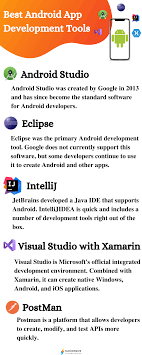
Android Studio
Android Studio is the official integrated development environment (IDE) for Android app development. It offers a wide range of tools and resources to help developers create high-quality Android applications. With a large user base and extensive documentation, Android Studio is a popular choice among developers.
Xcode
Xcode is the IDE for iOS app development, exclusively available for macOS users. It provides a comprehensive set of tools for building iOS, macOS, watchOS, and tvOS applications. With features like Interface Builder and Swift programming language support, Xcode simplifies the app development process for Apple devices.
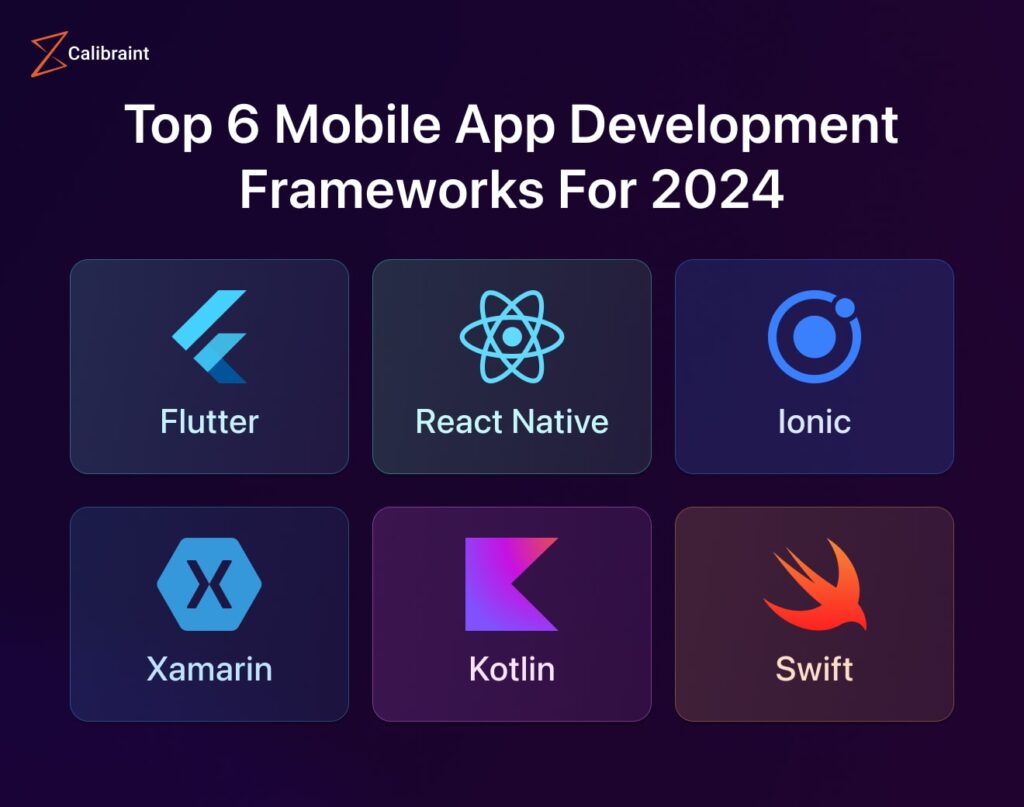
React Native
React Native is a cross-platform framework developed by Facebook that allows developers to build mobile apps using JavaScript and React. By leveraging a single codebase, developers can create apps that run on both iOS and Android platforms. React Native offers fast development cycles and a vibrant community of developers.
Flutter
Flutter is Google’s UI toolkit for building natively compiled applications for mobile, web, and desktop from a single codebase. With its expressive UI designs and customizable widgets, Flutter enables developers to create visually appealing apps with high performance. Flutter’s hot reload feature speeds up the development process.
Xamarin
Xamarin is a Microsoft-owned framework that allows developers to build native iOS, Android, and Windows apps using C#. By sharing code across multiple platforms, Xamarin reduces development time and effort while maintaining native performance and user experience.
Choosing the best platform to develop mobile apps depends on factors such as target audience, project requirements, developer expertise, and budget constraints. Each platform offers unique advantages and challenges that developers should consider before making a decision.
Whether you are developing an app for Android or iOS devices or targeting multiple platforms simultaneously, selecting the right platform can significantly impact the success of your mobile app project.
8 Essential Tips for Choosing the Best Mobile App Development Platform
- Choose a platform that supports the programming languages you are familiar with.
- Consider the popularity and market share of the platform to reach a wider audience.
- Look for a platform with robust development tools and resources for efficient app creation.
- Ensure the platform provides good support and documentation for troubleshooting and guidance.
- Check if the platform offers easy integration with third-party services and APIs.
- Evaluate the scalability options of the platform to accommodate future growth of your app.
- Consider the cost implications, including licensing fees and developer account charges, when choosing a platform.
- Seek feedback from other developers or read reviews to learn about their experiences with the platform.
Choose a platform that supports the programming languages you are familiar with.
When selecting the best platform to develop mobile apps, it is essential to consider choosing a platform that supports the programming languages you are already familiar with. By opting for a platform that aligns with your expertise, you can leverage your existing skills and knowledge to streamline the app development process. Working with familiar programming languages not only enhances your productivity but also reduces the learning curve, allowing you to focus on building innovative and high-quality mobile applications efficiently.
Consider the popularity and market share of the platform to reach a wider audience.
When deciding on the best platform to develop mobile apps, it is essential to consider the popularity and market share of the platform. By choosing a platform with a significant user base, developers can reach a wider audience and maximize the app’s potential for success. Platforms with higher market share often offer greater visibility and exposure for mobile apps, increasing the chances of attracting more users and achieving higher engagement levels. Therefore, evaluating the popularity and market share of a platform is a strategic decision that can impact the app’s reach and overall performance in the competitive mobile app market.
Look for a platform with robust development tools and resources for efficient app creation.
When considering the best platform for developing mobile apps, it is essential to prioritize those with robust development tools and abundant resources. Opting for a platform that offers efficient tools and resources can streamline the app creation process, enhance productivity, and facilitate the implementation of innovative features. By selecting a platform with comprehensive development support, developers can expedite their workflow, troubleshoot issues effectively, and ultimately deliver high-quality mobile applications to meet user expectations.
Ensure the platform provides good support and documentation for troubleshooting and guidance.
It is essential to ensure that the chosen platform for developing mobile apps offers robust support and comprehensive documentation for troubleshooting and guidance. Having access to reliable resources and assistance can significantly streamline the development process, resolve issues efficiently, and enhance overall productivity. Clear documentation and responsive support services empower developers to overcome challenges effectively, improve their skills, and create high-quality mobile applications that meet users’ expectations.
Check if the platform offers easy integration with third-party services and APIs.
When selecting the best platform to develop mobile apps, it is essential to consider whether the platform offers easy integration with third-party services and APIs. Seamless integration with external services and APIs can enhance the functionality and features of your app, allowing you to leverage a wide range of resources and capabilities without reinventing the wheel. By choosing a platform that supports smooth integration with third-party services, developers can streamline development processes, improve app performance, and provide users with a more comprehensive and engaging experience.
Evaluate the scalability options of the platform to accommodate future growth of your app.
When selecting the best platform to develop mobile apps, it is essential to evaluate the scalability options offered by the platform. Understanding how well the platform can accommodate the future growth of your app is crucial for long-term success. Scalability ensures that your app can handle increased traffic, user base, and feature enhancements without compromising performance. By choosing a platform with robust scalability options, developers can future-proof their apps and ensure seamless expansion as the app grows in popularity and functionality.
Consider the cost implications, including licensing fees and developer account charges, when choosing a platform.
When selecting the best platform for developing mobile apps, it is essential to consider the cost implications associated with each option. This includes evaluating licensing fees, developer account charges, and any additional expenses that may arise during the development process. By factoring in these financial considerations upfront, developers can make informed decisions that align with their budget constraints and ensure a cost-effective app development strategy.
Seek feedback from other developers or read reviews to learn about their experiences with the platform.
To make an informed decision on the best platform to develop mobile apps, seeking feedback from other developers or reading reviews can provide valuable insights into their experiences with the platform. By learning from the firsthand experiences of other developers, you can gain a better understanding of the platform’s strengths, weaknesses, and overall performance. This feedback can help you assess whether the platform aligns with your project requirements and development goals, ultimately guiding you towards selecting the most suitable platform for your mobile app development.