cfchris.com

Loading

java enterprise edition
ee

Java Enterprise Edition: A Practical Guide to Enterprise Java Development

Java Enterprise Edition: A Guide to Enterprise Java

Java Enterprise Edition, commonly known as Java EE, was a set of specifications for building large-scale applications with Java. It extended the Java platform with standardized tools for common business needs, including web applications, database access, messaging, security, and transaction management.

Java EE is now called Jakarta EE. The name changed after the platform moved to the Eclipse Foundation, but its central goal remains the same: to provide common APIs and standards that help developers build reliable, portable enterprise applications.

What Java EE Was Designed to Do

Enterprise applications often need to handle many users, protect sensitive information, connect to databases, and coordinate work across multiple systems. Building each of these capabilities from scratch can be complex. Java EE specifications defined standard ways for applications to address these requirements.

Rather than prescribing one specific product, the platform described APIs and behaviors that compatible application servers could implement. This gave organizations a choice of vendors and helped applications move between compliant environments with fewer changes.

Key Technologies

Java EE included a broad collection of technologies. The exact set evolved over time, but several became especially well known:

  • Servlets and JavaServer Pages (JSP): Technologies for handling web requests and generating dynamic web content. Newer Java EE releases also included JavaServer Faces (JSF) for component-based user interfaces.
  • Enterprise JavaBeans (EJB): A component model for business logic, with services such as transactions and security provided by the runtime.
  • Java Persistence API (JPA): A standard for mapping Java objects to relational database data.
  • Java Message Service (JMS): An API for sending messages between application components and systems.
  • Java API for RESTful Web Services (JAX-RS): A standard for building HTTP-based REST services.
  • Bean Validation: A way to define and check constraints on application data.
  • Dependency injection and contexts: Facilities for managing components and their dependencies, including Contexts and Dependency Injection (CDI).

These technologies were designed to work together, though developers could use only the parts their applications needed.

Application Servers and Containers

Java EE applications typically run inside an application server, also called a runtime or container. The server provides services such as component management, security, database connection pooling, and transaction coordination. Examples of Java EE application servers included GlassFish, WildFly, and commercial products from several vendors.

This approach can reduce the amount of infrastructure code an application team must maintain. It also introduces a runtime that must be configured, operated, and kept up to date. Some applications use only a small portion of the platform, while others rely on a larger set of server-managed services.

From Java EE to Jakarta EE

Java EE was developed under Oracle’s stewardship. In 2017, Oracle transferred the enterprise Java technologies to the Eclipse Foundation. The platform was renamed Jakarta EE, and the Eclipse Foundation now manages its specifications and community processes.

The transition also involved a change in package names. Older Java EE APIs commonly used packages beginning with javax. Jakarta EE 9 introduced the new jakarta namespace for the platform APIs. As a result, moving an application to a newer Jakarta EE version may require source-code changes, updated dependencies, and a compatible application server.

Java EE documentation and applications remain relevant, especially in organizations maintaining established systems. For new development, Jakarta EE is the current continuation of the platform.

Java EE and Modern Application Development

Enterprise Java has changed over time. Modern Jakarta EE runtimes can support cloud deployments, containers, and microservices, while retaining standard APIs familiar to many Java developers. Frameworks such as Spring offer another widely used approach to building Java applications, with their own programming model and ecosystem.

The best fit depends on the project. Teams may consider existing skills, application-server requirements, deployment targets, vendor support, and the specific APIs a system needs. Standards can be valuable when portability and a shared specification matter; frameworks may be attractive when a team prefers a more integrated or opinionated development experience.

Benefits and Considerations

Java EE’s standards-based approach offers several potential benefits:

  • Portability: Applications built against standard APIs can often be deployed on compatible runtimes with less vendor-specific code.
  • Built-in services: The runtime can handle common concerns such as transactions, security, and resource management.
  • A mature ecosystem: Enterprise Java has a long history, extensive documentation, and a large community of developers and vendors.
  • Consistency: Standard APIs give teams a shared vocabulary and predictable programming interfaces.

There are also considerations. Application servers can add operational complexity, and platform versions, server support, and library compatibility need to be managed carefully. The move from javax to jakarta can also make upgrades more involved for older applications.

Conclusion

Java Enterprise Edition established a standards-based foundation for building business applications with Java. Although the platform is now known as Jakarta EE, its core ideas—portable APIs, managed runtime services, and support for large-scale applications—continue to shape enterprise Java development. Understanding Java EE is useful not only for maintaining legacy systems, but also for understanding the history and direction of the modern Jakarta EE platform.


Understanding Java Enterprise Edition (Java EE): Key FAQs and Insights

  1. What is Java Enterprise Edition (Java EE)?
  2. What is the difference between Java EE and Jakarta EE?
  3. What are the main features of Java EE?
  4. What technologies and APIs are included in Java EE?
  5. What is a Java EE application server?
  6. How is Java EE different from Java SE?
  7. Is Java EE still used for enterprise application development?
  8. How do I get started building a Java EE or Jakarta EE application?

What is Java Enterprise Edition (Java EE)?

Java Enterprise Edition (Java EE) was a collection of standards and APIs for building large-scale business applications with Java. It provided tools for common needs such as web development, database access, security, messaging, and transaction management, typically through an application server. Java EE is now known as Jakarta EE, which continues the platform under the Eclipse Foundation.

What is the difference between Java EE and Jakarta EE?

Java EE and Jakarta EE are successive names for the same enterprise Java platform. Java EE was originally developed under Oracle; after Oracle transferred it to the Eclipse Foundation, the platform was renamed Jakarta EE. The specifications and APIs continue to evolve under the new name, but there is an important compatibility change: Jakarta EE 9 moved many API packages from javax.* to jakarta.*. As a result, older Java EE applications may need code and dependency updates to run on newer Jakarta EE versions.

What are the main features of Java EE?

Java EE’s main features include standardized APIs for building web applications, managing business logic, connecting to databases, sending messages, and creating RESTful services. It also provides services such as dependency injection, security, transaction management, and component management through an application server. Together, these features help developers build scalable, reliable enterprise applications while reducing the need to implement common infrastructure from scratch. Java EE is now known as Jakarta EE, its ongoing successor.

What technologies and APIs are included in Java EE?

Java EE includes standardized technologies and APIs for building enterprise applications, including Servlets and JavaServer Pages (JSP) for web development, Java Persistence API (JPA) for database access, Enterprise JavaBeans (EJB) for business logic, Java Message Service (JMS) for messaging, JAX-RS for RESTful web services, and CDI for dependency injection. It also provides APIs for security, transactions, validation, and other common application needs. The exact set varies by Java EE version; the platform’s current continuation is Jakarta EE.

What is a Java EE application server?

A Java EE application server is a software platform that runs Java EE applications and provides services they commonly need, such as security, database connections, transaction management, and web request handling. It manages application components within a runtime environment, so developers can rely on standardized services instead of building every feature from scratch. Java EE is now known as Jakarta EE, and compatible application servers provide the runtime for Jakarta EE applications as well.

How is Java EE different from Java SE?

Java SE (Standard Edition) provides the core Java language, libraries, and runtime features used to build general-purpose applications. Java EE (Enterprise Edition), now continued as Jakarta EE, builds on Java SE by adding standardized APIs and services for enterprise applications, such as web services, database persistence, messaging, security, and transaction management. In short, Java SE is the foundation, while Java EE is designed to support larger, server-based applications that often run in an application server.

Is Java EE still used for enterprise application development?

Yes, Java EE is still used to develop and maintain enterprise applications, especially in organizations with established systems built on the platform. Java EE has evolved into Jakarta EE, which continues to provide standards for building Java applications, including APIs for web services, persistence, security, and transactions. Teams starting new projects may choose Jakarta EE or other Java frameworks based on their requirements, existing expertise, and deployment environment.

How do I get started building a Java EE or Jakarta EE application?

To get started, install a supported JDK and choose a Jakarta EE–compatible runtime, such as Payara, WildFly, or Open Liberty. Create a project with Maven or Gradle, using dependencies that match your runtime’s Jakarta EE version, then begin with a small feature such as a REST endpoint using Jakarta REST. Run the application locally, test it, and deploy it to your chosen runtime. If you’re working with an older Java EE application, check its API and server versions before upgrading, since newer Jakarta EE releases use the jakarta package namespace instead of javax.
cyber security infrastructure

Enhancing Your Organization’s Cyber Security Infrastructure: A Comprehensive Guide

The Importance of Cyber Security Infrastructure in Today’s Digital World

In today’s interconnected world, where businesses and individuals rely heavily on digital technologies, the need for robust cyber security infrastructure has never been more critical. Cyber threats continue to evolve and become more sophisticated, posing significant risks to sensitive data, financial assets, and even national security. Establishing a strong cyber security infrastructure is essential to safeguarding against these threats and ensuring the integrity and confidentiality of information.

Key Components of Cyber Security Infrastructure

A comprehensive cyber security infrastructure encompasses various components that work together to protect systems, networks, and data from cyber attacks. Some key components include:

  • Firewalls: Firewalls act as a barrier between internal networks and external threats, monitoring and filtering incoming and outgoing network traffic based on predefined security rules.
  • Intrusion Detection Systems (IDS) and Intrusion Prevention Systems (IPS): IDS and IPS are designed to detect and prevent unauthorized access or malicious activities within a network by analyzing network traffic patterns.
  • Antivirus Software: Antivirus software helps detect and remove malware, viruses, and other malicious software that can compromise system security.
  • Data Encryption: Encrypting sensitive data ensures that even if it is intercepted by unauthorized parties, they cannot decipher its contents without the decryption key.
  • Security Information and Event Management (SIEM): SIEM solutions collect and analyze log data from various sources to identify potential security incidents in real-time.

The Role of Cyber Security Infrastructure in Business Operations

For businesses, a robust cyber security infrastructure is not just about protecting data—it is also about safeguarding their reputation, maintaining customer trust, and ensuring uninterrupted operations. A successful cyber attack can have devastating consequences for a company, leading to financial losses, legal liabilities, and long-term damage to its brand image.

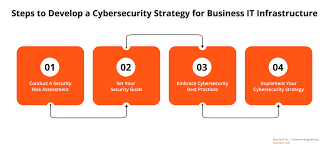
By investing in cyber security infrastructure, businesses can mitigate these risks by proactively identifying vulnerabilities, implementing effective security measures, conducting regular risk assessments, and providing employee training on cybersecurity best practices. This proactive approach helps organizations stay ahead of potential threats and respond swiftly in the event of a breach.

The Future of Cyber Security Infrastructure

As cyber threats continue to evolve in complexity and scale, the need for advanced cyber security infrastructure will only grow. Technologies such as artificial intelligence (AI), machine learning, blockchain, and quantum cryptography are being leveraged to enhance cybersecurity capabilities and stay one step ahead of cybercriminals.

Furthermore, with the rise of remote workforces and cloud-based services, organizations must adapt their cyber security infrastructure to address new challenges related to securing distributed environments and protecting sensitive data across multiple platforms.

In Conclusion

Cyber security infrastructure plays a crucial role in safeguarding our digital assets against ever-evolving threats. By prioritizing cybersecurity measures, staying informed about emerging risks, investing in advanced technologies, and fostering a culture of vigilance within organizations, we can collectively build a more secure digital ecosystem for the future.


Top 5 Essential Tips for Strengthening Your Cybersecurity Infrastructure

  1. Regularly update software and security patches to protect against known vulnerabilities.
  2. Implement strong password policies and consider multi-factor authentication for added security.
  3. Encrypt sensitive data both in transit and at rest to prevent unauthorized access.
  4. Conduct regular security audits and risk assessments to identify potential weaknesses in the infrastructure.
  5. Train employees on cybersecurity best practices to build a culture of security awareness within the organization.

Regularly update software and security patches to protect against known vulnerabilities.

Regularly updating software and security patches is a fundamental practice in maintaining a robust cyber security infrastructure. By staying current with the latest updates, organizations can effectively protect their systems and networks against known vulnerabilities that cybercriminals may exploit. These updates often contain critical security patches that address weaknesses identified by software developers or security researchers. Failing to apply these updates in a timely manner can leave systems exposed to potential attacks, making it essential for businesses to prioritize regular software maintenance as part of their overall cybersecurity strategy.

Implement strong password policies and consider multi-factor authentication for added security.

To enhance cyber security infrastructure, it is crucial to implement strong password policies and consider multi-factor authentication for added security. Strong passwords that are complex and unique help prevent unauthorized access to sensitive data and systems. By requiring users to follow password guidelines such as using a combination of letters, numbers, and special characters, organizations can significantly reduce the risk of password-related breaches. Additionally, implementing multi-factor authentication adds an extra layer of protection by requiring users to provide multiple forms of verification before accessing accounts or systems, making it harder for cyber attackers to compromise security. By incorporating these measures into their cyber security strategy, organizations can bolster their defenses against potential threats and better safeguard their digital assets.

Encrypt sensitive data both in transit and at rest to prevent unauthorized access.

To enhance the security of sensitive data, it is crucial to encrypt it both in transit and at rest. Encrypting data in transit ensures that information remains secure while being transferred between systems or over networks, protecting it from interception by unauthorized parties. Similarly, encrypting data at rest involves securing stored data on devices or servers, making it unreadable to anyone without the appropriate decryption key. By implementing robust encryption measures, organizations can significantly reduce the risk of unauthorized access and safeguard the confidentiality and integrity of their valuable information.

Conduct regular security audits and risk assessments to identify potential weaknesses in the infrastructure.

Conducting regular security audits and risk assessments is a fundamental practice in maintaining a strong cyber security infrastructure. By systematically evaluating the effectiveness of existing security measures and identifying potential vulnerabilities, organizations can proactively address weaknesses before they are exploited by malicious actors. These assessments provide valuable insights into the overall security posture of the infrastructure, enabling informed decisions on implementing additional safeguards and mitigating risks effectively. Regular audits and risk assessments are essential components of a comprehensive cyber security strategy, helping to ensure the resilience and integrity of digital assets in an ever-evolving threat landscape.

Train employees on cybersecurity best practices to build a culture of security awareness within the organization.

Training employees on cybersecurity best practices is a fundamental step in establishing a culture of security awareness within an organization. By educating staff members on how to identify and respond to potential cyber threats, companies can empower their workforce to become active participants in safeguarding sensitive data and protecting against malicious activities. Through ongoing training sessions, employees can learn about the latest cybersecurity trends, understand the importance of following security protocols, and contribute to creating a secure environment where everyone plays a role in maintaining the integrity of the organization’s cyber security infrastructure.

java decompiler download

Java Decompiler Download: A Guide to Choosing and Using the Right Tool

Java Decompiler Download: How to Choose and Use the Right Tool

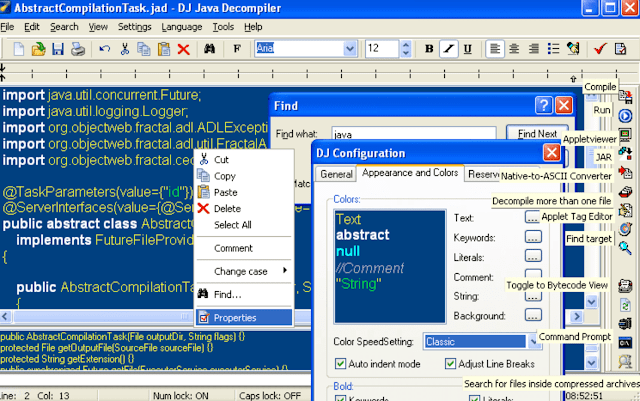
A Java decompiler can turn compiled Java bytecode—usually found in .class files or .jar archives—into readable Java-like source code. Developers use decompilers to inspect code when the original source is unavailable, troubleshoot compatibility issues, or learn how a library works.

Before downloading a Java decompiler, consider what you need to inspect, which Java versions it supports, and whether the download comes from a trustworthy source.

Popular Java Decompilers

CFR

CFR is a standalone decompiler that runs from the command line. It can process individual class files and JAR archives, and it is regularly used to inspect bytecode produced by modern Java compilers. Check the project’s official page for the current release and usage instructions.

FernFlower

FernFlower is a Java decompiler associated with the IntelliJ IDEA ecosystem. It is available through IntelliJ IDEA and related tools, making it a convenient option for developers who already work in that environment. Use the official JetBrains website or project documentation to find the appropriate download.

JD-GUI

JD-GUI provides a graphical interface for browsing decompiled Java files and JAR archives. It may be useful if you prefer exploring code visually instead of working in a terminal. Availability and compatibility can vary by release, so consult the project’s official site or repository before downloading.

JADX

JADX is designed primarily for decompiling Android applications, including APK files. It can also be useful when investigating Android-related bytecode. Download it from the official GitHub repository and review its documentation for supported formats and installation steps.

How to Download a Java Decompiler Safely

  1. Start with the official source. Use the developer’s website, official repository, or a trusted package manager. Avoid download pages that bundle unrelated software.
  2. Check system requirements. Some tools require a Java Runtime Environment or a particular Java version; others provide platform-specific applications.
  3. Review the release details. Confirm the supported operating systems, bytecode versions, and file formats before installing.
  4. Verify the download when possible. If the publisher provides checksums or signatures, use them to confirm that the file has not been altered.
  5. Be cautious with unknown files. Decompiled applications may contain unsafe code. Do not run an unfamiliar program just because its contents have been inspected.

Using a Command-Line Decompiler

Many Java decompilers can be run from a terminal. For example, a command may look like this:

java -jar cfr.jar application.jar

The exact command and options depend on the tool and version. Consult its documentation for instructions on choosing an output directory, processing individual class files, or adjusting decompilation settings.

What to Expect from Decompiled Code

Decompilation does not restore the original source code exactly. A decompiler reconstructs a readable approximation from bytecode, so comments, original variable names, formatting, and some structural details may be missing. Features such as obfuscation, compiler optimizations, or newer language constructs can also make the output harder to understand.

If the goal is to inspect program behavior, compare the decompiled output with the bytecode or application’s documentation where appropriate. Tools such as javap, included with the Java Development Kit, can display bytecode details, but it is not a Java source decompiler.

Legal and Ethical Considerations

Only decompile software when you have the right to do so. Licenses, contracts, copyright law, and local regulations may restrict reverse engineering. When inspecting third-party software, review its license and obtain permission if needed. For your own projects, keeping the original source code and build files is usually the best way to avoid relying on decompilation.

Choosing the Best Option

For a quick command-line workflow, consider CFR. For browsing code in an IDE, look at FernFlower through IntelliJ IDEA. For a graphical interface, explore JD-GUI. For Android APK analysis, consider JADX. In every case, download the tool from its official source, confirm compatibility with your files, and use the results responsibly.


8 Essential Tips for Safely Downloading Java Decompilers

  1. Download Java decompilers from official project pages or trusted repositories.
  2. Choose a tool that supports your Java version and file type.
  3. Check system requirements before downloading.
  4. Avoid third-party download buttons and bundled installers.
  5. Verify checksums or digital signatures when available.
  6. Scan downloaded files with reputable security software.
  7. Review the tool’s license and usage terms.
  8. Keep the decompiler updated from its official source.

Download Java decompilers from official project pages or trusted repositories.

When downloading a Java decompiler, use the project’s official website or a trusted repository, such as its verified GitHub page. This helps reduce the risk of installing outdated, modified, or bundled software. Before opening the download, check that it matches your operating system and review any release notes, checksums, or signature information the project provides.

Choose a tool that supports your Java version and file type.

Before downloading a Java decompiler, check that it supports both the Java version used to create the bytecode and the file type you need to inspect. Some tools work with individual .class files or .jar archives, while others are designed for Android .apk files. Choosing a compatible tool can help you get clearer results and avoid unnecessary setup issues.

Check system requirements before downloading.

Before downloading a Java decompiler, check its system requirements to make sure it will work on your computer. Review the supported operating systems and Java versions, and confirm whether the tool needs a separate Java Runtime Environment or other dependencies. Taking a moment to verify compatibility can help you avoid installation problems and choose a version suited to your setup.

Avoid third-party download buttons and bundled installers.

When downloading a Java decompiler, avoid third-party download buttons and bundled installers, which can lead to misleading links or unwanted software. Get the tool from its official website or trusted project repository, and check the publisher and release details before opening the file.

Verify checksums or digital signatures when available.

When downloading a Java decompiler, verify its checksum or digital signature if the publisher provides one. A checksum lets you compare the downloaded file against a value published by the developer, while a digital signature can help confirm the file’s origin and integrity. Follow the project’s official instructions to perform the check, and download both the tool and its verification details from trusted sources.

Scan downloaded files with reputable security software.

Before opening a Java decompiler download, scan the file with reputable, up-to-date security software. This simple precaution can help detect malware or unwanted software, especially if the file came from a third-party download site. For added confidence, download decompilers from their official websites or repositories and verify any checksums the developer provides.

Review the tool’s license and usage terms.

Before downloading a Java decompiler, review its license and usage terms to understand how you’re allowed to install, use, modify, or redistribute the tool. Also check whether its terms—or the license for the software you plan to inspect—place limits on decompilation or reverse engineering. When in doubt, consult the relevant documentation or seek permission before proceeding.

Keep the decompiler updated from its official source.

Keep your Java decompiler updated by downloading new versions only from the developer’s official website or repository. Updates can improve compatibility with newer Java versions, fix bugs, and address security issues. Avoid unofficial download sites, which may offer outdated or modified files, and check the project’s release notes to understand what has changed before installing an update.

java se development kit 8

Java SE Development Kit 8: Features, Benefits, and Getting Started

Java SE Development Kit 8: Features, Uses, and Legacy Support

The Java SE Development Kit 8, commonly called JDK 8 or Java 8, is a toolkit for developing and running Java applications. Released in March 2014, it introduced major language and library improvements that shaped modern Java development. Many organizations still use JDK 8 to maintain established applications, even as newer Java releases are available.

What Is the JDK?

The JDK provides the tools developers need to build Java programs. It includes the Java compiler, runtime components, standard libraries, and utilities for tasks such as debugging and packaging applications. The compiler, javac, converts Java source files into bytecode that runs on a compatible Java Virtual Machine (JVM).

JDK 8 implements the Java SE 8 platform. It is distinct from the Java Runtime Environment (JRE), which is intended for running Java applications rather than developing them. In JDK 8, the required runtime components are included with the development kit.

Notable Features in Java 8

Lambda Expressions

Lambda expressions let developers write concise implementations of functional interfaces—interfaces with a single abstract method. They can make event handling, callbacks, and collection processing easier to read.

names.forEach(name -> System.out.println(name));

Streams

The Streams API provides a way to process collections through operations such as filtering, mapping, and sorting. Stream pipelines can reduce repetitive iteration code and can be run sequentially or, where appropriate, in parallel.

List<String> longNames = names.stream()

.filter(name -> name.length() > 5)

.collect(Collectors.toList());

Default and Static Interface Methods

Java 8 allows interfaces to include default method implementations and static methods. This made it possible to extend interfaces with new behavior while helping existing implementations remain compatible.

Optional

The Optional class represents a value that may or may not be present. It can make the possibility of a missing result more explicit and encourage code to handle that case deliberately.

Modern Date and Time API

The java.time package introduced a more comprehensive date and time API than the older Date and Calendar classes. Types such as LocalDate, Instant, and ZonedDateTime help represent common date and time values clearly.

Other Changes

JDK 8 also introduced the Nashorn JavaScript engine and removed the PermGen memory area, replacing it with Metaspace. Nashorn was later removed from the JDK, so applications that depended on it may need an alternative when being updated.

Getting Started

To use JDK 8, choose a distribution that suits your project and operating system. Oracle and other OpenJDK vendors have offered JDK builds; licensing, update policies, and support terms can differ. Check the vendor’s current documentation before downloading or using a distribution, especially for commercial systems.

After installation, confirm that the tools are available from a terminal:

java -version

javac -version

A simple program can be saved as HelloWorld.java, compiled, and run with these commands:

javac HelloWorld.java

java HelloWorld

When Does JDK 8 Make Sense?

JDK 8 can be a practical choice when maintaining software that was built for Java 8 or when compatibility with an established environment is essential. Its language features remain useful, and its large user base means many teams are familiar with it.

For new projects, consider whether a newer Java release better fits the application’s requirements. Newer releases include additional language and platform improvements, and selecting a supported version can simplify security and maintenance planning.

Security and Support Considerations

JDK 8 is an older platform, so the availability of updates depends on the vendor, distribution, and support arrangement. Before deploying it, confirm that the chosen build receives appropriate security updates and that its license permits the intended use. Keep the JDK patched, limit unnecessary network exposure, and plan a migration path if the application can move to a newer Java version.

Conclusion

Java SE Development Kit 8 remains an important release in Java’s history. Lambdas, streams, the modern date and time API, and other additions made Java development more expressive and convenient. It continues to serve legacy applications, but teams should evaluate vendor support, licensing, and security needs before choosing it for ongoing use.


Essential Tips for Mastering Java SE Development Kit 8

  1. Use `javac` to compile and `java` to run programs.
  2. Set `JAVA_HOME` to your JDK 8 installation.
  3. Use lambdas and streams to simplify collection processing.
  4. Use try-with-resources to close files and other resources safely.
  5. Keep JDK 8 updated with the latest available security patches.

Use `javac` to compile and `java` to run programs.

Use `javac` to compile your Java source files into bytecode, then use `java` to run the program. For example, compile `HelloWorld.java` with `javac HelloWorld.java`, then launch it with `java HelloWorld`—without adding the `.java` extension to the class name.

Set `JAVA_HOME` to your JDK 8 installation.

Set the `JAVA_HOME` environment variable to the directory where JDK 8 is installed so development tools can find the correct Java version. For example, point it to the JDK’s root folder—not its `bin` subfolder—and add `%JAVA_HOME%\bin` to `Path` on Windows or `$JAVA_HOME/bin` to `PATH` on macOS and Linux. After updating the variables, open a new terminal and verify the setup with `java -version` and `javac -version`.

Use lambdas and streams to simplify collection processing.

In Java SE Development Kit 8, lambdas and streams can make collection processing more concise and readable. Instead of writing a loop to filter, transform, or sort items, you can describe the operations directly—for example, use a stream’s filter method to select matching elements and map to transform them. Lambdas provide the small pieces of behavior those operations need, helping reduce boilerplate while keeping the processing steps clear.

Use try-with-resources to close files and other resources safely.

Use try-with-resources in Java 8 to manage files and other resources that implement the AutoCloseable interface. Declare the resource inside the try statement, and Java will close it automatically when the block ends—even if an exception occurs. This helps prevent resource leaks and keeps code simpler than manually closing resources in a finally block.

Keep JDK 8 updated with the latest available security patches.

Keep JDK 8 updated with the latest security patches available from your chosen vendor. Updates can fix vulnerabilities that may put applications and systems at risk, so review the vendor’s release notes and apply relevant patches promptly. Because support and update availability vary by distribution and license, verify that your JDK build still receives security updates and plan a move to a supported Java version when appropriate.

siem cyber

SIEM Cybersecurity: A Guide to Security Information and Event Management

SIEM in Cybersecurity: How Security Information and Event Management Works

Cyberattacks can leave clues across an organization’s computers, applications, networks, and cloud services. The challenge is finding those clues quickly and understanding whether they point to a real threat. Security information and event management (SIEM) helps by bringing security data together, analyzing it, and alerting teams to suspicious activity.

What Is SIEM?

SIEM, pronounced “sim,” is a cybersecurity technology that collects and analyzes security-related data from across an organization’s IT environment. It can gather logs and events from sources such as servers, endpoints, firewalls, identity systems, applications, and cloud platforms.

By reviewing this information in one place, security teams can spot patterns that might be difficult to see in separate systems. For example, an unusual login may look harmless on its own. When correlated with repeated failed attempts and unexpected access to sensitive files, it may signal a compromised account.

How Does SIEM Work?

Most SIEM solutions support several core activities:

  1. Data collection: The system receives logs and security events from connected sources.
  2. Normalization: It organizes data from different tools into a consistent format so events can be compared.
  3. Correlation and analysis: Rules, analytics, and sometimes machine learning identify relationships or unusual behavior across events.
  4. Alerting: When activity matches a detection rule or risk pattern, the SIEM creates an alert for investigation.
  5. Investigation and reporting: Analysts use search tools, dashboards, and timelines to examine activity and document findings.

SIEM systems can also retain event data for a set period, helping teams investigate incidents and meet applicable audit or compliance requirements. Retention capabilities and requirements vary by product and organization.

Why SIEM Matters for Cybersecurity

A SIEM can help security teams gain a broader view of activity across their environment. Its value often includes:

  • Centralized visibility: Security events from multiple systems can be reviewed in one place.
  • Threat detection: Correlation can reveal suspicious combinations of events that individual tools may not identify together.
  • Faster investigations: Searchable logs and event timelines can help analysts understand what happened and when.
  • Incident response support: Alerts and investigative context can help teams decide what actions to take.
  • Audit and compliance support: Reports and retained logs may help organizations demonstrate how security events are monitored and reviewed.

A SIEM is not a substitute for a complete security program. It works best alongside sound security practices, capable staff, clear response procedures, and effective controls such as multifactor authentication and endpoint protection.

Common SIEM Use Cases

Organizations use SIEM tools to monitor for a range of security concerns, including:

  • Repeated or unusual login attempts
  • Unexpected access to sensitive information
  • Suspicious changes to user accounts or permissions
  • Malware alerts and unusual endpoint behavior
  • Potential data exfiltration or unusual network traffic
  • Activity involving accounts, devices, or locations that differ from normal patterns

These detections depend on which data sources are connected and how the system is configured. A SIEM cannot reliably identify activity it cannot observe, and alerts require appropriate review.

SIEM Challenges to Consider

SIEM can strengthen security monitoring, but it also requires thoughtful implementation and ongoing maintenance. Common challenges include:

  • Alert fatigue: Too many low-value alerts can make it harder to prioritize genuine risks.
  • Incomplete data: Missing or poorly configured data sources can create gaps in visibility.
  • Complex setup: Detection rules and integrations often need to be tailored to an organization’s systems and risks.
  • Storage and cost: Collecting and retaining large volumes of logs can affect licensing, infrastructure, and operational costs.
  • Staffing and expertise: Analysts need time and training to investigate alerts and improve detection quality.

Organizations can address these challenges by prioritizing important data sources, tuning detection rules, setting clear alert-handling procedures, and regularly reviewing whether the SIEM is producing useful results.

SIEM and Related Security Technologies

SIEM is often used alongside other security tools. A security orchestration, automation, and response (SOAR) platform can help coordinate or automate parts of incident response. Extended detection and response (XDR) tools focus on detecting and responding to threats across connected security products. Some modern security platforms combine capabilities from several categories, but features and terminology differ among vendors.

How to Get Started with SIEM

Before choosing or deploying a SIEM, an organization should define what it needs to monitor and why. A practical starting point includes:

  1. Identify critical systems, sensitive data, and key security risks.
  2. Select the log sources that provide meaningful visibility into those risks.
  3. Establish detection priorities and define who will review alerts.
  4. Set retention, access, and privacy requirements for collected data.
  5. Test alerts and response procedures, then adjust rules based on real results.
  6. Measure performance using relevant indicators, such as investigation time and the proportion of actionable alerts.

The Role of SIEM in a Strong Security Program

SIEM helps organizations turn activity from many systems into information that security teams can investigate. Its effectiveness depends on the quality of the data it receives, the relevance of its detections, and the organization’s ability to respond.

With clear goals, reliable integrations, and ongoing tuning, SIEM can become an important part of cybersecurity monitoring. It gives teams a more connected view of potential threats—and a stronger foundation for investigating suspicious activity.


Understanding SIEM in Cybersecurity: Key FAQs Answered

  1. What is SIEM in cybersecurity?
  2. How does a SIEM system work?
  3. What are the main benefits of using SIEM?
  4. What types of security events can SIEM detect?
  5. What is the difference between SIEM, SOAR, and XDR?
  6. How much does SIEM cost, and what affects the price?

What is SIEM in cybersecurity?

SIEM, or security information and event management, is a cybersecurity technology that collects and analyzes log and event data from systems such as networks, servers, applications, and cloud services. By bringing this information together, SIEM helps security teams identify suspicious patterns, investigate potential threats, and respond to incidents. Its effectiveness depends on having useful data sources, well-tuned alerts, and a team or process to review and act on findings.

How does a SIEM system work?

A SIEM system works by collecting security logs and events from sources such as computers, applications, firewalls, and cloud services, then organizing and analyzing that data in one place. It looks for suspicious patterns by comparing events against detection rules and expected behavior. When it identifies activity that may indicate a threat, it generates an alert so security teams can investigate, respond, and review related events.

What are the main benefits of using SIEM?

The main benefits of using SIEM (security information and event management) include centralized visibility into security activity, faster detection of suspicious behavior, and more efficient incident investigations. By collecting and correlating data from systems such as networks, servers, endpoints, and cloud services, SIEM can help security teams identify patterns they might otherwise miss. It can also support incident response, provide searchable records for audits, and help organizations meet certain compliance requirements. Its effectiveness depends on collecting the right data, tuning alerts, and having people and processes in place to respond.

What types of security events can SIEM detect?

A SIEM can detect a wide range of security events by analyzing logs and activity from systems such as networks, endpoints, applications, identity platforms, and cloud services. Depending on the data sources and detection rules in place, it may flag repeated failed logins, unusual access to accounts or sensitive files, unexpected changes to permissions, malware alerts, suspicious network traffic, and signs of possible data exfiltration. SIEM can also connect events across different systems—for example, linking an unusual login to later access to critical data—to help security teams investigate potential threats. Detection coverage depends on how the SIEM is configured and the quality of the data it receives.

What is the difference between SIEM, SOAR, and XDR?

SIEM, SOAR, and XDR support cybersecurity in different ways. A SIEM collects and analyzes security data from across an organization to identify suspicious activity and generate alerts. SOAR helps teams coordinate and automate parts of their response, such as assigning incidents or running approved investigation steps. XDR detects and responds to threats across connected security layers, such as endpoints, email, and cloud services, often bringing related activity together for investigation. These tools can complement one another, but their capabilities vary by product.

How much does SIEM cost, and what affects the price?

SIEM costs vary widely, from a few hundred dollars per month for a small or managed service to much higher amounts for large, complex deployments. Pricing may be based on daily data volume, the number of monitored devices or users, data retention, and included features. Costs can also include setup, integrations, cloud storage, staff training, ongoing tuning, and analyst support. To compare options, estimate the log data you need to collect, identify essential capabilities, and ask vendors to clarify any usage limits or add-on fees.

Enhancing Cyber Security: The Role of Trusted Providers

The Importance of Cyber Security Providers

The Importance of Cyber Security Providers

In today’s digital age, where businesses and individuals rely heavily on technology, the need for robust cyber security measures has never been greater. Cyber threats are constantly evolving, becoming more sophisticated and dangerous. This is where cyber security providers play a crucial role in safeguarding sensitive information and protecting against cyber attacks.

What Do Cyber Security Providers Offer?

Cyber security providers offer a range of services designed to protect organizations from cyber threats. These services may include:

  • Network security: Securing networks from unauthorized access and monitoring for suspicious activities.
  • Endpoint security: Protecting individual devices such as computers, laptops, and mobile devices from malware and other threats.
  • Incident response: Developing strategies to respond to and mitigate the impact of cyber attacks.
  • Security awareness training: Educating employees on best practices for maintaining cyber security.
  • Vulnerability assessments: Identifying weaknesses in systems that could be exploited by attackers.

Why Choose a Cyber Security Provider?

Partnering with a cyber security provider offers several benefits:

  • Expertise: Cyber security providers have specialized knowledge and experience in identifying and mitigating cyber threats.
  • 24/7 Monitoring: Many providers offer around-the-clock monitoring to detect and respond to threats in real-time.
  • Compliance: Providers can help ensure that organizations comply with relevant regulations and standards related to data protection.
  • Cutting-Edge Technology: Providers stay abreast of the latest trends in cyber security technology to provide the most effective protection.
  • Cost-Effectiveness: Outsourcing cyber security services can be more cost-effective than maintaining an in-house team.

Conclusion

In conclusion, cyber security providers play a vital role in defending against the ever-growing threat of cyber attacks. By partnering with a reputable provider, organizations can enhance their defenses, protect sensitive data, and maintain business continuity in the face of evolving cyber threats.


Top 7 FAQs About Choosing and Working with Cyber Security Providers

  1. What services do cyber security providers offer?
  2. How can a cyber security provider help protect my business from cyber threats?
  3. What factors should I consider when choosing a cyber security provider?
  4. Do cyber security providers offer 24/7 monitoring services?
  5. How do cyber security providers stay updated on the latest threats and technologies?
  6. Can a cyber security provider help my business comply with data protection regulations?
  7. What are the benefits of outsourcing cyber security services to a provider?

What services do cyber security providers offer?

Cyber security providers offer a wide range of services to help organizations protect themselves against cyber threats. These services typically include network security to secure systems from unauthorized access, endpoint security to protect individual devices from malware, incident response to mitigate the impact of cyber attacks, security awareness training for employees, and vulnerability assessments to identify weaknesses in systems. By offering these comprehensive services, cyber security providers empower businesses to enhance their defenses, safeguard sensitive information, and maintain a secure digital environment in the face of evolving cyber threats.

How can a cyber security provider help protect my business from cyber threats?

A cyber security provider can help protect your business from cyber threats by offering a comprehensive range of services tailored to your specific needs. They can conduct thorough assessments to identify vulnerabilities in your systems, implement robust security measures to safeguard your network and data, provide continuous monitoring for early threat detection, offer incident response services to mitigate the impact of attacks, and educate your employees on best practices for maintaining cyber security. By leveraging their expertise and cutting-edge technology, a cyber security provider can significantly enhance your defenses against cyber threats and ensure the resilience of your business in the face of evolving risks.

What factors should I consider when choosing a cyber security provider?

When choosing a cyber security provider, several factors should be carefully considered to ensure that you select the right partner for your organization’s needs. Firstly, evaluate the provider’s expertise and experience in the field of cyber security, including their track record in handling similar challenges. Assess the range of services they offer and determine if they align with your specific requirements. Additionally, consider the provider’s approach to compliance with industry regulations and standards to ensure that your data is adequately protected. It is also essential to assess their response capabilities in the event of a cyber incident and their commitment to staying updated on emerging threats and technologies. Lastly, factor in considerations such as cost-effectiveness, scalability of services, and the provider’s reputation within the industry when making your decision.

Do cyber security providers offer 24/7 monitoring services?

Yes, many cyber security providers offer 24/7 monitoring services as part of their comprehensive security solutions. This continuous monitoring allows for real-time detection and response to potential cyber threats, ensuring that any suspicious activities are identified and addressed promptly. By providing around-the-clock monitoring, cyber security providers can help organizations enhance their security posture and mitigate the risks associated with cyber attacks effectively.

How do cyber security providers stay updated on the latest threats and technologies?

Cyber security providers stay updated on the latest threats and technologies through a variety of proactive measures. They continuously monitor industry trends, research emerging cyber threats, and analyze data from previous incidents to stay ahead of potential risks. Additionally, many providers participate in information-sharing networks, collaborate with other security professionals, attend conferences, and undergo regular training to enhance their knowledge and skills. By investing in ongoing education and leveraging a network of resources, cyber security providers ensure they are well-equipped to protect their clients from evolving cyber threats.

Can a cyber security provider help my business comply with data protection regulations?

A cyber security provider can indeed help your business comply with data protection regulations. These providers have expertise in understanding and implementing the necessary security measures to ensure that your organization meets the requirements set forth by data protection regulations. They can assist in identifying potential vulnerabilities, implementing appropriate safeguards, and monitoring compliance to mitigate risks of data breaches. By partnering with a cyber security provider, businesses can benefit from specialized knowledge and guidance to navigate the complex landscape of data protection regulations effectively.

What are the benefits of outsourcing cyber security services to a provider?

Outsourcing cyber security services to a provider offers numerous benefits to organizations. By partnering with a specialized cyber security provider, businesses can access expert knowledge and experience in identifying and mitigating cyber threats. These providers often offer 24/7 monitoring, ensuring that threats are detected and responded to in real-time. Additionally, outsourcing can help organizations ensure compliance with data protection regulations and standards, leverage cutting-edge technology for enhanced protection, and potentially reduce costs compared to maintaining an in-house cyber security team. Overall, outsourcing cyber security services to a reputable provider can strengthen an organization’s defenses and safeguard sensitive data against evolving cyber threats.

computer tech solutions

Computer Tech Solutions for a Smarter, More Secure Future

Computer Tech Solutions: Helping People and Businesses Work Smarter

Computers and digital tools play a central role in how people work, communicate, and manage everyday tasks. When technology works well, it can save time and make work easier. When it breaks down or falls behind, it can interrupt business, create security risks, and cause frustration. Computer tech solutions help people and organizations choose, maintain, and use technology more effectively.

What Are Computer Tech Solutions?

Computer tech solutions are services, tools, and strategies that address technology needs and problems. They can include setting up computers, repairing hardware, managing networks, protecting data, moving systems to the cloud, and providing ongoing technical support. The right solution depends on the user’s goals, budget, existing equipment, and security requirements.

Common Types of Technology Support

Computer Setup and Repair

Proper setup helps computers run reliably from the start. This may involve installing operating systems and applications, configuring user accounts, connecting printers, and transferring files from an older device. Repair services can help diagnose problems such as slow performance, failing components, software errors, or unexpected shutdowns.

Network and Wi-Fi Management

A dependable network allows computers, phones, printers, and other devices to communicate. Network support can include router configuration, Wi-Fi coverage improvements, equipment installation, and troubleshooting connection issues. For businesses, network planning can also help control access and keep important systems available.

Cybersecurity and Data Protection

Security is an essential part of any technology plan. Useful safeguards include strong, unique passwords, multifactor authentication, software updates, antivirus protection, and regular data backups. Businesses may also need access controls, security monitoring, and an incident response plan. No single tool can prevent every threat, so a layered approach is often the most practical.

Cloud Services and Data Backup

Cloud services can make files and applications available across multiple devices and locations. They can also support collaboration and flexible work arrangements. Before moving data to the cloud, it is important to consider privacy, access permissions, ongoing costs, and backup needs. Cloud storage and backup are not always the same, so organizations should confirm that critical data can be restored when needed.

Software and System Support

Software support helps keep applications compatible, updated, and configured for the work they need to do. This may include installing business software, resolving errors, managing licenses, and helping users learn new tools. Regular maintenance can reduce avoidable problems and help systems stay useful over time.

Choosing the Right Solution

Before investing in technology, identify the problem you want to solve. A useful assessment includes the devices and software already in use, the people who rely on them, any security or compliance requirements, and the budget available. It is also worth considering future needs so that a short-term fix does not create a larger challenge later.

For ongoing support, look for clear communication, transparent pricing, relevant experience, and a practical plan for maintaining and protecting your systems. Ask what is included, how urgent issues are handled, and how your data and account access will be managed.

Technology That Supports Your Goals

Computer tech solutions are most effective when they fit the people and processes using them. A well-maintained computer, secure network, reliable backup, or thoughtfully chosen cloud service can make daily work smoother and reduce unnecessary risk. With regular maintenance and informed planning, technology can remain a dependable tool for both personal and business needs.


9 Essential Computer Tech Tips for a Smooth and Secure Experience

  1. Restart the computer to clear temporary glitches.
  2. Install updates to fix bugs and security issues.
  3. Back up important files to cloud storage or an external drive.
  4. Use strong, unique passwords for every account.
  5. Run a trusted antivirus scan if the computer behaves strangely.
  6. Free up disk space by removing unused apps and files.
  7. Check cable connections when a device stops working.
  8. Use a password manager to store login details securely.
  9. Contact tech support if basic troubleshooting fails.

Restart the computer to clear temporary glitches.

Restarting your computer is a simple first step when you encounter a temporary glitch, such as a frozen app, sluggish performance, or a device that isn’t responding as expected. A restart closes active programs and refreshes the operating system, which can clear minor errors and restore normal operation. Save your work first, then restart and check whether the issue is resolved.

Install updates to fix bugs and security issues.

Install updates regularly to fix bugs, improve performance, and address security vulnerabilities. Operating system, software, and device updates often include important protections against new threats, so delaying them can leave your computer exposed. Turn on automatic updates when practical, and restart your device when prompted to complete the installation.

Back up important files to cloud storage or an external drive.

Protect important files by backing them up regularly to a trusted cloud storage service, an external drive, or both. Cloud backups make files accessible from different devices, while an external drive gives you a separate copy that can be stored safely offline. Set up automatic backups when possible, and occasionally check that your files can be restored—having a backup is only useful if it works when you need it.

Use strong, unique passwords for every account.

Use a strong, unique password for every account to reduce the risk of a security breach. If one password is stolen or exposed, unique passwords help prevent attackers from using it to access your other accounts. Consider using a reputable password manager to create and securely store long passwords, and turn on multifactor authentication whenever it’s available for an extra layer of protection.

Run a trusted antivirus scan if the computer behaves strangely.

If your computer starts behaving strangely—such as slowing down, showing unexpected pop-ups, or opening unfamiliar programs—run a scan with trusted, up-to-date antivirus software. Follow the program’s instructions to quarantine or remove any detected threats, then restart your computer if prompted. Avoid downloading unfamiliar “cleanup” tools, and keep your operating system and security software updated to help protect against future threats.

Free up disk space by removing unused apps and files.

Freeing up disk space can help your computer run more smoothly and leave room for important updates and new files. Start by uninstalling apps you no longer use, then review your Downloads, Documents, and desktop folders for duplicate or unnecessary files. Before deleting anything, make sure you have a backup of files you may want later, and empty the Recycle Bin or Trash when you’re ready.

Check cable connections when a device stops working.

When a device suddenly stops working, check its cable connections before trying more complicated fixes. Make sure each cable is firmly plugged into the device and the power outlet, and look for loose, damaged, or frayed cords. If possible, unplug and reconnect the cables, then test the device again. A simple connection issue is often easy to fix and can save time and unnecessary repair costs.

Use a password manager to store login details securely.

Use a password manager to store your login details securely and make it easier to use a unique, strong password for every account. Instead of remembering dozens of passwords or reusing the same one, you’ll only need to remember the manager’s main password. Choose a reputable password manager, protect it with multifactor authentication when available, and never share your master password.

Contact tech support if basic troubleshooting fails.

If basic troubleshooting doesn’t solve the problem, contact tech support for help. A support professional can identify issues that may not be obvious, guide you through safe next steps, and recommend repairs or solutions. Before reaching out, note any error messages, what you’ve already tried, and when the problem started—these details can help speed up diagnosis.

java course for beginners

Java Course for Beginners: Learn the Fundamentals and Build Your First Programs

Java Course for Beginners: A Practical Guide to Getting Started

Java is a popular programming language used to build everything from business applications and web services to Android apps and large-scale software systems. Its clear structure, broad ecosystem, and strong community make it a useful language for people learning to code. A well-designed Java course for beginners can help you move from basic concepts to building programs of your own.

Why Learn Java?

Java is designed to run on many types of computers. Java programs are typically compiled into bytecode, which runs on the Java Virtual Machine (JVM). This approach helps the same program work across different operating systems, provided a compatible JVM is available.

Java is also widely used in professional software development. Learning it can introduce you to essential programming ideas—including variables, loops, methods, and object-oriented programming—that apply to many other languages as well.

What a Beginner Java Course Should Cover

You do not need previous programming experience to begin. A good introductory course explains each idea step by step and gives you opportunities to practice it. Look for a course that includes these core topics:

  • Setting up your tools: Install a Java Development Kit (JDK) and choose a code editor or integrated development environment (IDE).
  • Your first program: Learn how to write, compile, and run a simple Java application.
  • Variables and data types: Store information using types such as int, double, boolean, and String.
  • Operators and expressions: Perform calculations and compare values.
  • Conditionals: Use if, else, and switch statements to make decisions.
  • Loops: Repeat tasks with for and while loops.
  • Methods: Organize code into reusable blocks.
  • Arrays and collections: Work with groups of values.
  • Object-oriented programming: Create classes and objects, and learn about fields, constructors, and methods.
  • Debugging and errors: Read compiler messages, find mistakes, and improve your code.

How to Choose the Right Course

Beginner courses come in many formats, including online lessons, classroom instruction, books, and self-paced tutorials. The best choice depends on how you like to learn and how much time you can set aside. Before enrolling, check that the course:

  • Clearly identifies itself as suitable for beginners.
  • Uses current Java tools and explains how to install them.
  • Includes coding exercises, not just videos or lectures.
  • Builds concepts gradually and explains unfamiliar terms.
  • Offers small projects that let you apply what you have learned.

A course does not have to teach every Java feature at once. A strong foundation in the basics is more valuable than rushing through advanced topics before you are ready.

Practice with Small Projects

Writing code regularly is one of the best ways to make progress. After learning the fundamentals, try projects that are simple enough to finish but flexible enough to expand. For example, you could create:

  • A temperature or unit converter
  • A basic calculator
  • A number-guessing game
  • A to-do list for the command line
  • A program that tracks books, movies, or personal expenses

Start with a basic version, then add features as your skills improve. A number-guessing game, for instance, can begin with a random number and a loop. Later, you can add input validation, a limited number of guesses, and a way to play again.

Tips for Learning Java Successfully

Set a manageable learning schedule. Short, frequent practice sessions often work better than trying to learn everything in one sitting. Type out examples yourself, change them, and observe what happens. When you encounter an error, read the message carefully and test one possible fix at a time.

It is also normal to revisit concepts. Object-oriented programming and other topics may take time to feel comfortable. Keep your early programs, review them later, and notice how your understanding has grown.

What Comes After the Basics?

Once you can write small programs and understand how classes and objects work, you can explore topics such as exception handling, file input and output, generics, testing, and common data structures. Your next steps can depend on your goals. For example, you might study web development, Android development, or backend application development.

Start Building with Java

A Java course for beginners can give you a clear path into programming, but progress comes from applying what you learn. Choose a course with hands-on exercises, practice consistently, and build small projects along the way. With patience and regular effort, you can develop the skills to create useful Java applications and continue learning more advanced programming concepts.


Top FAQs About Starting a Java Course for Beginners

  1. Which is the best Java course for beginners?
  2. How can I learn Java as a beginner?
  3. Is 1 month enough to learn Java?
  4. How do I start studying Java?

Which is the best Java course for beginners?

The best Java course for beginners is one that assumes no prior programming experience, teaches concepts step by step, and gives you plenty of hands-on practice. Look for lessons covering Java basics, problem-solving, and object-oriented programming, along with exercises and small projects that help you apply what you learn. The right choice also depends on your learning style, schedule, and budget, so preview a lesson or two before committing.

How can I learn Java as a beginner?

Beginners can learn Java by starting with the basics: installing the JDK and a code editor, then practicing variables, data types, conditionals, loops, methods, and classes. Follow a structured beginner course with hands-on exercises, and write code regularly rather than only watching lessons. Small projects—such as a calculator or number-guessing game—help reinforce new concepts. When errors come up, read the messages carefully and use them as clues; steady practice is more effective than trying to learn everything at once.

Is 1 month enough to learn Java?

One month is enough to learn Java’s fundamentals if you study consistently and practice regularly, but it’s usually not enough to master the language or become job-ready. In that time, you can learn basic syntax, variables, conditionals, loops, methods, and introductory object-oriented programming, then apply them in small projects. Your progress will depend on your prior experience and the time you can dedicate each day. Continue practicing after the first month to strengthen your skills and explore more advanced topics.

How do I start studying Java?

To start studying Java, install the latest Java Development Kit (JDK) and choose a beginner-friendly editor or IDE, such as IntelliJ IDEA or Visual Studio Code. Then follow a structured introductory course that covers basic syntax, variables, conditionals, loops, methods, and classes. Write and run small programs as you learn—such as a calculator or number-guessing game—and practice regularly. When you encounter errors, read the messages carefully and use them to understand how your code works.

www java com

www java com: A Guide to Java Downloads, Updates, and Support

What Is Java.com?

Java.com is the official website for Java software from Oracle. It provides information and resources for people who use Java on personal computers, including guidance on downloading, installing, and updating Java when it is needed to run certain applications.

What Is Java?

Java is a widely used programming language and software platform. Developers use it to build applications for many kinds of devices and systems. Some programs require Java components to be installed on a computer before they can run.

Java is distinct from JavaScript, despite the similar names. JavaScript is commonly used to add interactive features to websites, while Java is a separate programming language and platform.

What You Can Find on Java.com

Visitors can use Java.com to find Java-related downloads, installation instructions, troubleshooting help, and information about updates. The site is especially useful when a program specifically says that Java is required.

Not every computer needs Java installed. Many modern websites and applications work without it, so it is best to install Java only when a trusted application requires it. Before downloading software, check that you are visiting the official website and review the installation prompts carefully.

Keeping Java Up to Date

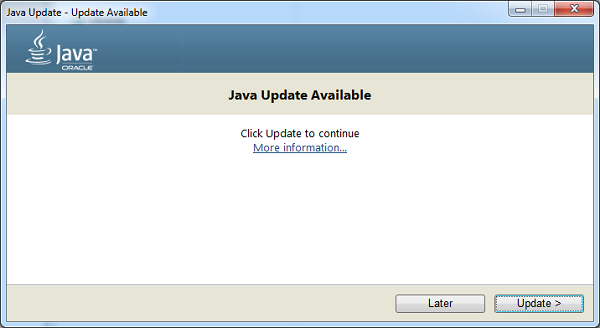
When Java is installed, keeping it updated can help address security issues and improve compatibility. Use the update tools included with the software or follow the instructions on Java.com. Avoid download links in unexpected pop-ups or messages, which may lead to unwanted or unsafe software.

Java for Developers

Java.com is aimed mainly at people who need Java for applications on their computers. Developers looking for programming tools, technical documentation, or enterprise products may need Oracle’s developer resources or other official Java project sites instead.

In Summary

Java.com is a starting point for learning about and obtaining Java software for compatible applications. If you need Java, use trusted sources, install only what is necessary, and keep the software updated.


Comprehensive Guide to Java: Download, Install, and Troubleshoot with Confidence

  1. Official source for Java downloads.
  2. Provides installation instructions.
  3. Offers update guidance.
  4. Includes troubleshooting resources.
  5. Explains Java’s purpose.
  6. Helps users check Java requirements.
  7. Supports safe, informed downloading.
  8. Easy starting point for Java users.


7 Drawbacks of Using www.java.com: Why It May Not Be Essential for Everyone

  1. Java is unnecessary for many users.
  2. Some Java apps require manual setup.
  3. Installation prompts may include extras.
  4. Java updates can interrupt workflows.
  5. Compatibility issues may affect older apps.
  6. The site focuses mainly on consumer Java downloads.
  7. Java is often confused with JavaScript.

Official source for Java downloads.

One key advantage of Java.com is that it provides an official source for Java downloads. Getting Java directly from the official website can help you avoid unofficial installers that may include unwanted software or outdated files. Before downloading, make sure Java is needed for the application you want to use, and follow the site’s installation and update instructions.

Provides installation instructions.

One useful feature of Java.com is its clear installation instructions. The site guides users through downloading and setting up Java, helping them follow the right steps for their computer and troubleshoot common issues along the way.

Offers update guidance.

Java.com offers clear guidance on checking for and installing Java updates. Keeping Java up to date can help improve compatibility and address security issues, while the site’s instructions make it easier to follow the recommended update process.

Includes troubleshooting resources.

One advantage of Java.com is that it includes troubleshooting resources to help users resolve common issues with downloading, installing, updating, or running Java. These guides can make it easier to find a solution and get back to using applications that rely on Java.

Explains Java’s purpose.

Java.com explains Java’s purpose in clear, accessible terms, helping visitors understand what the technology does and why certain applications may require it. This makes the site a useful starting point for people who want to learn the basics before deciding whether they need to download or use Java.

Helps users check Java requirements.

Java.com helps users check whether their computer meets the requirements for Java and whether Java is installed and working properly. This can make it easier to troubleshoot applications that depend on Java and determine whether an update or installation is needed.

Supports safe, informed downloading.

Java.com supports safe, informed downloading by providing official Java software alongside installation guidance and helpful information. Users can check what they’re downloading, follow clear setup instructions, and avoid relying on unfamiliar third-party download sites.

Easy starting point for Java users.

Java.com is an easy starting point for anyone who needs Java on a computer. The site brings together helpful information about downloading, installing, and updating Java, so users can quickly find the guidance they need without sorting through technical resources designed for developers.

Java is unnecessary for many users.

One drawback of Java.com is that many users may not need Java at all. Most modern websites and everyday applications run without it, so installing Java when no program requires it can add unnecessary software to a computer. Users should check whether a trusted application specifically needs Java before downloading or installing it.

Some Java apps require manual setup.

Some Java applications require manual setup before they work properly. You may need to adjust settings, install a specific version, or follow extra steps, which can be confusing if you’re not familiar with Java.

Installation prompts may include extras.

One potential drawback of www.java.com is that installation prompts may offer optional extras alongside Java. These offers can be easy to overlook, so review each screen carefully and decline anything you don’t want before continuing.

Java updates can interrupt workflows.

Java updates can interrupt workflows, especially when they appear during important tasks or require a browser or application restart. Downloads, installation steps, and compatibility checks may take time, while changes to Java settings can affect applications that depend on a particular version. Scheduling updates for a convenient time and checking that essential programs remain compatible can help reduce disruption.

Compatibility issues may affect older apps.

Compatibility issues may affect older apps that rely on specific Java versions or features. Updating Java can sometimes cause these applications to behave differently or stop working, so check the app’s requirements before installing a new version. Older software may also need updates or help from its developer to run properly.

The site focuses mainly on consumer Java downloads.

One drawback of Java.com is that it focuses mainly on Java downloads and support for everyday users, so developers may not find the technical documentation, development tools, or enterprise resources they need. They may have to look elsewhere on Oracle’s developer sites or other Java community resources.

Java is often confused with JavaScript.

A common drawback of Java.com is that Java is often confused with JavaScript because their names are so similar. Despite the resemblance, they are different technologies used for different purposes, and installing Java does not enable JavaScript in a web browser. This confusion can make it harder for users to find the right information or software for their needs.

simple java program

Simple Java Program: A Beginner’s Guide to Writing and Running Your First Code

How to Write a Simple Java Program

Java is a popular programming language used to build desktop, web, and mobile applications. A good way to get started is to write a small program that displays a message on the screen.

Your First Java Program

The program below prints “Hello, World!” in the console:

public class HelloWorld {

public static void main(String[] args) {

System.out.println("Hello, World!");

}

}

Understanding the Code

  • public class HelloWorld defines a class named HelloWorld. In Java, the class name should match the file name, so save the program as HelloWorld.java.
  • public static void main(String[] args) defines the main method. Java starts running the program from this method.
  • System.out.println() displays text in the console. The text to display goes inside the parentheses and quotation marks.
  • Braces, { }, mark the beginning and end of the class and method.
  • The semicolon at the end of the print statement tells Java that the instruction is complete.

Compile and Run the Program

Install a Java Development Kit (JDK), then open a terminal or command prompt in the folder containing HelloWorld.java. Compile the program with:

javac HelloWorld.java

If compilation succeeds, Java creates a file named HelloWorld.class. Run the program with:

java HelloWorld

The output will be:

Hello, World!

Try a Small Change

Replace the message inside System.out.println() with your own text. For example:

System.out.println("Java is fun to learn!");

Save the file, compile it again, and run it to see the new output. This simple example introduces the basic structure of a Java program and gives you a starting point for exploring variables, input, and other programming concepts.


7 Essential Tips for Writing Simple Java Programs

  1. Use `public static void main(String[] args)` as the program’s entry point.
  2. Save the file with the same name as its public class.
  3. Use `System.out.println()` to display text.
  4. End most statements with a semicolon.
  5. Match every opening brace with a closing brace.
  6. Compile with `javac` and run with `java`.
  7. Keep variable names clear and descriptive.

Use `public static void main(String[] args)` as the program’s entry point.

In a simple Java program, `public static void main(String[] args)` is the entry point—the method Java looks for to begin running your code. Place the statements you want the program to execute inside its braces. The method signature must be written with the correct spelling and capitalization, or Java won’t recognize it as the program’s starting point.

Save the file with the same name as its public class.

In Java, save your source file with the same name as its public class, including matching capitalization, and add the .java extension. For example, if your public class is HelloWorld, name the file HelloWorld.java. This naming rule helps the Java compiler locate and compile the class correctly.

Use `System.out.println()` to display text.

Use `System.out.println()` to display text in a Java program’s console. Place the text inside quotation marks within the parentheses, as in `System.out.println(“Hello, world!”);`. Java prints the message and then moves to a new line, making this method useful for showing greetings, results, and other output.

End most statements with a semicolon.

In Java, most statements end with a semicolon, which tells the compiler that an instruction is complete. For example, `System.out.println(“Hello, world!”);` needs a semicolon at the end. Forgetting one can cause a compile-time error, so check your statements when the compiler reports a problem. Some Java structures, such as class and method declarations, do not end with semicolons.

Match every opening brace with a closing brace.

In a simple Java program, every opening brace ({) must have a matching closing brace (}). Braces mark the beginning and end of code blocks, such as classes and methods, so a missing or misplaced brace can cause compilation errors or change how the program works. Indenting nested blocks consistently makes braces easier to match and your code easier to read.

Compile with `javac` and run with `java`.

To compile a simple Java program, open a terminal in the folder containing the `.java` file and run `javac FileName.java`, replacing `FileName` with the name of your file. After compilation succeeds, run the program with `java ClassName`—without the `.java` extension—to see its output.

Keep variable names clear and descriptive.

Use clear, descriptive variable names so your code is easier to read and understand. For example, studentAge is more informative than x, and totalPrice makes its purpose clearer than n. Meaningful names also make simple Java programs easier to update and help you spot mistakes as you learn.