cfchris.com

Loading

java app

Mastering Java App Development: Building Powerful Applications with Java

The Power of Java Applications

The Power of Java Applications

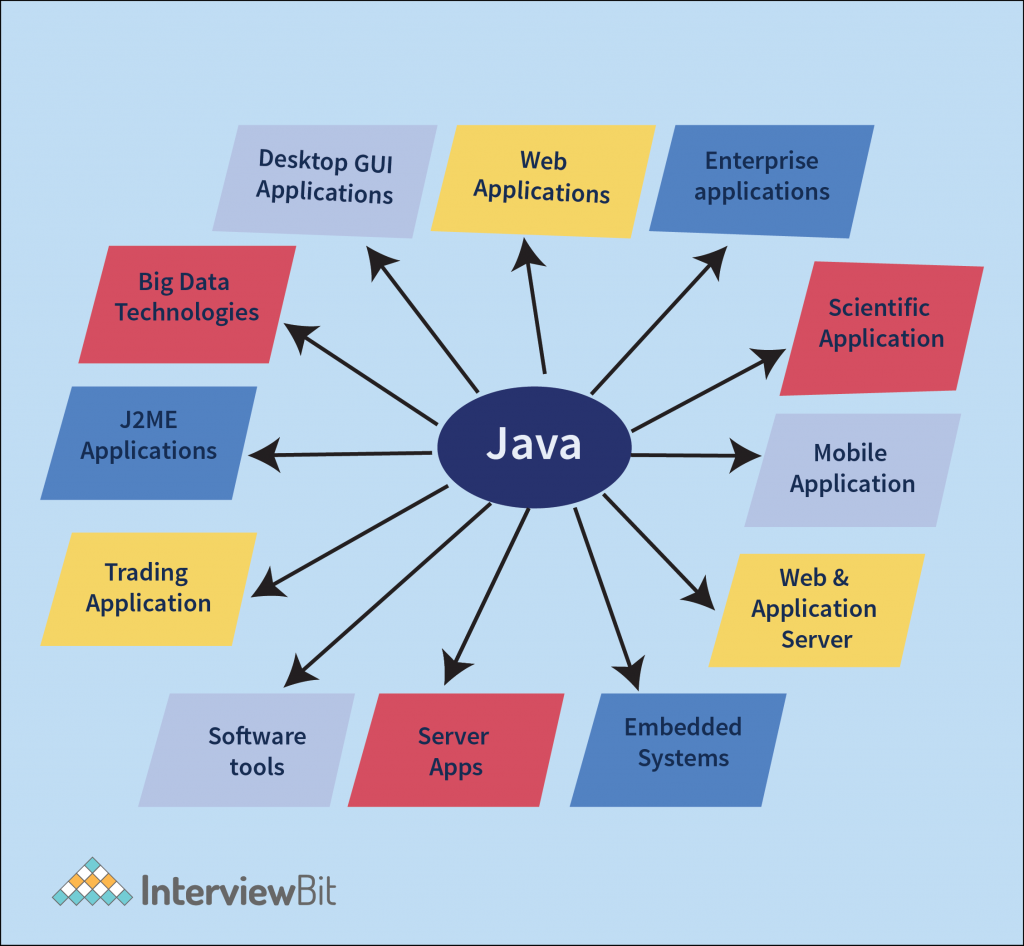
Java is a versatile programming language that has gained immense popularity for its ability to create robust and scalable applications. Java applications are used in a wide range of industries, from web development to mobile apps and enterprise software solutions.

One of the key strengths of Java applications is their platform independence. This means that a Java application can run on any device or operating system that has a Java Virtual Machine (JVM) installed. This portability makes Java an ideal choice for developing cross-platform applications that reach a larger audience.

Java’s rich set of libraries and frameworks provide developers with the tools they need to build complex and feature-rich applications efficiently. Whether you are developing a simple desktop application or a sophisticated web-based system, Java offers the flexibility and scalability required to meet your project’s demands.

Furthermore, Java’s strong emphasis on security makes it a popular choice for developing secure applications. With built-in features like automatic memory management and strong type checking, Java helps developers write code that is less prone to common vulnerabilities such as buffer overflows or memory leaks.

Java’s community support is another factor that contributes to its popularity. The vast community of Java developers worldwide ensures that there are plenty of resources, tutorials, and forums available for developers looking to enhance their skills or troubleshoot issues they encounter during development.

In conclusion, Java applications offer unparalleled versatility, portability, security, and community support. Whether you are a seasoned developer or just starting your programming journey, exploring the world of Java applications can open up a world of possibilities for creating innovative and powerful software solutions.


9 Essential Tips for Building Robust and Maintainable Java Applications

  1. 1. Write clean and readable code to improve maintainability.
  2. 2. Follow naming conventions to enhance code consistency.
  3. 3. Use meaningful comments to explain complex logic or algorithms.
  4. 4. Break down large functions into smaller, reusable methods for better organization.
  5. 5. Implement error handling to gracefully manage exceptions and prevent crashes.
  6. 6. Optimize performance by avoiding unnecessary loops or operations.
  7. 7. Utilize design patterns to solve common problems effectively.
  8. 8. Test your application thoroughly with unit tests and integration tests.
  9. 9. Keep learning and stay updated with the latest Java features and best practices.

1. Write clean and readable code to improve maintainability.

Writing clean and readable code is crucial when developing Java applications to enhance maintainability. By following best practices and adhering to coding standards, developers can ensure that their code is easy to understand and modify in the future. Clean code not only makes it simpler for other team members to collaborate on the project but also reduces the chances of introducing bugs during maintenance. Prioritizing readability in code can lead to more efficient debugging, faster updates, and overall smoother development processes for Java applications.

2. Follow naming conventions to enhance code consistency.

Following naming conventions is a crucial practice in Java application development as it enhances code consistency and readability. By adhering to established naming conventions, developers can create code that is easier to understand and maintain. Consistent naming of classes, methods, variables, and other elements not only improves the overall quality of the codebase but also promotes collaboration among team members. When everyone follows the same naming conventions, it becomes simpler to navigate through the code, identify functionalities, and make modifications without confusion. This simple tip can have a significant impact on the efficiency and effectiveness of Java application development projects.

3. Use meaningful comments to explain complex logic or algorithms.

When developing a Java application, it is crucial to utilize meaningful comments to elucidate intricate logic or algorithms. By incorporating clear and concise comments within the codebase, developers can enhance the readability and maintainability of the application. These comments serve as valuable documentation for understanding the purpose behind complex logic, facilitating collaboration among team members, and aiding in future troubleshooting and modifications. Embracing this practice not only promotes code clarity but also contributes to the overall efficiency and effectiveness of the Java application development process.

4. Break down large functions into smaller, reusable methods for better organization.

Breaking down large functions into smaller, reusable methods is a valuable tip in Java application development. By dividing complex tasks into smaller, more manageable chunks, developers can improve the organization and maintainability of their code. This practice not only enhances readability but also promotes code reusability, making it easier to maintain and update the application in the future. Additionally, breaking down functions into smaller methods allows for better testing and debugging, as issues can be isolated and addressed more effectively. Overall, adopting this approach leads to more efficient and structured Java applications.

5. Implement error handling to gracefully manage exceptions and prevent crashes.

Implementing error handling is a crucial aspect of developing Java applications to ensure smooth operation and prevent unexpected crashes. By gracefully managing exceptions, developers can anticipate potential errors and handle them appropriately, maintaining the application’s stability and enhancing the user experience. Proper error handling not only helps in identifying issues promptly but also allows for effective troubleshooting and debugging, leading to more robust and reliable Java applications.

6. Optimize performance by avoiding unnecessary loops or operations.

To optimize the performance of a Java application, it is crucial to avoid unnecessary loops or operations. By minimizing the number of loops and streamlining operations within the code, developers can significantly improve the efficiency and speed of their application. Unnecessary loops can lead to increased processing time and resource consumption, impacting the overall performance of the software. Therefore, by carefully assessing and optimizing the logic within loops and operations, developers can enhance the performance of their Java application and deliver a more responsive user experience.

7. Utilize design patterns to solve common problems effectively.

Utilizing design patterns in Java applications is a valuable strategy to solve common problems effectively. By leveraging established design patterns such as Singleton, Factory, or Observer, developers can streamline their code structure, improve maintainability, and enhance scalability. Design patterns provide proven solutions to recurring design challenges, allowing developers to write cleaner and more efficient code while promoting best practices in software development. Incorporating design patterns in Java applications not only enhances code quality but also fosters a deeper understanding of software architecture principles among developers.

8. Test your application thoroughly with unit tests and integration tests.

Testing your Java application thoroughly with unit tests and integration tests is crucial for ensuring its reliability and functionality. Unit tests allow you to test individual components of your code in isolation, verifying that each part works as intended. On the other hand, integration tests help you assess how different parts of your application work together as a whole. By conducting both types of tests diligently, you can identify and address any issues early in the development process, leading to a more robust and stable Java application in the end.

9. Keep learning and stay updated with the latest Java features and best practices.

To ensure the success of your Java applications, it is crucial to continuously expand your knowledge and stay informed about the latest Java features and best practices. By keeping up with advancements in the Java ecosystem, you can leverage new tools, techniques, and optimizations to enhance the performance, security, and scalability of your applications. Embracing a mindset of lifelong learning in Java development not only sharpens your skills but also empowers you to adapt to industry trends and deliver cutting-edge solutions that meet evolving user needs.

java server

Harnessing the Power of Java Server for Dynamic Web Applications

The Power of Java Server: Revolutionizing Web Development

The Power of Java Server: Revolutionizing Web Development

Java Server is a powerful tool that has been revolutionizing web development for years. With its robust features and versatility, Java Server has become a popular choice for building dynamic and scalable web applications.

What is Java Server?

Java Server, also known as Java EE (Enterprise Edition), is a platform that provides developers with a set of APIs and runtime environments for building enterprise-level applications. It offers a wide range of tools and libraries that simplify the development process and make it easier to create complex web applications.

The Benefits of Using Java Server

There are several benefits to using Java Server for web development:

  • Scalability: Java Server allows developers to build applications that can easily scale to accommodate growing user demands.
  • Security: With built-in security features, Java Server helps protect applications from vulnerabilities and cyber threats.
  • Portability: Java Server applications can run on any platform that supports the Java Virtual Machine (JVM), making them highly portable.
  • Performance: Java Server applications are known for their high performance and efficiency, making them ideal for demanding use cases.

Popular Frameworks for Java Server Development

There are several popular frameworks that developers use with Java Server to streamline the development process:

  • Spring Framework: A comprehensive framework that provides support for building enterprise-level applications with ease.
  • JavaServer Faces (JSF): A user interface framework that simplifies the creation of web-based user interfaces.
  • Jakarta EE: An open-source platform that provides tools and APIs for building scalable and secure enterprise applications.

In Conclusion

Java Server has played a significant role in shaping the landscape of web development. Its robust features, scalability, and security make it an ideal choice for building enterprise-level applications. With the right tools and frameworks, developers can leverage the power of Java Server to create dynamic and innovative web solutions that meet the demands of today’s digital world.


Top 9 Advantages of Using Java Servers for Modern Web Development

  1. Scalability for handling growing user demands
  2. Built-in security features to protect against vulnerabilities
  3. Cross-platform compatibility with Java Virtual Machine (JVM)
  4. High performance and efficiency for demanding applications
  5. Comprehensive tools and libraries for streamlined development
  6. Support for building enterprise-level applications
  7. Robust frameworks like Spring Framework and Jakarta EE available
  8. Reliable community support and resources for developers
  9. Ability to create dynamic and innovative web solutions


Challenges of Using Java Servers: Complexity, Resource Demands, Verbosity, and Rigidity

  1. Steep Learning Curve
  2. Resource Intensive
  3. Verbose Syntax
  4. Limited Flexibility

Scalability for handling growing user demands

Java Server’s scalability feature is a game-changer for handling growing user demands in web applications. By allowing developers to easily scale their applications to accommodate increasing traffic and user interactions, Java Server ensures that performance remains optimal even as the user base expands. This capability not only enhances the overall user experience but also provides businesses with the flexibility to adapt to changing requirements without compromising on performance or reliability.

Built-in security features to protect against vulnerabilities

Java Server’s built-in security features provide a crucial layer of protection against vulnerabilities, ensuring that web applications developed using Java Server are shielded from potential cyber threats and attacks. By incorporating security measures directly into the platform, Java Server empowers developers to create robust and secure applications without the need for extensive additional security implementations. This proactive approach to security not only enhances the reliability of web applications but also instills confidence in users regarding the safety of their data and interactions online.

Cross-platform compatibility with Java Virtual Machine (JVM)

One of the key advantages of Java Server is its cross-platform compatibility with the Java Virtual Machine (JVM). This feature allows Java Server applications to run on any platform that supports the JVM, making them highly portable and versatile. Developers can write code once and deploy it across different operating systems, ensuring consistent performance and functionality regardless of the underlying infrastructure. This capability not only simplifies development and deployment processes but also enhances the scalability and accessibility of Java Server applications across a wide range of environments.

High performance and efficiency for demanding applications

Java Server stands out for its exceptional performance and efficiency, making it a top choice for handling demanding applications. With its ability to deliver fast and reliable performance even under heavy workloads, Java Server ensures that applications run smoothly and effectively, meeting the high standards required by complex and resource-intensive tasks. Its optimized architecture and robust features enable developers to create high-performing applications that excel in speed, responsiveness, and overall efficiency.

Comprehensive tools and libraries for streamlined development

Java Server offers comprehensive tools and libraries that significantly contribute to streamlined development processes. These resources provide developers with a wide array of functionalities and pre-built components, allowing them to expedite the creation of complex web applications. By leveraging these tools, developers can focus more on implementing business logic and less on reinventing the wheel, ultimately enhancing productivity and efficiency in the development workflow. The abundance of libraries and tools within the Java Server ecosystem empowers developers to build robust and feature-rich applications with ease, making it a preferred choice for projects requiring accelerated development timelines.

Support for building enterprise-level applications

Java Server’s support for building enterprise-level applications is a key advantage that sets it apart in the realm of web development. With its robust features and comprehensive toolset, Java Server provides developers with the necessary resources to create complex and scalable applications that meet the demands of large organizations. From handling high volumes of data to ensuring security and reliability, Java Server’s focus on enterprise-level requirements makes it a preferred choice for businesses looking to develop mission-critical software solutions.

Robust frameworks like Spring Framework and Jakarta EE available

One of the key advantages of Java Server is the availability of robust frameworks such as the Spring Framework and Jakarta EE. These frameworks provide developers with powerful tools and libraries to streamline the development process and create scalable, secure, and efficient enterprise-level applications. By leveraging these frameworks, developers can benefit from pre-built components, simplified coding structures, and extensive support for various functionalities, ultimately enhancing productivity and enabling the creation of high-quality web solutions.

Reliable community support and resources for developers

Java Server offers reliable community support and a wealth of resources for developers, making it easier for them to troubleshoot issues, share knowledge, and stay updated on the latest trends and best practices in web development. The active Java Server community provides a collaborative environment where developers can seek help, exchange ideas, and access a vast repository of tutorials, forums, and documentation to enhance their skills and build robust applications with confidence.

Ability to create dynamic and innovative web solutions

The ability of Java Server to create dynamic and innovative web solutions is a significant advantage that sets it apart in the realm of web development. By leveraging its robust features and versatile tools, developers can design and implement cutting-edge applications that adapt to changing user needs and market trends. Java Server’s flexibility allows for the integration of advanced functionalities, interactive elements, and seamless user experiences, leading to the creation of engaging and forward-thinking web solutions that drive digital innovation.

Steep Learning Curve

Java Server’s steep learning curve can be a significant drawback for developers. The platform’s complex architecture demands a considerable investment of time and effort to master its features effectively. This learning curve may pose challenges for newcomers or those transitioning from other technologies, potentially slowing down the development process and requiring additional training and resources to fully leverage Java Server’s capabilities.

Resource Intensive

Java Server applications can be resource-intensive, demanding substantial hardware resources to operate efficiently. This con of Java Server may pose a challenge for organizations with limited IT infrastructure or budget constraints, as the need for robust hardware can increase operational costs. Developers working with Java Server must carefully consider resource allocation and optimization strategies to ensure optimal performance without compromising on scalability and reliability.

Verbose Syntax

One notable drawback of Java Server is its verbose syntax, which can result in longer development times and a higher volume of code compared to some other programming languages. The extensive syntax of Java Server may require developers to write more lines of code to achieve the same functionality, potentially leading to increased complexity and maintenance overhead. This verbosity can make the codebase harder to read and understand, impacting overall development efficiency and potentially slowing down project timelines.

Limited Flexibility

One common drawback of Java Server is its limited flexibility, which can pose challenges for developers seeking more freedom in application development. The platform’s strict structure and conventions may restrict the ability to implement certain unconventional or customized solutions. This limitation can be frustrating for developers who prefer a more flexible and adaptable approach to building applications, as they may find themselves constrained by Java Server’s predetermined patterns and guidelines.

java gui

Mastering Java GUI Development: A Comprehensive Guide

Exploring Java GUI Development

Exploring Java GUI Development

Graphical User Interfaces (GUIs) play a crucial role in making software applications user-friendly and visually appealing. In the world of Java programming, creating GUIs is a common task that developers often encounter. Let’s delve into the realm of Java GUI development and explore its key concepts and components.

What is Java GUI?

Java GUI refers to the Graphical User Interface components and frameworks available in the Java programming language. With Java’s rich set of libraries and tools, developers can create interactive and visually engaging user interfaces for their applications.

Swing vs. JavaFX

In Java, two main frameworks are commonly used for GUI development: Swing and JavaFX. Swing is an older toolkit that provides a wide range of components for building desktop applications. On the other hand, JavaFX is a newer framework that offers more modern features and capabilities, including support for multimedia and 3D graphics.

Key Components of a Java GUI

Some essential components of a Java GUI include:

  • Containers: Containers are used to hold other components, such as panels or frames.
  • Components: Components are the building blocks of a GUI, including buttons, text fields, labels, and more.
  • Layout Managers: Layout managers help organize the placement of components within a container.
  • Event Handling: Event handling allows developers to define actions in response to user interactions with the GUI components.

Creating a Simple Java GUI Application

To create a basic Java GUI application using Swing, developers typically follow these steps:

  1. Create a JFrame (main window) for the application.
  2. Add various components to the JFrame, such as buttons or text fields.
  3. Set up event listeners to handle user interactions with the components.
  4. Display the JFrame to show the GUI to users.

Conclusion

In conclusion, mastering Java GUI development opens up endless possibilities for creating intuitive and visually appealing applications. Whether you choose Swing or JavaFX, understanding the key components and best practices is essential for building successful GUIs in Java programming.


Top 5 Frequently Asked Questions About Java GUI: Tools, Components, and Best Practices

  1. Is Java good for GUI?
  2. How to make a GUI using Java?
  3. Which is better, JavaFX or Swing?
  4. What are the 6 GUI components in Java?
  5. Which GUI is best for Java?

Is Java good for GUI?

When it comes to creating Graphical User Interfaces (GUIs), Java is considered a solid choice by many developers. With its robust libraries like Swing and JavaFX, Java provides a comprehensive set of tools for building interactive and visually appealing user interfaces. While some may argue that other languages offer more modern GUI frameworks, Java’s stability, cross-platform compatibility, and extensive community support make it a reliable option for GUI development. Ultimately, the decision of whether Java is good for GUI depends on the specific requirements of the project and the developer’s familiarity with the language and its GUI frameworks.

How to make a GUI using Java?

Creating a GUI using Java involves several key steps. First, developers typically choose between frameworks like Swing or JavaFX to design the graphical interface. Next, they create a main window (JFrame) and add various components such as buttons, text fields, and labels to it. Layout managers are then used to organize the placement of these components within the window. Event handling is crucial for defining actions in response to user interactions with the GUI elements. Finally, developers display the JFrame to showcase the GUI to users. By following these steps and leveraging Java’s rich libraries and tools, developers can craft interactive and visually appealing GUIs for their Java applications.

Which is better, JavaFX or Swing?

When considering whether JavaFX or Swing is better for GUI development in Java, it ultimately depends on the specific requirements and goals of the project. JavaFX offers more modern features and capabilities, such as support for multimedia and 3D graphics, making it a preferred choice for applications that require advanced visual effects. On the other hand, Swing, being a more established toolkit, provides a wide range of components for building desktop applications and may be more suitable for projects where compatibility with older systems is a priority. Both frameworks have their strengths and weaknesses, so developers should evaluate their project needs carefully to determine which one aligns best with their objectives.

What are the 6 GUI components in Java?

In Java GUI programming, developers commonly work with six fundamental GUI components. These components include buttons, labels, text fields, checkboxes, radio buttons, and lists. Buttons enable users to trigger actions, labels display text or images, text fields allow user input, checkboxes provide options for selection, radio buttons offer mutually exclusive choices, and lists present selectable items in a list format. Understanding and effectively utilizing these essential GUI components are key to creating interactive and user-friendly Java applications with intuitive interfaces.

Which GUI is best for Java?

When it comes to choosing the best GUI framework for Java, developers often debate between Swing and JavaFX. Swing, being a mature and robust toolkit, offers a wide range of components for building desktop applications. On the other hand, JavaFX provides more modern features and capabilities, such as multimedia support and 3D graphics. The choice between Swing and JavaFX ultimately depends on the specific requirements of the project, with developers weighing factors like ease of use, performance, and desired user experience to determine which GUI framework is best suited for their Java application.

js code

Unleashing the Power of JS Code: Transforming the Web Experience

The Power of JavaScript Code: Transforming the Web

JavaScript, often abbreviated as JS, is a powerful programming language that has revolutionized the way websites and web applications are developed. Originally created to add interactivity to web pages, JavaScript has evolved into a versatile language that can handle complex tasks and create dynamic user experiences.

One of the key strengths of JavaScript is its ability to manipulate HTML elements and CSS styles on a webpage. With just a few lines of code, developers can change the content of a webpage, animate elements, validate forms, and much more. This dynamic nature of JavaScript makes websites more engaging and interactive for users.

Another important feature of JavaScript is its support for asynchronous programming through AJAX (Asynchronous JavaScript and XML). This allows web pages to fetch data from servers in the background without reloading the entire page. As a result, users experience faster and more responsive websites.

JavaScript is also widely used in building web applications. Frameworks like React, Angular, and Vue.js leverage the power of JavaScript to create single-page applications that provide a seamless user experience similar to desktop applications. These frameworks simplify complex tasks like state management, routing, and data binding, enabling developers to build robust applications efficiently.

Furthermore, JavaScript has expanded beyond the web browser with the introduction of Node.js. Node.js allows developers to run JavaScript on the server-side, opening up new possibilities for building scalable and high-performance web applications. With Node.js, developers can use JavaScript throughout the entire web development stack.

In conclusion, JavaScript code plays a crucial role in transforming the web by enabling dynamic interactions, asynchronous communication, and sophisticated web applications. Its versatility and widespread adoption make it an essential tool for modern web development.


7 Essential Tips for Writing Clean and Efficient JavaScript Code

  1. Use meaningful variable and function names for better code readability.
  2. Follow consistent coding style and indentation to improve code maintainability.
  3. Comment your code to explain complex logic or functionality.
  4. Avoid global variables to prevent variable conflicts and unexpected behavior.
  5. Use built-in methods and libraries whenever possible to write efficient code.
  6. Regularly test your code for bugs and errors using debugging tools or testing frameworks.
  7. Keep your code modular by breaking it into smaller functions or modules for easier troubleshooting.

Use meaningful variable and function names for better code readability.

When writing JavaScript code, it is essential to use meaningful variable and function names to enhance code readability. By choosing descriptive names that accurately reflect the purpose of each variable or function, developers can easily understand the logic of the code without needing to decipher cryptic abbreviations or unclear identifiers. This practice not only improves the readability of the code but also makes it more maintainable and easier for other developers to collaborate on the project effectively.

Follow consistent coding style and indentation to improve code maintainability.

Following a consistent coding style and indentation practices in JavaScript code is essential for improving code maintainability. By adhering to a set of guidelines for formatting and structuring code, developers can enhance readability, facilitate collaboration, and reduce the likelihood of errors. Consistent coding style ensures that all team members follow the same conventions, making it easier to understand and modify code in the future. Proper indentation also helps in visually organizing the code, making it more accessible and manageable. Overall, maintaining a uniform coding style and indentation standard leads to more maintainable and sustainable JavaScript codebases.

Comment your code to explain complex logic or functionality.

Commenting your JavaScript code is essential, especially when dealing with complex logic or functionality. By adding comments to your code, you provide valuable insights into the purpose of each section, making it easier for other developers (or even your future self) to understand how the code works. Clear and concise comments can clarify the reasoning behind specific decisions, outline the expected behavior of functions, and highlight any potential pitfalls. In addition, well-documented code fosters collaboration among team members and ensures that the codebase remains maintainable and scalable over time. Remember, commenting your code is not just a good practice—it’s a necessity for effective communication and efficient development.

Avoid global variables to prevent variable conflicts and unexpected behavior.

To ensure smooth functioning and prevent unexpected behavior in JavaScript code, it is advisable to avoid using global variables. Global variables can lead to variable conflicts and unintended consequences, especially in larger codebases or when collaborating with other developers. By encapsulating variables within functions or modules, developers can limit the scope of variables and reduce the risk of conflicts, ultimately improving code maintainability and reliability.

Use built-in methods and libraries whenever possible to write efficient code.

When writing JavaScript code, it is advisable to utilize built-in methods and libraries whenever feasible to ensure the efficiency of your code. By leveraging the existing functionality provided by JavaScript’s built-in methods and popular libraries, developers can streamline their coding process, improve performance, and reduce the likelihood of errors. These resources are often optimized for speed and reliability, allowing developers to focus on implementing solutions rather than reinventing the wheel. Embracing built-in methods and libraries in JavaScript coding not only enhances productivity but also promotes best practices in software development.

Regularly test your code for bugs and errors using debugging tools or testing frameworks.

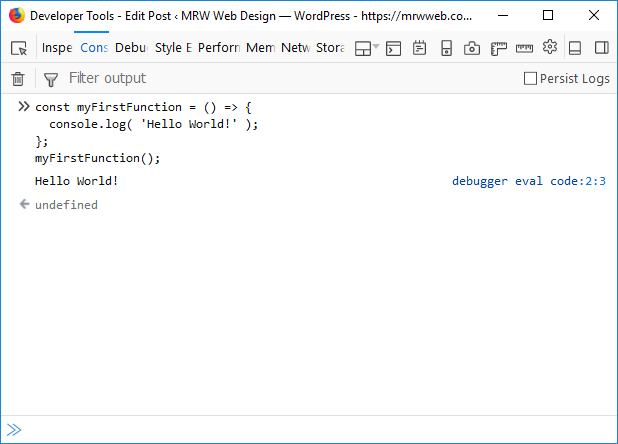
Regularly testing your JavaScript code for bugs and errors using debugging tools or testing frameworks is essential to ensure the reliability and performance of your applications. By identifying and fixing issues early in the development process, you can prevent potential problems from impacting the user experience. Debugging tools like Chrome DevTools provide valuable insights into code execution, variable values, and network activity, helping you pinpoint and resolve issues efficiently. Testing frameworks such as Jest or Mocha enable you to automate the testing process, ensuring that your code functions as intended across different scenarios. Prioritizing thorough testing practices not only improves the quality of your code but also enhances overall software stability and user satisfaction.

Keep your code modular by breaking it into smaller functions or modules for easier troubleshooting.

To improve the maintainability and troubleshooting of your JavaScript code, it is essential to keep it modular by breaking it into smaller functions or modules. By dividing your code into smaller, self-contained units, you can isolate specific functionalities and make it easier to identify and fix issues when they arise. Modular code also promotes reusability, as individual functions or modules can be used in different parts of your application without duplicating code. This approach not only enhances the readability of your code but also streamlines the debugging process, ultimately leading to more efficient development and better-performing applications.

application development software

Unlocking Innovation: The Power of Application Development Software

Article: Application Development Software

The Importance of Application Development Software

In today’s digital age, the demand for custom software applications is on the rise. Businesses across various industries are recognizing the need to have tailored solutions that meet their specific requirements. This is where application development software plays a crucial role.

Application development software, also known as app development tools or platforms, provides developers with the necessary tools and frameworks to create, test, and deploy applications efficiently. These software solutions come in various forms, ranging from low-code/no-code platforms for rapid development to complex integrated development environments (IDEs) for more advanced projects.

Key Benefits of Using Application Development Software:

  1. Speed and Efficiency: With the right tools, developers can streamline the development process, reducing time-to-market for new applications.
  2. Customization: Application development software allows for the creation of tailored solutions that align with specific business needs and objectives.
  3. Collaboration: Many development platforms support collaboration features, enabling teams to work together seamlessly on projects.
  4. Scalability: Scalability is essential for growing businesses. Application development software provides scalability options to accommodate increasing user demands and data volumes.
  5. Maintenance and Updates: These tools often include features for monitoring application performance, implementing updates, and ensuring ongoing maintenance.

Popular Application Development Software Tools:

  • Microsoft Visual Studio: A comprehensive IDE supporting various programming languages like C#, .NET, and JavaScript.
  • Adobe Dreamweaver: Ideal for web application development with robust design and coding capabilities.
  • Xcode: Specifically designed for iOS app development using Swift or Objective-C.
  • Mendix: A low-code platform suitable for rapid application prototyping and deployment.
  • Salesforce Lightning Platform: Enables building enterprise apps with minimal coding required.

In conclusion, application development software is a fundamental component in modern software engineering. By leveraging these tools effectively, businesses can create innovative applications that drive growth, enhance user experiences, and stay ahead in today’s competitive market landscape.


Top 5 FAQs About Application Development Software: Understanding, Benefits, Features, Languages, and Accessibility for Non-Technical Users

  1. What is application development software?
  2. How does application development software benefit businesses?
  3. What are the key features to look for in application development software?
  4. Which programming languages are commonly supported by application development software?
  5. Can non-technical users use application development software?

What is application development software?

Application development software refers to a set of tools and platforms that enable developers to create, test, and deploy software applications efficiently. This software provides a range of functionalities, from low-code or no-code solutions for rapid development to comprehensive integrated development environments (IDEs) for more complex projects. Essentially, application development software equips developers with the necessary resources to build custom applications tailored to specific business needs and objectives. By leveraging these tools, developers can streamline the development process, collaborate effectively, and deliver scalable solutions that meet the demands of today’s dynamic digital landscape.

How does application development software benefit businesses?

Application development software offers numerous benefits to businesses by providing them with the tools and resources needed to create customized solutions that cater to their specific needs. These software platforms enable businesses to streamline the development process, resulting in faster time-to-market for new applications. Additionally, application development software allows for greater customization, ensuring that the final product aligns perfectly with the business objectives. By facilitating collaboration among team members and offering scalability options, these tools empower businesses to adapt to changing requirements and scale their applications as needed. Furthermore, application development software simplifies maintenance and updates, helping businesses ensure the continued performance and relevance of their applications in a dynamic market environment.

What are the key features to look for in application development software?

When evaluating application development software, it is essential to consider key features that can significantly impact the development process and the quality of the final product. Some crucial features to look for include a user-friendly interface that facilitates easy navigation and workflow management, robust integration capabilities to connect with various databases and third-party services, comprehensive debugging tools for identifying and resolving errors efficiently, scalability options to accommodate future growth and changing requirements, strong security measures to protect sensitive data, and adequate support for collaboration among team members. By prioritizing these features, developers can choose software that aligns with their project needs and maximizes productivity throughout the development lifecycle.

Which programming languages are commonly supported by application development software?

When it comes to application development software, a wide range of programming languages are commonly supported to cater to diverse developer preferences and project requirements. Some of the popular programming languages frequently supported by these tools include Java, C#, JavaScript, Python, Ruby, Swift, and PHP. These languages are widely used in the development of various types of applications, from web and mobile apps to enterprise software solutions. The flexibility in language support offered by application development software allows developers to choose the most suitable language for their projects and leverage the specific features and functionalities each language provides.

Can non-technical users use application development software?

The question of whether non-technical users can use application development software is a common one in the tech industry. With the advancement of low-code and no-code development platforms, the barrier to entry for creating applications has significantly lowered. These user-friendly tools provide intuitive interfaces and drag-and-drop functionality, allowing individuals with limited technical expertise to design and build applications. Non-technical users can leverage these platforms to create basic applications, automate processes, and bring their ideas to life without extensive coding knowledge. While more complex projects may still require technical assistance, the accessibility of modern application development software empowers a broader range of users to participate in app creation and innovation.

java software engineer

Mastering the Role of a Java Software Engineer: A Guide to Success

Article: Java Software Engineer

The Role of a Java Software Engineer

Java software engineers play a crucial role in the development of various software applications and systems. They are responsible for designing, implementing, and maintaining Java-based solutions that meet the specific needs of clients or organizations.

Key Responsibilities

As a Java software engineer, one must have a strong understanding of Java programming language and its frameworks. Some key responsibilities include:

  • Developing high-quality software solutions using Java technologies
  • Collaborating with cross-functional teams to design and implement new features
  • Testing and debugging code to ensure optimal performance
  • Optimizing applications for scalability and efficiency
  • Maintaining existing software systems by troubleshooting issues and implementing updates

Skills Required

To excel as a Java software engineer, one should possess the following skills:

  • Proficiency in Java programming language and related technologies (e.g., Spring, Hibernate)
  • Strong problem-solving abilities and attention to detail
  • Knowledge of software development best practices and design patterns
  • Experience with database management systems (e.g., SQL, Oracle)
  • Excellent communication skills for effective collaboration with team members

Career Outlook

The demand for skilled Java software engineers continues to grow as businesses rely on custom software solutions to streamline operations and enhance customer experiences. With the right expertise and experience, Java software engineers can pursue rewarding career opportunities in various industries.

Conclusion

In conclusion, being a Java software engineer requires a blend of technical proficiency, problem-solving skills, and collaboration abilities. By staying updated on industry trends and continuously honing their craft, Java software engineers can make significant contributions to the development of innovative software solutions.


5 Essential Tips for Excelling as a Java Software Engineer

  1. Focus on mastering core Java concepts and language features.
  2. Practice regularly by working on coding challenges and personal projects.
  3. Stay updated with the latest trends and technologies in the Java ecosystem.
  4. Collaborate with other developers to learn from their experiences and improve your skills.
  5. Develop strong problem-solving abilities to tackle complex software engineering tasks efficiently.

Focus on mastering core Java concepts and language features.

To excel as a Java software engineer, it is essential to focus on mastering core Java concepts and language features. Understanding the fundamentals of Java programming lays a solid foundation for building complex applications and solving challenging problems efficiently. By honing your skills in core Java concepts such as object-oriented programming, data structures, and algorithms, you can enhance your ability to write robust and efficient code. Continuous learning and practice in mastering these fundamental aspects of Java will not only make you a proficient software engineer but also enable you to adapt to new technologies and frameworks effectively.

Practice regularly by working on coding challenges and personal projects.

To excel as a Java software engineer, it is essential to practice regularly by engaging in coding challenges and personal projects. By tackling various coding problems and working on personal projects, Java software engineers can enhance their problem-solving skills, deepen their understanding of Java programming concepts, and stay abreast of industry trends. This hands-on experience not only helps in sharpening technical abilities but also fosters creativity and innovation in developing robust software solutions. Regular practice through coding challenges and personal projects is a valuable way for Java software engineers to continuously improve their skills and stay competitive in the ever-evolving tech landscape.

To excel as a Java software engineer, it is essential to stay updated with the latest trends and technologies in the Java ecosystem. By keeping abreast of advancements in Java programming language, frameworks, and tools, software engineers can enhance their skills, stay competitive in the job market, and deliver innovative solutions that meet evolving industry standards. Continuous learning and adaptation to new technologies not only broaden one’s knowledge base but also ensure the development of robust and efficient software applications that cater to the dynamic needs of clients and organizations.

Collaborate with other developers to learn from their experiences and improve your skills.

Collaborating with other developers is a valuable tip for Java software engineers looking to enhance their skills and knowledge. By working closely with peers, you can gain insights from their experiences, learn new techniques, and discover best practices in Java development. This collaborative approach not only fosters a sense of teamwork but also provides opportunities for personal growth and professional development. Sharing ideas and learning from others can help you expand your skill set and become a more proficient Java software engineer in the ever-evolving tech industry.

Develop strong problem-solving abilities to tackle complex software engineering tasks efficiently.

Developing strong problem-solving abilities is essential for Java software engineers to tackle complex software engineering tasks efficiently. By honing this skill, engineers can approach challenges methodically, analyze problems from different angles, and devise effective solutions. Whether debugging code, optimizing performance, or implementing new features, the ability to solve problems efficiently not only enhances productivity but also contributes to the overall quality of software development projects. Continuous practice and exposure to diverse scenarios can further sharpen a Java software engineer’s problem-solving skills and enable them to excel in their role.

java runtime

Exploring the Significance of Java Runtime Environment in Application Development

The Importance of Java Runtime Environment (JRE)

The Importance of Java Runtime Environment (JRE)

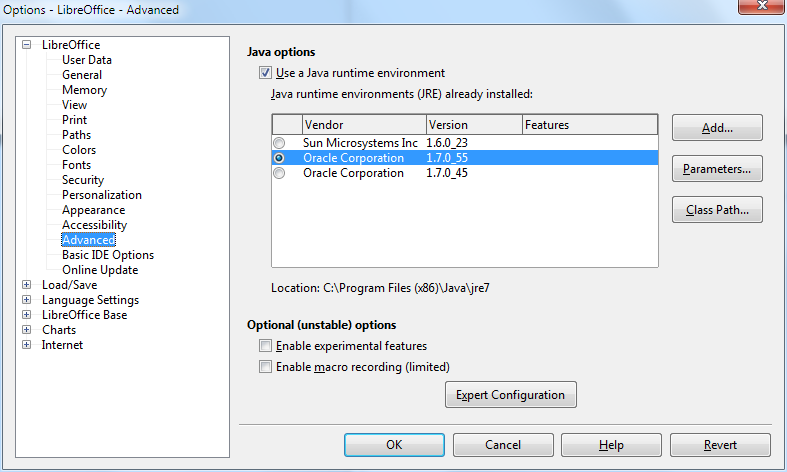
Java Runtime Environment (JRE) is a crucial component for running Java applications on your computer. It provides the necessary environment for executing Java programs by including the Java Virtual Machine (JVM), class libraries, and other supporting files.

One of the key benefits of JRE is its platform independence. Java programs compiled into bytecode can run on any device with a compatible JRE installed, regardless of the underlying operating system. This makes Java a popular choice for developing cross-platform applications.

Furthermore, JRE ensures that Java applications are executed securely within a controlled environment. The JVM manages memory allocation, garbage collection, and other important tasks to prevent unauthorized access or malicious activities.

Updating your JRE is essential to maintain compatibility with the latest Java applications and security patches. By keeping your JRE up-to-date, you can ensure optimal performance and protection against potential vulnerabilities.

In conclusion, Java Runtime Environment plays a vital role in enabling the seamless execution of Java applications across different platforms while ensuring security and reliability. It is an indispensable component for anyone using Java-based software.


Understanding Java Runtime: Answers to 8 Frequently Asked Questions

  1. Is Java runtime still relevant today?
  2. What is the difference between Java Runtime and JDK?
  3. What is JRE vs JDK?
  4. How to install a Java Runtime?
  5. How do I get Java runtime?
  6. Is Java Runtime still needed?
  7. What does Java Runtime do?
  8. What is the Java runtime?

Is Java runtime still relevant today?

In today’s rapidly evolving technological landscape, the relevance of Java runtime remains significant. Despite the emergence of new programming languages and frameworks, Java continues to be a popular choice for developing robust and scalable applications. Its platform independence, strong community support, and extensive libraries make it a versatile tool for a wide range of projects. Many enterprise-level systems and critical applications still rely on Java runtime for their functionality, highlighting its enduring importance in the software development industry. As long as there is a need for reliable, cross-platform solutions, Java runtime will continue to play a vital role in modern software development practices.

What is the difference between Java Runtime and JDK?

When discussing the difference between Java Runtime and JDK, it is important to understand their distinct roles in Java development. The Java Runtime Environment (JRE) is responsible for running Java applications by providing the necessary environment, including the Java Virtual Machine (JVM) and class libraries. On the other hand, the Java Development Kit (JDK) is a comprehensive package that includes tools for developing, debugging, and monitoring Java applications in addition to the components of JRE. While JRE is essential for executing Java programs, JDK is required for developing and compiling them. In summary, JRE enables running Java applications, while JDK encompasses the entire development process from coding to deployment.

What is JRE vs JDK?

In the realm of Java development, a common question that arises is the distinction between Java Runtime Environment (JRE) and Java Development Kit (JDK). The JRE is essential for running Java applications as it includes the Java Virtual Machine (JVM) and class libraries needed for execution. On the other hand, the JDK is a comprehensive package that not only contains the JRE components but also includes development tools such as compilers and debuggers for creating Java applications. While JRE is sufficient for end-users who only need to run Java programs, developers require the JDK to write, compile, and debug their own Java code. Understanding the differences between JRE and JDK is fundamental for anyone involved in Java software development.

How to install a Java Runtime?

To install Java Runtime Environment (JRE) on your system, you can follow these simple steps. First, visit the official Oracle website and navigate to the Java SE Downloads page. Choose the appropriate JRE version for your operating system (Windows, macOS, or Linux) and click on the download link. Once the download is complete, run the installer and follow the on-screen instructions to complete the installation process. After successful installation, you may need to set up environment variables to ensure that Java is properly configured on your system. Finally, verify the installation by opening a command prompt or terminal window and typing “java -version” to check if Java Runtime has been installed correctly.

How do I get Java runtime?

To obtain the Java Runtime Environment (JRE), you can easily download it from the official website of Oracle, the company that develops Java. Simply visit the Oracle website, navigate to the Java downloads section, and select the appropriate JRE version for your operating system. Follow the on-screen instructions to complete the download and installation process. It is important to regularly update your JRE to ensure compatibility with new Java applications and to benefit from the latest security enhancements provided by Oracle.

Is Java Runtime still needed?

In today’s digital landscape, the question of whether Java Runtime is still necessary remains a common inquiry among users. Despite advancements in technology and the emergence of alternative programming languages, Java Runtime continues to be a fundamental component for running Java applications efficiently. Many software programs and web applications still rely on Java, making the presence of Java Runtime essential for seamless execution. Moreover, Java’s platform independence and robust security features reinforce the importance of having a functional Java Runtime Environment to support various applications across different operating systems. Thus, while the relevance of Java Runtime may vary depending on individual needs, its significance in facilitating the operation of Java-based software remains undeniable in many contexts.

What does Java Runtime do?

Java Runtime Environment (JRE) is responsible for executing Java applications on a computer system. It includes the Java Virtual Machine (JVM), class libraries, and other necessary components to run Java programs smoothly. Essentially, Java Runtime creates a controlled environment where Java applications can be executed securely and efficiently. It ensures that the bytecode generated by Java compilers can be interpreted and run on various platforms without the need for recompilation, making Java a versatile and widely used programming language for developing cross-platform applications.

What is the Java runtime?

The Java runtime, also known as Java Runtime Environment (JRE), is a crucial component necessary for running Java applications on a computer system. It consists of the Java Virtual Machine (JVM), class libraries, and other essential files that provide the environment needed to execute Java programs. The JRE ensures that Java applications can run smoothly and securely by handling tasks such as memory management and garbage collection. It plays a key role in enabling the platform independence of Java, allowing programs to be executed on various devices with different operating systems as long as they have a compatible JRE installed.

application development

Mastering the Art of Application Development: A Comprehensive Guide

Article: Application Development

The Art and Science of Application Development

Application development is a dynamic and ever-evolving field that plays a crucial role in shaping the digital landscape. From mobile apps to web applications, the process of creating software solutions requires a blend of creativity, technical expertise, and strategic thinking.

The Development Process

Application development typically involves several key stages:

  1. Planning: This phase involves defining the project scope, requirements gathering, and creating a roadmap for development.
  2. Design: Designers create wireframes and mockups to visualize the user interface and user experience of the application.
  3. Development: Developers write code using programming languages like Java, Python, or JavaScript to bring the design to life.
  4. Testing: Quality assurance testers conduct rigorous testing to identify bugs and ensure the application functions as intended.
  5. Deployment: The application is deployed to production servers or app stores for users to access.
  6. Maintenance: Ongoing maintenance and updates are essential to keep the application secure and up-to-date with changing technologies.

The Role of Developers

Developers are at the heart of application development, turning ideas into functional software solutions. They possess a deep understanding of programming languages, frameworks, and best practices to build robust and scalable applications.

In addition to technical skills, developers must also collaborate effectively with designers, project managers, and stakeholders to ensure that the final product meets user needs and business objectives.

Trends in Application Development

The field of application development is constantly evolving with new technologies shaping the way we build software. Some current trends include:

  • Mobile-First Approach: With the rise of mobile devices, developers are prioritizing mobile-friendly designs and responsive layouts.
  • Cloud Computing: Cloud-based services offer scalability, flexibility, and cost-effectiveness for hosting applications.
  • Artificial Intelligence (AI) Integration: AI-powered features such as chatbots and predictive analytics are becoming increasingly common in applications.
  • Internet of Things (IoT): Applications are being developed to connect with IoT devices for enhanced functionality and automation.

In Conclusion

Application development is a multifaceted discipline that requires a blend of technical skills, creativity, and collaboration. By staying informed about emerging technologies and best practices, developers can create innovative solutions that drive digital transformation across industries.


7 Essential Tips for Successful Application Development

  1. Plan and design your application before starting development.
  2. Follow best practices and coding standards to ensure code quality.
  3. Regularly test your application to catch bugs early on.
  4. Optimize your application for performance to provide a smooth user experience.
  5. Implement proper security measures to protect user data and prevent vulnerabilities.
  6. Document your code thoroughly for easier maintenance and future updates.
  7. Seek feedback from users during development to improve usability and functionality.

Plan and design your application before starting development.

Planning and designing your application before diving into development is a crucial tip in the field of application development. By carefully outlining the project scope, defining requirements, and creating a solid design roadmap, developers can ensure that the final product aligns with user needs and business objectives. This initial phase sets the foundation for a successful development process, helping to streamline workflow, minimize rework, and ultimately deliver a high-quality application that meets expectations.

Follow best practices and coding standards to ensure code quality.

Following best practices and coding standards is essential in application development to maintain code quality and consistency. By adhering to established guidelines, developers can write cleaner, more maintainable code that is easier to debug and enhance. Consistent coding standards also facilitate collaboration among team members, as everyone follows the same conventions. Ultimately, prioritizing best practices in coding helps create robust and efficient applications that meet user expectations and industry standards.

Regularly test your application to catch bugs early on.

Regularly testing your application is a crucial step in the development process to identify and address bugs early on. By conducting thorough testing throughout the development lifecycle, developers can ensure that the application functions as intended and delivers a seamless user experience. Early bug detection not only helps in maintaining the quality of the software but also saves time and resources by addressing issues before they escalate. Prioritizing testing allows for smoother deployment and enhances overall user satisfaction with the final product.

Optimize your application for performance to provide a smooth user experience.

To enhance the user experience, it is essential to optimize your application for performance. By focusing on improving speed and efficiency, you can ensure a smooth and seamless interaction for users. Optimizing factors such as loading times, responsiveness, and resource utilization can significantly impact how users perceive and engage with your application. Prioritizing performance optimization not only enhances user satisfaction but also contributes to the overall success and competitiveness of your application in the digital landscape.

Implement proper security measures to protect user data and prevent vulnerabilities.

Implementing proper security measures is paramount in application development to safeguard user data and prevent vulnerabilities. By incorporating robust security protocols, such as encryption, authentication mechanisms, and regular security audits, developers can ensure that sensitive information remains protected from unauthorized access or cyber threats. Prioritizing security not only fosters trust with users but also mitigates the risk of data breaches and potential legal repercussions. By proactively addressing security concerns, developers can create a safer digital environment for both their applications and their users.

Document your code thoroughly for easier maintenance and future updates.

Documenting your code thoroughly is a crucial tip in application development to facilitate easier maintenance and future updates. By providing clear and detailed documentation, developers can easily understand the functionality of the code, making it simpler to troubleshoot issues, make modifications, and add new features. Well-documented code also ensures continuity in development projects, allowing team members to collaborate effectively and maintain the software efficiently over time. Investing time in documenting code upfront can save significant effort and time in the long run, contributing to the overall success of the application development process.

Seek feedback from users during development to improve usability and functionality.

Seeking feedback from users during the development process is a crucial tip in application development to enhance usability and functionality. By involving users early on and throughout the development cycle, developers can gather valuable insights that help identify potential issues, improve user experience, and ensure that the final product meets user expectations. User feedback serves as a guiding light, enabling developers to make informed decisions and iterate on features to create an application that truly resonates with its target audience.

learn java

Master Java Programming: Learn Java Like a Pro

Learn Java: A Comprehensive Guide

Learn Java: A Comprehensive Guide

Java is a versatile and widely-used programming language that powers countless applications, from mobile apps to enterprise software. Whether you are a beginner or an experienced developer looking to expand your skills, learning Java can open up a world of opportunities for you.

Why Learn Java?

Java is known for its platform independence, meaning that once you write a Java program, it can run on any device that has a Java Virtual Machine (JVM). This makes Java a popular choice for developing cross-platform applications.

In addition, Java’s robust libraries and frameworks make it easier to build complex applications efficiently. Its strong community support and vast resources also make learning Java more accessible and enjoyable.

Getting Started with Java

If you are new to programming, don’t worry! Java’s syntax is relatively easy to learn compared to other languages. You can start by installing the Java Development Kit (JDK) on your computer and using an Integrated Development Environment (IDE) like Eclipse or IntelliJ IDEA to write and run your code.

Begin with the basics, such as variables, data types, loops, and conditional statements. As you progress, dive into object-oriented programming concepts like classes, objects, inheritance, and polymorphism.

Advanced Topics in Java

Once you have a solid understanding of the fundamentals, you can explore more advanced topics in Java like multithreading, exception handling, database connectivity using JDBC, GUI programming with Swing or JavaFX, and web development with frameworks like Spring or Hibernate.

Practice Makes Perfect

To truly master Java programming, practice is key. Challenge yourself with coding exercises on platforms like LeetCode or HackerRank. Build small projects to apply what you have learned and gain hands-on experience working with real-world problems.

Conclusion

Learning Java can be a rewarding journey that opens up endless possibilities in the world of software development. Whether you aspire to be a mobile app developer, web developer, or software engineer, mastering Java will equip you with the skills needed to succeed in today’s tech-driven world.


Top 8 FAQs About Learning Java: A Guide for Beginners

  1. What is Java and why should I learn it?
  2. Is Java difficult to learn for beginners?
  3. What are the basic concepts I need to understand in Java?
  4. How can I start learning Java programming?
  5. Are there any recommended resources or tutorials for learning Java?
  6. What are the key features of Java that make it a popular programming language?
  7. Can I become a successful programmer by learning Java?
  8. What career opportunities are available for those who know Java?

What is Java and why should I learn it?

Java is a versatile and powerful programming language that is widely used in various domains, from mobile app development to enterprise software solutions. Learning Java is beneficial for several reasons. Firstly, Java’s platform independence allows programs to run on any device with a Java Virtual Machine (JVM), making it ideal for cross-platform development. Additionally, Java’s extensive libraries and frameworks simplify the process of building complex applications. Its strong community support and vast resources also make it an accessible language for beginners and experienced developers alike. Overall, mastering Java opens up a world of opportunities in the tech industry and equips you with valuable skills that are in high demand.

Is Java difficult to learn for beginners?

For beginners, learning Java may seem challenging at first due to its syntax and object-oriented programming concepts. However, with dedication and practice, Java can become more manageable to grasp. Many resources, tutorials, and online courses are available to help beginners understand Java effectively. Breaking down the learning process into smaller steps and focusing on practical applications can make learning Java less intimidating for newcomers. Ultimately, while Java may present some initial hurdles, the rewards of mastering this versatile language are well worth the effort for aspiring programmers.

What are the basic concepts I need to understand in Java?

To effectively learn Java, it is essential to grasp the basic concepts that form the foundation of the language. Understanding fundamental concepts such as variables, data types, control structures (like loops and conditional statements), methods, classes, and objects is crucial. Object-oriented programming principles like inheritance, encapsulation, polymorphism, and abstraction are also key components to comprehend. By mastering these core concepts, learners can build a strong understanding of Java programming and pave the way for more advanced topics in software development.

How can I start learning Java programming?

To start learning Java programming, it is recommended to begin by installing the Java Development Kit (JDK) on your computer and selecting an Integrated Development Environment (IDE) such as Eclipse or IntelliJ IDEA. Familiarize yourself with basic concepts like variables, data types, loops, and conditional statements. Utilize online resources, tutorials, and practice exercises to reinforce your understanding. As you progress, delve into object-oriented programming principles and gradually explore more advanced topics in Java to enhance your skills and knowledge. Remember that consistent practice and hands-on experience are key to mastering Java programming effectively.

When it comes to learning Java, one of the most frequently asked questions is about recommended resources or tutorials. There are numerous high-quality resources available for beginners and experienced developers alike. Online platforms like Codecademy, Udemy, and Coursera offer comprehensive Java courses with interactive lessons and hands-on projects. Additionally, websites like Oracle’s Java Tutorials, Baeldung, and Java Code Geeks provide in-depth articles, tutorials, and code examples to help learners enhance their Java skills. Books such as “Head First Java” by Kathy Sierra and Bert Bates or “Effective Java” by Joshua Bloch are also highly recommended for those looking to deepen their understanding of the language. With a wealth of resources at your disposal, embarking on your journey to learn Java has never been more accessible and rewarding.

Java’s popularity as a programming language can be attributed to its key features that set it apart from others. One of the main reasons for Java’s widespread adoption is its platform independence, allowing developers to write code once and run it on any device with a Java Virtual Machine (JVM). Additionally, Java’s robust standard library and extensive ecosystem of frameworks simplify the development process, making it easier to build complex applications efficiently. Its strong emphasis on security, scalability, and performance further solidify Java’s position as a top choice for a wide range of applications across different industries.

Can I become a successful programmer by learning Java?

Many aspiring programmers wonder if learning Java can lead them to success in the field. The answer is a resounding yes. Java is a powerful and versatile programming language widely used in various domains, making it a valuable skill to possess. By mastering Java, you not only gain proficiency in a popular language but also develop problem-solving abilities and a strong foundation in object-oriented programming. With dedication, practice, and continuous learning, becoming a successful programmer through Java is not only achievable but also opens up numerous opportunities in the ever-evolving tech industry.

What career opportunities are available for those who know Java?

Java is a highly sought-after programming language in the tech industry, offering a wide range of career opportunities for those who master it. Professionals proficient in Java can explore roles such as Java developer, software engineer, web developer, mobile app developer, system architect, and more. With Java’s versatility and widespread use in various domains like finance, healthcare, e-commerce, and gaming, individuals skilled in Java have the advantage of pursuing diverse career paths and securing rewarding positions in the ever-evolving field of technology.

java w3 schools

Unlocking Java Mastery with W3Schools

Exploring Java with W3Schools

Exploring Java with W3Schools

Java is a versatile and powerful programming language that is widely used for developing a variety of applications, from web and mobile apps to enterprise systems. For beginners and experienced developers alike, W3Schools offers a comprehensive resource for learning and mastering Java.

Why Choose W3Schools for Java?

W3Schools provides easy-to-understand tutorials, examples, and exercises that cover all aspects of Java programming. Whether you are just starting out or looking to enhance your skills, W3Schools offers a structured learning path that caters to your needs.

Key Features of W3Schools Java Resources

  • Interactive Java tutorials with live examples
  • Hands-on exercises to practice coding skills
  • Detailed explanations of Java concepts and syntax
  • Reference guides for Java libraries and frameworks
  • Quizzes to test your knowledge and reinforce learning

Benefits of Learning Java with W3Schools

By using W3Schools for learning Java, you can:

  • Gain a solid foundation in Java programming principles
  • Develop real-world applications using Java technologies
  • Stay updated on the latest trends and best practices in Java development
  • Connect with a community of learners and experts for support and collaboration

Start Your Journey with W3Schools Today!

No matter your level of expertise, W3Schools offers the resources you need to excel in Java programming. Dive into the world of Java with confidence and unleash your creativity with the help of W3Schools.

“Java is to JavaScript what Car is to Carpet.” – Chris Heilmann

© 2021 ExploringJavaWithW3Schools.com. All rights reserved.


Essential FAQs for Learning Java on W3Schools

  1. 1. What is Java and why is it important?
  2. 2. How can I start learning Java on W3Schools?
  3. 3. Are the Java tutorials on W3Schools suitable for beginners?
  4. 4. Can I practice coding exercises in Java on W3Schools?
  5. 5. Does W3Schools provide certification or assessments for Java proficiency?
  6. 6. Are there interactive tools available for learning Java concepts on W3Schools?
  7. 7. How can I get help or support while learning Java with W3Schools?

1. What is Java and why is it important?

Java is a versatile and robust programming language that is widely used for developing a variety of applications, ranging from web and mobile apps to enterprise systems. It is important due to its platform independence, which allows Java programs to run on any device that has a Java Virtual Machine (JVM). Java’s object-oriented nature, strong memory management, and rich set of libraries make it a popular choice for building scalable and secure software solutions. Its versatility, performance, and community support have solidified Java’s position as a key player in the world of programming languages.

2. How can I start learning Java on W3Schools?

To start learning Java on W3Schools, beginners can follow a structured approach that includes interactive tutorials, hands-on exercises, and comprehensive explanations of Java concepts and syntax. By navigating to the Java section on the W3Schools website, users can access a wealth of resources designed to help them build a solid foundation in Java programming. Starting with the basics and gradually progressing through more advanced topics, learners can engage with live examples, practice coding skills through exercises, and test their understanding with quizzes. W3Schools provides a user-friendly platform for individuals to kickstart their Java learning journey effectively and efficiently.

3. Are the Java tutorials on W3Schools suitable for beginners?

The Java tutorials available on W3Schools are highly suitable for beginners looking to learn Java programming. These tutorials are designed to be beginner-friendly, providing clear explanations, step-by-step instructions, and interactive examples that make it easy for novices to grasp Java concepts. Whether you are new to programming or transitioning from another language, the structured approach of W3Schools’ Java tutorials ensures that beginners can build a solid foundation and progress at their own pace in mastering Java development.

4. Can I practice coding exercises in Java on W3Schools?

Yes, you can practice coding exercises in Java on W3Schools. W3Schools offers a range of interactive coding exercises specifically designed to help you enhance your Java programming skills. These exercises provide hands-on practice opportunities that allow you to apply the concepts you’ve learned in a practical setting. By engaging with these coding exercises, you can reinforce your understanding of Java syntax, logic, and problem-solving techniques, ultimately improving your proficiency in Java programming.

5. Does W3Schools provide certification or assessments for Java proficiency?

W3Schools does not provide certification or assessments for Java proficiency. While W3Schools offers comprehensive tutorials, examples, and exercises to help users learn Java programming, they do not offer formal certification programs or assessments to test proficiency in Java. Users can utilize the resources provided by W3Schools to enhance their skills and knowledge in Java but will need to seek certification through other avenues if desired.

6. Are there interactive tools available for learning Java concepts on W3Schools?

Yes, W3Schools provides interactive tools that are invaluable for learning Java concepts. These tools allow learners to practice coding in real-time, experiment with different scenarios, and reinforce their understanding of Java programming principles. By engaging with these interactive resources, users can gain hands-on experience and enhance their skills in a dynamic and engaging way. Whether you are a beginner or an experienced developer, the interactive tools on W3Schools offer a practical and effective way to master Java concepts.

7. How can I get help or support while learning Java with W3Schools?

If you ever find yourself needing assistance or support while learning Java with W3Schools, there are several avenues available to you. W3Schools offers a community forum where you can ask questions, seek advice, and engage with fellow learners and experts. Additionally, you can explore the extensive documentation and tutorials on the website to clarify any doubts or confusion you may have. W3Schools prioritizes user support and strives to ensure that learners have access to the resources they need to succeed in their Java learning journey.