cfchris.com

Loading

app programmer

What Does an App Programmer Do? Skills, Responsibilities, and Career Insights

What Does an App Programmer Do?

An app programmer creates and maintains software applications for mobile devices, computers, and the web. They turn ideas and requirements into working features, writing code that helps people complete tasks, find information, communicate, and enjoy digital experiences.

App programming combines technical problem-solving with an understanding of how people use software. A successful app needs more than code: it should be useful, reliable, secure, and easy to navigate.

What App Programmers Work On

An app programmer’s work depends on the type of product they build. Common projects include:

  • Mobile apps: Applications for iOS and Android phones and tablets.
  • Web apps: Interactive software people access through a web browser.
  • Desktop apps: Programs designed for Windows, macOS, or Linux computers.
  • Cross-platform apps: Applications built to run on multiple platforms, often using a shared codebase.

Programmers may build an app from the ground up or improve an existing product. Their responsibilities can include adding features, fixing bugs, connecting the app to databases or online services, and updating it as operating systems and user needs change.

Typical Responsibilities

App programming is often a collaborative process. Depending on the project and team, an app programmer may:

  • Review project requirements and help plan how the app should work.
  • Write, test, and maintain code.
  • Build interfaces and connect them to application features.
  • Work with designers, product managers, and other developers.
  • Find and fix technical problems.
  • Improve performance, accessibility, and security.
  • Prepare updates and help publish the app.

Skills and Tools

The skills required depend on the platform and the project. Mobile programmers may use languages and frameworks such as Swift for Apple platforms, Kotlin for Android, or cross-platform tools such as Flutter and React Native. Web app programmers may work with JavaScript, TypeScript, and related frameworks. Other languages and tools are used for desktop software, back-end services, and data storage.

Alongside programming knowledge, app programmers benefit from skills such as:

  • Problem-solving: Breaking complex requirements into manageable steps.
  • Testing and debugging: Identifying problems and checking that changes work as expected.
  • Communication: Explaining technical choices and collaborating with a team.
  • Attention to detail: Catching errors that could affect usability or reliability.
  • Adaptability: Learning new tools and responding to changing project needs.
  • Security awareness: Helping protect user data and reduce common risks.

How an App Is Built

App development usually moves through several stages. The team first defines the problem the app should solve and identifies its intended users. Next, designers and developers plan the features and user experience. Programmers then build the software, test it, and refine it based on results and feedback.

After release, the work continues. Apps may need bug fixes, security updates, new features, and compatibility changes. Ongoing maintenance helps keep an app dependable as devices, platforms, and user expectations evolve.

Choosing an App Programmer

When hiring an app programmer or development team, start by describing the app’s purpose, audience, and essential features. Ask about relevant project experience, development practices, testing, security, and plans for maintenance. It is also helpful to discuss communication, timelines, and how changes will be handled during the project.

A clear project scope can make it easier to compare proposals and set realistic expectations. For larger projects, building a small first version can help test the idea before investing in additional features.

Why App Programmers Matter

App programmers help transform concepts into practical digital products. Their work supports everything from everyday tools to complex business systems. By combining coding skills with thoughtful planning and testing, they help create apps that are useful, dependable, and designed around the people who use them.


App Programmer FAQs: Roles, Career Paths, Languages, Salaries, and Hiring Costs

  1. What does an app programmer do?
  2. How do I become an app programmer?
  3. What programming languages do app programmers use?
  4. How much does an app programmer earn?
  5. What is the difference between an app programmer and an app developer?
  6. How much does it cost to hire an app programmer?

What does an app programmer do?

An app programmer designs, builds, tests, and maintains software applications for mobile devices, computers, or the web. They write code to create features, fix bugs, connect apps to databases and online services, and improve performance, security, and usability. App programmers often work with designers, project managers, and other developers to turn an idea into a reliable product and keep it updated over time.

How do I become an app programmer?

To become an app programmer, start by learning programming fundamentals, then choose a platform—such as iOS, Android, web, or cross-platform development—and study the languages and tools used for it. Build small projects to practice, create a portfolio that demonstrates your work, and learn essential skills like debugging, testing, and version control. Online courses, tutorials, formal education, and personal projects can all help you gain experience. As you progress, contribute to projects or pursue internships and entry-level roles, and keep learning as app technologies evolve.

What programming languages do app programmers use?

App programmers use different programming languages depending on the type of app and platform. For iOS apps, they commonly use Swift, while Android apps are often built with Kotlin or Java. Web apps may use JavaScript or TypeScript, and cross-platform apps can be developed with tools such as Flutter, which uses Dart, or React Native, which uses JavaScript or TypeScript. The right language depends on the app’s features, performance needs, and the devices it must support.

How much does an app programmer earn?

An app programmer’s earnings depend on experience, location, specialization, and whether they work as an employee or freelancer. In the U.S., many full-time app programmers earn roughly $70,000 to $150,000 per year, with senior developers and specialists in high-demand areas potentially earning more. Freelancers may charge hourly or project-based rates, which vary based on their skills and the scope of the work.

What is the difference between an app programmer and an app developer?

An app programmer primarily writes, tests, and maintains the code that makes an application work. An app developer often has a broader role, which may include planning features, designing the user experience, choosing technologies, coordinating development, and preparing the app for release. In everyday conversation, however, the terms are often used interchangeably, and responsibilities vary by company and project.

How much does it cost to hire an app programmer?

The cost to hire an app programmer depends on the app’s complexity, the platforms it needs to support, the programmer’s experience, and the project’s location and timeline. Programmers may charge by the hour or provide a fixed project estimate; a simple app usually costs less than a custom app with advanced features, integrations, or ongoing maintenance. Before hiring, outline your requirements and ask for a detailed estimate that explains what’s included, such as design, testing, launch, and post-launch support.
udemy java

Udemy Java Courses: A Guide to Learning Java Online

Learning Java on Udemy: How to Choose the Right Course

Java is one of the most widely used programming languages, powering applications in areas such as web development, enterprise software, and Android development. For beginners and experienced programmers alike, Udemy offers a range of Java courses that can help build practical skills at your own pace.

What You Can Learn

Java courses on Udemy cover topics at different levels. A beginner course may introduce programming fundamentals, while an advanced course might focus on frameworks, testing, or application architecture. Depending on the course, you may learn:

  • Java syntax, variables, data types, and control flow
  • Object-oriented programming, including classes, inheritance, and interfaces
  • Collections, generics, and exception handling
  • Working with files, databases, and APIs
  • Building projects with tools and frameworks such as Spring
  • Testing, debugging, and using development environments

How to Choose a Java Course

The best course depends on your experience and goals. Before enrolling, read the course description and check that its content matches what you want to learn. A course designed for complete beginners should explain basic concepts and provide setup instructions. If you already know the fundamentals, look for lessons that go deeper or focus on a specific area of Java development.

It can also help to review the course curriculum, sample lessons, and recent student feedback. Look for a clear structure, hands-on exercises, and projects that let you apply what you learn. Check when the material was last updated, especially if the course covers development tools or frameworks that change over time.

Make the Most of Your Course

Watching lessons is only part of learning to code. Write the examples yourself, experiment with the code, and try solving small problems without immediately looking at the answer. When you encounter an error, practice reading the message and tracing the issue. These habits help turn new concepts into skills you can use independently.

Consider supplementing your course with a personal project. You could build a simple calculator, task tracker, or small application that works with a database. Projects give you a chance to combine concepts and create examples to discuss in a portfolio or interview.

Is Udemy a Good Way to Learn Java?

Udemy can be a flexible and affordable starting point for learning Java, particularly if you prefer video lessons and self-paced study. However, the experience varies by course, and completing a course alone does not guarantee professional proficiency. Consistent practice, independent projects, and learning to use documentation are important parts of the process.

With a course suited to your level and a steady routine of hands-on coding, Udemy can help you build a solid foundation in Java. Choose a learning path that supports your goals, practice regularly, and keep developing projects as your skills grow.


Learning Java on Udemy: 9 Frequently Asked Questions

  1. Is Udemy a good place to learn Java?
  2. Which Udemy Java course is best for beginners?
  3. Can I learn Java on Udemy with no programming experience?
  4. How long does it take to complete a Java course on Udemy?
  5. Do Udemy Java courses include hands-on projects?
  6. Do Udemy Java courses provide a certificate of completion?
  7. How much do Java courses on Udemy cost?
  8. Are Udemy Java courses kept up to date?
  9. Can a Udemy Java course help me get a job as a Java developer?

Is Udemy a good place to learn Java?

Yes, Udemy can be a good place to learn Java, especially if you prefer flexible, self-paced video lessons. Courses range from beginner fundamentals to advanced topics, so review the curriculum, sample lessons, and recent student feedback to find one that fits your experience and goals. To make real progress, practice writing code alongside the lessons and build projects of your own; watching videos alone is rarely enough to develop strong programming skills.

Which Udemy Java course is best for beginners?

The best Udemy Java course for beginners is one that starts with the fundamentals, explains concepts clearly, and includes plenty of coding exercises and practical projects. Before enrolling, review the curriculum, preview a lesson, and check recent student feedback to make sure the course matches your learning style and goals. Look for coverage of core topics such as variables, control flow, methods, and object-oriented programming, and choose a course that’s regularly updated.

Can I learn Java on Udemy with no programming experience?

Yes, you can learn Java on Udemy with no programming experience. Look for a beginner-friendly course that starts with the basics, explains how to set up your development environment, and includes hands-on exercises and projects. Work through the lessons at your own pace, write the code yourself, and practice regularly. Programming concepts can take time to understand, so starting small and reviewing lessons when needed can help you build confidence.

How long does it take to complete a Java course on Udemy?

The time it takes to complete a Java course on Udemy depends on the course’s length, your prior programming experience, and how much time you can study each week. Some introductory courses can be finished in a few days of focused learning, while more comprehensive courses may take several weeks or longer. Since Udemy courses are typically self-paced, you can pause, revisit lessons, and practice coding at a schedule that works for you.

Do Udemy Java courses include hands-on projects?

Yes, many Udemy Java courses include hands-on projects, coding exercises, or practice assignments to help you apply what you learn. The amount and type of project work vary by course, so review the curriculum and course description before enrolling. Look for projects that match your experience level and learning goals, and plan to write and adapt the code yourself to get the most benefit.

Do Udemy Java courses provide a certificate of completion?

Yes, many Udemy Java courses provide a certificate of completion after you finish all the course requirements. You can typically access and download the certificate from your Udemy account. Keep in mind that Udemy certificates recognize course completion but are not formal academic credit or an industry certification. Check the individual course details for its requirements and certificate availability.

How much do Java courses on Udemy cost?

Java course prices on Udemy vary by instructor, course content, and promotions. Many courses are regularly discounted, so the price you pay may be lower than the listed price. Check the course page for current pricing, included materials, and any applicable refund terms before enrolling.

Are Udemy Java courses kept up to date?

Udemy Java courses may be updated by their instructors, but how often they’re refreshed varies from course to course. Before enrolling, check the course’s “Last updated” date, curriculum, and recent student reviews to see whether the material still matches your learning goals and current tools. Java fundamentals often remain useful over time, while lessons on frameworks, software versions, and development tools may need more frequent updates.

Can a Udemy Java course help me get a job as a Java developer?

A Udemy Java course can help you build foundational skills and complete projects that may strengthen your job applications, but finishing a course alone usually isn’t enough to land a Java developer role. Employers often look for practical coding experience, familiarity with tools and frameworks used in the job, problem-solving skills, and the ability to explain your work. Choose a course with hands-on projects, then keep practicing, build a portfolio, and prepare for technical interviews to improve your chances.

freecodecamp java

FreeCodeCamp Java: A Beginner’s Guide to Learning Java for Free

Learning Java with freeCodeCamp: A Beginner’s Guide

Java is a popular, general-purpose programming language used to build everything from Android apps and business software to web services and large-scale systems. For beginners looking for a place to start, freeCodeCamp offers free learning resources that can help explain Java fundamentals and provide a foundation for further study.

What Is freeCodeCamp?

freeCodeCamp is a nonprofit educational platform known for free programming lessons, projects, and video courses. Its learning materials are available online, making it possible to study at your own pace. Java content may appear in video tutorials, articles, and other resources, so learners should check freeCodeCamp’s website and YouTube channel for the latest offerings.

What You Can Learn

A Java beginner course typically introduces the core ideas and tools needed to write simple programs. Topics may include:

  • Installing and using a Java development environment
  • Java syntax, variables, and data types
  • Operators and expressions
  • Conditional statements and loops
  • Methods and basic program structure
  • Classes, objects, and object-oriented programming
  • Arrays and collections
  • Exception handling and debugging

The specific topics depend on the course or tutorial. Some resources focus on absolute beginners, while others move more quickly or explore a particular Java tool or project.

How to Study Java Effectively

Watching a lesson can help explain a concept, but writing code is what builds practical skill. After each section, try the examples yourself, change the code, and observe what happens. Small experiments can make ideas such as loops, methods, and objects easier to understand.

It also helps to build projects as you learn. A calculator, a number-guessing game, or a simple task tracker can give you practice combining several concepts. When a program fails, read the error message carefully and investigate the cause instead of simply copying a fix. Debugging is an important part of programming.

Is freeCodeCamp’s Java Content Enough?

FreeCodeCamp resources can be a useful starting point, but no single course is likely to cover every part of Java development. After learning the basics, continue with regular practice, documentation, and projects. Depending on your goals, you may also want to study topics such as data structures, testing, databases, web development, or Android development.

Java tools and recommended practices can change over time, so check the publication date of a tutorial and compare instructions with current documentation when needed. A course is most valuable as a guided introduction—not as a substitute for continued learning.

Getting Started

To begin, search freeCodeCamp’s website or YouTube channel for Java lessons, choose a course that matches your experience level, and set aside time to code along. Install a current Java Development Kit (JDK) and a suitable code editor or integrated development environment, then use the course exercises to write and run your own programs.

With consistent practice, freeCodeCamp’s free Java resources can help you take the first steps toward understanding the language. Keep building, keep experimenting, and use each project as an opportunity to strengthen your skills.


freeCodeCamp Java FAQ: Free Courses, Beginner Tips, Certificates, and Next Steps

  1. Does freeCodeCamp offer a Java course for beginners?
  2. Is freeCodeCamp’s Java course completely free?
  3. What topics are covered in freeCodeCamp’s Java tutorials?
  4. Do I need prior programming experience to learn Java with freeCodeCamp?
  5. How long does it take to learn Java through freeCodeCamp?
  6. Does freeCodeCamp provide a Java certificate?
  7. Can I practice Java coding directly on the freeCodeCamp website?
  8. What should I learn after completing a freeCodeCamp Java tutorial?

Does freeCodeCamp offer a Java course for beginners?

Yes. freeCodeCamp offers free, beginner-friendly Java tutorials that introduce fundamentals such as syntax, variables, loops, methods, and object-oriented programming. You can learn at your own pace and practice by coding along, though the exact course offerings may change over time.

Is freeCodeCamp’s Java course completely free?

Yes. freeCodeCamp’s Java lessons and course materials are free to access, with no subscription or course fee required. You’ll need an internet connection and a computer to follow along, and some tutorials may ask you to install Java development tools, which are also available for free. Check the course page for details about any certificates or additional resources.

What topics are covered in freeCodeCamp’s Java tutorials?

FreeCodeCamp’s Java tutorials typically cover the fundamentals of the language, including variables and data types, operators, conditionals, loops, methods, arrays, and object-oriented programming concepts such as classes and objects. Depending on the tutorial, they may also introduce debugging, exception handling, and hands-on projects. Topics vary by course, so check the tutorial’s description for its specific coverage.

Do I need prior programming experience to learn Java with freeCodeCamp?

No prior programming experience is required to start learning Java with freeCodeCamp. Beginner-friendly lessons can introduce basic concepts such as variables, data types, conditionals, and loops step by step. If you’re new to programming, take your time, practice by writing code alongside the lessons, and revisit concepts as needed.

How long does it take to learn Java through freeCodeCamp?

How long it takes to learn Java through freeCodeCamp depends on your experience, study schedule, and goals. If you’re new to programming, expect to spend several weeks or months learning the fundamentals through lessons and regular practice. You may pick up basic syntax sooner, but becoming comfortable building projects takes longer. Set aside consistent time to code, revisit challenging concepts, and work on small projects; completing a course is a starting point, not a measure of mastery.

Does freeCodeCamp provide a Java certificate?

freeCodeCamp does not currently offer a dedicated Java certification. It provides Java tutorials and other learning resources, but its certificates are awarded for completing specific certification curricula on the platform, not for studying Java through a tutorial alone. Check freeCodeCamp’s current certification page for the latest offerings.

Can I practice Java coding directly on the freeCodeCamp website?

FreeCodeCamp’s Java resources may include lessons and guided examples, but Java coding practice is not generally built into the website as an interactive, browser-based coding environment. You can follow along by writing and running code on your computer with a Java Development Kit (JDK) and a code editor or IDE, or use a separate online Java compiler. Check the specific course or lesson for its current setup and practice options.

What should I learn after completing a freeCodeCamp Java tutorial?

After completing a freeCodeCamp Java tutorial, reinforce what you’ve learned by building small projects, such as a calculator, quiz, or task tracker. Then deepen your understanding of object-oriented programming, collections, data structures and algorithms, debugging, and testing. Once you’re comfortable with the fundamentals, choose a direction—such as backend development, Android apps, or enterprise software—and learn the tools and frameworks used in that area. Keep practicing, consult the official Java documentation, and take on projects that gradually become more challenging.

java source code

Java Source Code: A Beginner’s Guide to Writing and Running Programs

Understanding Java Source Code

Java source code is the human-readable text developers write to create Java applications. It contains instructions, data definitions, and logic that describe how a program should work. Before a Java program can run, its source code is typically compiled into bytecode, which runs on the Java Virtual Machine (JVM).

What Is a Java Source File?

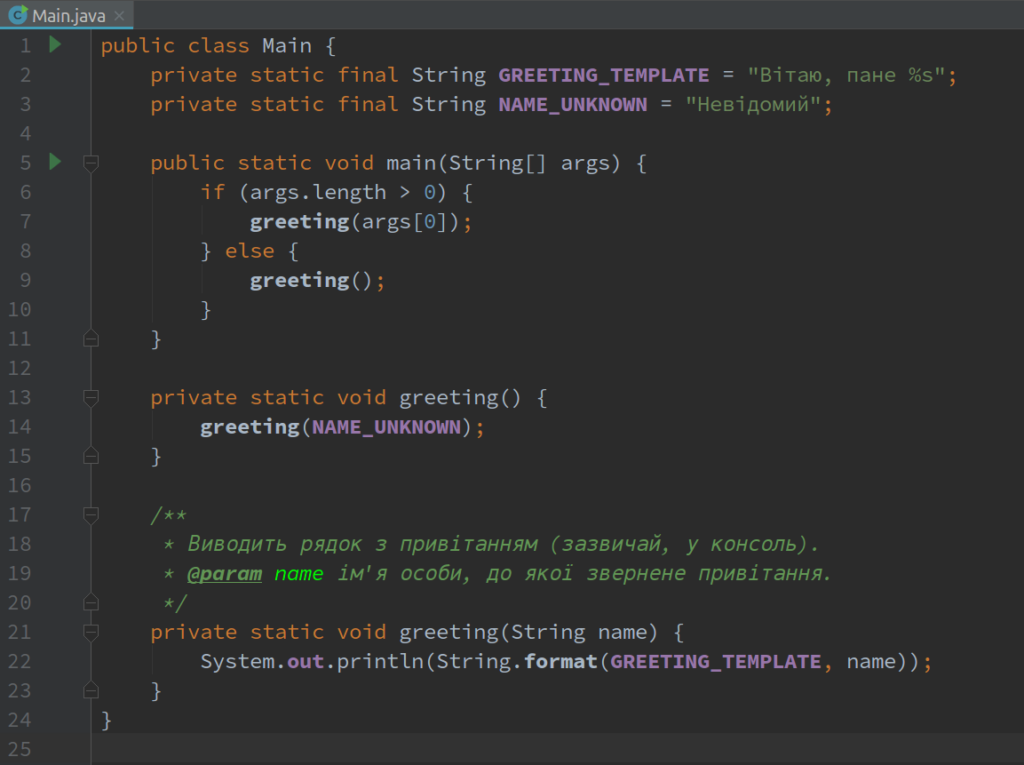
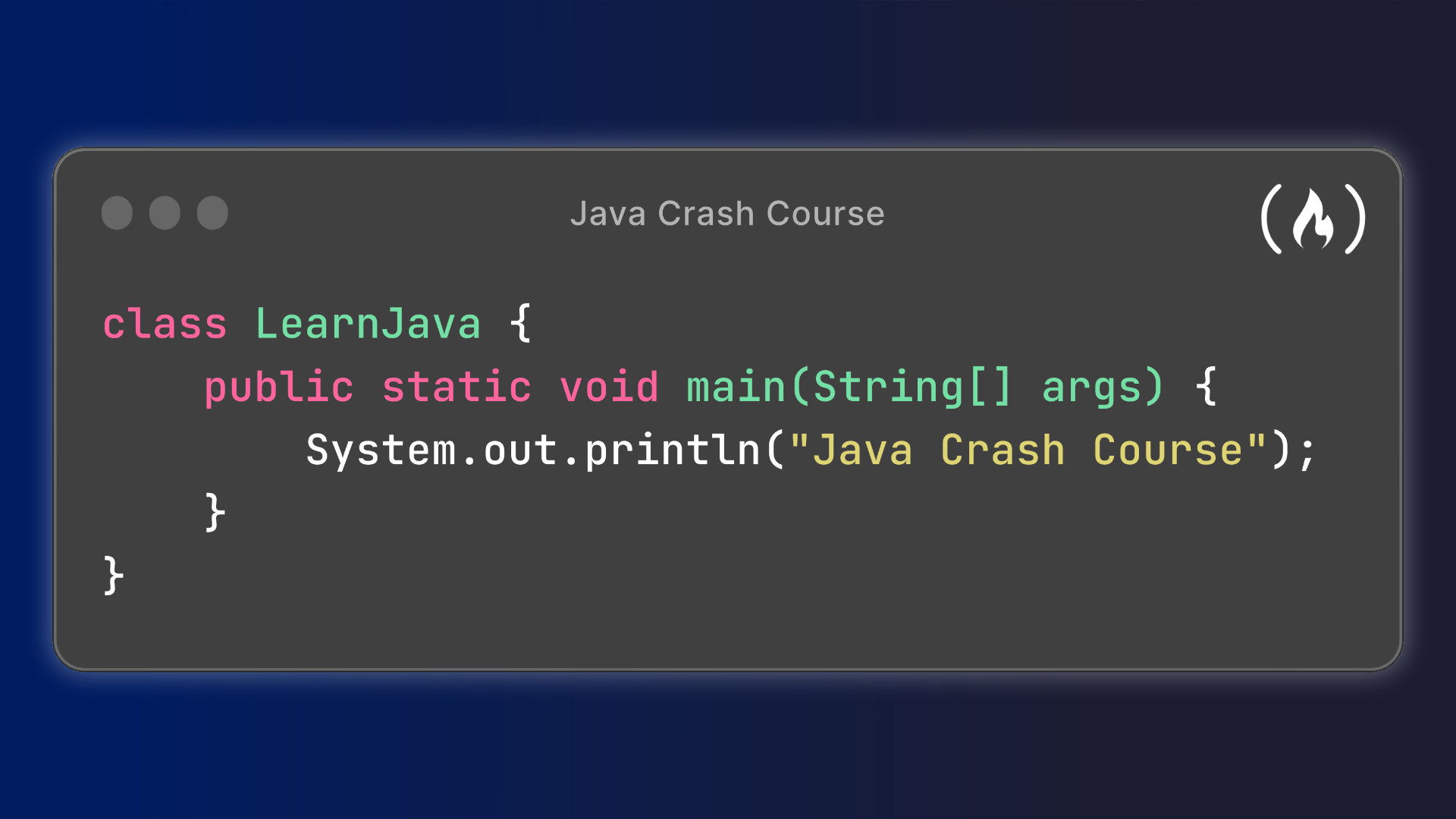
Java source files usually have the .java extension. A source file can contain classes, interfaces, methods, variables, and comments. For example, a simple program might look like this:

public class HelloWorld {

public static void main(String[] args) {

System.out.println("Hello, world!");

}

}

In this example, HelloWorld is a class. The main method is the program’s entry point, and System.out.println displays a line of text.

From Source Code to a Running Program

Java uses a two-stage process to turn source code into a running application:

  1. Compilation: The Java compiler, javac, checks the source code and converts it into bytecode. The result is commonly saved in a .class file.
  2. Execution: The JVM runs the bytecode. Because JVMs are available for many operating systems, the same compiled program can often run on different platforms.

A typical command-line workflow is:

javac HelloWorld.java

java HelloWorld

The first command compiles the source file. The second starts the program.

Key Parts of Java Source Code

  • Classes and interfaces: These define the structure and behavior of a Java program.
  • Methods: Methods contain instructions that perform tasks.
  • Variables: Variables store values, such as numbers, text, or object references.
  • Packages and imports: Packages organize related code, while import statements make other classes available.
  • Comments: Comments explain code to readers and are ignored by the compiler.

Java is case-sensitive, so total and Total are different names. In conventional Java projects, class names use PascalCase, while method and variable names usually use camelCase.

Why Source Code Matters

Readable source code is easier to maintain, test, and improve. Clear names, consistent formatting, and focused methods help developers understand how a program works. Comments are useful when they explain intent or important decisions, but well-written code should also communicate its purpose through its structure and naming.

Java source code is also the foundation for collaboration. Teams use version control systems to track changes, review updates, and coordinate work. Automated tests and build tools can help verify that changes behave as expected.

Getting Started

To begin writing Java source code, install a Java Development Kit (JDK), choose a text editor or integrated development environment, and create a file with a .java extension. Start with a small program, compile it, and run it. As you learn, explore variables, conditionals, loops, methods, classes, and exception handling.

Learning to read and write Java source code takes practice. By building small projects and reviewing clear examples, beginners can develop a solid understanding of how Java programs are structured and how they run.


Understanding Java Source Code: Common Questions Answered

  1. Is Java source code human-readable?
  2. Is Java a source code?
  3. Is Java outdated in 2026?
  4. Is Java built on C or C++?
  5. What is the source code of Java?

Is Java source code human-readable?

Yes, Java source code is human-readable: it uses familiar words, symbols, and a structured syntax that developers can write and understand. For example, a Java statement such as System.out.println("Hello, world!"); clearly indicates that text will be displayed. Although some programs can become complex, clear naming, formatting, and comments make Java source code easier to read and maintain.

Is Java a source code?

No. Java is a programming language, not source code itself. Source code is the human-readable set of instructions a programmer writes using Java, usually saved in files with the .java extension. A Java compiler then converts that source code into bytecode that can run on the Java Virtual Machine (JVM).

Is Java outdated in 2026?

No, Java is not outdated in 2026. It remains widely used for enterprise software, backend services, Android development, and large-scale systems, with ongoing updates to the language and its ecosystem. While newer languages may suit some projects better, Java continues to be a practical choice when long-term support, mature tools, performance, and a large developer community matter.

Is Java built on C or C++?

Java is not built on C or C++, though its syntax was influenced by both languages, especially C and C++. Java was designed as a separate programming language, with features such as automatic memory management and a bytecode-based runtime. Its compiler and runtime have been implemented in different languages over time, so Java itself is not simply a version of C or C++.

What is the source code of Java?

Java source code is the human-readable set of instructions written by developers to create Java programs, typically saved in files with the .java extension. A Java compiler translates this code into bytecode, which the Java Virtual Machine (JVM) executes. If you mean the source code used to build the Java platform itself, much of it is available in the OpenJDK project.

java course for beginners

Java Course for Beginners: Learn the Fundamentals and Build Your First Programs

Java Course for Beginners: A Practical Guide to Getting Started

Java is a popular programming language used to build everything from business applications and web services to Android apps and large-scale software systems. Its clear structure, broad ecosystem, and strong community make it a useful language for people learning to code. A well-designed Java course for beginners can help you move from basic concepts to building programs of your own.

Why Learn Java?

Java is designed to run on many types of computers. Java programs are typically compiled into bytecode, which runs on the Java Virtual Machine (JVM). This approach helps the same program work across different operating systems, provided a compatible JVM is available.

Java is also widely used in professional software development. Learning it can introduce you to essential programming ideas—including variables, loops, methods, and object-oriented programming—that apply to many other languages as well.

What a Beginner Java Course Should Cover

You do not need previous programming experience to begin. A good introductory course explains each idea step by step and gives you opportunities to practice it. Look for a course that includes these core topics:

  • Setting up your tools: Install a Java Development Kit (JDK) and choose a code editor or integrated development environment (IDE).
  • Your first program: Learn how to write, compile, and run a simple Java application.
  • Variables and data types: Store information using types such as int, double, boolean, and String.
  • Operators and expressions: Perform calculations and compare values.
  • Conditionals: Use if, else, and switch statements to make decisions.
  • Loops: Repeat tasks with for and while loops.
  • Methods: Organize code into reusable blocks.
  • Arrays and collections: Work with groups of values.
  • Object-oriented programming: Create classes and objects, and learn about fields, constructors, and methods.
  • Debugging and errors: Read compiler messages, find mistakes, and improve your code.

How to Choose the Right Course

Beginner courses come in many formats, including online lessons, classroom instruction, books, and self-paced tutorials. The best choice depends on how you like to learn and how much time you can set aside. Before enrolling, check that the course:

  • Clearly identifies itself as suitable for beginners.
  • Uses current Java tools and explains how to install them.
  • Includes coding exercises, not just videos or lectures.
  • Builds concepts gradually and explains unfamiliar terms.
  • Offers small projects that let you apply what you have learned.

A course does not have to teach every Java feature at once. A strong foundation in the basics is more valuable than rushing through advanced topics before you are ready.

Practice with Small Projects

Writing code regularly is one of the best ways to make progress. After learning the fundamentals, try projects that are simple enough to finish but flexible enough to expand. For example, you could create:

  • A temperature or unit converter
  • A basic calculator
  • A number-guessing game
  • A to-do list for the command line
  • A program that tracks books, movies, or personal expenses

Start with a basic version, then add features as your skills improve. A number-guessing game, for instance, can begin with a random number and a loop. Later, you can add input validation, a limited number of guesses, and a way to play again.

Tips for Learning Java Successfully

Set a manageable learning schedule. Short, frequent practice sessions often work better than trying to learn everything in one sitting. Type out examples yourself, change them, and observe what happens. When you encounter an error, read the message carefully and test one possible fix at a time.

It is also normal to revisit concepts. Object-oriented programming and other topics may take time to feel comfortable. Keep your early programs, review them later, and notice how your understanding has grown.

What Comes After the Basics?

Once you can write small programs and understand how classes and objects work, you can explore topics such as exception handling, file input and output, generics, testing, and common data structures. Your next steps can depend on your goals. For example, you might study web development, Android development, or backend application development.

Start Building with Java

A Java course for beginners can give you a clear path into programming, but progress comes from applying what you learn. Choose a course with hands-on exercises, practice consistently, and build small projects along the way. With patience and regular effort, you can develop the skills to create useful Java applications and continue learning more advanced programming concepts.


Top FAQs About Starting a Java Course for Beginners

  1. Which is the best Java course for beginners?
  2. How can I learn Java as a beginner?
  3. Is 1 month enough to learn Java?
  4. How do I start studying Java?

Which is the best Java course for beginners?

The best Java course for beginners is one that assumes no prior programming experience, teaches concepts step by step, and gives you plenty of hands-on practice. Look for lessons covering Java basics, problem-solving, and object-oriented programming, along with exercises and small projects that help you apply what you learn. The right choice also depends on your learning style, schedule, and budget, so preview a lesson or two before committing.

How can I learn Java as a beginner?

Beginners can learn Java by starting with the basics: installing the JDK and a code editor, then practicing variables, data types, conditionals, loops, methods, and classes. Follow a structured beginner course with hands-on exercises, and write code regularly rather than only watching lessons. Small projects—such as a calculator or number-guessing game—help reinforce new concepts. When errors come up, read the messages carefully and use them as clues; steady practice is more effective than trying to learn everything at once.

Is 1 month enough to learn Java?

One month is enough to learn Java’s fundamentals if you study consistently and practice regularly, but it’s usually not enough to master the language or become job-ready. In that time, you can learn basic syntax, variables, conditionals, loops, methods, and introductory object-oriented programming, then apply them in small projects. Your progress will depend on your prior experience and the time you can dedicate each day. Continue practicing after the first month to strengthen your skills and explore more advanced topics.

How do I start studying Java?

To start studying Java, install the latest Java Development Kit (JDK) and choose a beginner-friendly editor or IDE, such as IntelliJ IDEA or Visual Studio Code. Then follow a structured introductory course that covers basic syntax, variables, conditionals, loops, methods, and classes. Write and run small programs as you learn—such as a calculator or number-guessing game—and practice regularly. When you encounter errors, read the messages carefully and use them to understand how your code works.

softwaredeveloper

The Essential Role of a Software Developer in Today’s Tech-driven World

The Role of a Software Developer in Today’s Digital World

The Role of a Software Developer in Today’s Digital World

In today’s rapidly evolving digital landscape, software developers play a crucial role in shaping the technology that powers our daily lives. From mobile apps to complex enterprise systems, software developers are the masterminds behind the code that drives innovation and efficiency.

What Does a Software Developer Do?

A software developer is responsible for designing, coding, testing, and maintaining software applications. They work closely with stakeholders to understand requirements and develop solutions that meet specific needs. Software developers utilize various programming languages and tools to create functional and user-friendly applications.

Skills Required for Software Development

To excel as a software developer, one must possess a combination of technical skills, problem-solving abilities, and creativity. Some essential skills for software development include proficiency in programming languages such as Java, Python, C++, or JavaScript, knowledge of database management systems, and familiarity with development frameworks.

The Importance of Software Developers

Software developers are instrumental in driving digital transformation across industries. They enable businesses to streamline operations, enhance customer experiences, and stay competitive in the market. The innovative solutions created by software developers have revolutionized how we communicate, work, shop, and interact with the world around us.

Future Outlook for Software Developers

As technology continues to advance at a rapid pace, the demand for skilled software developers is expected to grow. From artificial intelligence to cybersecurity and cloud computing, new opportunities are emerging for software developers to make significant contributions to society.

In conclusion, software developers are at the forefront of technological innovation, driving progress and shaping the future of our digital world. Their expertise and dedication play a vital role in creating solutions that improve efficiency, connectivity, and convenience for individuals and organizations alike.


7 Common Questions About Becoming a Software Developer: Skills, Salaries, and Career Insights

  1. What does a software developer do?
  2. What skills are required to become a software developer?
  3. How much does a software developer earn on average?
  4. What programming languages should a software developer know?
  5. What is the difference between a software developer and a software engineer?
  6. What are the typical responsibilities of a software developer?
  7. How can someone become a successful software developer?

What does a software developer do?

A software developer is responsible for designing, coding, testing, and maintaining software applications. They collaborate with stakeholders to understand requirements and develop solutions that meet specific needs. Utilizing various programming languages and tools, software developers create functional and user-friendly applications that drive innovation and efficiency in today’s digital world. Their role involves translating ideas into code, troubleshooting issues, and continuously improving software to meet evolving demands. Through their expertise and problem-solving skills, software developers play a critical role in shaping technology solutions that enhance user experiences and drive business success.

What skills are required to become a software developer?

To become a successful software developer, a combination of technical skills, problem-solving abilities, and creativity is essential. Proficiency in programming languages such as Java, Python, C++, or JavaScript is crucial. Additionally, knowledge of database management systems and familiarity with development frameworks are important for creating functional and user-friendly applications. Strong communication skills, attention to detail, and a passion for continuous learning are also key traits that can help aspiring software developers excel in their field.

How much does a software developer earn on average?

The average salary of a software developer can vary depending on factors such as experience, location, industry, and specific skills. In the United States, the median annual wage for software developers was around $110,140 in 2020, according to the Bureau of Labor Statistics. However, entry-level positions may offer lower salaries while senior developers with specialized expertise can earn significantly higher incomes. It’s important to note that salaries for software developers are competitive and tend to reflect the high demand for skilled professionals in the tech industry.

What programming languages should a software developer know?

When considering the question of which programming languages a software developer should know, it is essential to understand that the choice of languages can vary depending on the specific field and project requirements. However, some commonly recommended programming languages for software developers include Java, Python, C++, JavaScript, and SQL. Java is widely used for building enterprise applications, while Python is favored for its simplicity and versatility in tasks such as data analysis and machine learning. C++ is commonly used in system programming and game development, while JavaScript is essential for web development. SQL is crucial for database management and querying. Ultimately, a well-rounded software developer may benefit from proficiency in a combination of these languages to tackle diverse projects effectively.

What is the difference between a software developer and a software engineer?

When it comes to the distinction between a software developer and a software engineer, the terms are often used interchangeably, leading to confusion. While both roles involve designing, coding, and testing software applications, there are subtle differences in their focus and responsibilities. A software developer typically concentrates on the development of specific features or components within an application, focusing more on coding and implementation. On the other hand, a software engineer tends to take a broader approach, considering the entire software development lifecycle, including design, architecture, testing, and maintenance. Software engineers often have a more strategic role in planning and executing complex projects, while software developers may be more hands-on in writing code to meet specific requirements. Ultimately, both roles are essential in creating functional and user-friendly software solutions that drive innovation and efficiency in today’s digital world.

What are the typical responsibilities of a software developer?

Software developers typically have a wide range of responsibilities that revolve around designing, developing, testing, and maintaining software applications. They collaborate with stakeholders to gather requirements, create technical specifications, and write code using various programming languages. Software developers also conduct thorough testing to ensure the functionality and performance of the software meet quality standards. Additionally, they often troubleshoot issues, implement updates and enhancements, and stay current with industry trends to continuously improve their skills and deliver innovative solutions.

How can someone become a successful software developer?

To become a successful software developer, one must first acquire a strong foundation in programming languages and software development principles. Continuous learning and staying updated with the latest technologies are essential in this fast-paced industry. Building practical experience through coding projects, internships, and collaboration with peers can help hone skills and problem-solving abilities. Effective communication, teamwork, and adaptability are also key traits that contribute to success in software development. Embracing challenges, seeking feedback, and being open to learning from mistakes are crucial for personal growth and career advancement in this dynamic field.

software engineering project

Mastering the Art of a Successful Software Engineering Project

Software Engineering Project: From Concept to Completion

Software Engineering Project: From Concept to Completion

Software engineering projects are complex undertakings that require careful planning, execution, and management to ensure success. From the initial concept phase to the final product delivery, every step in the software development lifecycle plays a crucial role in shaping the outcome of the project.

Conceptualization and Planning

The journey of a software engineering project begins with conceptualization and planning. During this phase, stakeholders define the project scope, requirements, objectives, and constraints. Clear communication and collaboration among team members are essential to establish a solid foundation for the project.

Design and Development

Once the project requirements are defined, software engineers move on to the design and development phase. This stage involves creating detailed designs, coding, testing, and iterating to build a functional software solution that meets the specified criteria. Collaboration between developers, designers, testers, and other team members is crucial to ensure that the project progresses smoothly.

Testing and Quality Assurance

Testing and quality assurance are integral parts of any software engineering project. Thorough testing helps identify bugs, errors, and performance issues early in the development process. Quality assurance processes ensure that the software meets quality standards and user expectations before deployment.

Deployment and Maintenance

Once the software is developed and tested successfully, it is ready for deployment. Deployment involves releasing the software to end-users or clients while ensuring a smooth transition from development to production environments. Post-deployment maintenance involves monitoring performance, addressing user feedback, fixing bugs, and implementing updates as needed.

Conclusion

A successful software engineering project requires careful planning, effective communication, collaboration among team members, attention to detail during development and testing phases, and ongoing maintenance post-deployment. By following best practices in software engineering methodologies and leveraging modern tools and technologies, teams can deliver high-quality software solutions that meet user needs and business objectives.


8 Essential Tips for Successful Software Engineering Projects

  1. Prioritize clear and consistent communication within the team.
  2. Adopt version control systems like Git for efficient collaboration.
  3. Break down tasks into manageable chunks with well-defined goals.
  4. Implement automated testing to catch bugs early in development.
  5. Continuously integrate code changes to avoid integration issues later.
  6. Document code and processes thoroughly for future reference.
  7. Regularly review and refactor code to maintain quality and performance.
  8. Stay updated with industry trends and tools to enhance project outcomes.

Prioritize clear and consistent communication within the team.

In software engineering projects, prioritizing clear and consistent communication within the team is essential for success. Effective communication ensures that all team members are aligned on project goals, requirements, and progress. It helps prevent misunderstandings, promotes collaboration, and fosters a positive working environment. By maintaining open lines of communication, team members can share ideas, address issues promptly, and work together towards achieving project milestones efficiently. Clear and consistent communication plays a crucial role in keeping the project on track and ensuring that everyone is on the same page throughout the development process.

Adopt version control systems like Git for efficient collaboration.

Adopting version control systems like Git is a crucial tip for ensuring efficient collaboration in software engineering projects. By using Git, team members can work on the same codebase simultaneously, track changes, merge modifications seamlessly, and revert to previous versions if needed. This not only streamlines the development process but also helps prevent conflicts and maintain a well-organized project history. Embracing version control systems like Git promotes better teamwork, enhances productivity, and ultimately contributes to the success of the software engineering project.

Break down tasks into manageable chunks with well-defined goals.

Breaking down tasks into manageable chunks with well-defined goals is a crucial tip in software engineering projects. By dividing the project into smaller, more achievable components, teams can maintain focus, track progress effectively, and ensure that each task contributes to the overall project objectives. Clear goals help team members understand their roles and responsibilities, leading to better coordination and collaboration. This approach also facilitates better time management and allows for adjustments as needed to meet project milestones successfully.

Implement automated testing to catch bugs early in development.

Implementing automated testing in software engineering projects is a valuable practice to catch bugs early in the development process. By setting up automated tests that run continuously, developers can quickly identify and address issues, ensuring a higher level of code quality and reducing the risk of bugs slipping into production. Automated testing not only saves time and effort but also enhances the overall reliability and stability of the software, leading to a smoother development cycle and improved end-user experience.

Continuously integrate code changes to avoid integration issues later.

Continuously integrating code changes throughout the software engineering project is crucial to prevent integration issues from arising later in the development process. By regularly merging code updates into a shared repository and running automated tests, teams can identify and address conflicts and errors early on, ensuring that the software components work together seamlessly. This practice of continuous integration not only helps maintain code quality but also promotes collaboration among team members and facilitates a smoother overall development workflow.

Document code and processes thoroughly for future reference.

It is essential to document code and processes thoroughly during a software engineering project to ensure clarity and maintainability for future reference. Comprehensive documentation helps team members understand the logic behind the code, the purpose of specific processes, and how different components interact with each other. By documenting code and processes effectively, developers can easily troubleshoot issues, onboard new team members efficiently, and facilitate future updates or modifications to the software with minimal confusion or errors.

Regularly review and refactor code to maintain quality and performance.

Regularly reviewing and refactoring code is a crucial practice in software engineering projects to uphold quality and performance standards. By conducting code reviews, developers can identify and address potential issues, improve readability, and ensure adherence to coding standards. Refactoring allows for restructuring code to enhance efficiency, maintainability, and scalability. These proactive measures not only help in detecting and rectifying errors early on but also contribute to the overall robustness and longevity of the software solution.

Staying updated with industry trends and tools is crucial for enhancing project outcomes in software engineering. By keeping abreast of the latest advancements in technology and methodologies, software engineers can leverage new tools and best practices to improve efficiency, quality, and innovation in their projects. Continuous learning and adaptation to industry trends not only help teams stay competitive but also enable them to deliver cutting-edge solutions that meet the evolving needs of clients and end-users.

bloomberg software engineer

Exploring the Role of a Bloomberg Software Engineer in Cutting-Edge Technology Solutions

Bloomberg Software Engineer

The Role of a Bloomberg Software Engineer

Software engineers at Bloomberg play a crucial role in developing cutting-edge technology solutions that power the financial industry. These professionals are responsible for designing, building, and maintaining software systems that enable Bloomberg to deliver real-time data, analytics, and financial tools to its clients.

Key Responsibilities

As a software engineer at Bloomberg, you will be involved in:

  • Collaborating with cross-functional teams to design and implement software solutions
  • Writing clean, efficient, and maintainable code
  • Testing and debugging software applications to ensure high performance and reliability
  • Participating in code reviews and providing constructive feedback to peers
  • Staying up-to-date with the latest technologies and industry trends
  • Contributing to the continuous improvement of development processes and best practices

Skills and Qualifications

To excel as a Bloomberg software engineer, candidates typically possess:

  • A strong background in computer science or a related field
  • Proficiency in programming languages such as C++, Java, Python, or others
  • Experience with software development methodologies like Agile or Scrum
  • Excellent problem-solving skills and attention to detail
  • Effective communication and teamwork abilities
  • A passion for innovation and a drive for continuous learning

Career Development at Bloomberg

Bloomberg is committed to fostering the professional growth of its employees. Software engineers have access to various training programs, mentorship opportunities, and career advancement paths within the company. Additionally, Bloomberg encourages its employees to participate in industry conferences, hackathons, and other events to expand their knowledge and network with peers.

In Conclusion

The role of a software engineer at Bloomberg offers an exciting opportunity to work on complex technical challenges while making a meaningful impact on the global financial landscape. If you are passionate about technology and eager to contribute your skills to a dynamic team environment, consider exploring a career as a Bloomberg software engineer.


6 Essential Tips for Success as a Bloomberg Software Engineer

  1. Stay updated on the latest technologies and programming languages used at Bloomberg.
  2. Develop strong problem-solving skills to tackle complex technical challenges.
  3. Collaborate effectively with team members and stakeholders to deliver high-quality software solutions.
  4. Prioritize learning and professional growth to advance your career as a software engineer at Bloomberg.
  5. Pay attention to detail in coding and testing to ensure robust and reliable software products.
  6. Stay adaptable and open-minded to embrace changes in technology trends and project requirements.

Stay updated on the latest technologies and programming languages used at Bloomberg.

To excel as a software engineer at Bloomberg, it is essential to stay updated on the latest technologies and programming languages utilized within the company. By keeping abreast of advancements in the tech industry, you can enhance your skills, adapt to evolving project requirements, and contribute effectively to innovative solutions. Continuous learning and exploration of new tools and languages not only demonstrate your commitment to professional growth but also enable you to stay competitive in a fast-paced and dynamic work environment like Bloomberg.

Develop strong problem-solving skills to tackle complex technical challenges.

Developing strong problem-solving skills is essential for success as a Bloomberg software engineer. In this role, you will encounter complex technical challenges that require innovative solutions. By honing your ability to analyze problems, think critically, and approach issues methodically, you will be better equipped to navigate the intricate world of software development at Bloomberg. Embracing a proactive and creative problem-solving mindset will not only enhance your effectiveness as an engineer but also contribute to the continuous improvement and innovation within the team.

Collaborate effectively with team members and stakeholders to deliver high-quality software solutions.

Collaboration is key for Bloomberg software engineers to deliver high-quality software solutions. By working effectively with team members and stakeholders, engineers can leverage diverse perspectives and expertise to tackle complex challenges and ensure that the final product meets the highest standards. Clear communication, mutual respect, and a shared commitment to excellence are essential elements of successful collaboration at Bloomberg, enabling software engineers to create innovative solutions that drive the company’s mission forward in the fast-paced world of financial technology.

Prioritize learning and professional growth to advance your career as a software engineer at Bloomberg.

To advance your career as a software engineer at Bloomberg, it is essential to prioritize learning and professional growth. Embracing continuous learning opportunities, staying updated on the latest technologies, and actively seeking mentorship can help you enhance your skills and expertise in the dynamic field of software engineering. By investing in your personal development and expanding your knowledge base, you can position yourself for success and progression within the innovative environment of Bloomberg.

Pay attention to detail in coding and testing to ensure robust and reliable software products.

When working as a Bloomberg software engineer, it is essential to pay meticulous attention to detail during the coding and testing processes. By focusing on precision and thoroughness, engineers can create robust and reliable software products that meet high standards of performance and quality. This dedication to detail not only enhances the functionality of the software but also contributes to building trust with clients who rely on Bloomberg’s technology solutions for critical financial operations.

As a Bloomberg software engineer, it is essential to stay adaptable and open-minded to effectively navigate the ever-evolving landscape of technology trends and project requirements. By embracing changes with a flexible mindset, engineers can proactively respond to shifting demands, incorporate new tools and methodologies, and drive innovation in their work. This approach not only enhances problem-solving abilities but also fosters continuous learning and growth within the dynamic environment of software development at Bloomberg.

embedded systems development

Exploring the Innovations in Embedded Systems Development

Embedded Systems Development

The World of Embedded Systems Development

Embedded systems development is a fascinating field that plays a crucial role in powering the devices we use every day. These systems are specialized computing devices designed to perform dedicated functions within larger systems or products.

What are Embedded Systems?

Embedded systems are found in a wide range of applications, from consumer electronics like smartphones and smartwatches to industrial machinery, medical devices, automotive systems, and more. These systems are typically designed to be reliable, efficient, and cost-effective.

The Process of Developing Embedded Systems

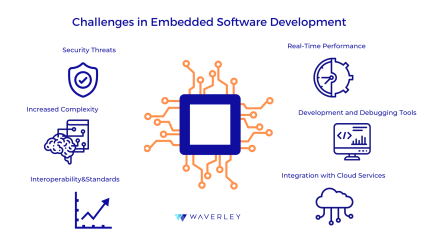
Developing embedded systems involves a unique set of challenges compared to traditional software development. Engineers working on embedded systems need to consider factors such as real-time operation, low power consumption, limited resources (such as memory and processing power), and often stringent safety and security requirements.

Key Steps in Embedded Systems Development

  1. Requirements Analysis: Understanding the functionality the embedded system needs to provide.
  2. Design: Creating the system architecture and selecting appropriate hardware components.
  3. Implementation: Writing code for the embedded system software.
  4. Testing: Verifying that the system meets its requirements and functions correctly.
  5. Deployment: Integrating the embedded system into the target product or application.

Careers in Embedded Systems Development

Careers in embedded systems development offer exciting opportunities for engineers who enjoy working at the intersection of hardware and software. Professionals in this field may specialize in areas such as firmware development, device drivers, real-time operating systems, or low-level programming.

The Future of Embedded Systems

As technology continues to advance, embedded systems will play an increasingly important role in enabling new innovations across various industries. From IoT devices to autonomous vehicles and smart appliances, embedded systems will continue to drive progress and enhance our daily lives.


Understanding Embedded Systems: Key Concepts, Challenges, and Career Insights

  1. What is an embedded system?
  2. What are the key challenges in embedded systems development?
  3. How do you program/embed software into an embedded system?
  4. What are some common applications of embedded systems?
  5. What skills are required for a career in embedded systems development?
  6. How does real-time operating system (RTOS) differ from other operating systems in the context of embedded systems?

What is an embedded system?

An embedded system is a specialized computing device designed to perform specific functions within a larger system or product. These systems are integrated into various devices and applications, ranging from household appliances and medical equipment to automotive systems and industrial machinery. Unlike general-purpose computers, embedded systems are tailored to meet the unique requirements of the task they are intended to perform, often emphasizing reliability, efficiency, and real-time operation. By combining hardware components with embedded software, these systems enable seamless functionality and automation in numerous technological solutions we encounter in our daily lives.

What are the key challenges in embedded systems development?

Developing embedded systems presents several key challenges that engineers must navigate. One of the primary challenges is optimizing performance while working within constraints such as limited processing power, memory, and energy efficiency. Real-time operation requirements add another layer of complexity, as embedded systems often need to respond quickly and predictably to external stimuli. Additionally, ensuring the security and reliability of embedded systems is crucial, especially in applications where safety is a critical concern. Balancing these technical challenges with time-to-market pressures and cost considerations requires a strategic approach to embedded systems development.

How do you program/embed software into an embedded system?

Programming or embedding software into an embedded system involves a specialized process tailored to the unique requirements of these systems. Typically, developers use integrated development environments (IDEs) and cross-compilers to write code that is specific to the hardware platform of the embedded system. The compiled code is then transferred to the target device using tools like debuggers, programmers, or bootloaders. This programming process requires a deep understanding of both software development and hardware architecture to ensure that the embedded system functions correctly and efficiently.

What are some common applications of embedded systems?

Embedded systems find applications in a wide range of industries and products. Some common examples include consumer electronics like smartphones, smart TVs, and digital cameras, where embedded systems power the device’s functionality. In the automotive sector, embedded systems are crucial for vehicle control systems, navigation systems, and driver assistance features. Industrial automation relies heavily on embedded systems for controlling machinery and monitoring processes. Medical devices such as pacemakers, infusion pumps, and diagnostic equipment also utilize embedded systems to perform critical functions. Overall, embedded systems play a vital role in enhancing the efficiency, performance, and functionality of various devices and systems across different sectors.

What skills are required for a career in embedded systems development?

To pursue a career in embedded systems development, a solid foundation in programming languages such as C and C++, as well as familiarity with hardware design principles, is essential. Additionally, proficiency in understanding datasheets, debugging skills, knowledge of real-time operating systems, and the ability to work with limited resources are valuable skills for success in this field. Problem-solving abilities, attention to detail, and a passion for technology are also key attributes that can help individuals excel in embedded systems development roles.

How does real-time operating system (RTOS) differ from other operating systems in the context of embedded systems?

In the realm of embedded systems development, the distinction between a real-time operating system (RTOS) and other operating systems is significant. Unlike general-purpose operating systems, an RTOS is specifically designed to handle tasks with strict timing requirements. RTOS prioritizes deterministic response times, ensuring that critical processes are executed within precise time constraints. This capability makes RTOS ideal for applications where timely and predictable task execution is paramount, such as in industrial automation, medical devices, and automotive systems. In contrast, traditional operating systems prioritize multitasking and resource sharing over strict timing guarantees, making them less suitable for real-time embedded applications.

computer and software engineering

Exploring the Intersection of Computer and Software Engineering

Computer and Software Engineering

The World of Computer and Software Engineering

Computer and software engineering are two dynamic fields that play a crucial role in shaping our modern world. From the devices we use daily to the complex systems that power industries, computer and software engineers are at the forefront of innovation and technological advancement.

What is Computer Engineering?

Computer engineering focuses on the design, development, and maintenance of computer hardware and systems. Computer engineers work on components such as processors, memory devices, networking equipment, and more. They also ensure that these components work together efficiently to create functional computer systems.

What is Software Engineering?

Software engineering, on the other hand, deals with the design, development, testing, and maintenance of software applications. Software engineers use programming languages and tools to create applications that meet specific requirements and solve problems for users.

The Intersection of Computer and Software Engineering

Computer and software engineering often overlap, with professionals in both fields collaborating to create integrated systems. Computer engineers provide the hardware infrastructure on which software applications run, while software engineers develop the programs that leverage this hardware.

The Impact of Computer and Software Engineering

The impact of computer and software engineering can be seen in various aspects of our lives. From smartphones that connect us to the world to sophisticated algorithms that power financial markets, these disciplines have revolutionized how we live, work, communicate, and entertain ourselves.

Careers in Computer and Software Engineering

Careers in computer and software engineering offer diverse opportunities for professionals to work in areas such as artificial intelligence, cybersecurity, cloud computing, robotics, data science, mobile app development, and more. With technology evolving rapidly, there is a constant demand for skilled engineers who can innovate and adapt to new challenges.

Conclusion

In conclusion, computer and software engineering are vital fields that drive technological progress across industries. As we continue to rely on digital solutions for our everyday tasks, the expertise of computer and software engineers will be essential in shaping a future powered by innovation.


Top 5 FAQs About Careers in Computer and Software Engineering

  1. What is the difference between computer engineering and software engineering?
  2. What programming languages are essential for a career in software engineering?
  3. How can I become a computer engineer or software engineer?
  4. What are the latest trends in computer and software engineering?
  5. What career opportunities are available for computer and software engineers?

What is the difference between computer engineering and software engineering?

One frequently asked question in the field of computer and software engineering is: “What is the difference between computer engineering and software engineering?” Computer engineering primarily focuses on designing, developing, and maintaining computer hardware components and systems, such as processors, memory devices, and networking equipment. On the other hand, software engineering deals with the design, development, testing, and maintenance of software applications using programming languages and tools. While computer engineers work on the physical infrastructure of computing systems, software engineers create the programs that run on these systems. Both disciplines are essential in creating integrated technology solutions that drive innovation and progress in the digital age.

What programming languages are essential for a career in software engineering?

When considering a career in software engineering, it is common to wonder about the essential programming languages to master. While the specific languages may vary depending on the industry and specialization, some foundational languages are widely recognized as essential for software engineers. Languages such as Java, Python, C++, JavaScript, and SQL are commonly sought after by employers due to their versatility and widespread use in various applications. Mastering these programming languages can provide a strong foundation for a successful career in software engineering, enabling professionals to develop diverse applications and solutions across different platforms and domains.

How can I become a computer engineer or software engineer?

To become a computer engineer or software engineer, individuals typically pursue a formal education in computer science, software engineering, or a related field. This often involves obtaining a bachelor’s degree from an accredited institution. Additionally, gaining practical experience through internships, co-op programs, or personal projects can be beneficial in developing the necessary skills and knowledge. Continuous learning and staying updated on the latest technologies and trends in the industry are also crucial for aspiring computer and software engineers to thrive in this dynamic field. Networking with professionals in the industry and seeking mentorship can provide valuable guidance and insights for those looking to establish a successful career in computer engineering or software engineering.

The latest trends in computer and software engineering encompass a wide range of innovative technologies and methodologies that are reshaping the industry. From artificial intelligence and machine learning to edge computing, quantum computing, and blockchain technology, there is a continual evolution towards more efficient, secure, and scalable solutions. Additionally, trends such as DevOps practices, cloud-native development, Internet of Things (IoT) integration, and low-code/no-code platforms are gaining momentum, enabling faster development cycles and greater flexibility in software engineering processes. Staying updated on these trends is crucial for professionals in the field to remain competitive and drive forward the future of computer and software engineering.

What career opportunities are available for computer and software engineers?

Career opportunities for computer and software engineers are abundant and diverse. Professionals in these fields have the chance to work in various industries, including artificial intelligence, cybersecurity, cloud computing, robotics, data science, mobile app development, and more. With the rapid evolution of technology, there is a growing demand for skilled engineers who can innovate and adapt to new challenges. Whether designing cutting-edge software applications, securing digital systems from cyber threats, or developing advanced algorithms for machine learning, computer and software engineers play a crucial role in shaping the future of technology across different sectors.